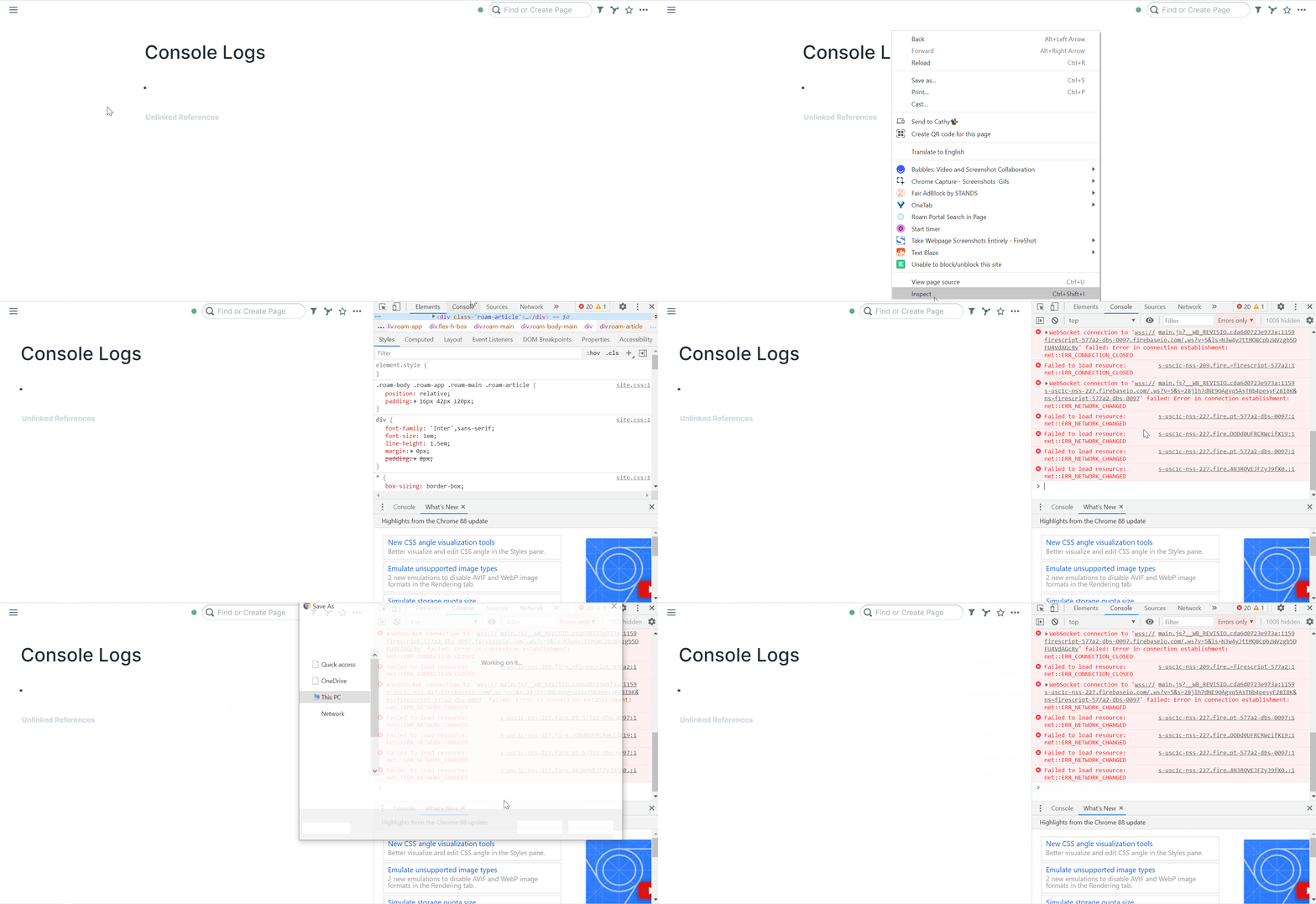
- Right click your Roam screen
- Click "Inspect"
- Click "Console"
- Right click anywhere in the console logs
- Click "Save as"
- Save
- Click "Save as"
- Right click anywhere in the console logs
- Click "Console"
- Click "Inspect"
- Right click your Roam screen
Roam Research Docs · Help & user documentation