Roam Research Docs · Help & user documentation
Graph Homepage
markdown version · view in Roam Research
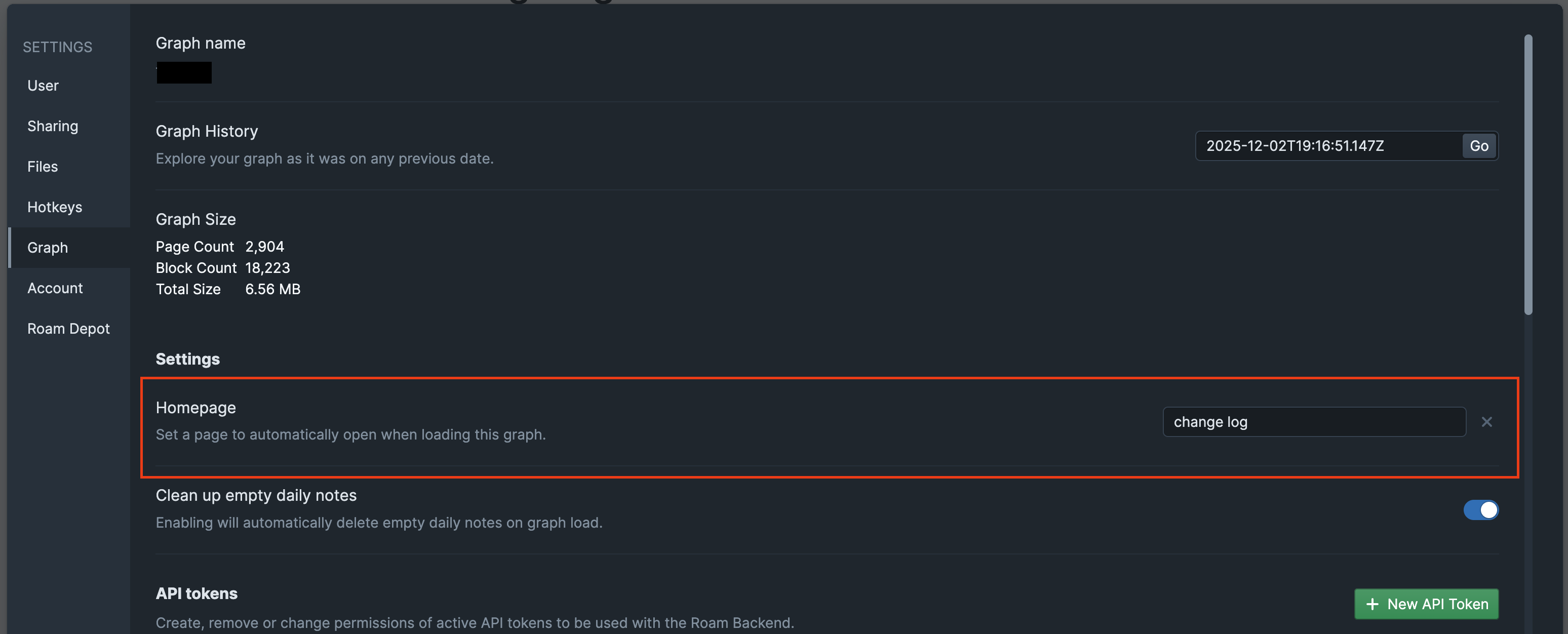
- A graph can have a homepage: a page that opens automatically whenever the graph loads, instead of today's Daily Notes.
- It's handy as a landing page: a team dashboard, a start-here page for new members of a shared graph, or your own index.
Setting it up
- Open Settings → Graph → Homepage and search for the page you want.
- The setting is graph-wide, so everyone who opens the graph lands on it. On shared graphs, only admins can change it.
- Clear the setting to go back to landing on Daily Notes.
Good to know
- The homepage only replaces the default landing view. Following a link to a specific page or block still takes you there.
- If the homepage is later deleted, the graph quietly falls back to Daily Notes.