Roam Research Docs · Help & user documentation
Sharing
markdown version · view in Roam Research
- Sharing controls who can see and edit a Hosted Graph: the whole graph, specific people, or single pages.
- The controls live in Settings under the Sharing tab. Only the graph's admin (the person who created it) sees the tab and can change these settings.
- Local Graphs never leave your device, so they have no sharing settings.
Sharing the whole graph
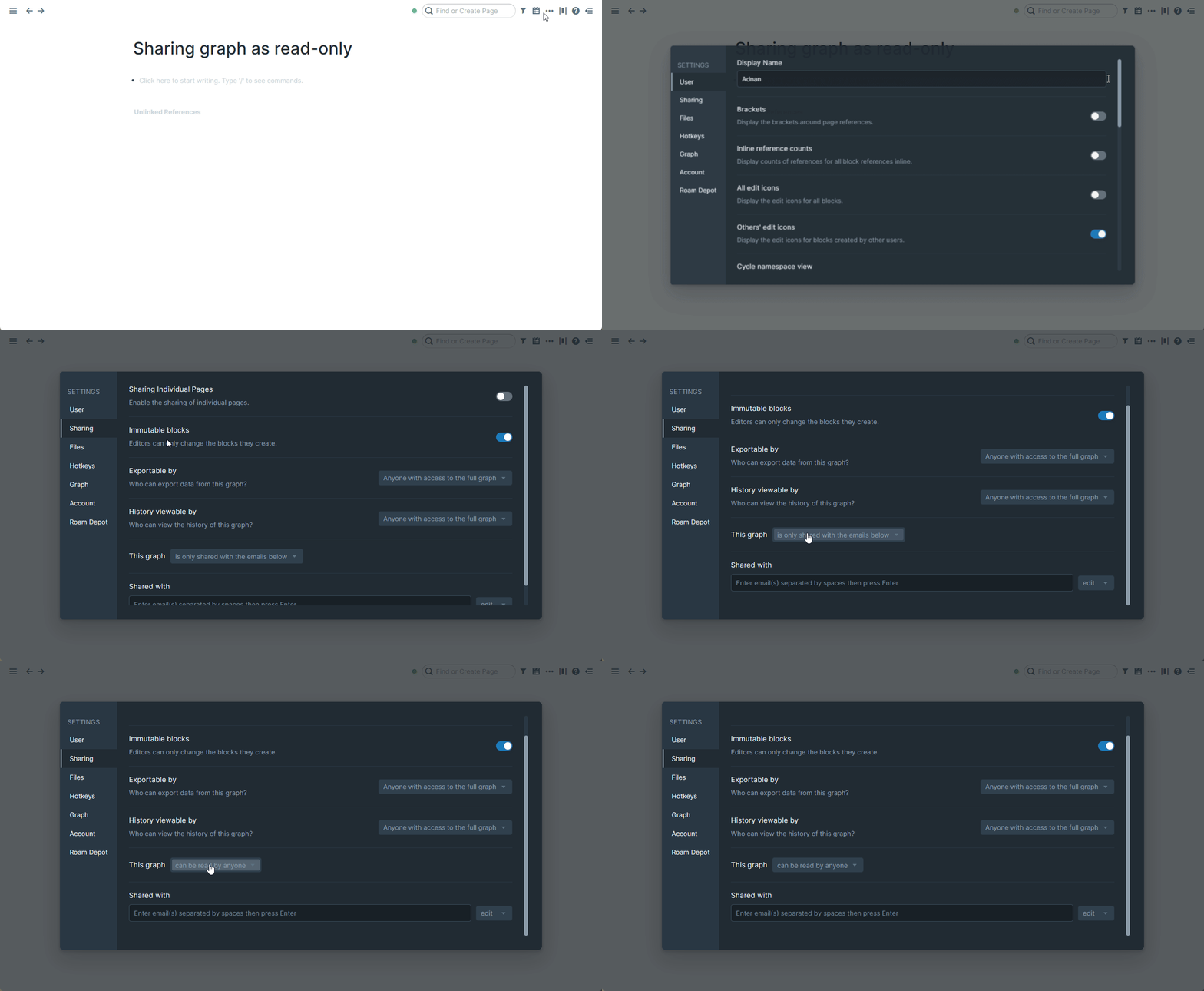
- The This graph dropdown sets the graph's overall visibility:
is only shared with the emails below
- Private, and the default. Only people you invite can open the graph.
can be read by anyone
- Anyone with the link can view the whole graph.
can be edited by anyone
- Anyone with the link can edit it too.
Sharing with specific people
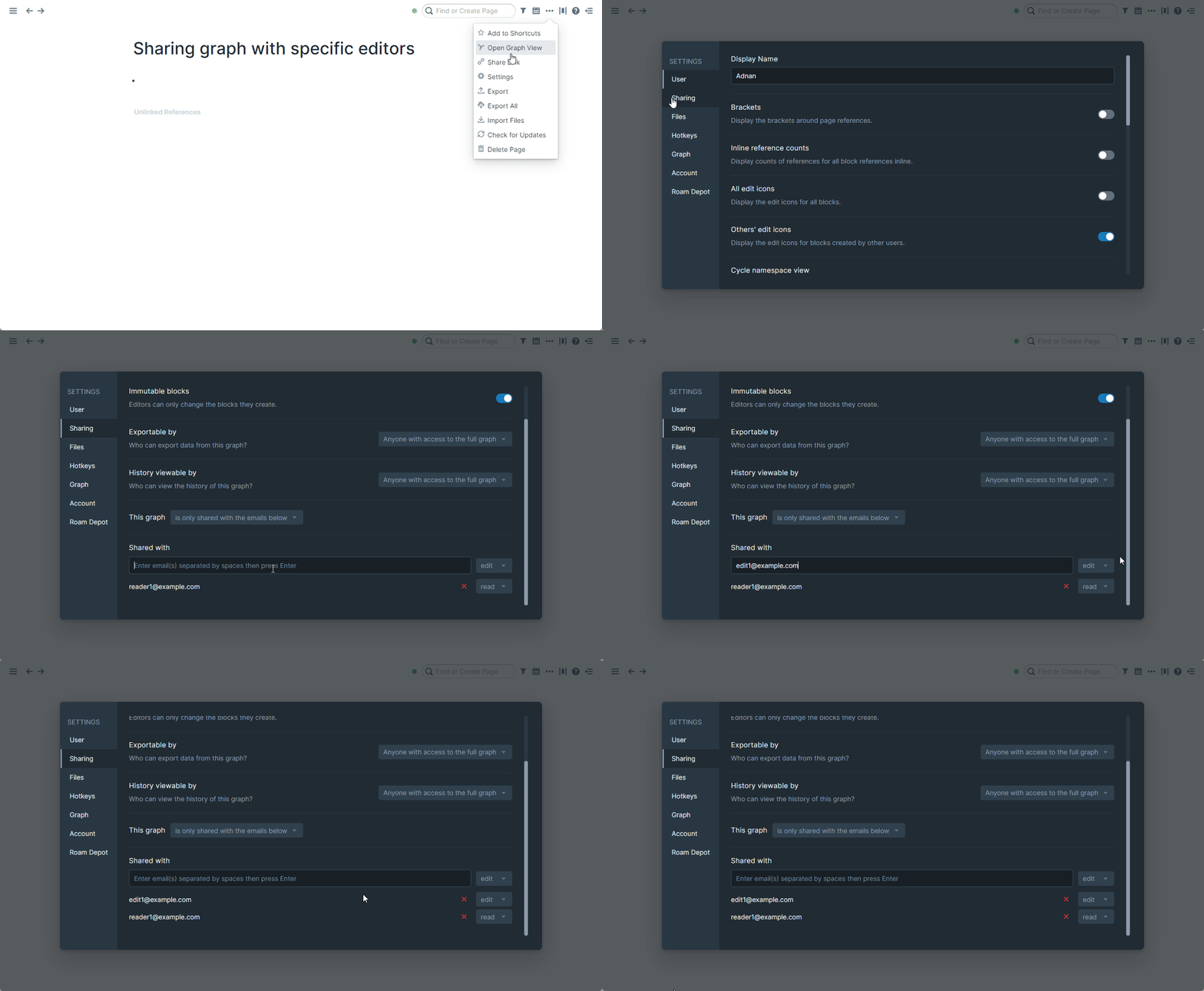
- Under Shared with, type one or more emails separated by spaces, pick read or edit access, and press Enter.
- Everyone you've invited appears in a list below, where you can switch them between read and edit or remove them.
- The person doesn't need a Roam account yet: if their email isn't registered, the invitation waits and takes effect as soon as they sign up with it.
Sharing a single page
- To share one page while keeping the rest of the graph private, first turn on Sharing Individual Pages at the top of the Sharing tab.
- > !WARNING Sharing individual pages loads the rest of your graph's data in every visitor's browser. Roam only displays the page you shared, but a technically skilled visitor could dig out the others. Use it on graphs where that risk is acceptable.
- Then, on the page you want to share:
- Open the ⋯ menu in the top right and pick Share Page.
- Set "This page is" to
can be read by anyone, or can be edited by anyone if visitors should be able to change it. Private takes it back down.
- Copy the page's link with Share Link in the same menu, and send it to anyone.
- Share Page only appears while the graph itself is private (a public graph's pages are already visible), and only for admins.
Other sharing controls
- Three more settings on the Sharing tab put limits on what the people you've invited can do:
- Immutable blocks
- When on, editors can only change the blocks they created themselves, so each person's words stay their own.
- Exportable by
- Who can export the graph's data: only you, people with edit access, everyone invited, or anyone with access to the full graph (the default).
- History viewable by