Roam Research Docs · Help & user documentation
Zapier Integration
markdown version · view in Roam Research
- Zapier lets you connect Roam Research to 6,000+ other web services. Automated connections called Zaps, set up in minutes with no coding, can automate your day-to-day tasks and build workflows between apps that otherwise wouldn't be possible.
- Link: https://zapier.com/apps/roam-research/integrations
Getting Started
- Walkthrough Video showing how to connect your Roam graph to Zapier
- Steps::
- Open the graph you want to link with Zapier
- Create a new API Token
- Steps to create new API Token
- Walkthrough GIF
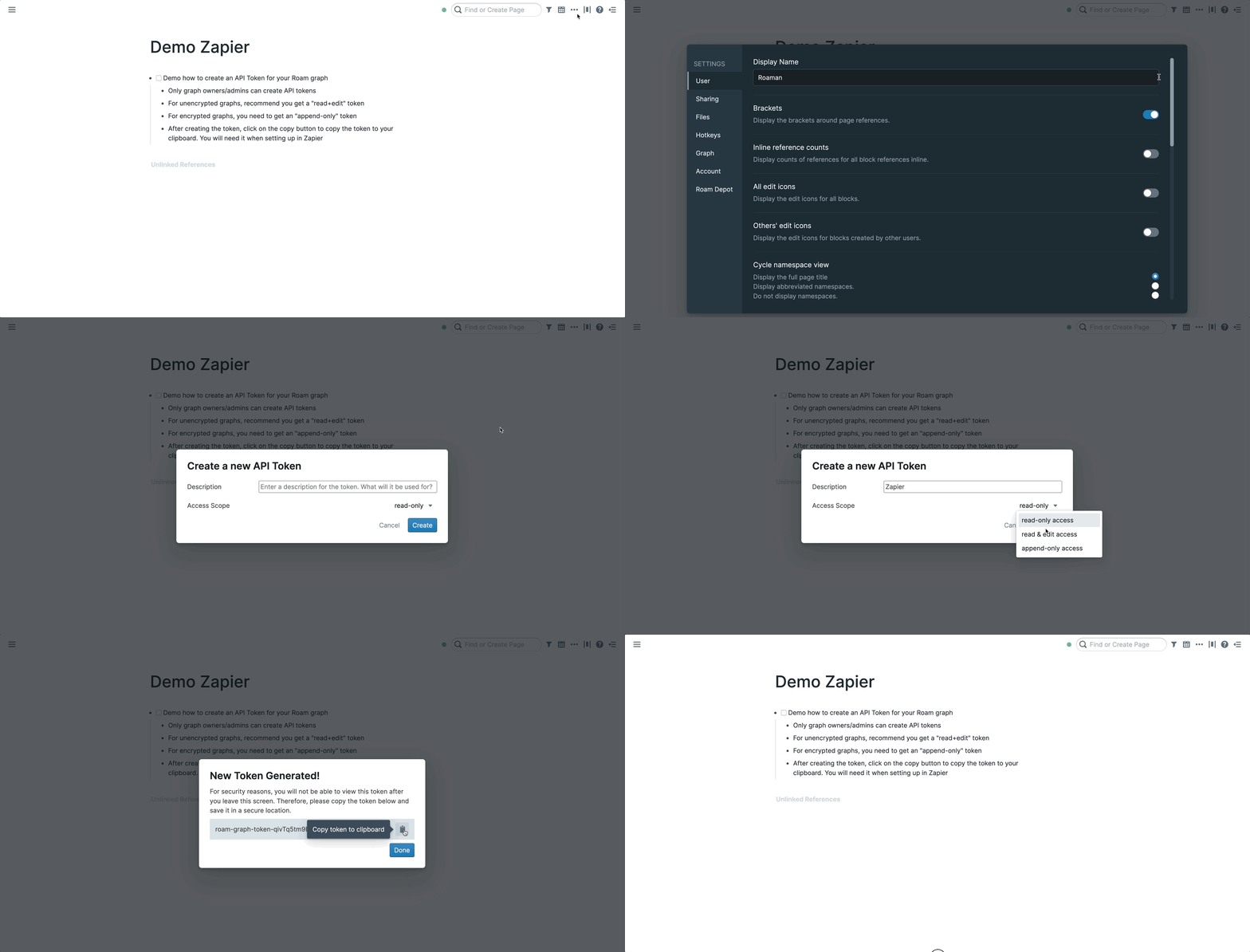
- Process is the same for encrypted graphs but you should select the "append-only" scope instead (It is the only option for encrypted graphs)
- Please note that you can only create API tokens for your graphs, not for graphs that have been shared with you
- Steps (if you prefer following via text)
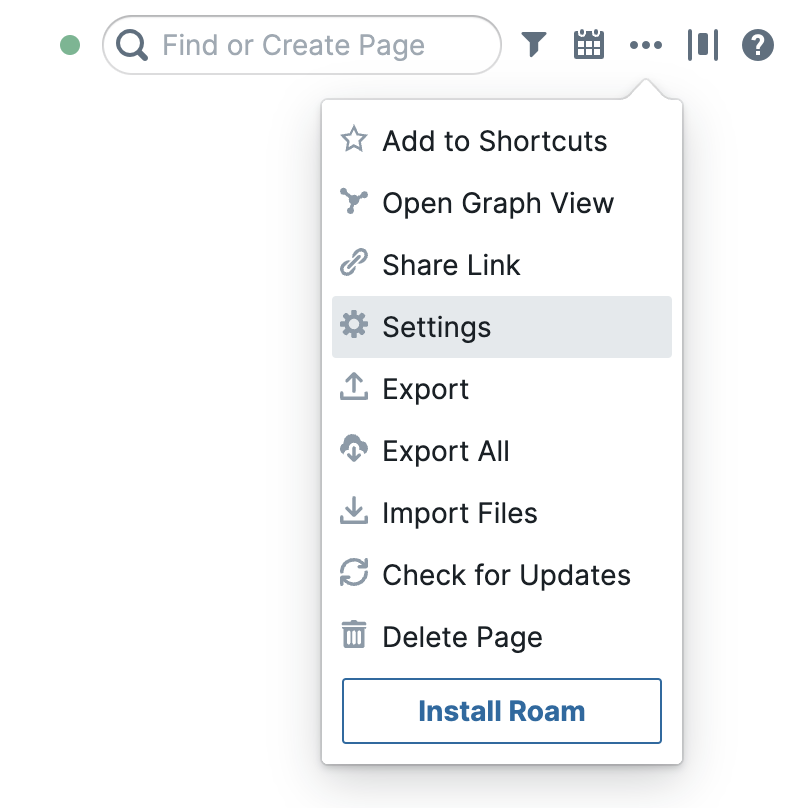
- Open your settings via ... > Settings, then go to the "Graph" tab
- In the "Graph" tab in settings, click on the green "+ New API Token" button
- Do note that you need to be the owner/admin of the graph in order to create API tokens
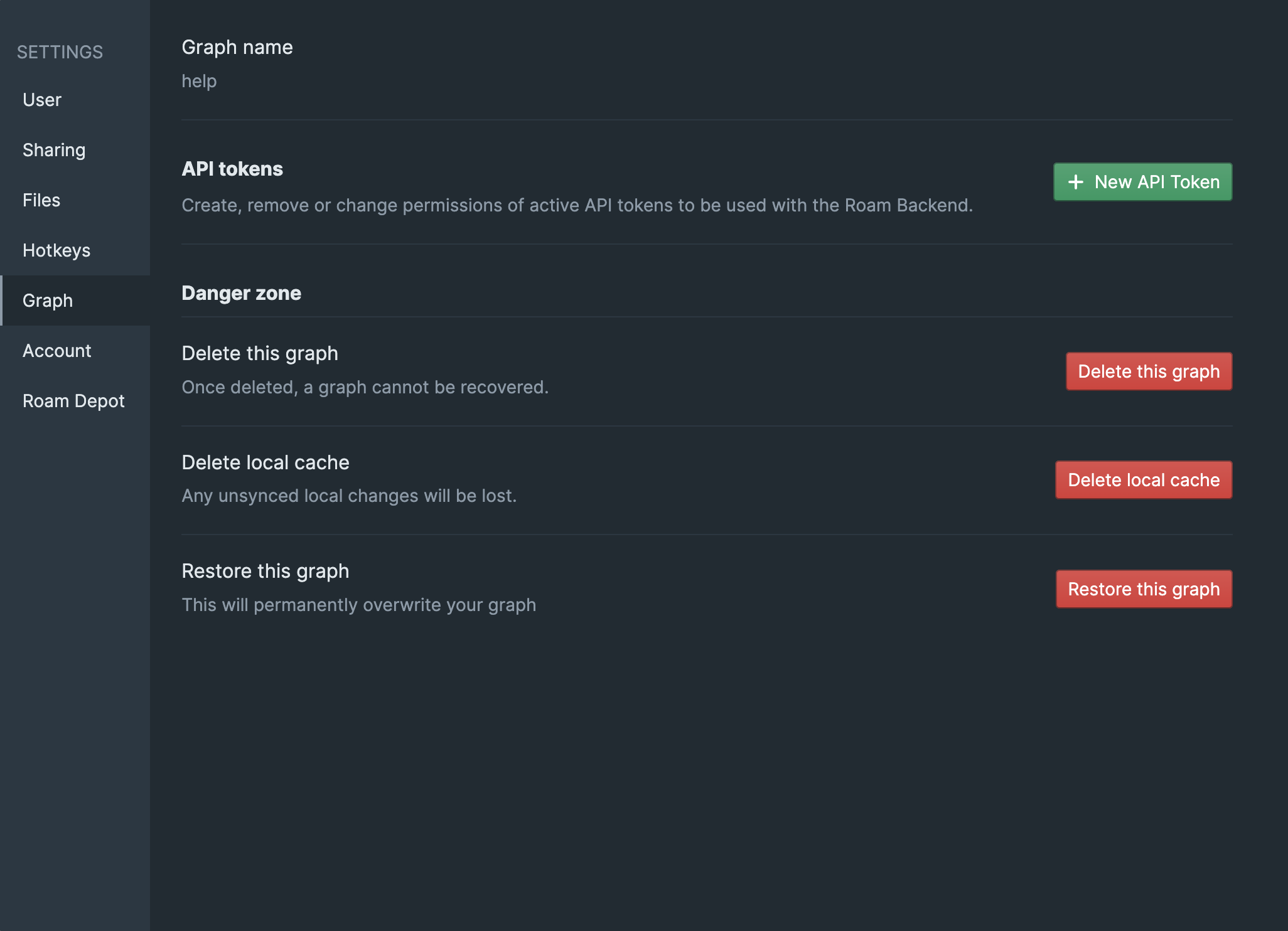
- After clicking the button, please enter a clear description of expected usage. In the access scope, select read & edit access for unencrypted graphs and append-only access for encrypted graphs. More regarding scope below
- More details regarding scopes for API tokens below:
- read-only access
- (only available for unencrypted graphs)
- This scope only allows access to read to your graph.
- In the case of the Zapier integration, this means that you can only use the "Trigger"s, but not the "Action"s
- read & edit access
- (only available for unencrypted graphs)
- this scope is the most permissive one. It allows the service to both read your graph and edit/add stuff to it.
- In the case of the Zapier integration, this means that you can use both the "Trigger"s and the "Action"s
- append-only access
- (available for both encrypted & unencrypted graphs)
- this access only provides the service ability to add stuff to your graph
- In the case of the Zapier integration, this means that you can only use the "Actions"s, but not the "Trigger"s
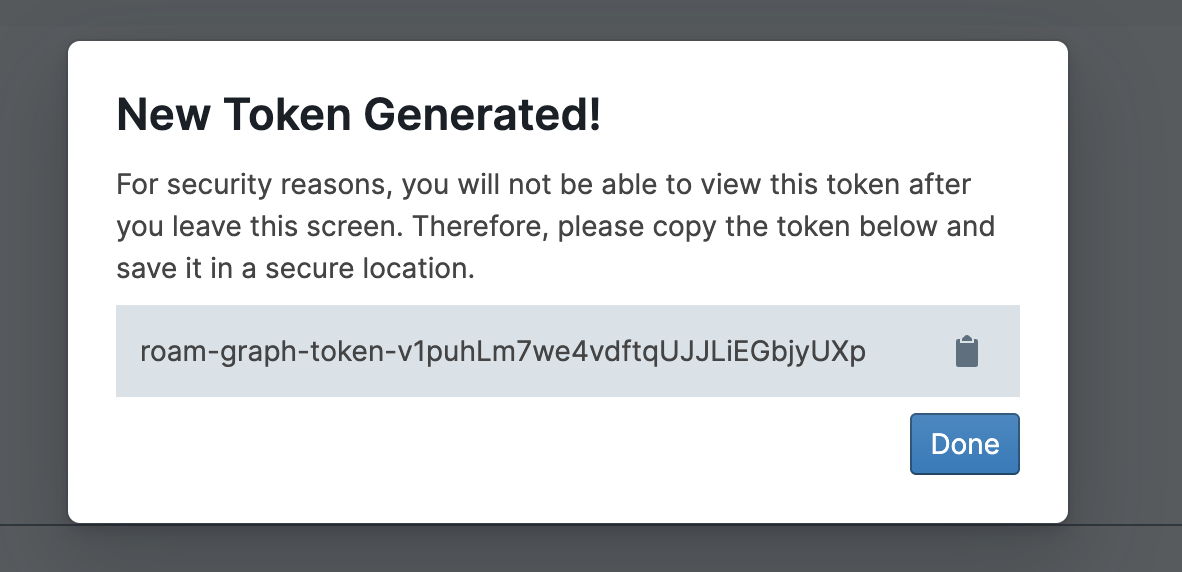
- In the next screen, click on the "Clipboard" icon 📋 to copy the token to your clipboard. It will start with "roam-graph-token-"
- Then setting up the graph in Zapier:
- Walkthrough GIF
- Steps (if you prefer following text instead)
- (First of all, you need a Zapier account)
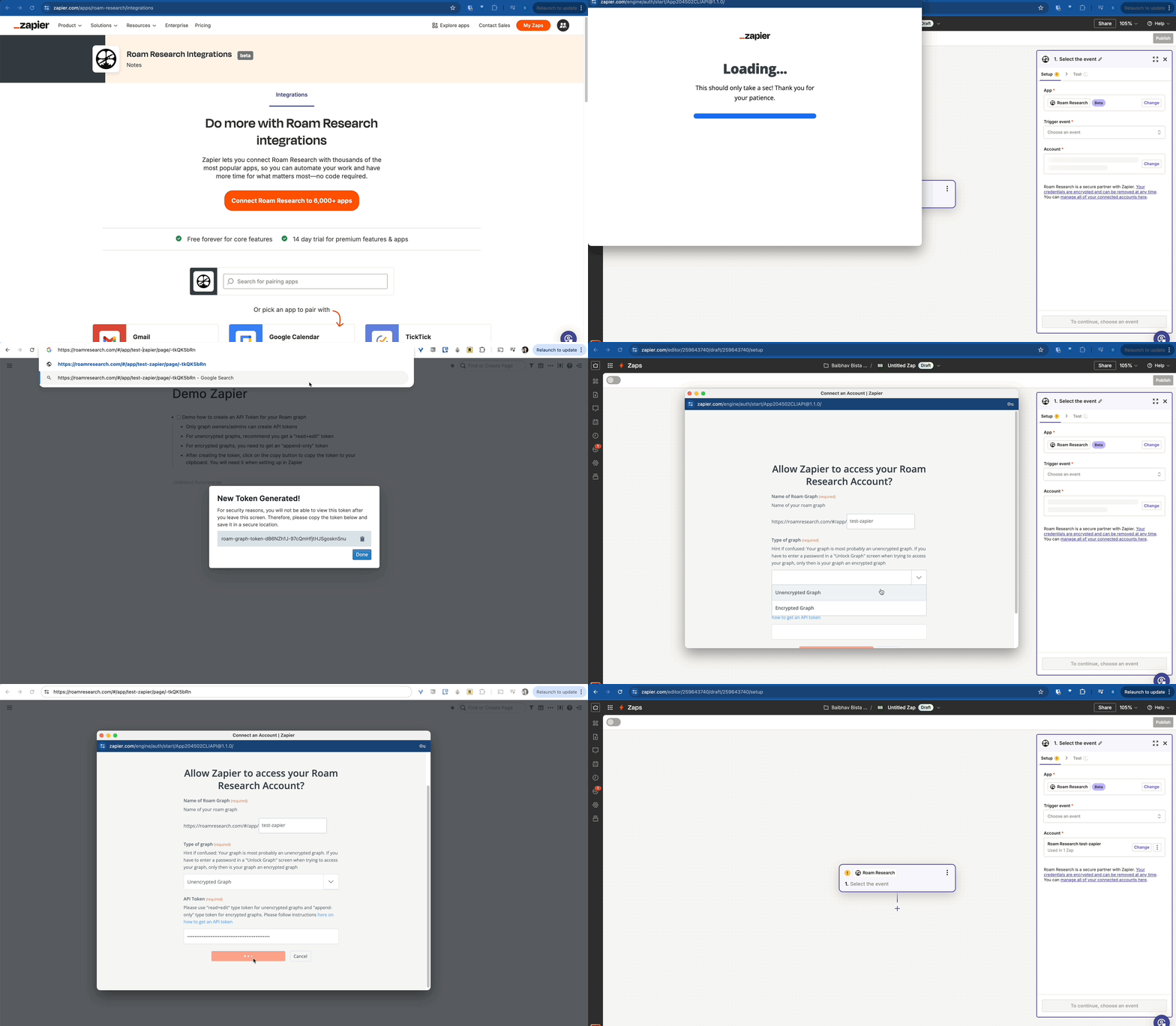
- Go to https://zapier.com/apps/roam-research/integrations
- Click on "Connect Roam Research to 6000+ apps" button
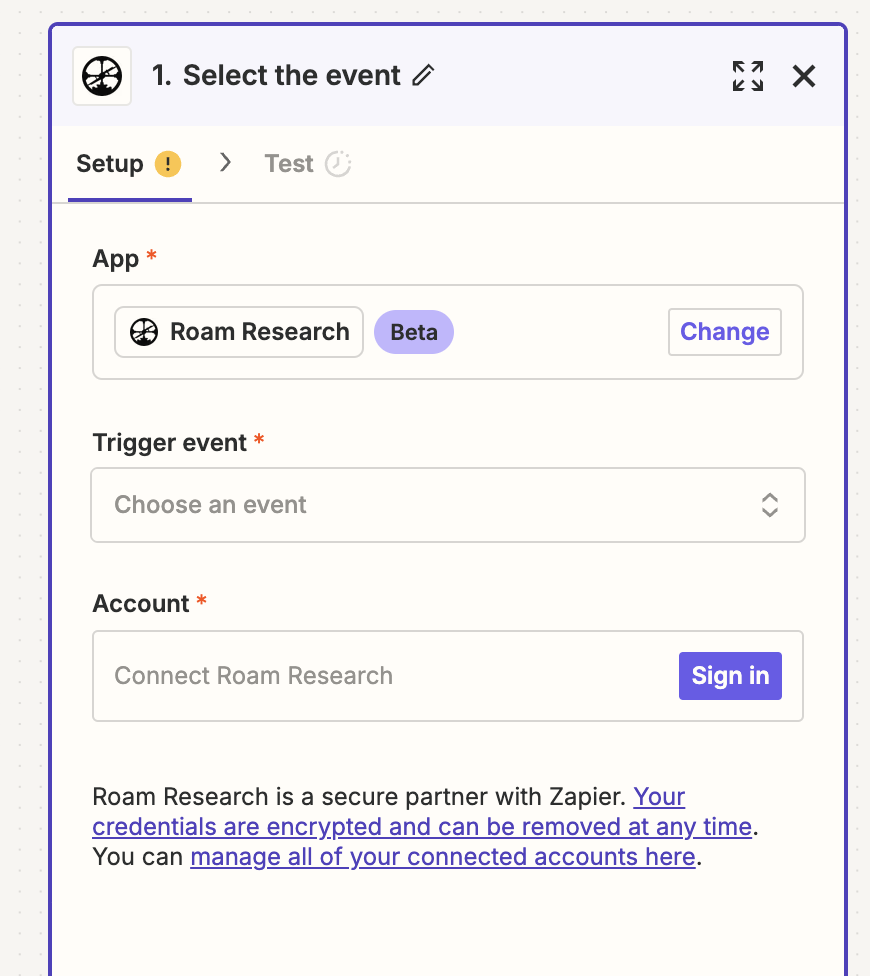
- In the zap that opens, click on the "Sign In" button in the "Account" section in the right sidebar
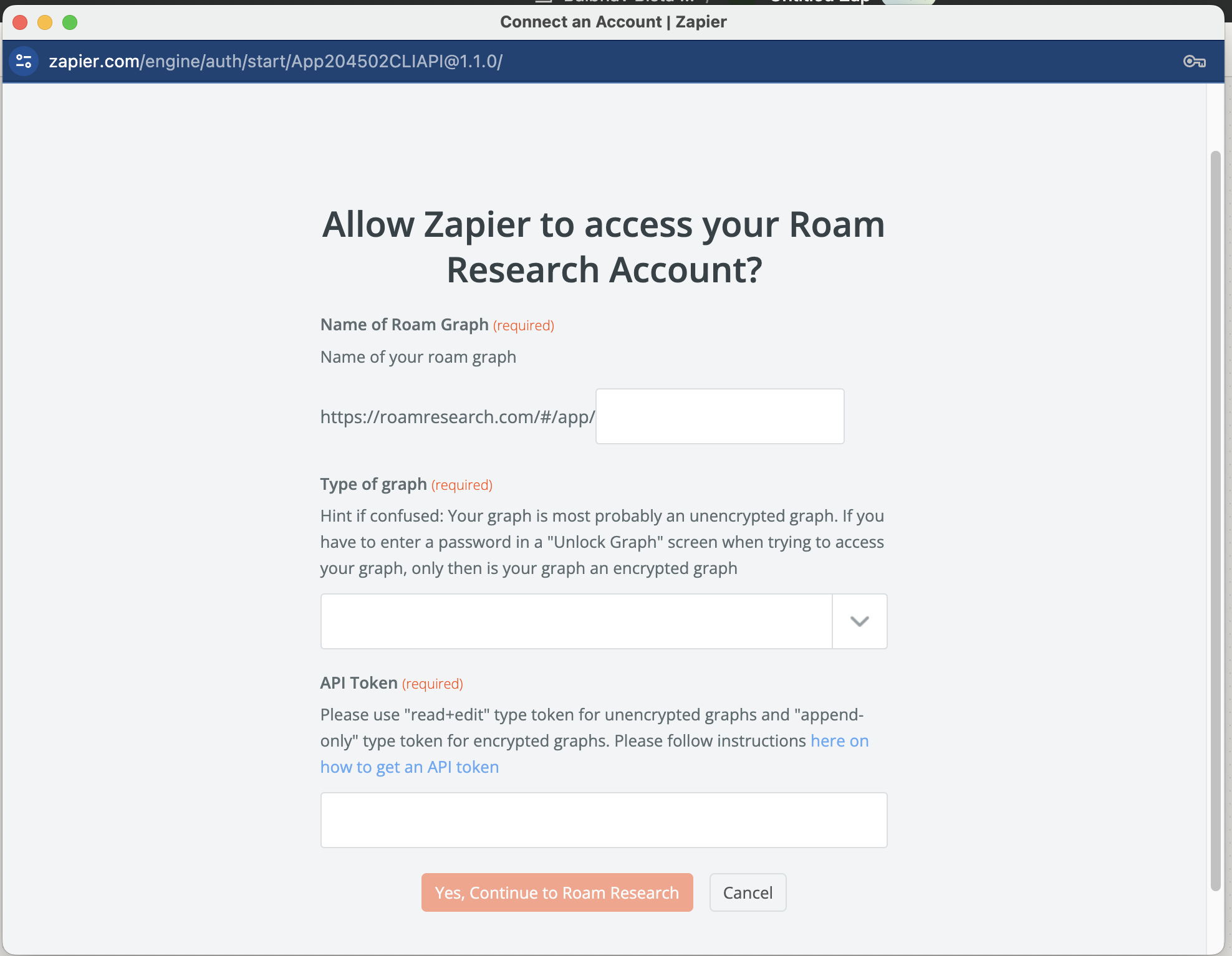
- A popup window will then appear. There you have to enter three things: the name of your graph, whether it is encrypted or not, and the API token you got from the previous step.
- You can now disregard the zap and start instead from one of our zap templates: https://zapier.com/apps/roam-research/integrations#zap-template-list
- Details
- More info on Zapier terminology, and what Roam building blocks you can use
- Each Zap has one app as the Trigger, where your information comes from and which causes one or more Actions in other apps, where your data gets sent automatically.
- For now, the Roam Zapier Integration has 2 triggers, 3 write actions and 1 search action
- 2 triggers
- New Linked Reference for a Page/Block
- New or modified Linked Reference for a Page/Block
- 3 write actions
- Add Content to a Daily Note Page
- Add Content to a Page
- Add Content underneath an existing Block in Your Graph
- 1 search action
- Get Data for a Page / Block
- If you're using an unencrypted graph, you can use all of the building blocks above
- If you're using an encrypted graph, you cannot do any reads from the graph (due to it being end to end encrypted), so the only primitives you can use are the 3 write actions
- In other words, you can only append/add stuff to the graph. This is also suggested by the fact that the only kind of API tokens you can create for encrypted graphs is append-only access