# Roam Research Developer Documentation — full export
> Complete markdown export of Roam Research's official developer-documentation graph
> (https://roamresearch.com/#/app/developer-documentation), plus a live-introspected
> inventory of window.roamAlphaAPI v1.1.2.
> Exported 2026-07-03T15:59:08.478Z. Notation: [[Page]] = Roam Research page link, ((uid)) refs are resolved inline.
> Help / user documentation is exported separately: https://roamdocs.fyi/help/llms-full.txt
## Table of contents
- Developer Hub
- Roam Alpha API
- Roam Depot/Extension API
- Roam Depot/Extensions
- roam/css
- roam/js
- roam/cljs
- roam/render
- Roam Backend API (Beta)
- Roam Append API
- Yet-to-release updates
- Available Libraries
- Contact Us
- Local API
- Roam Clojurescript API
- Datomic Alpha API
- iFrame Components
- Attributes Data Model
- datalog-block-query
- Release notes (daily-note updates)
- Appendix: window.roamAlphaAPI function inventory
---
# Developer Hub
- Our different APIs and which one you should use
- Q:: When would you use this Append API vs other Roam APIs?
- Use [[Roam Backend API (Beta)]]
- IF you need to do reads and edits (and not just additions/appends)
- IF you do NOT need to support encrypted graphs (the backend API cannot work with encrypted graphs)
- Use [Append API]([[Roam Append API]])
- IF you need to support BOTH unencrypted & encrypted graphs
- IF you want an easy-to-use API optimized for capture
- IF you do not need read functionality
- Use [[Roam Alpha API]] (our client side API)
- If you're building a [[Roam Depot]] extension or writing [[roam/js]] scripts for yourself
### [[Roam Alpha API]]
- Front-end API for read/write operations
### [[Roam Backend API (Beta)]]
- Access your Roam data over http! A read/write API for Roam data
### [[Roam Depot/Extensions]]
- How to write and submit [[Roam Depot]] extensions
### [[roam/css]]
- Style your graph with custom CSS
### [[roam/js]] and [[roam/cljs]]
- Write and run JavaScript/Clojurescript in your graph
### [[Roam Clojurescript API]]
- Front-end API for read/write operations, mostly a copy of [[Roam Alpha API]] for clojurescript with some additions for [[roam/render]]
### [[roam/render]]
- Render custom inline components in your graph
## If you have any questions don't hesitate to reach out! [Join our slack](https://join.slack.com/t/roamresearch/shared_invite/zt-21yynf99v-39t09XesqSiIsz_1VFmwtA) and head over to the #developers channel
---
# Roam Alpha API
- **Getting Started**
- The Roam Alpha API is provided in the browser allowing you to read and write data as well as manipulate the UI
- The methods available in the API are attached to the `window` object in the browser under `roamAlphaAPI`
- You can see a list of examples below, showcasing the amazing things that can be built using this API, especially when used in combination with [[roam/js]]
- To learn how to use the API, there are some awesome articles written by our community
- (for the cljs version of the Roam Alpha API, please checkout the [[Reference]] section of [[roam/cljs]])
- Change Log::
- [[February 20th, 2026]]
- Added `roamAlphaAPI.ui.callout.addType` / `.removeType` — register custom callout types for the picker menu, styled entirely via CSS
- Added `roamAlphaAPI.data.block.addComment` — programmatic block commenting with `reply-string` or `reply-markdown`
- `roamAlphaAPI.data.ai.getGraphGuidelines` now includes `userDisplayPage` field with the requesting user's display page content
- [[September 16th, 2025]]
- Updates and additions to `roamAlphaAPI.components` `render` functions
- new parameters for `window.roamAlphaAPI` `.components` `renderBlock`:
1. `open?` **optional**
2. `zoom-start-after-uid` **optional**
- `open?` **optional**
- optional Boolean
- values
- If not passed = whatever the normal open state of that block is in the db/graph
- `true` = force open the block (show the children if exist)
- `false` = force close the block (even if the block has children, they are not shown)
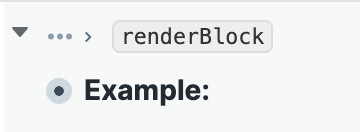
- `zoom-start-after-uid` **optional**
- Optional boolean
- only valid when `zoom-path?` is true
- path compacts to clickable `...` for everything until passed in uid
- 
- block uid __String__
- Example which showcases all the new stuff: Example::
- ability to render arbitrary strings: `window.roamAlphaAPI` `.components` `renderString`
- `renderString`
- Description::
- Mounts a React component that renders the passed-in string
- the string can contain existing page titles, block refs and all the elements of roam-flavored markdown
- in other words, it can contain anything you can keep in a block string
- Watch out for
- If you pass/show `[[Page Title]]` like links for pages that do not exist, those links will not work. Please try not to do that
- Parameters::
- `string`
- The string to be displayed
- the string can contain existing page titles, block refs and all the elements of roam-flavored markdown
- in other words, it can contain anything you can keep in a block string
- Watch out for
- If you pass/show `[[Page Title]]` like links for pages that do not exist, those links will not work. Please try not to do that
- __String__
- `el`
- DOM node where React component should be mounted
- __DOM Node__
- Returns:: [[Roam Alpha API]]
- Promise which resolves once operation has completed
- More details here
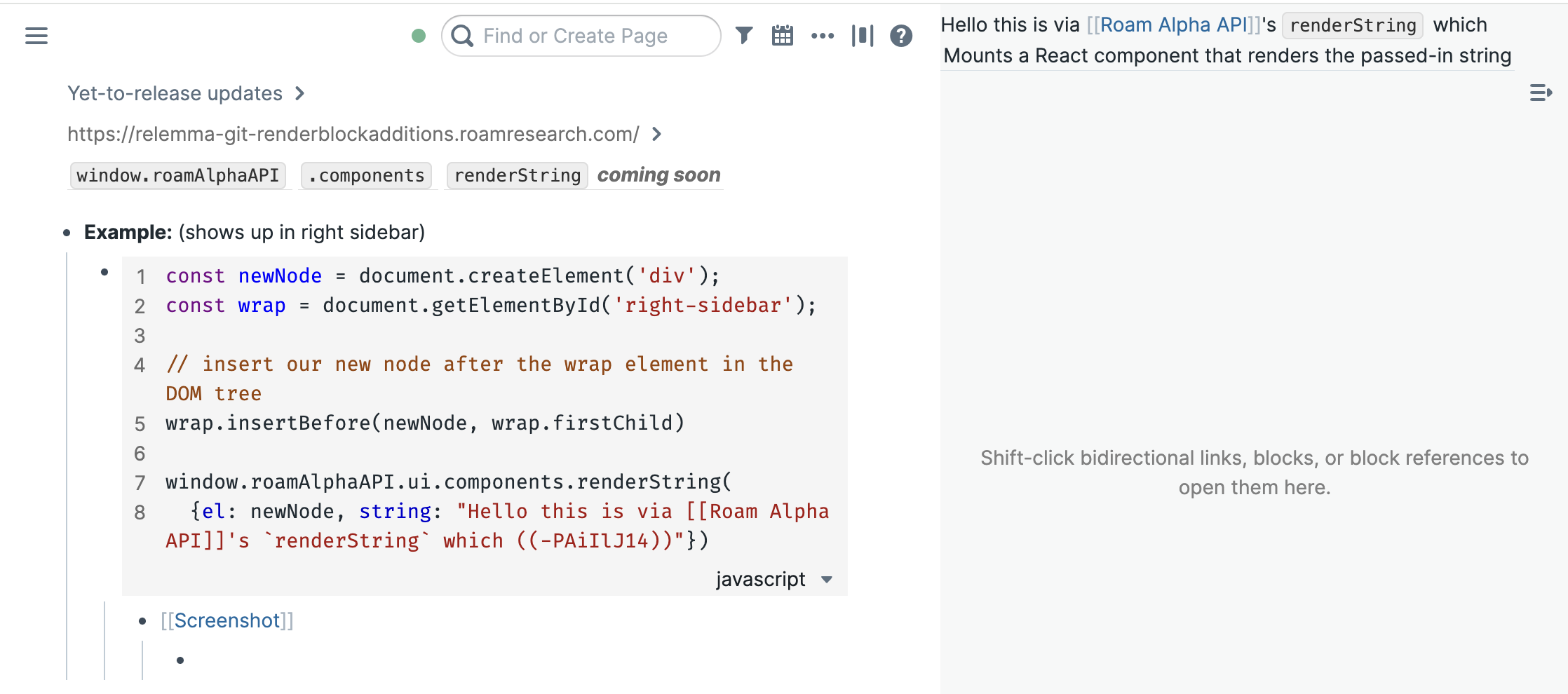
- Example:: (shows up in right sidebar)
- ```javascript
const newNode = document.createElement('div');
const wrap = document.getElementById('right-sidebar');
// insert our new node after the wrap element in the DOM tree
wrap.insertBefore(newNode, wrap.firstChild)
window.roamAlphaAPI.ui.components.renderString(
{
el: newNode,
string: "Hello this is via [[Roam Alpha API]]'s `renderString` which ((-PAiIlJ14))"})```
- [[Screenshot]] (see top right)
- 
- [[March 6th, 2025]]
- `q`, `pull`, and variant API functions now have a timeout of 20 seconds
- Throws an error with message `Query and/or pull expression took too long to run.` when you run into the timeout limit
- [[June 14th, 2024]]
- Ability to pin a window **to the top** of the right sidebar programatically
- you can now pass a new optional `pin-to-top?` parameter to `window.roamAlphaAPI``.ui``.rightSidebar`**`.pinWindow`**
- `pin-to-top?`
- optional parameter
- If `pin-to-top?` is passed, it should be either `true` or `false`
- If explicit value is not passed, we do not change the state
- i.e. if a window is pinned to top and we call `.pinWindow` on it again but without specifying an explicit `pin-to-top?`, nothing changes
- If value is `true`, then we pin the specified `window` to the top of the sidebar. Visually this will make the pin look red. new sidebar windows will be added below it
- If another window was already pinned to top, it will be unpinned
- `window.roamAlphaAPI``.ui``.rightSidebar`**`.getWindows`**'s return value will contain `pinned-to-top?`: `true` if a window is pinned to the top
- A change in behavior of what happens when you close pinned sidebar windows (both via UI and via roamAlphaAPI.ui.rightSidebar.removeWindow)
- **Previously**: If we close a window which was pinned, it would disappear for now but would later resurrect (when Roam is reloaded, for instance)
- we believe this behavior is confusing
- **New behavior:** If we close a window which is pinned, it will be unpinned & removed. i.e. it will not resurrect
- If the user initiates the closing, they will get a dialog to confirm if they want to close a pinned window
- For extensions closing the window via roamAlphaAPI.ui.rightSidebar.removeWindow , a warning will **not **be shown.
- If you have extensions, the main thing to watch out for is if you’re calling roamAlphaAPI.ui.rightSidebar.removeWindow and then depending on the fact that pinned windows come back
- We think we've already caught all usages like this from Roam Depot extensions & worked with the Extension devs to fix it
- If you were relying on this behavior please [let us know](mailto:support@roamresearch.com) so we can quickly merge updates to any extensions effected
- [[April 23rd, 2024]]
- You can now create and modify search windows in `window.roamAlphaAPI` `.ui` `.rightSidebar` functions
- new `type`: "search-query"
- need to pass a `search-query-str` parameter instead of `block-uid`
- Example usage
- ```javascript
// Add a window that searches for "API"
window.roamAlphaAPI.ui.rightSidebar
.addWindow({window:
{type:'search-query' ,'search-query-str':'API'}})```
- [[June 5th, 2023]]
- New file api
- [[May 9th, 2023]]
- **Load remote developer extensions from URL or using "PR-shorthand" format**
- One can now load developer extensions via URLs or via PR-shorthand format
- Read more about it here
- [[Loom video]]
- {{[[video]]: https://www.loom.com/share/d6ec8341b17e4959b9604957e7212556}}
- [[February 14th, 2023]]
- **User configurable hotkeys for commands**
- new behavior you get without any code change:
can specify hotkeys for any command in Settings > Hotkeys
- if you want to disable that for a command, checkout the param `disable-hotkey`
- [[Roam Alpha API]]
- changes to `.addCommand`
- new parameters
- `disable-hotkey`
- `default-hotkey`
- Examples showing `default-hotkey`
- [[Roam Depot/Extension API]]
- exposes new function extensionAPI.ui.commandPalette.addCommand which has params equivalent to roamAlphaAPI's `.addCommand` + the new parameters
- only difference is: when you use this version from extensionAPI, the commands are associated with your extension and so you have convenient grouping (in for example the Hotkeys window)
- also has extensionAPI.ui.commandPalette.removeCommand, which has same params as `.removeCommand`
- in contrast to the roamAlphaAPI's version, you do not need to call this on `onunload` - if you call via extensionAPI, will be cleaned automatically on unload
- [[Loom video]]
- [[Migration Guide]] from roamAlphaAPI.ui.commandPalette.addCommand to extensionAPI's version
- [[Loom video]]:
{{[[video]]: https://www.loom.com/share/f51a889a8e444ceb8c8eab15654d2650}}
- Video going into all the changes
- {{[[video]]: https://www.loom.com/share/a956af55230d4540806d31dc9ecf6870}}
- [[February 7th, 2023]]
- new & updated window.roamAlphaAPI.ui.components + data on block(/s) drag
- Changes to `window.roamAlphaAPI` `.ui` `.components`
- new param added to `renderBlock`: `zoom-path?`**optional**
- `zoom-path?`**optional**
- Optional boolean
- when `zoom-path?` is true, it shows the zoom path i.e. view which looks similar to how linked refs look
- Example::
- ```javascript
const newNode = document.createElement('div');
const wrap = document.getElementById('right-sidebar');
// insert our new node after the wrap element in the DOM tree
wrap.insertBefore(newNode, wrap.firstChild)
window.roamAlphaAPI.ui.components.renderBlock(
{
"uid": '6-P4ZEbIY',
"el": newNode,
// optional args below
// open? is for if you want to force open/close the block
// if not passed, uses whatever the normal open state of that block is in the db/graph
"open?": false,
// zoom-path? : if you want to show the zoomable path of the block too
"zoom-path?": true,
// optional addition in zoom-path? mode: path compacts to ... for everything until passed in uid
"zoom-start-after-uid": "ImSvJvm1_"
})```
- new functions (for rendering pages and search views)
- `renderPage`
- `renderPage`
- Description::
- Mounts a React component that renders a given page with children (editable) in a given DOM node.
- unless you're using specific params (`zoom-path?` for block or `hide-mentions?` for page), you can use this interchangeably with `renderBlock`
- Parameters::
- (same as renderBlock except for the new "zoom-path?". has one additional optional param `hide-mentions?` )
- `uid`
- Block UID of block to display
- __String__
- `el`
- DOM node where React component should be mounted
- __DOM Node__
- `hide-mentions?`
- Optional boolean
- to show or not to show linked refs at bottom of page
- `renderSearch`
- `renderSearch`
- Description::
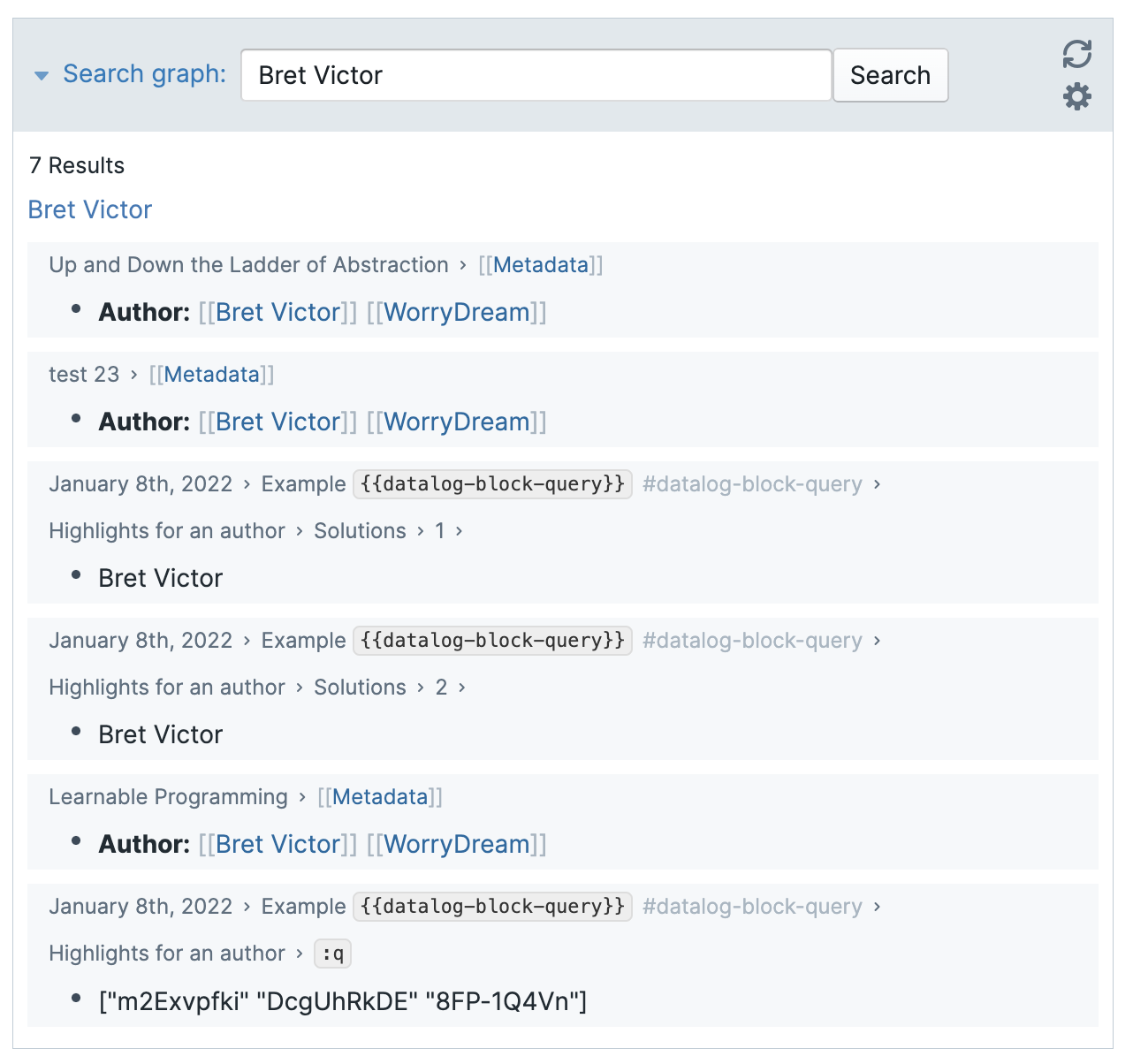
- Mounts a React component that renders search results (first pages then blocks) for a given `search-query-str` in a given DOM node.
- the results are the same as the "Find or Create Page" or cmd+u search
- class is `rm-search-query`. Also uses the existing `rm-query` class
- this search view is also available as an xparser component `{{[[search]]}}` or `{{[[search]]: Bret Victor}}`
- Screenshot::
- 
- Parameters::
- `search-query-str`
- Required string
- `el`
- Required
- DOM node where React component should be mounted
- __DOM Node__
- `closed?`
- optional boolean
- default is false
- whether view is closed or no
- `group-by-page?`
- optional boolean
- default is false
- `hide-paths?`
- optional boolean
- default is fale
- `config-changed-callback`
- optional function parameter
- is called when config is changed as a result of user interaction
- Example::
- ```javascript
const newNode = document.createElement('div');
const wrap = document.getElementById('right-sidebar');
// insert our new node after the wrap element in the DOM tree
wrap.insertBefore(newNode, wrap.firstChild)
window.roamAlphaAPI.ui.components.renderSearch(
{"search-query-str": 'Bret Victor',
"closed?": false,
"group-by-page?": false,
"hide-paths?": false,
"config-changed-callback": (config) => {console.log("new-config", config);},
el: newNode})```
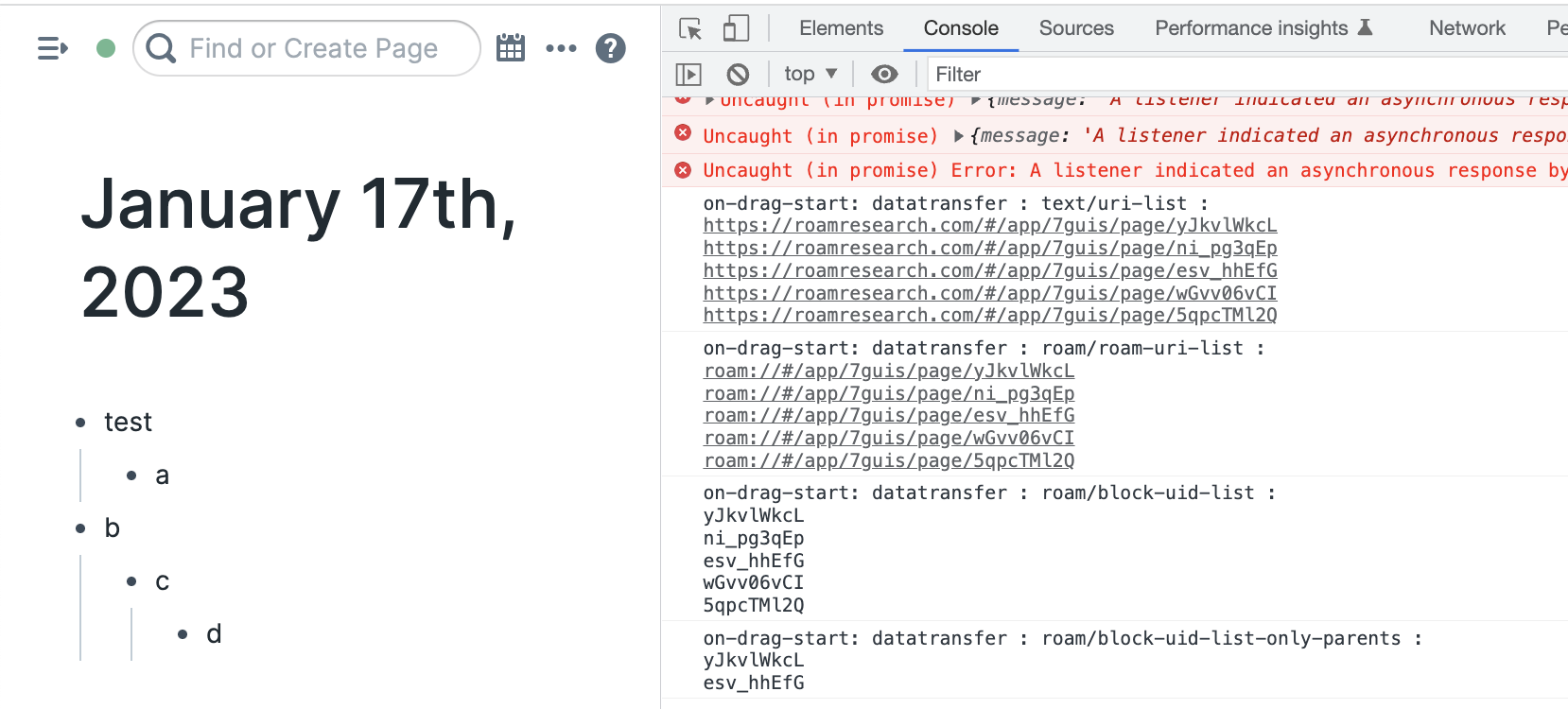
- adds data to `e.dataTransfer.getData()` for drag events
- works for blocks dragged and also for pages in the sidebar (the only cases I could remember which had drag)
- types
- "text/uri-list"
- "roam/roam-uri-list"
- "roam/block-uid-list"
- "roam/block-uid-list-only-parents"
- context for this and comparison with "roam/block-uid-list":
- In the Example [[Screenshot]]
- "roam/block-uid-list" will contain all the selected blocks that are visible. In this case, it will have 5 blocks
- however, in many cases, we’d probably only want the top level blocks, so for that we have "roam/block-uid-list-only-parents" , which will only have two blocks
- Example [[Screenshot]]
- In this case, I'd selected and tried to move all the blocks on the page
- 
- [[October 1st, 2022]]
- For the [[Roam Backend API (Beta)]] write API release, we made the error reporting better. It made sense to reuse this code in the frontend (aka in [[Roam Alpha API]]) so as to make it easier for extension devs to reuse their code too
- Here are some of the main changes you'd want to check
- Create page (`roamAlphaAPI.data.page.create` or the older `roamAlphaAPI.createPage`) now throws errors (in the promise) if a page with the provided `title` already exists or if a page with the provided `uid` already exists
- Update page (`roamAlphaAPI.data.page.update` or the older `roamAlphaAPI.updatePage`) now throws errors (in the promise) if we're trying to change to a title that already exists in the db
- Moving blocks (`roamAlphaAPI.data.block.move` or the older `roamAlphaAPI.moveBlock`) now throws errors (in the promise) if blocks corresponding to `parent-uid` or `uid` do not exist
- The error messages for many asserts has been made clearer. You do not need to worry about this unless you've written error handling code which depends upon the `error.message` being a certain string
- One thing to note is that although there may be a few extra throws, the behavior as a whole has not changed. Previously, for the ones above, although they would not throw errors, they would just fail silently. So, I'm pretty sure that as long as you have proper error checks, no behavior in your extensions would've changed
- [[April 5th, 2022]]
- Adds new functions for adding/modifying filters on a page, on linked refs to a page, on sidebar windows (previously could only handle global filters from the api)
- [[roam/js]]
- `window.roamAlphaAPI.ui.filters` ->
- `.getPageFilters`
- `.getPageLinkedRefsFilters`
- `.getSidebarWindowFilters`
- `.setPageFilters`
- `.setPageLinkedRefsFilters`
- `.setSidebarWindowFilters`
- [[roam/cljs]]
- `roam.ui.filters`
- `get-page-filters`
- `get-page-linked-refs-filter`
- `get-sidebar-window-filters`
- `set-page-filters`
- `set-page-linked-refs-filters`
- `set-sidebar-window-filters`
- Exposes new libraries to [[roam/cljs]]
- Promesa
- `applied-science.js-interop`
- Fixes an issue where sometimes promise returned by roamAlphaAPI would always be pending
- [[March 8th, 2022]]
- `.pull_many`
- `.fast`
- [[January 28th, 2022]]
- Adds "main-window" as acceptable param for `.setBlockFocusAndSelection`/Parameters::/`location`/`window-id`
- Adds a new function: window.roamAlphaAPI.ui.mainWindow.focusFirstBlock
- [[January 3rd, 2022]]
- Promisifying the roamAlphaAPI (well, partly)
- Write functions in roamAlphaAPI now utilize promises.
- This means no `setTimeout` hacks will be necessary to ensure that a write took place before doing another related write.. you can just await for it.
- Promises are resolved after the operation has been handled by Roam
- [[Important Note]] if you're directly manipulating the DOM:
- note that promises are resolved after Roam handles the operation, not after React updates/re-renders the DOM.
- So, if you're directly manipulating the relevant DOM element right after doing a write operation, you might need a (very small) timeout even after awaiting promise
- Currently, the promise value once resolved is always `nil` or `null` or `undefined`.
- Obviously, you can `.catch()` for errors (or the just use try catch blocks in case you are using `await`)
- To not break existing stuff that leverage the API, read functions are the same as before (i.e. they do NOT return promises, they return their output values synchronously)
- Note about existing code: Since read API is not changing, existing code should not break
- One possible reason it could break is if it depended on the return value of write functions being true (previously, it was always `true`)
- Some small additions to the API
- `window.roamAlphaAPI.ui`
- `.setBlockFocusAndSelection`
- `.mainWindow`
- `.openDailyNotes`
- `.getOpenPageOrBlockUid`
- `.leftSidebar`
- `.open`
- `.close`
#### Resources::
- [Introduction to the Roam Alpha API](https://www.putyourleftfoot.in/introduction-to-the-roam-alpha-api) by [[Put Your Left Foot In]] #Community #Article
- [Deep Dive Into Roam's Data Structure - Why Roam is Much More Than a Note Taking App](https://www.zsolt.blog/2021/01/Roam-Data-Structure-Query.html) by [[Zsolt Viczian]] #Community #Article
- [Datalog Queries for Roam Research](https://davidbieber.com/snippets/2020-12-22-datalog-queries-for-roam-research/) by [[David Bieber]] #Community #Article
- [JavaScript Functions for Inserting Blocks in Roam](https://davidbieber.com/snippets/2021-02-12-javascript-functions-for-inserting-blocks-in-roam/) by [[David Bieber]] #Community #Article
- [More Datalog Queries for Roam](https://davidbieber.com/snippets/2021-01-04-more-datalog-queries-for-roam/) by [[David Bieber]] #Community #Article
- [Publishing Blog Posts from Roam Research Quickly and Automatically](https://davidbieber.com/snippets/2020-12-28-publishing-blog-posts-from-roam-research-quickly-and-automatically/) by [[David Bieber]] #Community #Article
#### Examples::
- [RoamJS Extensions](https://github.com/dvargas92495/roam-js-extensions) from [[David Vargas]] #[[Open Source]] #JavaScript #TypeScript #roam/js
- A suite of tools to extend popular workflows in Roam
- [Roam42](https://github.com/roamhacker/roam42) from [[RoamHacker]], now maintained by [[David Vargas]] #[[Open Source]] #JavaScript #roam/js
- A collection of power user tools for Roam
- [roam/sr](https://github.com/aidam38/roamsr) from [[Adam Krivka]] #[[Open Source]] #JavaScript #TypeScript #roam/js
- Spaced Repetition in Roam
- [pyroam](https://github.com/aidam38/pyroam) from [[Adam Krivka]] #[[Open Source]] #JavaScript #TypeScript #roam/js
- Python Notebooks in Roam
- [LittleScripts](https://roamresearch.com/#/app/roam-depot-developers/page/1hRLj21Rg) from [[Adam Krivka]] #[[Open Source]] #JavaScript #roam/js
- Suite of small Roam scripts
- [roam-inter](https://github.com/houshuang/roam-inter) from [[Stian Haklev]] #[[Open Source]] #JavaScript #roam/js
- Cross-graph referencing prototype
- [roam-toolkit](https://github.com/roam-unofficial/roam-toolkit) from [[Vlad Sitalo]] #[[Open Source]] #JavaScript #TypeScript #[[Browser Extension]]
- A Chrome and Firefox Extension toolkit to extend Roam
- [Fabricius](https://github.com/chronologos/Fabricius) from [[Ian Tay]] #[[Open Source]] #Python #Integration
- An Anki plugin that bidirectionally syncs with Roam.
#### Reference::
- parameter schema::
- `location`
- `parent-uid`
- Unique Identifier for block parent under which the block should be inserted.
- __string__
- `order`
- Index where the block should be inserted under the parent.
- Starts at 0
- Use `'last'` to append
- __string__
- `block`
- `uid`
- Unique identifier for the block.
- __string__
- `string`
- Text content of the block.
- __string__
- `open`
- Collapse state of the block.
- __boolean__
- `true` by default (if not passed)
- `children-view-type`
- Block view type of children blocks
- __string__
- `bullet`
- `numbered`
- `document`
- `block-view-type`
- Block view type of the current block
- __string__
- `outline`
- `horizontal-outline`
- `popout`
- `tabs`
- `comment`
- `side`
- `vertical`
- `text-align`
- The block's alignment
- __string__
- `left`
- `center`
- `right`
- `justify`
- `heading`
- Heading styling of the block
- __integer__
- `0` (no heading styling)
- `1`
- `2`
- `3`
- `page`
- `uid`
- Unique identifier for the page.
- __string__
- `title`
- Title of the page.
- __string__
- `children-view-type`
- Block view type of children blocks
- __string__
- `bullet`
- `numbered`
- `document`
- `window`
- `collapsed?`
- `pinned?`
- `type`
- View type of window to open in the sidebar
- Can be one of:
- "mentions"
- "block"
- "outline"
- "graph"
- "search-query"
- __string__
- See [[Sample Output]] for `.getWindows` to see the types in action
- `block-uid`
- Unique identifier for block to open in the right sidebar
- Depending on the window type, this will be `block-uid`, `mentions-uid`, and `page-uid` in the returned window object.
- __string__
- `order`
- Order of the window from $$0$$ to $$n$$
- __integer__
- methods::
- `window.roamAlphaAPI`
- `.data`
- `.q`
- Description::
- Query the graph using datomic flavored datalog
- See the [datomic docs](https://docs.datomic.com/on-prem/query/query.html) for a full explanation of datalog queries
- Or http://www.learndatalogtoday.org learn how to write them
- [Datascript tests](https://github.com/tonsky/datascript/tree/master/test/datascript/test) also include great examples
- `q`, `pull`, and variant API functions now have a timeout of 20 seconds
- Throws an error with message `Query and/or pull expression took too long to run.` when you run into the timeout limit
- Parameters::
- `query`
- Type::
- String
- `& args`
- Example::
- ```javascript
window.roamAlphaAPI.data.q(
`[:find ?b ?s
:where
[?e :block/uid ?b]
[?e :block/string ?s]]`);```
- Find a relation of all block uids and strings in the graph
- `.pull`
- Description::
- A declarative way to make hierarchical (and possibly nested) selections of information about entities. Pull applies a `pattern` to a collection of entities, building a map for each entity.
- See for the [datomic docs](https://docs.datomic.com/on-prem/query/pull.html) for a good explanation of how to use pull
- There are slight differences because we use [datascript](https://github.com/tonsky/datascript) internally, but it supports the majority of datomic syntax
- The main difference is the JS API the pattern is written in a string instead of clojure data structures
- `q`, `pull`, and variant API functions now have a timeout of 20 seconds
- Throws an error with message `Query and/or pull expression took too long to run.` when you run into the timeout limit
- Parameters::
- `pattern`
- Type::
- String
- Examples::
- `"[*]"`
- `"[:block/string {:block/children ...}]"`
- `eid`
- [[OR]]
- a database id `:db/id`
- Type::
- Integer
- Example::
- `24`
- an entity unique identifier
- Type::
- String | 2-tuple array
- Example::
- `"[:node/title \"hello world\"]"`
- `[":block/uid", "xyz"]`
- Example::
- ```javascript
window.roamAlphaAPI.data.pull("[*]", [":block/uid", "xyz"])```
- Get all of the attributes for this block
- `window.roamAlphaAPI.data.pull("[:block/string {:block/children ...}]", "[:block/uid \"xyz\"]")`
- Get the block string for this block and all it's children
- `.pull_many`
- Description::
- Same as `.pull` but for multiple entities
- May be faster for pulling many entities at the same time
- `q`, `pull`, and variant API functions now have a timeout of 20 seconds
- Throws an error with message `Query and/or pull expression took too long to run.` when you run into the timeout limit
- Parameters::
- `pattern`
- Same as pull's `pattern`
- `eids`
- an array of `eid`s
- Example::
- `roamAlphaAPI.data.pull_many("[*]", [[":block/uid", "_fM7pkQEa"], [":block/uid", "kZHsZniZs"]]);`
- `.fast`
- Description::
- Functions underneath `.fast` use experimental clojurescript to javascript conversion to speed up read access. They tend to be around 33% faster and more comparable to running it in pure clojurescript.
- Functions accept the same parameters as their regular peers
- Functions return a cljs object wrapped in a js [proxy](https://developer.mozilla.org/en-US/docs/Web/JavaScript/Reference/Global_Objects/Proxy)
- This object should be treated as **read only**
- and may not print to the console correctly
- Map/object access may be different
- Key access will by default include the full namespaced key like this
- `obj[":block/string"]`
- This proxies to the cljs keyword `:block/string`
- but if you renamed the key in a pull
- Like this `"[:block/string :as "string"]"`
- Then it should be able to be accessed like this
- `obj.string`
- For a deeper explanation of how this works internally and the trade offs see https://blog.wsscode.com/alternative-to-clj-js/
- `q`, `pull`, and variant API functions now have a timeout of 20 seconds
- Throws an error with message `Query and/or pull expression took too long to run.` when you run into the timeout limit
- functions::
- `.q`
- `.search`
- Description::
- Searches pages and blocks matching a query string
- Equivalent to the "Find or Create Page" search algorithm in the UI
- Results are ranked by relevance using the following priority:
- **Rank 0**: Page title exactly matches query
- **Rank 1**: Page title contains query as substring
- **Rank 2**: Page title contains all query words (multi-word queries only)
- **Rank 3**: Block contains query as substring
- **Rank 4**: Block contains all query words (multi-word queries only)
- Parameters::
- `search-str` **required**
- The search query string
- `search-blocks` **optional**
- Include block results
- default: `true`
- `search-pages` **optional**
- Include page results
- default: `true`
- `hide-code-blocks` **optional**
- Exclude code blocks from results
- default: `false`
- `limit` **optional**
- Maximum number of results to return
- default: `300`
- max: `1000`
- `pull` **optional**
- Pull pattern for customizing returned fields
- Can be a string or array
- default: `[:block/string :node/title :block/uid]`
- Example::
- ```javascript
roamAlphaAPI.data.search({"search-str": "my query"})```
- Returns::
- Array of results matching the pull pattern
- `.semanticSearchEnabled`
- Description::
- Returns whether semantic search is currently usable for this graph — `true` when embeddings are enabled **and** a user is signed in.
- Synchronous (returns a boolean). Use it to check before calling `roamAlphaAPI.data.async.semanticSearch`, which throws when semantic search isn't available.
- Parameters::
- none
- Example::
- ```javascript
roamAlphaAPI.data.semanticSearchEnabled()```
- Returns::
- `boolean`
- `.roamQuery`
- Description::
- Execute a Roam query and return matching blocks/pages. Similar to `.search` but for Roam's native query syntax (the same syntax used in `{{[[query]]: ...}}` blocks).
- Two modes of operation:
- **UID mode**: Pass the `uid` of an existing query block to use its stored settings
- **Query mode**: Pass a `query` string directly with optional display settings
- Returns `{total: number, results: Array}` where results use the specified pull pattern
- Parameters::
- `uid` (String) - Block uid of an existing query block. Uses the block's stored display settings.
- `query` (String) - Direct query string, e.g. `"{and: [[project]] [[active]]}"`. Required if no `uid`.
- `groupByPage` (Boolean, default: `true`) - Group results by page. Query mode only.
- `nestUnderParent` (Boolean, default: `false`) - Collapse child matches under parent. Query mode only.
- `sort` (String) - Sort type. Query mode only.
- When `groupByPage` is true: `"page-most-recent"` (default), `"page-title"`, `"page-created-date"`, `"daily-note"`
- When `groupByPage` is false: `"created-date"` (default), `"edited-date"`, `"daily-note-date"`
- `sortOrder` (String, default: `"desc"`) - `"asc"` or `"desc"`. Query mode only.
- `offset` (Integer, default: `0`) - Number of results to skip.
- `limit` (Integer | null, default: `20`) - Max results. Pass `null` for all results.
- `pull` (String, default: `"[:block/string :node/title :block/uid]"`) - Pull pattern for results.
- Example::
- ```javascript
await window.roamAlphaAPI.data.roamQuery({query: "{and: [[project]] [[active]]}"})```
- ```javascript
await window.roamAlphaAPI.data.roamQuery({uid: "abc123def"})```
- Execute query block's query using its stored settings
- `.async`
- Description::
- The functions under `.async` are equivalent to the non async versions, except they return promises.
- Eventually Roam will migrate to the async API and the sync functions will be deprecated, **if you are building a new extension you should prefer using these to avoid migrating in the future.**
- `.q`
- `.pull`
- `.pull_many`
- `.search`
- Uses **better search** (the indexed search worker) when available, transparently falling back to the standard search otherwise. Same parameters and return shape.
- `.semanticSearch`
- Description::
- Hybrid semantic + keyword search powered by "better search" (embeddings + keyword index), ranked by relevance.
- Async only — returns a promise. Requires embeddings to be enabled and a signed-in user; it throws when semantic search isn't available, so check `roamAlphaAPI.data.semanticSearchEnabled()` first.
- While embeddings are still indexing it returns partial results rather than throwing.
- Parameters::
- `search-str` **required**
- The search query string
- `k` **optional**
- Number of results (also the search pool size)
- default: `25`
- max: `200`
- `search-blocks` **optional**
- Include block results
- default: `true`
- `search-pages` **optional**
- Include page results
- default: `true`
- `hide-code-blocks` **optional**
- Exclude code blocks from results
- default: the user's hide-code-blocks setting
- Example::
- ```javascript
roamAlphaAPI.data.async.semanticSearch({"search-str": "my query"})```
- Returns::
- Promise resolving to an array of hit records, each `{type, uid, topUids}`
- `type`: `"chunk"`, `"block"`, or `"page"`
- `uid`: the hit's primary block uid (the first of `topUids`)
- `topUids`: the hit's top-level block uids
- Array order is the relevance ranking — there is no per-hit score, since results mix semantic and keyword matches
- `.fast`
- `.q`
- `.backend`
- Description::
- The functions under `.backend` (currently only `q`) run against the backend (off thread).
- This could be useful if you have an expensive query to run.
- If the backend doesn't exist for a graph or it's unavailable (encrypted or offline), then it will default to running locally.
- **Warning**: The backend could be a few changes behind the frontend if changes are still syncing
- `.q`
- `.addPullWatch`
- Description::
- Watches for changes on pull patterns on blocks and pages and provides a callback to execute after changes are recorded, providing the before and after state to operate on
- Parameters::
- pull pattern
- {{[[TODO]]}}
- __string__
- Required
- entity-id
- {{[[TODO]]}}
- __string__
- Required
- callback function
- Takes two arguments, before and after state of the pull
- __function__
- Required
- Returns::
- Promise which resolves once operation has completed
- More details here
- Usage::
- ```javascript
window
.roamAlphaAPI
.data
.addPullWatch(
"[:block/children :block/string {:block/children ...}]",
'[:block/uid "02-21-2021"]',
function a(before, after) { console.log("before", before, "after", after); })```
- `.removePullWatch`
- Description::
- Removes pull watch
- If no callback provided, clears all watches from pull pattern
- If callback provided, only removes watch with that callback
- Parameters::
- pull pattern
- {{[[TODO]]}}
- __string__
- Required
- entity-id
- {{[[TODO]]}}
- __string__
- Required
- callback function
- __function__
- Optional
- Returns::
- Promise which resolves once operation has completed
- More details here
- Usage::
- ```javascript
const pullPattern = '[:block/children :block/string {:block/children ...}]';
const entity = '[:node/title "Testing Page 2"]';
const testFn = function a(before, after) { console.log("before", before, "after", after);};
// first of all, you'd need to add it like the following
window
.roamAlphaAPI
.data
.addPullWatch(
pullPattern,
entity,
testFn);
console.log("added pull watch")
// MAIN: how to remove pull watches
window
.roamAlphaAPI
.data
.removePullWatch(
pullPattern,
entity,
testFn);
console.log("Removed pull watch")
```
- `.undo`
- Description::
- Parameters::
- None
- Returns::
- Promise which resolves once operation has completed
- More details here
- Usage::
- `.redo`
- Description::
- Parameters::
- None
- Returns::
- Promise which resolves once operation has completed
- More details here
- Usage::
- `.block`
- `create`
- Description::
- Creates a new block at a location
- Parameters::
- `location`
- `parent-uid` **required**
- `order` **required**
- `block`
- `string` **required**
- `uid` **optional**
- `open` **optional**
- `heading` **optional**
- `text-align` **optional**
- `children-view-type` **optional**
- `block-view-type` **optional**
- Returns::
- Promise which resolves once operation has completed
- More details here
- Usage::
- [[roam/js]]
- ```javascript
window
.roamAlphaAPI
.createBlock(
{"location":
{"parent-uid": "01-21-2021",
"order": 0},
"block":
{"string": "test"}})```
- Thank you [[Tyler Wince]] and [[ccc]] for catching the original mistake in the docs :D
- [[roam/render]]
- ```clojure
(ns demo.usage
(:require
[reagent.core :as r]
[roam.block :as block]))
(defn create-block-btn [_]
[:span
{:draggable true
:style {:border "1px solid black"
:cursor "pointer"
:padding "5px"}
:on-click (fn [evt] (block/create
{:location {:parent-uid "f8cXfDIRn"
:order 0}
:block {:string "Carthago delenda est"}}))}
"create block"])```
- {{[[roam/render]]: ```clojure
(ns demo.usage
(:require
[reagent.core :as r]
[roam.block :as block]))
(defn create-block-btn [_]
[:span
{:draggable true
:style {:border "1px solid black"
:cursor "pointer"
:padding "5px"}
:on-click (fn [evt] (block/create
{:location {:parent-uid "f8cXfDIRn"
:order 0}
:block {:string "Carthago delenda est"}}))}
"create block"])```}}
- `move`
- Description::
- Move a block to a new location
- Parameters::
- `block`
- `uid` **required**
- `location`
- `parent-uid` **required**
- `order` **required**
- Returns::
- Promise which resolves once operation has completed
- More details here
- Usage::
- [[roam/js]]
- ```javascript
window
.roamAlphaAPI
.moveBlock(
{"location":
{"parent-uid": "01-21-2021",
"order": 0},
"block":
{"uid": "f8cXfDIRn"}})```
- Thank you [[Tyler Wince]] and [[ccc]] for catching the original mistake in the docs :D
- [[roam/render]]
- ```clojure
(ns demo.usage
(:require
[reagent.core :as r]
[roam.block :as block]))
(defn move-block-btn [_]
[:span
{:draggable true
:style {:border "1px solid black"
:cursor "pointer"
:padding "5px"}
:on-click (fn [evt] (block/move
{:location {:parent-uid "f8cXfDIRn"
:order 0}
:block {:uid "VCuWBrulO"}}))}
"move block"])```
- {{[[roam/render]]: ```clojure
(ns demo.usage
(:require
[reagent.core :as r]
[roam.block :as block]))
(defn move-block-btn [_]
[:span
{:draggable true
:style {:border "1px solid black"
:cursor "pointer"
:padding "5px"}
:on-click (fn [evt] (block/move
{:location {:parent-uid "f8cXfDIRn"
:order 0}
:block {:uid "VCuWBrulO"}}))}
"move block"])```}}
- `update`
- Description::
- Updates a block's text and/or other properties like collapsed state, heading, text-align, children-view-type
- Parameters::
- `block`
- `uid` **required**
- `string` **optional**
- `open` **optional**
- `heading` **optional**
- `text-align` **optional**
- `children-view-type` **optional**
- `block-view-type` **optional**
- Returns::
- Promise which resolves once operation has completed
- More details here
- Usage::
- [[roam/js]]
- ```javascript
window
.roamAlphaAPI
.updateBlock({"block":
{"uid": "f8cXfDIRn",
"string": "Love"}})```
- [[roam/render]]
- ```clojure
(ns demo.usage
(:require
[reagent.core :as r]
[roam.block :as block]))
(defn update-block-btn [_]
[:span
{:draggable true
:style {:border "1px solid black"
:cursor "pointer"
:padding "5px"}
:on-click (fn [evt]
(block/update
{:block {:uid "VCuWBrulO"
:string "Love"}}))}
"update block"])```
- {{[[roam/render]]: ```clojure
(ns demo.usage
(:require
[reagent.core :as r]
[roam.block :as block]))
(defn update-block-btn [_]
[:span
{:draggable true
:style {:border "1px solid black"
:cursor "pointer"
:padding "5px"}
:on-click (fn [evt]
(block/update
{:block {:uid "VCuWBrulO"
:string "Love"}}))}
"update block"])```}}
- `delete`
- Description::
- Delete a block and all its children, and recalculates order of sibling blocks
- Parameters::
- `block`
- `uid` **required**
- Returns::
- Promise which resolves once operation has completed
- More details here
- [[roam/js]]
- ```javascript
window
.roamAlphaAPI
.updateBlock({"block":
{"uid": "f8cXfDIRn"}})```
- Thank you [[Tyler Wince]] and [[@ccc]] for catching the original mistake in the docs :D
- [[roam/render]]
- ```clojure
(ns demo.usage
(:require
[reagent.core :as r]
[roam.block :as block]))
(defn update-block-btn [_]
[:span
{:draggable true
:style {:border "1px solid black"
:cursor "pointer"
:padding "5px"}
:on-click (fn [evt]
(block/update
{:block {:uid "VCuWBrulO"}}))}
"delete block"])```
- {{[[roam/render]]: ```clojure
(ns demo.usage
(:require
[reagent.core :as r]
[roam.block :as block]))
(defn update-block-btn [_]
[:span
{:draggable true
:style {:border "1px solid black"
:cursor "pointer"
:padding "5px"}
:on-click (fn [evt]
(block/update
{:block {:uid "VCuWBrulO"}}))}
"delete block"])```}}
- `fromMarkdown`
- Description::
- Parses a markdown string into blocks and inserts them at a location
- Uses the same markdown parsing logic as the file import feature
- Nested lists become nested blocks
- Supports standard markdown: headings, lists, code blocks, bold, italic, links, etc.
- Parameters::
- `location`
- `parent-uid` **required**
- `order` **required**
- `markdown-string` required
- The markdown content to parse into blocks
- Example::
- ```javascript
window.roamAlphaAPI.data.block.fromMarkdown({
location: { "parent-uid": "4VuwigG1O", "order": "first" },
"markdown-string": "# Hello\n\n- Item 1\n- Item 2\n - Nested"
});```
- Returns::
- Promise which resolves to a map of the top level UIDs created
- `reorderBlocks`
- Description::
- Takes a `parent-uid` and an array of all the direct children of that block, and reorders the blocks according to the order provided in the array.
- Parameters::
- `location`
- `parent-uid` **required**
- `blocks`
- array including all children of `parent-uid`, and no other blocks, with no duplicates, listed in order
- **required**
- Returns::
- Promise which resolves once operation has completed
- More details here
- Usage::
- example blocks
- 1
- 2
- 3
- ```javascript
roamAlphaAPI.data.block.reorderBlocks({
location: {'parent-uid': 'ihu5eUofL'},
blocks: ['QCE0cNNNL','IATKcVmWE','nC22orMO4']})```
- `addComment`
- Description::
- Adds a comment to a block. Supports either a single reply string or markdown that gets parsed into multiple sibling reply blocks.
- Parameters::
- `block-uid`
- UID of the block to comment on
- __string__ (required)
- `reply-string`
- Plain text for a single reply block
- __string__ (use this OR `reply-markdown`, not both)
- `reply-markdown`
- Markdown string parsed into multiple sibling reply blocks
- __string__ (use this OR `reply-string`, not both)
- Returns::
- Promise which resolves once operation has completed
- Usage::
- ````javascript
// Single reply
window.roamAlphaAPI.data.block
.addComment({"block-uid": "abc123",
"reply-string": "This is a comment"})
// Markdown reply (parsed into siblings)
window.roamAlphaAPI.data.block
.addComment({"block-uid": "abc123",
"reply-markdown": "First block\n- Nested child"})````
- `.page`
- `create`
- Description::
- Creates a new page with a given title
- Pages with title in the format of `January 21st, 2021` will create a new daily note if it does not yet exist
- Parameters::
- `page`
- `title` **required**
- `uid` **optional**
- in normal operation, should not be required
- `children-view-type` **optional**
- Returns::
- Promise which resolves once operation has completed
- `fromMarkdown`
- Description::
- Creates a new page with a given title and populates it with blocks parsed from a markdown string
- Uses the same markdown parsing logic as the file import feature
- Pages with title in the format of January 21st, 2021 will create a new daily note if it does not yet exist
- Will error if a page with the given title already exists
- Parameters::
- `page`
- `title` **required**
- `uid` **optional**
- in normal operation, should not be required
- `children-view-type` **optional**
- `markdown-string` required
- The markdown content to parse into blocks
- Supports standard markdown: headings, lists, code blocks, bold, italic, links, etc.
- Example::
- ```javascript
window.roamAlphaAPI.data.page.fromMarkdown({
page: {
title: "My New Page"
},
"markdown-string": "# Heading\n\n- Item 1\n- Item 2"
})```
- Returns::
- Promise which resolves once operation has completed
- `update`
- Description::
- Updates a page's title and/or its children-view-type
- Parameters::
- `page`
- `uid` **required**
- `title` **optional**
- `children-view-type` **optional**
- Returns::
- Promise which resolves once operation has completed
- `delete`
- Description::
- Delete a page and all its children blocks
- Parameters::
- `page`
- `uid` **required**
- Returns::
- Promise which resolves once operation has completed
- `addShortcut`
- Description::
- Add page to the left sidebar shortcuts, supply an index to add at a specific place, or none to add at the end
- Can also use to update the index
- Parameters::
- `uid` **required**
- `index`
- Example::
- ```javascript
roamAlphaAPI.data.page.addShortcut("12-11-2025");
roamAlphaAPI.data.page.addShortcut("12-11-2025", 4);```
- Returns::
- Promise which resolves once operation has completed
- `removeShortcut`
- Description::
- removes page from shortcuts
- Parameters::
- `uid` **required**
- Example::
- ```javascript
roamAlphaAPI.data.page.removeShortcut("12-11-2025")```
- Returns::
- Promise which resolves once operation has completed
- `.user`
- `upsert`
- Description::
- Creates and/or updates user entity
- Parameters::
- Object
- Keys
- `user-uid`
- Required
- __string__
- `display-name`
- Optional
- __string__
- Returns::
- Promise which resolves once operation has completed
- More details here
- Usage::
- `.ai` [[experimental]]
- I wouldn't recommend using these functions, they will have breaking changes and are intended to be consumed by AI
- `.ui`
- `.getFocusedBlock`
- Description::
- Returns metadata about the currently focused block (or null, if no currently selected block).
- More robust than using CSS selectors, and works even from a `.commandPalette` callback, even if the block has lost focus in the DOM.
- Parameters::
- none
- return example::
- ```javascript
{
block-uid: "YnatnbZzF"
window-id: "BBG4fFwolaVlT5FZQdzAI7P40aB3-body-outline-04-15-2021"
}```
- `.setBlockFocusAndSelection`
- Description::
- Focuses on the given block and window pair (identified using the `location` parameter)
- (if location is not present, defaults to the currently focused block)
- Can set cursor position/selection using the `selection` parameter
- if `selection` is not present, defaults to placing the cursor at the end of the string
- if `end` is specified, it becomes a selection, otherwise it becomes a cursor placement before the `start` element (0-indexed)
- Parameters::
- `location`
- (same structure as the output of roamAlphaAPI.ui.getFocusedBlock)
- (if location is not present, defaults to the currently focused block)
- `block-uid`
- string
- `window-id`
- string
- either
- the actual `window-id`
- the type you get from `.rightSidebar`/`.getWindows`
- or
- the string "main-window"
- convenience to focus on the main window
- `selection`
- `start`
- int
- `end`
- int
- Notes::
- if `selection` is not present, defaults to placing the cursor at the end of the string
- if `selection` is present, `start` is mandatory
- if `end` is specified, it becomes a selection, otherwise it becomes a cursor placement before the `start` element (0-indexed)
- if `end` is less than `start` , then both are treated as the value of `end`
- Usage::
- [[roam/js]]
- ```javascript
window.roamAlphaAPI.ui.setBlockFocusAndSelection(
{location: window.roamAlphaAPI.ui.getFocusedBlock(),
selection: {start: 3,
end: 7}})```
- `.mainWindow`
- `.openBlock`
- Description::
- Opens a block with the given uid
- If pass a page's uid, will open the page
- for example, `openBlock({block: {uid: "10-16-2021"}})` opens the daily note page for [[October 16th, 2021]]
- If a block/page with uid does not exist, does nothing
- but still returns true (NOTE!)
- Parameters::
- `block`
- `uid` **required**
- Returns::
- Promise which resolves once operation has completed
- More details here
- Usage::
- [[roam/js]]
- ```javascript
// open(zoom into) a block in the main window
window.roamAlphaAPI.ui.mainWindow
.openBlock({block:
{uid: "v9eHoHwqS"}})```
- `.openPage`
- Description::
- Opens a page with the given title (or uid)
- If a page with given title (or uid) does not exist, does nothing
- but still returns true (NOTE!)
- Parameters::
- `page`
- Either one of the following
- `title`
- `uid`
- Returns::
- Promise which resolves once operation has completed
- More details here
- Usage::
- [[roam/js]]
- ```javascript
// open a page in the main window using uid
window.roamAlphaAPI.ui.mainWindow
.openPage({page:
{uid: "RZVuh3aZN"}})
// open a page in the main window using it's title
window.roamAlphaAPI.ui.mainWindow
.openPage({page:
{title: "test-new"}})```
- `.openDailyNotes`
- Description::
- Opens the daily notes / logs in the main window
- Parameters::
- none
- Returns::
- Promise which resolves once operation has completed
- More details here
- `.getOpenView`
- Description::
- Returns an object describing what is currently displayed in the main window (outline, log, graph, diagram, pdf, search, or custom component)
- Parameters::
- none
- return example::
- ```javascript
// Page outline
{ type: "outline", uid: "Vfht187T1", title: "My Page Title" }
// Block outline (zoomed into a block)
{ type: "outline", uid: "abc123xyz", "block-string": "Some block content" }
// Daily notes log
{ type: "log" }
// Graph view
{ type: "graph" }
// Diagram
{ type: "diagram", uid: "diagram-uid" }
// PDF viewer
{ type: "pdf", uid: "pdf-block-uid" }
// All pages search
{ type: "search" }
// Custom component
{ type: "custom", id: "component-id", args: [] }```
- `.getOpenPageOrBlockUid`
- Description::
- Returns the uid string of the page/block currently open in the main window
- Parameters::
- none
- return example::
- ```javascript
// returns a uid, which is a string like the one below
'Vfht187T1'```
- `.focusFirstBlock`
- Description::
- Focuses on the first block in the main window
- Parameters::
- none
- `.leftSidebar`
- `.open`
- Description::
- Makes the left sidebar visible
- Parameters::
- none
- Returns::
- Promise which resolves once operation has completed
- More details here
- `.close`
- Description::
- closes/hides the left sidebar
- Parameters::
- none
- Returns::
- Promise which resolves once operation has completed
- More details here
- `.rightSidebar`
- `.open`
- Description::
- Makes the right side bar visible.
- Parameters::
- None
- Returns::
- Promise which resolves once operation has completed
- More details here
- Usage::
- [[roam/js]]
- ```javascript
window.roamAlphaAPI.ui.rightSidebar.open()```
- `.close`
- Description::
- Makes the right sidebar invisible but keeps the open windows.
- Parameters::
- None
- Returns::
- Promise which resolves once operation has completed
- More details here
- Usage::
- [[roam/js]]
- ```javascript
window.roamAlphaAPI.ui.rightSidebar.close()```
- `.getWindows`
- Description::
- Returns an array of all open windows.
- Parameters::
- None
- Usage::
- [[roam/js]]
- ```javascript
window.roamAlphaAPI.ui.rightSidebar.getWindows()```
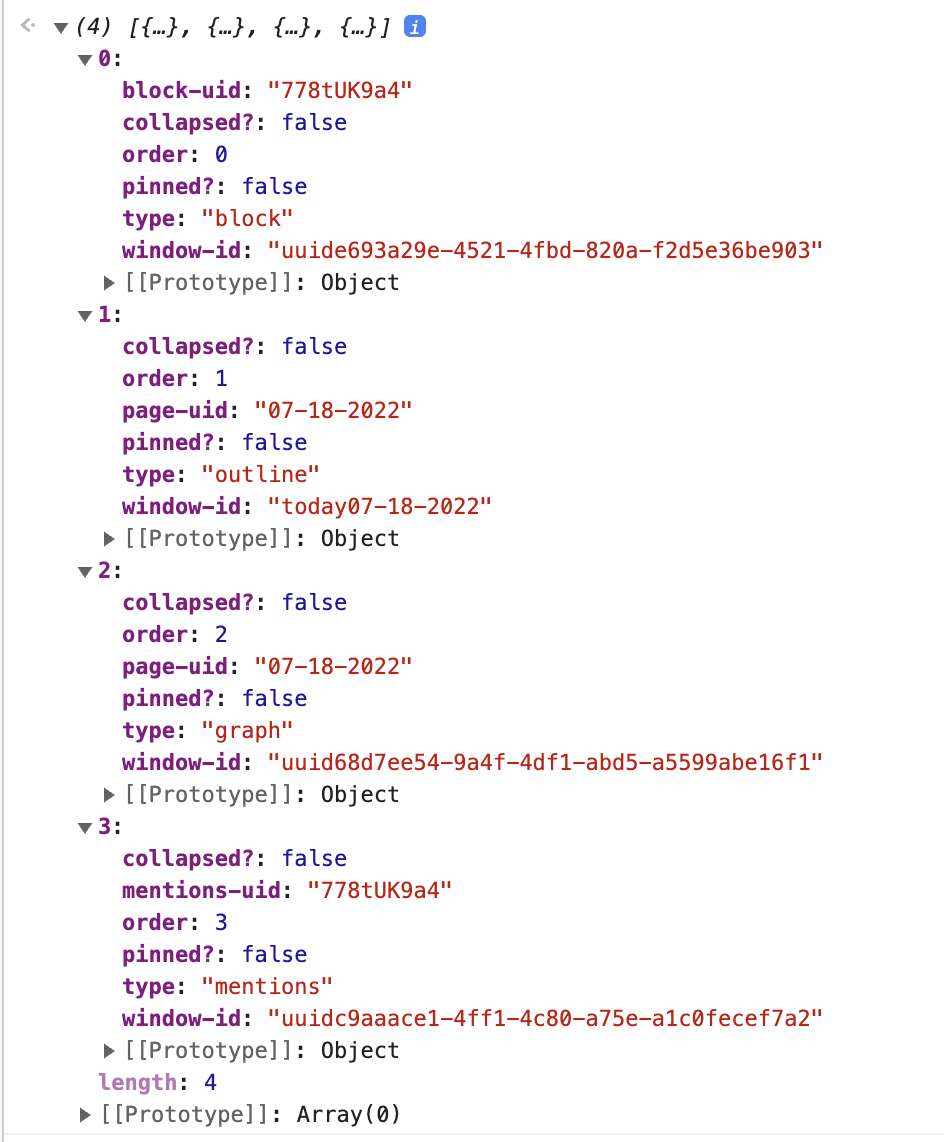
- [[Sample Output]]
- P.S. We now have ability to pin a sidebar window to the top. These windows will also have a `pinned-to-top?`: `true` in the `.getWindows` output
- To programmatically pin a window to the top, use the new `pin-to-top?` parameter in `.pinWindow`
- (shows all 4 kinds of sidebar windows)
- 
- `.addWindow`
- Description::
- Adds a window to the right sidebar. If the sidebar is closed, opens it.
- Parameters::
- `window`
- `type`
- Required
- Can be one of:
- "mentions"
- "block"
- "outline"
- "graph"
- "search-query"
- `block-uid`
- Required
- If `type` = "search-query", then you need to pass `search-query-str` parameter instead of `block-uid`
- Example usage
- ```javascript
// Add a window that searches for "API"
window.roamAlphaAPI.ui.rightSidebar
.addWindow({window:
{type:'search-query' ,'search-query-str':'API'}})```
- `order`
- optional
- if not specified, new window will be at the top of the right sidebar
- Returns::
- Promise which resolves once operation has completed
- More details here
- Usage::
- [[roam/js]]
- ```javascript
//Add a block
window.roamAlphaAPI.ui.rightSidebar
.addWindow({window:
{type:'block' ,'block-uid':'1fP8LY5ED'}})
//Add a page
window.roamAlphaAPI.ui.rightSidebar
.addWindow({window:
{type:'outline' ,'block-uid':'cArVJL_vg'}})
//Add mentions of a block
window.roamAlphaAPI.ui.rightSidebar
.addWindow({window:
{type:'mentions' ,'block-uid':'vutDCPD8G'}})
// Add a window that searches for "API"
window.roamAlphaAPI.ui.rightSidebar
.addWindow({window:
{type:'search-query' ,'search-query-str':'API'}})```
- `.removeWindow`
- Description::
- Removes a window from the right sidebar.
- Parameters::
- `window`
- `type`
- Required
- Can be one of:
- "mentions"
- "block"
- "outline"
- "graph"
- "search-query"
- `block-uid`
- Required
- If `type` = "search-query", then you need to pass `search-query-str` parameter instead of `block-uid`
- Returns::
- Promise which resolves once operation has completed
- More details here
- Usage::
- `.expandWindow`
- Description::
- Parameters::
- `window`
- `type`
- Required
- Can be one of:
- "mentions"
- "block"
- "outline"
- "graph"
- "search-query"
- `block-uid`
- Required
- If `type` = "search-query", then you need to pass `search-query-str` parameter instead of `block-uid`
- Returns::
- Promise which resolves once operation has completed
- More details here
- Usage::
- `.collapseWindow`
- Description::
- Parameters::
- `window`
- `type`
- Required
- Can be one of:
- "mentions"
- "block"
- "outline"
- "graph"
- "search-query"
- `block-uid`
- Required
- If `type` = "search-query", then you need to pass `search-query-str` parameter instead of `block-uid`
- Returns::
- Promise which resolves once operation has completed
- More details here
- Usage::
- `.pinWindow`
- Description::
- Parameters::
- `window`
- `type`
- Required
- Can be one of:
- "mentions"
- "block"
- "outline"
- "graph"
- "search-query"
- `block-uid`
- Required
- If `type` = "search-query", then you need to pass `search-query-str` parameter instead of `block-uid`
- `pin-to-top?`
- optional parameter
- If `pin-to-top?` is passed, it should be either `true` or `false`
- If explicit value is not passed, we do not change the state
- i.e. if a window is pinned to top and we call `.pinWindow` on it again but without specifying an explicit `pin-to-top?`, nothing changes
- If value is `true`, then we pin the specified `window` to the top of the sidebar. Visually this will make the pin look red. new sidebar windows will be added below it
- If another window was already pinned to top, it will be unpinned
- Returns::
- Promise which resolves once operation has completed
- More details here
- Usage::
- `.unpinWindow`
- Description::
- Parameters::
- `window`
- `type`
- Required
- Can be one of:
- "mentions"
- "block"
- "outline"
- "graph"
- "search-query"
- `block-uid`
- Required
- If `type` = "search-query", then you need to pass `search-query-str` parameter instead of `block-uid`
- Returns::
- Promise which resolves once operation has completed
- More details here
- Usage::
- `.setWindowOrder`
- Description::
- Parameters::
- `window`
- `type`
- Required
- Can be one of:
- "mentions"
- "block"
- "outline"
- "graph"
- "search-query"
- `block-uid`
- Required
- If `type` = "search-query", then you need to pass `search-query-str` parameter instead of `block-uid`
- `order`
- Required
- Returns::
- Promise which resolves once operation has completed
- More details here
- Usage::
- `.filters`
- `.addGlobalFilter`
- Description::
- Adds a global filter, similar to clicking on the little globe on the top right of a link in the filter dialogue
- Parameters::
- `title`
- Page title
- __string__
- `type`
- One of "includes" | "removes"
- __string__
- Returns::
- Promise which resolves once operation has completed
- More details here
- `.removeGlobalFilter`
- Description::
- Removes a global filter
- Parameters::
- `title`
- Page title
- __string__
- `type`
- One of "includes" | "removes"
- __string__
- Returns::
- Promise which resolves once operation has completed
- More details here
- `.getGlobalFilters`
- Description::
- Returns a list of global filters currently in place, distinguishing between "includes" and "removes"
- Parameters::
- __None__
- `.getPageFilters`
- Description::
- Returns a list of filters currently in place for that page for the current user, distinguishing between "includes" and "removes"
- Parameters::
- `page`
- (one of `title` or `uid` is required)
- `uid`
- `title`
- Returns::
- An object containing keys "includes" and "removes", both of which have a list of page-titles as values
- 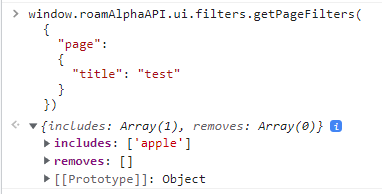
- Usage::
- ```javascript
window.roamAlphaAPI.ui.filters.getPageFilters(
{
"page":
{
"title": "test"
}
})```
- 
- `.getPageLinkedRefsFilters`
- Description::
- Returns a list of filters currently in place for that page's linked references (aka mentions) for the current user, distinguishing between "includes" and "removes"
- Parameters::
- `page`
- (one of `title` or `uid` is required)
- `uid`
- `title`
- Returns::
- An object containing keys "includes" and "removes", both of which have a list of page-titles as values
- 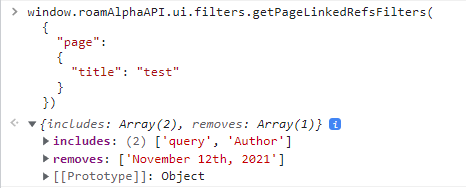
- Usage::
- ```javascript
window.roamAlphaAPI.ui.filters.getPageLinkedRefsFilters(
{
"page":
{
"title": "test"
}
})```
- 
- `.getSidebarWindowFilters`
- Description::
- Returns a list of filters currently in place for that page's linked references (aka mentions) for the current user, distinguishing between "includes" and "removes"
- Parameters::
- `window`
- (similar input as the input of right sidebar functions)
- `type`
- Required
- `block-uid`
- Required
- Returns::
- `.getSidebarWindowFilters`
- An object containing keys "includes" and "removes", both of which have a list of page-titles as values
- 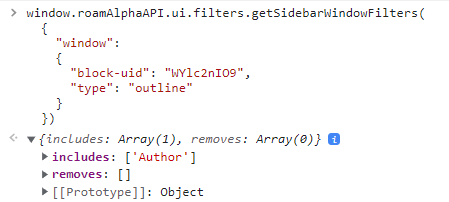
- Usage::
- ```javascript
window.roamAlphaAPI.ui.filters.getSidebarWindowFilters(
{
"window":
{
"block-uid": "WYlc2nIO9",
"type": "outline"
}
})```
- 
- `.setPageFilters`
- Description::
- Set a pages filters
- Parameters::
- `page`
- (one of `title` or `uid` is required)
- `uid`
- `title`
- `filters`
- (similar to the Returns:: of `.getPageFilters`)
- `includes`
- array of page titles
- `removes`
- array of page titles
- Returns::
- Promise which resolves once operation has completed
- More details here
- Usage::
- ```javascript
window.roamAlphaAPI.ui.filters.setPageFilters(
{
"page": {"title": "test"},
"filters": {"includes": ["March 11th, 2022"]}
})
// the following clears the filters
window.roamAlphaAPI.ui.filters.setPageFilters(
{
"page": {"title": "test"},
"filters": {}
})```
- `.setPageLinkedRefsFilters`
- Description::
- Set a page linked references' (aka mentions') filters
- Parameters::
- `page`
- (one of `title` or `uid` is required)
- `uid`
- `title`
- `filters`
- (similar to the Returns:: of `.getPageLinkedRefsFilters`)
- `includes`
- array of page titles
- `removes`
- array of page titles
- Returns::
- Promise which resolves once operation has completed
- More details here
- Usage::
- ```javascript
window.roamAlphaAPI.ui.filters.setPageLinkedRefsFilters(
{
"page": {"title": "test"},
"filters": {"includes": ["Author"]}
})
// the following clears the filters
window.roamAlphaAPI.ui.filters.setPageLinkedRefsFilters(
{
"page": {"title": "test"},
"filters": {}
})```
- `.setSidebarWindowFilters`
- Description::
- Set the filters for a right sidebar window
- Parameters::
- `window`
- (similar input as the input of right sidebar functions)
- `type`
- Required
- `block-uid`
- Required
- `filters`
- (similar to the Returns:: of `.getSidebarWindowFilters`)
- `includes`
- array of page titles
- `removes`
- array of page titles
- Returns::
- Promise which resolves once operation has completed
- More details here
- Usage::
- ```javascript
window.roamAlphaAPI.ui.filters.setSidebarWindowFilters(
{
"window":
{
"block-uid": "WYlc2nIO9",
"type": "outline"
},
"filters": {"includes": ["Author"]}
})
// the following clears the filters
window.roamAlphaAPI.ui.filters.setSidebarWindowFilters(
{
"window":
{
"block-uid": "WYlc2nIO9",
"type": "outline"
},
"filters": {}
})```
- `.commandPalette`
- `.addCommand`
- Description::
- Adds a command to the [[Command Palette]] (Cmd+P), and calls the provided callback when the user selects that command.
- If called again with the same `label`, will not add a second command, but will update the first command with the new callback.
- Parameters::
- `label`
- Text displayed in the Command Palette
- Should preferably include a plugin prefix to ensure global uniqueness if user has more than one plugin installed
- for example `"RoamRS: Start review session"`
- __string__
- `callback`
- Function called with no parameters when the user selects the command in the Command Palette
- __function__
- `disable-hotkey`
- __boolean__
- `default-hotkey`
- it should be a __string__ or vectors of strings are for multi step hotkeys
- __string__
- __string__ should be of the form "super-shift-d". should have at least one modifier. Modifiers are listed in table below
- {{[[table]]}}
- **modifier-str**
- **key in Windows/Linux**
- **key in MacOS**
- "shift"
- shift
- shift
- "ctrl"
- ctrl
- ctrl
- "alt"
- alt
- option
- "super"
- win
- cmd
- "defmod" (default modifier for OS X is cmd and for others is ctrl)
- ctrl
- cmd
- __vector of __string__s__
- vectors of strings are for multi step hotkeys
- An example of a native hotkey like that is `["ctrl-c", "ctrl-m"]` for going to next block
- limit is 5
- if this has not been provided but `disable-hotkey` is absent or false, no hotkey is set up but user can customize it from settings. **So, most commands should NOT have default-hotkey**
- user can customize this from the "Hotkeys" menu
- Returns::
- Promise which resolves once operation has completed
- More details here
- Usage::
- [[roam/js]]
- ```javascript
window.roamAlphaAPI.ui
.commandPalette
.addCommand({label: 'hi',
callback: () => console.log('Hello World!')})```
- Examples showing `default-hotkey`
- example 1:
- ```javascript
window.roamAlphaAPI.ui
.commandPalette
.addCommand({label: 'example1',
callback: () => console.log('Hello World!'),
"disable-hotkey": false,
// this is the default hotkey, and can be customized by the user.
// in most cases, you DO NOT want to be setting a default hotkey
"default-hotkey": "ctrl-cmd-l"})```
- example 2:
- ```javascript
window.roamAlphaAPI.ui
.commandPalette
.addCommand({label: 'example2',
callback: () => console.log('Hello World2!'),
// this is the default hotkey, and can be customized by the user
// in most cases, you DO NOT want to be setting a default hotkey
"default-hotkey": ["ctrl-c", "ctrl-x"]})```
-
- `.removeCommand`
- Description::
- Removes a command with the given `label` from the Command Palette
- Parameters::
- `label`
- Label provided when using `.addCommand`
- __string__
- Returns::
- Promise which resolves once operation has completed
- More details here
- Usage::
- [[roam/js]]
- ```javascript
window.roamAlphaAPI.ui
.commandPalette
.removeCommand({label: 'hi'})```
- `.slashCommand`
- `.addCommand`
- Description::
- Adds a command to the [[Slash Command]], and calls the provided callback when the user selects that command.
- If called again with the same `label`, will not add a second command, but will update the first command with the new callback.
- Parameters::
- `label`: __string__
- Text displayed in the Slash Command
- `display-conditional`: __function__, optional
- Function called with `context` but without the `indexes` which should return true if the command should be shown or false if not.
- `context`
- ```javascript
{
block-uid: "YnatnbZzF",
window-id: "BBG4fFwolaVlT5FZQdzAI7P40aB3-body-outline-04-15-2021",
indexes: [1 10]
}```
- `callback`: __function__
- Function called with `context` when the user selects the command in block context menu.
- It should return either
- a string to insert at the current location
- null to handle insertion manually (e.g., via custom logic, this will not remove the search string)
- Returns::
- null
- Usage::
- ```javascript
window.roamAlphaAPI.ui.slashCommand.addCommand({
label: "Quick Test",
'display-conditional': (args) => {
console.log("display:", args);
},
callback: (args) => {
console.log("Callback received:", args);
return "It works! 🎉";
}
});```
- `.removeCommand`
- Description::
- Removes a command with the given `label` from the Block Context Menu
- Parameters::
- `label`: __string__
- Label provided when using `.addCommand`
- Returns::
- null
- `.multiselect`
- `.getSelected`
- Description::
- Returns an array of objects representing the currently drag-selected blocks in the main window
- Parameters::
- none
- return example::
- ```javascript
// Returns an array of selected blocks with their uid and window-id
[
{ "block-uid": "Vfht187T1", "window-id": "main-window" },
{ "block-uid": "abc123xyz", "window-id": "main-window" }
]
// Empty array if no blocks are selected
[]```
- `.individualMultiselect`
- `getSelectedUids`
- Description::
- Gets the uids currently selected by individual multiselect (usually triggered by `cmd-m`)
- Example::
- ```javascript
window.roamAlphaAPI.ui.getSelectedUids()```
- `.blockContextMenu`
- `.addCommand`
- Description::
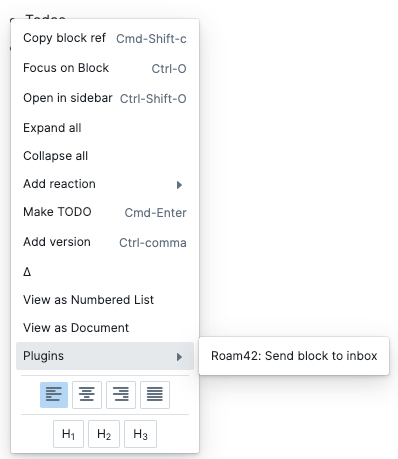
- Adds a menu item to the [[Block Context Menu]] (what comes up if you right click on the bullet of a single block), and calls the provided callback when the user selects that command.
- All custom commands are nested under the Plugins menu item.
- 
- If called again with the same `label`, will not add a second command, but will update the first command with the new callback.
- You can optionally provide a conditional function, which runs every time the menu is opened, with context about the current block, and returns a boolean of whether this menu item should be included for this particular block.
- Parameters::
- `label`: __string__
- Text displayed in the Command Palette
- Should preferably include a plugin prefix to ensure global uniqueness if user has more than one plugin installed
- for example `"RoamRS: Start review session"`
- `display-conditional`: __function__, optional
- Function called with `block-context` which should return true if the command should be shown or false if not.
- `block-context`
- ```javascript
{
block-string: "Todos"
block-uid: "YnatnbZzF"
heading: null
page-uid: "04-15-2021"
read-only?: false
window-id: "BBG4fFwolaVlT5FZQdzAI7P40aB3-body-outline-04-15-2021"
}```
- `callback`: __function__
- Function called with `block-context` when the user selects the command in block context menu.
- Returns::
- Promise which resolves once operation has completed
- More details here
- Usage::
- ```javascript
roamAlphaAPI.ui.blockContextMenu.addCommand(
{label: "Debug: Console Log",
'display-conditional':
(e) => e['block-string'].includes("Test Block"),
callback: (e)=>console.log(e)
}
)```
- `.removeCommand`
- Description::
- Removes a command with the given `label` from the Block Context Menu
- Parameters::
- `label`: __string__
- Label provided when using `.addCommand`
- Returns::
- null
- `.pageContextMenu`
- `.addCommand`
- Description::
- See `.blockContextMenu` description, this is identical but for the page context menu when right clicking on titles.
- Parameters::
- `label`: __string__
- Text displayed in the Command Palette
- Should preferably include a plugin prefix to ensure global uniqueness if user has more than one plugin installed
- for example `"RoamRS: Start review session"`
- `display-conditional`: __function__, optional
- Function called with `page-context` which should return true if the command should be shown or false if not.
- `page-context`
- ```javascript
{
page-uid: "YnatnbZzF"
page-title: "title"
window-id: "BBG4fFwolaVlT5FZQdzAI7P40aB3-body-outline-04-15-2021"
}```
- `callback`: __function__
- Function called with `page-context` when the user selects the command in block context menu.
- Returns::
- null
- Usage::
- ```javascript
roamAlphaAPI.ui.pageContextMenu.addCommand(
{label: "Debug: Console Log",
callback: (e)=>console.log(e)
}
)```
- `.removeCommand`
- Description::
- Removes a command with the given `label` from the Block Context Menu
- Parameters::
- `label`: __string__
- Label provided when using `.addCommand`
- Returns::
- null
- `.pageLinkContextMenu`
- `.addCommand`
- Description::
- For all places that are not the main page title or in a block reference
- Currently this is only in linked references / query results when grouping by page
- Parameters::
- `label`: __string__
- Text displayed in the context menu
- `display-conditional`: __function__, optional
- Function called with `ref-context` which should return true if the command should be shown or false if not.
- `ref-context`
- ```javascript
{
page-uid: "YnatnbZzF",
page-title: "title"
}```
- `callback`: __function__
- Function called with `ref-context` when the user selects the command in block context menu.
- Returns::
- null
- Usage::
- ```javascript
roamAlphaAPI.ui.pageLinkContextMenu.addCommand(
{label: "Debug: Console Log",
callback: (e)=>console.log(e)
}
)```
- `.removeCommand`
- Description::
- Removes a command with the given `label` from the Block Context Menu
- Parameters::
- `label`: __string__
- Label provided when using `.addCommand`
- Returns::
- null
- `.pageRefContextMenu`
- `.addCommand`
- Description::
- See `.blockContextMenu` description, this is identical but for the page ref context menu when right clicking on a page reference.
- Parameters::
- `label`: __string__
- Text displayed in the context menu
- `display-conditional`: __function__, optional
- Function called with `ref-context` which should return true if the command should be shown or false if not.
- `ref-context`
- ```javascript
{
ref-uid: "YnatnbZzF"
block-uid: "xyz" // containing block uid
window-id: "BBG4fFwolaVlT5FZQdzAI7P40aB3-body-outline-04-15-2021"
indexes: [0 9] //outer indexes
type: "attribute"
}```
- `type`
- "page-ref": `[[test]]`
- "attribute": `test::`
- "tag": `#test`
- "multitag": `#[[Test]]`
- "inline-link": `[t]([[Test]])`
- `callback`: __function__
- Function called with `ref-context` when the user selects the command in block context menu.
- Returns::
- null
- Usage::
- ```javascript
roamAlphaAPI.ui.pageRefContextMenu.addCommand(
{label: "Debug: Console Log",
callback: (e)=>console.log(e)
}
)```
- `.removeCommand`
- Description::
- Removes a command with the given `label` from the Block Context Menu
- Parameters::
- `label`: __string__
- Label provided when using `.addCommand`
- Returns::
- null
- `.blockRefContextMenu`
- `.addCommand`
- Description::
- See `.blockContextMenu` description, this is identical but for the block ref context menu when clicking on a block reference.
- Parameters::
- `label`: __string__
- Text displayed in the Command Palette
- Should preferably include a plugin prefix to ensure global uniqueness if user has more than one plugin installed
- for example `"RoamRS: Start review session"`
- `display-conditional`: __function__, optional
- Function called with `ref-context` which should return true if the command should be shown or false if not.
- `ref-context`
- ```javascript
{
ref-uid: "YnatnbZzF"
block-uid: "YnatnbZzF" // containing block uid
window-id: "BBG4fFwolaVlT5FZQdzAI7P40aB3-body-outline-04-15-2021"
indexes: [0 9] //outer indexes
}```
- `callback`: __function__
- Function called with `ref-context` when the user selects the command in block context menu.
- Returns::
- null
- Usage::
- ```javascript
roamAlphaAPI.ui.blockRefContextMenu.addCommand(
{label: "Debug: Console Log",
callback: (e)=>console.log(e)
}
)```
- `.removeCommand`
- Description::
- Removes a command with the given `label` from the Block Context Menu
- Parameters::
- `label`: __string__
- Label provided when using `.addCommand`
- Returns::
- null
- `.msContextMenu`
- **What is this?** - MultiSelect Context Menu
- For adding, removing and executing callbacks on the block context menu when multiple blocks are selected
- 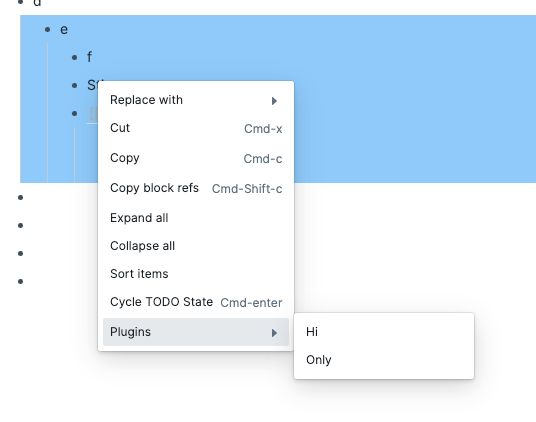
- `addCommand`
- Parameters::
- `label`
- __string__
- `display-conditional`
- __function__
- Optional
- `callback`
- __function__
- Example::
- ```javascript
window.roamAlphaAPI.ui.msContextMenu.addCommand(
{
"label": "test",
"callback": () => { console.log("hey") }
}
)```
- `removeCommand`
- Parameters::
- `label`
- __string__
- Example::
- ```javascript
window.roamAlphaAPI.ui.msContextMenu.removeCommand(
{"label": "test"}
)```
- `.graphView`
- `addCallback`
- Description::
- Adds a callback that gets called whenever a graph view is loaded. There are two types of graph views - "all-pages" (the entire database) and "page" (a specific page and its components). Using the optional `type` parameter, you can request to only trigger callbacks on a specific type of graphs.
- The graph view is rendered using [[Cytoscape]], and by exposing the Cytoscape object, we hope to enable experimentation with various Cytoscape plugins, alternative UIs, etc.
- Parameters::
- `label`
- String label used to upsert or remove listener
- __string__
- `callback`
- Function called with `context` when the user selects the command in the Command Palette
- `context`:
- `cytoscape` holds a reference to the [[Cytoscape]] graph object
- `elements` is an array of the nodes and edges in the graph
- `type` is "page" | "all-pages"
- ```javascript
{ cytoscape: Core {_private: {…}},
elements: [
{id: "eTCpkG-HI", name: "B", weight: 7}
{id: "05-04-2021", name: "May 4th, 2021", weight: 10}
{id: "FrW4nHLat", name: "A", weight: 7}
{id: "eTCpkG-HI-FrW4nHLat", source: "eTCpkG-HI", target: "FrW4nHLat"}
{id: "eTCpkG-HI-eTCpkG-HI", source: "eTCpkG-HI", target: "eTCpkG-HI"}
{id: "05-04-2021-eTCpkG-HI", source: "05-04-2021", target: "eTCpkG-HI"}
],
type: "page" }```
- __function__
- `type`
- Optionally specify the type of graph (`page` | `all-pages` to trigger on, if undefined, the callback triggers on all graphs
- __string__: "page" | "all-pages"
- Returns::
- Promise which resolves once operation has completed
- More details here
- `removeCallback`
- Description::
- Removes a callback with the given `label`
- Parameters::
- `label`
- Label provided when using `addCallback`
- __string__
- Returns::
- Promise which resolves once operation has completed
- More details here
- {{[[TODO]]}} document `wholeGraph`
- New API for the new graph overview - old addCallback will not work with new graph overview
- examples
- ```javascript
roamAlphaAPI.ui.graphView.wholeGraph.addCallback({
"label": "test",
"callback": (x) => {
console.log(x);
}
})
roamAlphaAPI.ui.graphView.wholeGraph.removeCallback({"label": "test"});
roamAlphaAPI.ui.graphView.wholeGraph.setExplorePages(['a']);
const x = roamAlphaAPI.ui.graphView.wholeGraph.getExplorePages();
console.log(x);
roamAlphaAPI.ui.graphView.wholeGraph.setMode("Whole Graph");
roamAlphaAPI.ui.graphView.wholeGraph.setMode("Explore");```
- `.components`
- `renderBlock`
- Description::
- Mounts a React component that renders a given block with children (editable) in a given DOM node.
- Parameters::
- `uid`
- Block UID of block to display
- __String__
- `el`
- DOM node where React component should be mounted
- __DOM Node__
- `open?` **optional**
- optional Boolean
- values
- If not passed = whatever the normal open state of that block is in the db/graph
- `true` = force open the block (show the children if exist)
- `false` = force close the block (even if the block has children, they are not shown)
- `zoom-path?`**optional**
- Optional boolean
- when `zoom-path?` is true, it shows the zoom path i.e. view which looks similar to how linked refs look
- `zoom-start-after-uid` **optional**
- Optional boolean
- only valid when `zoom-path?` is true
- path compacts to clickable `...` for everything until passed in uid
- 
- block uid __String__
- Returns::
- Promise which resolves once operation has completed
- More details here
- Example::
- ```javascript
const newNode = document.createElement('div');
const wrap = document.getElementById('right-sidebar');
// insert our new node after the wrap element in the DOM tree
wrap.insertBefore(newNode, wrap.firstChild)
window.roamAlphaAPI.ui.components.renderBlock(
{
"uid": '6-P4ZEbIY',
"el": newNode,
// optional args below
// open? is for if you want to force open/close the block
// if not passed, uses whatever the normal open state of that block is in the db/graph
"open?": false,
// zoom-path? : if you want to show the zoomable path of the block too
"zoom-path?": true,
// optional addition in zoom-path? mode: path compacts to ... for everything until passed in uid
"zoom-start-after-uid": "ImSvJvm1_"
})```
- `renderPage`
- Description::
- Mounts a React component that renders a given page with children (editable) in a given DOM node.
- unless you're using specific params (`zoom-path?` for block or `hide-mentions?` for page), you can use this interchangeably with `renderBlock`
- Parameters::
- (same as renderBlock except for the new "zoom-path?". has one additional optional param `hide-mentions?` )
- `uid`
- Block UID of block to display
- __String__
- `el`
- DOM node where React component should be mounted
- __DOM Node__
- `hide-mentions?`
- Optional boolean
- to show or not to show linked refs at bottom of page
- `renderSearch`
- Description::
- Mounts a React component that renders search results (first pages then blocks) for a given `search-query-str` in a given DOM node.
- the results are the same as the "Find or Create Page" or cmd+u search
- class is `rm-search-query`. Also uses the existing `rm-query` class
- this search view is also available as an xparser component `{{[[search]]}}` or `{{[[search]]: Bret Victor}}`
- Screenshot::
- 
- Parameters::
- `search-query-str`
- Required string
- `el`
- Required
- DOM node where React component should be mounted
- __DOM Node__
- `closed?`
- optional boolean
- default is false
- whether view is closed or no
- `group-by-page?`
- optional boolean
- default is false
- `hide-paths?`
- optional boolean
- default is fale
- `config-changed-callback`
- optional function parameter
- is called when config is changed as a result of user interaction
- Example::
- ```javascript
const newNode = document.createElement('div');
const wrap = document.getElementById('right-sidebar');
// insert our new node after the wrap element in the DOM tree
wrap.insertBefore(newNode, wrap.firstChild)
window.roamAlphaAPI.ui.components.renderSearch(
{"search-query-str": 'Bret Victor',
"closed?": false,
"group-by-page?": false,
"hide-paths?": false,
"config-changed-callback": (config) => {console.log("new-config", config);},
el: newNode})```
- `renderString`
- Description::
- Mounts a React component that renders the passed-in string
- the string can contain existing page titles, block refs and all the elements of roam-flavored markdown
- in other words, it can contain anything you can keep in a block string
- Watch out for
- If you pass/show `[[Page Title]]` like links for pages that do not exist, those links will not work. Please try not to do that
- Parameters::
- `string`
- The string to be displayed
- the string can contain existing page titles, block refs and all the elements of roam-flavored markdown
- in other words, it can contain anything you can keep in a block string
- Watch out for
- If you pass/show `[[Page Title]]` like links for pages that do not exist, those links will not work. Please try not to do that
- __String__
- `el`
- DOM node where React component should be mounted
- __DOM Node__
- Returns:: [[Roam Alpha API]]
- Promise which resolves once operation has completed
- More details here
- Example:: (shows up in right sidebar)
- ```javascript
const newNode = document.createElement('div');
const wrap = document.getElementById('right-sidebar');
// insert our new node after the wrap element in the DOM tree
wrap.insertBefore(newNode, wrap.firstChild)
window.roamAlphaAPI.ui.components.renderString(
{
el: newNode,
string: "Hello this is via [[Roam Alpha API]]'s `renderString` which ((-PAiIlJ14))"})```
- [[Screenshot]] (see top right)
- 
- `unmountNode`
- Description::
- Unmounts a React component from a certain DOM node.
- Returns::
- Promise which resolves once operation has completed
- More details here
- Parameters::
- `el`
- DOM node where React component was mounted
- __DOM Node__
- `.react`
- `Block`
- Description::
- A React component that renders a given block with children (editable). Can be used declaratively in JSX.
- Props::
- `uid`
- Block UID of block to display
- __String__ (required)
- `open` **optional**
- Optional boolean
- values
- If not passed = whatever the normal open state of that block is in the db/graph
- `true` = force open the block (show the children if exist)
- `false` = force close the block (even if the block has children, they are not shown)
- `zoomPath` **optional**
- Optional boolean
- when `zoomPath` is true, it shows the zoom path i.e. view which looks similar to how linked refs look
- `zoomStartAfterUid` **optional**
- Optional string
- only valid when `zoomPath` is true
- path compacts to clickable `...` for everything until passed in uid
- block uid __String__
- Example::
- ```javascript
const { Block } = window.roamAlphaAPI.ui.react;
// Basic usage
// Force closed
// With zoom path
```
- `Page`
- Description::
- A React component that renders a given page. Can be used declaratively in JSX.
- Props::
- `uid` **optional**
- Page UID to display
- __String__ (either `uid` or `title` is required)
- `title` **optional**
- Page title (alternative to UID)
- __String__ (either `uid` or `title` is required)
- `hideMentions` **optional**
- Optional boolean
- When `true`, hides the linked references section at the bottom of the page
- Example::
- ```javascript
const { Page } = window.roamAlphaAPI.ui.react;
// By UID
// By title
// Hide mentions
```
- `Search`
- Description::
- A React component that renders search results for a given query string. Can be used declaratively in JSX.
- Props::
- `searchQueryStr`
- The search query string
- __String__ (required)
- `closed` **optional**
- Optional boolean
- When `true`, the view is collapsed
- `groupByPage` **optional**
- Optional boolean
- When `true`, groups search results by their parent page
- `hidePaths` **optional**
- Optional boolean
- When `true`, hides the block paths in results
- `onConfigChange` **optional**
- Optional callback function
- Called when the user changes the search configuration (grouping, etc.)
- Receives the new config object as an argument
- Example::
- ```javascript
const { Search } = window.roamAlphaAPI.ui.react;
// Basic search
// Grouped by page with callback
console.log('Config changed:', config)}
/>
// Hide paths
```
- `BlockString`
- Description::
- A React component that renders a Roam-markdown string. This includes rendering `[[page links]]`, `((block refs))`, and other Roam formatting. The rendered content is **not** editable.
- Props::
- `string`
- The Roam-markdown string to render
- __String__ (required)
- Example::
- ```javascript
const { BlockString } = window.roamAlphaAPI.ui.react;
// Render text with page link
// Render text with block reference
// Render formatted text
```
- `.callout`
- `.addType`
- Description::
- Registers a custom callout type so it appears in the callout type picker menu. The type will show up when a user clicks the icon on a callout block. Icons and colors are provided entirely via CSS — the extension styles `.rm-callout--{type}` for color and `.rm-callout--{type} .rm-callout__icon` for the icon. A built-in default icon is shown as fallback until extension CSS loads.
- Parameters::
- `type`
- The string used in `[!type]` callout syntax
- __string__ (required)
- Returns::
- `null`
- Usage::
- ```javascript
window.roamAlphaAPI.ui.callout
.addType({type: "recipe"})```
- Then provide CSS via `roam/css` or extension stylesheet:
- ```css
/* Emoji icon */
.rm-callout--recipe {
--callout-color: #f778ba;
}
.rm-callout--recipe .rm-callout__icon::before {
content: "🍪";
font-family: initial;
}```
- `.removeType`
- Description::
- Removes a previously registered custom callout type from the picker menu.
- Parameters::
- `type`
- The type string to remove
- __string__ (required)
- Returns::
- `null`
- Usage::
- [[roam/js]]
- ```javascript
window.roamAlphaAPI.ui.callout
.removeType({type: "recipe"})```
- `.util`
- `.generateUID`
- Description::
- Generates a roam block UID which is a random string of length nine.
- Parameters::
- None
- Usage::
- ```javascript
window.roamAlphaAPI.util.generateUID()```
- `.pageTitleToDate`
- Description::
- Convert a daily note page title to a date
- Parameters::
- a daily note title string, `"June 16th, 2022"`, any non daily note title string will return nil, instead of a date
- `.dateToPageTitle`
- Description::
- Convert a date to a daily note page title
- Parameters::
- a [javascript date](https://developer.mozilla.org/en-US/docs/Web/JavaScript/Reference/Global_Objects/Date)
- `.dateToPageUid`
- Description::
- Convert a date to a daily note page uid (`06-16-2022`)
- Use this instead of `.generateUID` if you are programmatically generating a daily note page and need the uid ahead of time
- Parameters::
- a [javascript date](https://developer.mozilla.org/en-US/docs/Web/JavaScript/Reference/Global_Objects/Date)
- `.platform`
- All below are boolean variables that are true if the user's device is that platform
- If you find out that any of the following have some edge cases for which they're failing, please [[Contact Us]]
- `.isDesktop` #property
- true if client is Roam [[Desktop App]]
- `.isMobileApp` #property
- true if client is Roam [[Mobile App]]
- `.isMobile` #property
- Note that this is only a check on the screen size
- just uses a media query `max-width: 450px`
- `.isIOS` #property
- true if client is iphone, ipad or ipod
- `.isPC` #property
- true if client is a PC
- useful if you want to have different shortcuts on PC vs Mac
- `.isTouchDevice` #property
- true if client is a touch device
- `.graph`
- `.name` #property
- The name of the current graph
- `.type` #property
- `"hosted"` or `"offline"`
- `.isEncrypted` #property
- Whether the graph is encrypted or not
- `.file`
- `.upload`
- Description::
- Upload a file to Roam
- This also exists as `roamAlphaAPI.util.uploadFile`, prefer using the new version, but the old function will not be removed
- Parameters::
- `file`
- `toast` #optional
- `hide`
- To show / hide the upload toast, default to `false`
- Returns::
- Promise that resolve to a firebase download url
- Usage::
- ```javascript
roamAlphaAPI.file.upload({file: new File([""], "test"), toast: {hide: true}})
roamAlphaAPI.file.upload({file: new File([""], "blah")})```
- `.get`
- Description::
- Fetch a file hosted on Roam
- You could also fetch the file yourself with `fetch`, but `.get` handles decrypting the file for encrypted graphs, and fetches the original file name and file type metadata for creating the file object
- Parameters::
- `url`
- A firebase storage url, obtained from `.upload`, or from a block
- Returns::
- A promise that resolve to a [File object](https://developer.mozilla.org/en-US/docs/Web/API/File)
- Usage::
- ```javascript
roamAlphaAPI.file.get({url: "https://firebasestorage.googleapis.com/v0/b/firescript-577a2.appspot.com/o/imgs%2Fapp%2Ftest103%2FGVfB6XBcMR.pdf?alt=media&token=0e0495c7-fbe9-4e13-b9a2-9ffb2c32cd26"})```
- `.delete`
- Description::
- Delete a file hosted on Roam
- Parameters::
- `url`
- A firebase storage url, obtained from `.upload`, or from a block
- Returns::
- Promise that resolves to `undefined`
- Usage::
- ```javascript
roamAlphaAPI.file.delete({url: "https://firebasestorage.googleapis.com/v0/b/firescript-577a2.appspot.com/o/imgs%2Fapp%2Ftest103%2FVxMoWmo8pI.jpeg?alt=media&token=39af97c0-32f5-46f9-a198-90481b29d974"})```
- `.user`
- `.uid`
- Description::
- Function which returns the current user's uid
- Use this in conjunction with pull to get the user's display page and other meta data about the user
- Returns::
- A string or null
- Usage::
- ```javascript
roamAlphaAPI.user.uid()
// pull all info about a user
roamAlphaAPI.pull("[*]", [":user/uid", window.roamAlphaAPI.user.uid()]);```
- `isAdmin`
- Description::
- Function that returns whether the current user is an admin or not (an admin is the graph owner)
- Returns::
- boolean
- `depot`
- `getInstalledExtensions`
- Description::
- Function that returns a map of the extensions currently installed through Roam Depot or dev mode
- Returns::
- Object of {ext-id ext-map}
- Example::
- ```javascript
{ccc+ccc-roam-pdf-2:
{id: 'ccc+ccc-roam-pdf-2',
name: 'Roam PDF Highlighter 2',
enabled: false,
version: '1' //version 'DEV' is for developer loaded extensions
}
...}```
- `.constants`
- `.corsAnywhereProxyUrl`
- (added on [[November 23rd, 2024]])
- the url for a [CORS-anywhere proxy](https://github.com/Rob--W/cors-anywhere) hosted by the Roam team
- This can be useful when you're querying an external API in your extension but it has CORS restrictions
- **How to use it**
- pretty easy, instead of `fetch`ing the `url`, instead fetch (`roamAlphaAPI.constants.corsAnywhereProxyUrl` + "/" + `url`)
- Some sample JS code
- ```javascript
let urlToFetch = "https://google.com"
await fetch(`${roamAlphaAPI.constants.corsAnywhereProxyUrl}/${urlToFetch}`)
.then(a=>a.text())```
- Note that to prevent misuse, this proxy only works when the request originates from Roam domains `https://roamresearch.com`
-
---
# Roam Depot/Extension API
- Work in progress, for now see https://github.com/panterarocks49/settings-panel-example/blob/main/extension.js for an example of how to use it
- Roam handles removing dom elements / settings set with the extension API
- **methods**
- `extensionAPI`
- `.settings`
- Settings are scoped to your extension, there is no risk of it conflicting with another extension
- They are persisted across devices as well
- `.set`
- key
- value
- `.get`
- key
- `.getAll`
- `.panel`
- `.create`
- config
- **Note regarding "id" in a setting**: they must be non-empty strings and can't contain ".", "#", "$", "[", or "]"
- Example::
- ```javascript
function reactButton() {
// Declare a new state variable, which we'll call "count"
const [count, setCount] = React.useState(0);
return (
React.createElement(
"button",
{className: "bp3-button",
onClick: () => setCount(count + 1)},
"my button " + count
)
);
}
// actions that are predefined save there state automatically (except button) underneath the id provided for the action
// custom actions can save state with extensionAPI.settings.set / get / getAll
const panelConfig = {
tabTitle: "Test Ext 1",
settings: [
{id: "button-setting",
className: "ext-settings-panel-button-setting",
name: "Button test",
description: "tests the button",
action: {type: "button",
onClick: (evt) => { console.log("Button clicked!"); },
content: "Button"}},
{id: "switch-setting",
name: "Switch Test",
description: React.createElement("a", {href: "https:roamresearch.com"}, "Show off react components in the description"),
action: {type: "switch",
onChange: (evt) => { console.log("Switch!", evt); }}},
{id: "input-setting",
name: "Input test",
action: {type: "input",
placeholder: "placeholder",
onChange: (evt) => { console.log("Input Changed!", evt); }}},
{id: "select-setting",
name: "Select test",
action: {type: "select",
items: ["one", "two", "three"],
onChange: (evt) => { console.log("Select Changed!", evt); }}},
{id: "reactComponent-setting",
name: "reactComponent test",
action: {type: "reactComponent",
component: reactButton}}
]
};```
- For an example config see https://github.com/panterarocks49/settings-panel-example/blob/main/extension.js
- `.ui`
- `.commandPalette`
- `.addCommand`
- same as window.roamAlphaAPI.ui.commandPalette.addCommand (please follow the link for documentation)
- only difference is: when you use this version from extensionAPI, the commands are associated with your extension and so you have convenient grouping (in for example the Hotkeys window)
- [[Migration Guide]] from roamAlphaAPI.ui.commandPalette.addCommand to extensionAPI's version
- [[Loom video]]:
{{[[video]]: https://www.loom.com/share/f51a889a8e444ceb8c8eab15654d2650}}
- `.removeCommand`
- same as window.roamAlphaAPI.ui.commandPalette.removeCommand (please follow the link for documentation)
- in contrast to the roamAlphaAPI's version, you do not need to call this on `onunload` - if you call via extensionAPI, will be cleaned automatically on unload
- **Changelog**:
- [[February 14th, 2023]]
- [[Roam Depot/Extension API]]
---
# Roam Depot/Extensions
- **Introduction**
- Your extension's code runs alongside Roam's code, the same as [[roam/js]], with full access to the dom and the [[Roam Alpha API]], and a new [[Roam Depot/Extension API]]
- Every update to your extension will be submitted and reviewed for security by Roam's team through the [github repo](https://github.com/Roam-Research/roam-depot)
- In an effort to support authors and encourage ongoing maintenance of extensions, Roam is dedicating a portion of our revenue to extension authors.
- The amount and way we distribute funds is subject to change
- If you are interested in receiving payouts, sign up with stripe in extension settings and add your account ID to your extension's metadata
- **Please complete the process in full and make sure your account is enabled submitting an extension with the account attached. We can only send funds if your account is fully filled out. You can contact Josh on slack if you do not know if your account is enabled or not.**
- We should be able to support authors in all of the countries listed in https://stripe.com/docs/connect/cross-border-payouts (not the preview ones yet, but if you are in one of those contact us first and we can try to get it working).
- Legally, if you make more than $600 per year from Roam and live in the US, you are expected to pay taxes on it and can ask Roam for a 1099 form
- Paid extensions do not exist yet, but in the future we hope to add them. You may implement your own payment system for an extension, but this will disqualify you from payouts from Roam
- **Code Guidelines**
- Your extension should export as default a map with `onload` and `onunload` functions
- All state setup in `onload` should be removed in `onunload`.
- `onload` receives an object with the [[Roam Depot/Extension API]] in it
- ```javascript
export default {
onload: ({extensionAPI}) => {},
onunload: () => {}
};```
- Roam APIs
- You'll have access to two different APIs for development, the [[Roam Alpha API]] and the [[Roam Depot/Extension API]]
- Why two?
- The [[Roam Alpha API]] was developed before the existence of Roam Depot, and modifying that to fit the needs of Roam Depot would break existing [[roam/js]] extensions
- Particularly, for Roam Depot, we can pre-fill functions with information about your extension and automatically remove components when your extension is uninstalled
- Eventually, everything will be duplicated inside of the [[Roam Depot/Extension API]] for ease of use
- Please read the documentation for these, there is likely already a method for what you need and if there isn't let us know in the #developers channel on slack
- User Interface
- Extensions should prefer using [blueprintjs](https://blueprintjs.com/docs/versions/3/) components to match Roam's style
- Styles
- Extensions should prefix css classes with a unique identifier such that it won't conflict with roam or other extensions.
- Example::
- Roam uses `rm-` in front of all our css classes, `rm-modal`
- The majority of tailwind css is included with Roam
- Dependencies
- Your dependencies will be scrutinized heavily, some general guidelines
- If you can do it without a dependency, do not use a dependency
- Only use trustworthy dependencies, extensions will be rejected if our team decides one of your dependencies is untrustworthy
- Roam exports a number of dependencies for extensions to use. Extensions must use these instead of bundling their own version or a library similar to one of these.
- Your bundler may support `import` from the window object to make it easier to import global dependencies
- [webpack example](https://github.com/dvargas92495/roamjs-scripts/blob/main/src/index.ts#L122-L126)
- Alternatively, you access them from the window object
- Sync dependencies
- Dependencies bundled with Roam core will be provided on the window object
- {{table}}
- **Package Name**
- **Version**
- **Global Var**
- `react`
- `18.2.0`
- `window.React`
- `react-dom`
- `18.2.0`
- `window.ReactDOM`
- `@blueprintjs/core`
- `^3.50.4`
- `window.Blueprint.Core`
- `@blueprintjs/select`
- `^3.18.6`
- `window.Blueprint.Select`
- `@blueprintjs/datetime`
- `^3.23.14`
- `window.Blueprint.DateTime`
- `chrono-node`
- `^2.3.2`
- `window.ChronoNode`
- `idb`
- ` 7.1.1`
- `window.idb`
- `nanoid`
- `^2.0.4`
- `window.Nanoid`
- `file-saver`
- `^2.0.2`
- `window.FileSaver`
- `crypto-js`
- `^3.1.9-1`
- `window.CryptoJS`
- `tslib`
- `2.2.0`
- `TSLib`
- Async dependencies
- Some of Roam's dependencies are loaded only when a user uses them, your extension should do the same thing
- We understand dynamically loading is pretty difficult for a beginner, if that is you, you can ask us for help or for an exception to this rule
- {{table}}
- **Package Name**
- **Version**
- **Global Var**
- `marked-react`
- `^1.1.2`
- `RoamLazy.MarkedReact`
- `marked`
- `4.3.0`
- `RoamLazy.Marked`
- `jszip`
- `^3.10.0`
- `RoamLazy.JSZip`
- `cytoscape`
- `^3.7.2`
- `RoamLazy.Cytoscape`
- `insect.js`
- `5.6.0`
- `RoamLazy.Insect`
- Offline
- Extensions will run offline, your extension doesn't have to work offline but it should be aware it could be running without network connection and handle that accordingly
- Allowed languages
- Typescript, Javascript, or Clojurescript
- **Local Development**
- To develop locally, you'll have to use this url [https://relemma-git-roam-app-store.roamresearch.com](https://relemma-git-roam-app-store.roamresearch.com/) (until we launch)
- Visit a graph, open up settings, and go to the extensions tab
- Then click enable developer mode
- 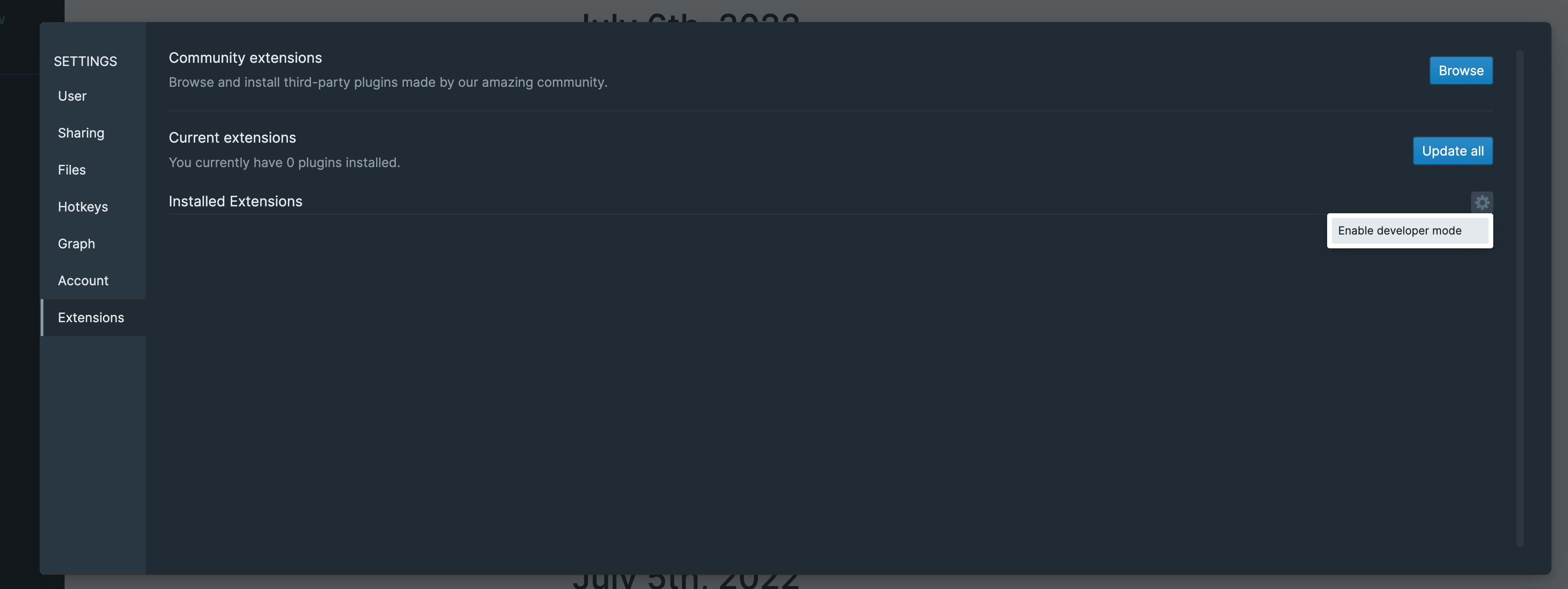
- Then load extension
- 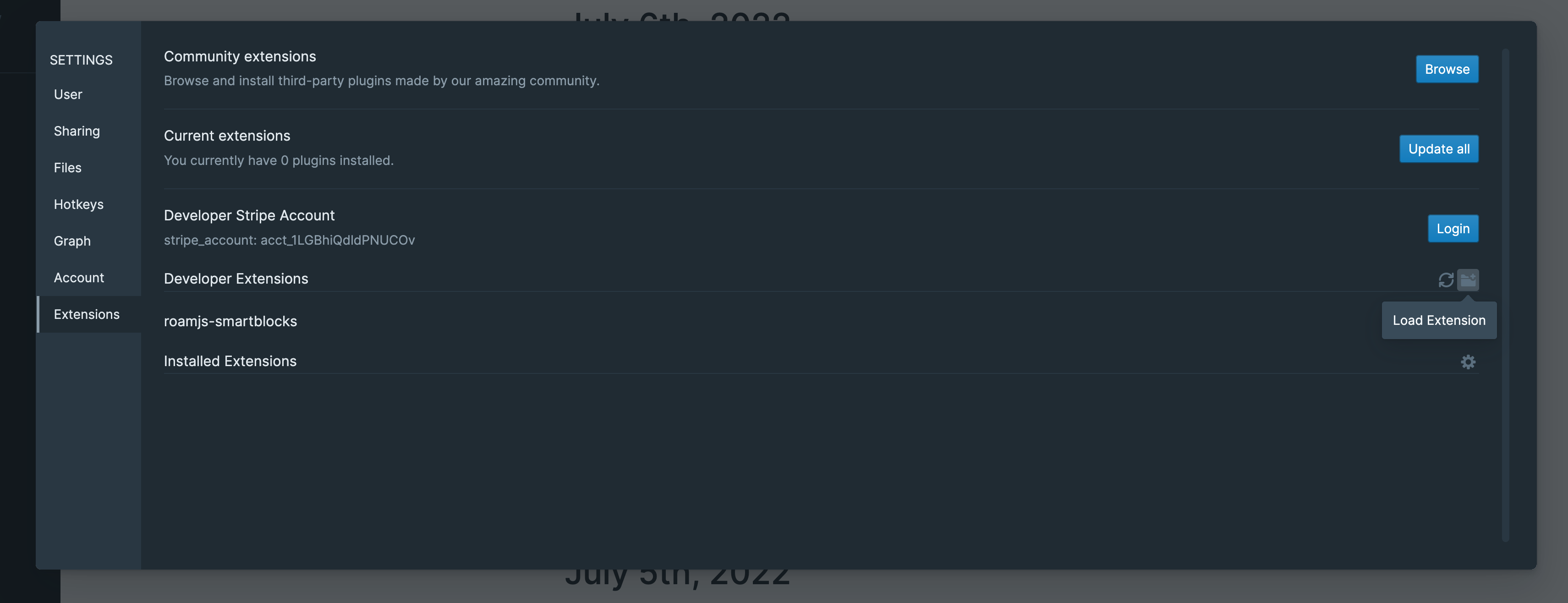
- and choose the folder on your computer which contains `extension.js` / `extension.css`
- To reload the extension you can use the key command `control-d control-r`, which will call your extension's `unload` function, load the new code, and call `onload`
- Note that this key command reloads all loaded developer extensions
- You can also reload extensions from the extensions tab in settings
- If your state isn't properly removed in `unload` then you can reload the page and hit `control-d control-r` to completely clear the state
- **Submitting an extension**
- Create a github repo for your extension
- Inside your repository
- Provide
- README.md (required)
- This will be displayed to users inside of Roam, include any relevant long description for your extension
- extension.js (required)
- extension.css (optional)
- CHANGELOG.md (optional)
- If your extension bundles dependencies and requires a build step
- Provide a `build.sh` file
- The `build.sh` file will be invoked before looking for extension.js (required) or extension.css (optional)
- The environment it’ll be invoked in is ubuntu-20.04 from Github Actions. Consult [this](https://github.com/actions/virtual-environments/blob/main/images/linux/Ubuntu2004-Readme.md) to see what is available. (npm and yarn are available)
- If your build script requires anything extra (e.g. libraries from NPM), it should download them as a part of build.sh execution.
- If not and your extension is a simple javascript file, then you can write all of your code in extension.js (required)
- Fork https://github.com/Roam-Research/roam-depot
- Create metadata file in extensions//.json
- Example
- `extensions/tonsky/roam-calculator.json`
- with the following content
- ```javascript
{
"name": "Test Extension 1",
"short_description": "Prints 'Test message 1'",
"author": "Nikita Prokopov",
"tags": ["print", "test"], //optional
"source_url": "https://github.com/tonsky/roam-calculator",
"source_repo": "https://github.com/tonsky/roam-calculator.git",
"source_commit": "d5ecd16363975b2e7a097d46e5f411c95e16682d",
"stripe_account": "acct_1LGASrQVCl6NYjck" // optional only include if you want to be eligible for payouts from Roam
}```
- Then make a Pull Request with this change. After it’s merged, your extension will be published in the Roam Marketplace.
- **Updating an extension**
- Every update to your extension will be reviewed, submitting it is the same as **Submitting an extension**
- Just update your extension's metadata file in your fork of https://github.com/Roam-Research/roam-depot with a new commit hash
- You may also change other values of your metadata file
- **Load remote developer extensions from URL or using "PR-shorthand" format**
- Motivation::
- Make it easier to test extensions
- using this, can easily test on mobile. Can also give links for testers / beta users to test
- Two accepted formats
- "PR-shorthand" format
- You can get the PR-shorthand for your PR from a comment which is auto-generated on the PR at creation/update.
- For example: `digitalmaster+roam-memo+668` is the PR-shorthand for PR 668, and is mentioned in this github comment on the PR: https://github.com/Roam-Research/roam-depot/pull/668#issuecomment-1524315888
- ---
- `username + “+” + extension-id + “+” + pr-number`
- URL
- URL to root path where adding `README.md` and `extension.js` to the url leads to the required files
- Example: `https://roam-excalidraw-depot.pages.dev/`
- just a test extension I was working on before upgrading native excalidraw. So, I would recommend not using this version of excalidraw. Use `/excalidraw` instead
- Things to keep in mind:
- the extension files have to be publicly accessible when the file names (i.e. "extension.js", "README.md", "extension.css", "CHANGELOG.md") are added to the end of the passed URL. (only the first 2 are compulsory)
- One common mistake is to forget the prefix in URLs like `https://`
- We expect URLs will be useful if you want to
- During development, test extension on mobile
- using a local server like https://www.npmjs.com/package/serve to serve your files on your local network
- note that to load the changed files, you either have to reload Roam or go to Settings>Roam Depot>Developer Extensions and click on reload button
- Have a URL with the latest update of your extension
- (you could then share it with beta-testers)
- An important point is that since developer extensions are local to the client, this is not a replacement for actual "production" extensions. Please only use it for testing
- a guide which might come in handy:
- A guide for how to deploy extension automatically when pushed to `main` branch in your github repo (in case you want a persistent link or don't want to have to create a [PR in roam-depot](https://github.com/Roam-Research/roam-depot/pulls) before further testing)
- **Option 1:** If you're creating a new extension, just fork this template repository by [[Matt Vogel]] https://github.com/8bitgentleman/roam-depot-extension-template and then go to repo settings > Pages and then the Actions tab in order to setup
- **Option 2:** If you already have an extension, you can copy the [.github/workflows/deploy.yml](https://github.com/8bitgentleman/roam-depot-extension-template/blob/main/.github/workflows/deploy.yml) file to your own github repository (make sure to have the same path) and then go to repo settings > Pages and then the Actions tab in order to setup
- Short [[Loom video]] guiding through both of the above options
- {{[[video]]: https://www.loom.com/share/4785e95fe5454684a48683402da5ea09}}
- ---
- [[Loom video]] guiding through entire process (might only be relevant if you want to learn how github actions works in this case)
- https://www.loom.com/share/ac50ccf34f924a95bf6be4ca74ab85d7
- Properties
- Remote Dev Extensions **are auto started** similar to production extensions
- Remote Dev Extensions **are NOT cached** (unlike production Roam Depot extensions). They are downloaded again every time you open Roam or press refresh
- Remote Dev Extensions **are NOT synced across different devices**
- [[Loom video]]
- {{[[video]]: https://www.loom.com/share/d6ec8341b17e4959b9604957e7212556}}
- **Tutorials**
- Simple walkthrough of porting a [[roam/js]] extension to Roam Depot, without any git knowledge
- {{[[video]]: https://www.loom.com/share/4027806b92d54e539db272ebf7efffec}}
- More complicated example of porting [Auto Tag](https://github.com/panterarocks49/autotag) [[roam/js]] to Roam Depot
- Sorry this one is pretty long!
- In the video we
- Set up npm and webpack
- port inlined libraries to npm requires
- port settings from being changed in a code block to the new settings panel
- {{[[video]]: https://www.loom.com/share/d54eea88013c4d0e8d55cc6dc49e9479}}
- Video got cut off at the end, but only things left were to finish NLP dates and submit
- Submission you can see in Simple walkthrough of porting a [[roam/js]] extension to Roam Depot, without any git knowledge
- repository https://github.com/panterarocks49/autotag
- **Examples**
- [Bitcoin Price Tracker](https://github.com/panterarocks49/roam-extension-bitcoin-price)
- Simple example, with no build process
- [Auto Tag](https://github.com/panterarocks49/autotag)
- Simple example, with a build process
- [Roamjs Query Builder](https://github.com/dvargas92495/roamjs-query-builder)
- Complicated example, with a complex build process
---
# roam/css
- 🚧🚧🚧🚧🚧🚧 Under Construction 🚧🚧🚧🚧🚧🚧
### Use roam/css to create themes, change layouts, develop new features, and style blocks at a granular level
#### Check out our [community-built themes for inspiration]([[Themes]])
## Getting started::
### Create a page in your graph with the title `roam/css`
- Press `cmd+u` (mac) or `ctrl+u` (pc) and then start typing "roam/css" into the search bar, then press `return` (mac) `enter` (pc)
- Or
- Type "[[roam/css]]" into a block
### Create a CSS code block on the roam/css page
- Type "/" into any block on the page then type "CSS", and then press `enter` or `return`
- Or
- Type "```" into any block, which
### Crea
## How-to guides::
- How to use roam/css inline
- How to create custom tags
- How to make page tags
- How to do block-level customization
- How to style the [[Graph Overview]]
- {{roam/css}}
- You can also set these on :root since they cascade
- ```css
#rm-canvas-container {
background-color: lightblue;
--graph-overview-label-font: Times New Roman;
--graph-overview-label-color: gray;
--graph-overview-default-node-color: #673AB7;
--graph-overview-unselected-node-color: #673AB772;
--graph-overview-explore-node-color: pink;
--graph-overview-default-edge-color: #FFC107B5;
--graph-overview-selected-edge-color: black;
--graph-overview-unselected-edge-color: white;
}```
## Examples::
- Code samples:
-
## Resources::
#### Community Videos::
#### How to Create and Edit Roam CSS: Interview with [[Abhay Prasanna]]
- {{[[video]]: https://www.youtube.com/watch?v=Cz07-oZlPzA&t=3s&ab_channel=MikeGiannulis}}
#### Articles::
- [Painting Roam with Custom CSS](https://maggieappleton.com/paintingroam) by [[Maggie Appleton]]
- [Roam themes: how to style Roam Research with custom CSS](https://nesslabs.com/roam-research-themes-custom-styling-css) by [[Anne-Laure Le Cunff]]
## Reference::
- Selectors:
-
- Graph-wide CSS
- ```css
.rm-sidebar-outline > div:nth-child(1) {
margin-bottom: 16px;
}```
---
# roam/js
- **Getting Started**
- roam/js is a way to customize your Roam experience with javascript.
- To use roam/js create a block with `{{[[roam/js]]}}` in it, then indent underneath and create a javascript code block
- Like this
- {{[[roam/js]]}}
- ```javascript
console.log("hello world");```
- Then, click "Yes, I know what I'm doing" to run the code block, open your browsers developer console to see the logged text
- Clicking this only enables the javascript to run for you, it will not run for any other users on the graph without them also agreeing to run the javascript
- roam/js blocks that are enabled **run automatically run on startup**
- The order of operations is
- `Roam Depot extensions -> roam/js (or roam/cljs) -> roam/render components`
- You have access to the [[Roam Alpha API]] in the window object, as well as a list of [[Available Libraries]] Roam exports to the window.
- roam/js is most useful for developing a small script you expect to only run for yourself, if you want to distribute your extension, we recommend you develop a [[Roam Depot/Extensions]], which is similar, but has a different development process.
- **[[Examples]]**
- A script that changes a graph's homepage to be a different page than daily notes
- {{[[roam/js]]}}
- ```javascript
function isHomePage() {
return ( window.location.hash.split("/")[3] == null );
}
if (isHomePage()) {
window.roamAlphaAPI.ui.mainWindow
.openPage({page: {title: "Developer Hub"}});
}```
- {{[[TODO]]}} More examples
---
# roam/cljs
- **Getting Started**
- Equivalent to [[roam/js]] but language of choice is [[clojurescript]]
- roam/cljs is a way to customize your Roam experience with clojurescript.
- To use roam/cljs create a block with `{{[[roam/cljs]]}}` in it, then indent underneath and create a clojure code block
- Like this
- {{[[roam/cljs]]}}
- ```clojure
(prn "hello world")```
- Then, click "Yes, I know what I'm doing" to run the code block, open your browsers developer console to see the logged text
- Clicking this only enables the clojurescript to run for you, it will not run for any other users on the graph without them also agreeing to run the javascript
- roam/cljs blocks that are enabled **run automatically run on startup**
- The order of operations is
- `Roam Depot extensions -> roam/js (or roam/cljs) -> roam/render components`
- You have access to the [[Clojurescript API], [[Roam Alpha API]] in the window object, as well as a list of [[Available Libraries]] Roam exports to the window.
- The [[Roam Clojurescript API]] is mostly a copy of the [[Roam Alpha API]] but with a few additions
- roam/cljs is most useful for developing a small script you expect to only run for yourself, if you want to distribute your extension, we recommend you develop a [[Roam Depot/Extensions]], which is similar, but has a different development process.
- It can also be useful to use roam/cljs to create "common" namespaces for use in [[roam/render]]
- **[[Examples]]**
- A script that changes a graph's homepage to be a different page than daily notes
- {{[[roam/cljs]]}}
- ```clojure
(ns examples.custom-homepage
(:require
[clojure.string :as str]
[roam.main-window :as main-window]))
(defn on-home-page? []
(-> (str/split js/window.location.hash "/")
(get 3)
(= nil)))
(when (on-home-page?)
(main-window/open-page {:page {:title "Developer Hub"}}))```
- Requiring code from other roam/cljs blocks
- First click run on the example, `examples.custom-homepage`, above. The namespaces do not autoload
- {{[[roam/cljs]]}}
- ```clojure
(ns examples.internal-require
(:require
[examples.custom-homepage :as ch]))
(prn (ch/on-home-page?))```
- {{[[TODO]]}} More Examples
---
# roam/render
- **Getting Started**
- roam/render is a way to write custom inline components like Roam's `{{}}`
- roam/render components can be written in [[clojurescript]], [[JavaScript]], or [[jsx]]
- currently clojurescript has the best support
- To use roam/render, create a clojure (or js or jsx) code block, copy a reference to the block, create a new bock and type `{{roam/render: (())}}`.
- like this
- ```clojure
(defn hello-world []
[:div
{:style {:color "blue"}}
"hello world"])```
- `{{roam/render: ((uD2gB7Qvh))}}`
- {{roam/render: ```clojure
(defn hello-world []
[:div
{:style {:color "blue"}}
"hello world"])```}}
- If you haven't enabled custom components yet, click the link above to turn it on in settings
- In clojurescript, you have access to the [[Roam Clojurescript API]] as well as the [[Roam Alpha API]] (although the clojurescript API is mostly a copy / paste of the roam alpha)
- You can also use [[Available Libraries]] from the window object, some of these are wrapped in a namespace like blueprint for ease of use, but you may use the others by just getting them from the window object
- In js and jsx, you will only have access to the [[Roam Alpha API]] and [[Available Libraries]]
- The best way to get started is to try out a few of our **[[Examples]]** below, and read up on the API pages to see the functions available to you.
- Don't hesitate to [[Contact Us]] with any questions or [[Feature Requests]] you have
- **[[Resources]]**
- [[Roam Clojurescript API]]
- [A closer look at roam/render](https://www.zsolt.blog/2021/02/a-closer-look-at-roamrender.html) by [[Zsolt Viczian]] #Community #Article
- [Creating Reagent Components](https://github.com/reagent-project/reagent/blob/master/doc/CreatingReagentComponents.md)
- **[[Examples]]**
- [[clojurescript]]
- Hello World
- Code::
- ```clojure
(ns dev-docs.hello-world)
(defn main []
[:h1 "Hello world from CLJS"])```
- Output::
- `{{roam/render: ((ltUELYamK))}}`
- {{roam/render: ```clojure
(ns dev-docs.hello-world)
(defn main []
[:h1 "Hello world from CLJS"])```}}
- Argument Parsing #[[Important Note]]
- Code::
- ```clojure
(defn main-args-1 [{:keys [block-uid]} & args]
[:div
[:h1 (str block-uid ": args: ")]
[:ul
(for [arg args]
[:li (pr-str arg)])]])```
- Output::
- {{roam/render: ```clojure
(defn main-args-1 [{:keys [block-uid]} & args]
[:div
[:h1 (str block-uid ": args: ")]
[:ul
(for [arg args]
[:li (pr-str arg)])]])``` "arg-1" 2 [[test args]] test block args}}
- Displaying strings with Roam's markdown parser
- Code::
- ```clojure
(ns dev-docs.parse-example
(:require [roam.util :refer [parse]]))
(defn main []
[parse "**apple** __banana__ [[test-parse]]"])```
- Output::
- `{{[[roam/render]]: ((uUxqZ4Bwb))}}`
- {{[[roam/render]]: ```clojure
(ns dev-docs.parse-example
(:require [roam.util :refer [parse]]))
(defn main []
[parse "**apple** __banana__ [[test-parse]]"])```}}
- Rendering latex equations and splitting code files into multiple blocks #[[Important Note]]
- Description::
- Code for a roam/render component does not have to live inside a single block. Roam will look for sibling code blocks to the block referenced, concatenate those together and evaluate everything.
- **Only sibling blocks are part of the same file, not children blocks**
- The block that you referenced will be the function that is run in the roam/render component
- You can even intersperse the components between the code blocks. This is particularly useful for [[explorable explanation]] style tutorials
- ```clojure
(ns katex-example
(:require
[reagent.core :as r]
[roam.katex :as katex]))```
- ```clojure
(defn inline-example []
(let [*val (r/atom "")]
(fn []
[:div
[:input
{:value @*val
:on-change #(reset! *val (.. % -target -value))}]
[:div
"Inline katex: "
[katex/inline
@*val]]])))```
- `{{roam/render: ((ydU0Dpoq_))}}`
- {{roam/render: ```clojure
(defn inline-example []
(let [*val (r/atom "")]
(fn []
[:div
[:input
{:value @*val
:on-change #(reset! *val (.. % -target -value))}]
[:div
"Inline katex: "
[katex/inline
@*val]]])))```}}
- ```clojure
(defn block-example []
(let [*val (r/atom "")]
(fn []
[:div
[:input
{:value @*val
:on-change #(reset! *val (.. % -target -value))}]
[:div
"Block katex: "
[katex/block
@*val]]])))```
- `{{roam/render: ((cF6Xzv0bd))}}`
- {{roam/render: ```clojure
(defn block-example []
(let [*val (r/atom "")]
(fn []
[:div
[:input
{:value @*val
:on-change #(reset! *val (.. % -target -value))}]
[:div
"Block katex: "
[katex/block
@*val]]])))```}}
- Get all blocks on a page that reference another page #[[Important Note]]
- Description::
- `roam.datascript.reactive` is identical to `roam.datascript` except that every function returns a reagent reactions, which updates when the result of the query or pull changes.
- Take note of the use of `r/with-let` below. Any time you use `r/atom` or any function from `roam.datascript.reactive` you should define it inside of a [form 2 or form 3 component](https://github.com/reagent-project/reagent/blob/master/doc/CreatingReagentComponents.md#form-2--a-function-returning-a-function)
- Not using form 2 or form 3 components can lead to unnecessary rerenders and even infinite loops!
- Code::
- ```clojure
(ns dev-docs.get-page-blocks-with-tag
(:require
[roam.datascript.reactive :as dr]
[roam.util :as u]
[roam.ui.main-window :as main-window]
[reagent.core :as r]))```
- ```clojure
(defn track-blocks-with-tag-on-page [tag-uid page-uid]
(dr/q
'[:find (pull ?page-block [:block/uid :block/string])
:in $ ?tag-uid ?page-uid
:where
[?tag-e :block/uid ?tag-uid]
[?page-e :block/uid ?page-uid]
[?page-block :block/page ?page-e]
[?page-block :block/refs ?tag-e]]
tag-uid
page-uid))```
- ```clojure
(defn main [{:keys [block-uid]} [_ tag-uid] [_ page-uid]]
(r/with-let [*blocks (track-blocks-with-tag-on-page tag-uid page-uid)]
(into [:ul]
(keep (fn [[{:keys [block/string block/uid]}]]
(when (not= uid block-uid)
[:li
{:style {:cursor "pointer"}
:on-click (fn []
(main-window/open-block
{:block {:uid uid}}))}
[u/parse string]])))
@*blocks)))```
- Output::
- `{{roam/render: ((o5wWBZxdg))}}`
- {{roam/render: Code:: [[Important Note]] [[roam/render]]}}
- List public vars of a namespace using [ns-publics](https://clojuredocs.org/clojure.core/ns-publics)
- Description::
- `ns-publics` can be useful when trying to figure out what a namespace exports. In this example we pass in a `ns-name` and display all of the functions / vars in a namespace
- Code::
- ```clojure
(ns ns-vars-lister
(:require [reagent.core]))
(defn main [{:keys [block-uid]} ns-name]
(let [ns-symbol (symbol ns-name)]
[:div [:div
[:h3 "public vars of ns: " (pr-str ns-symbol)]
[:div (map
(fn [n] [:div (pr-str n)])
(->> (ns-publics ns-symbol)
(seq)
(sort)))]]]))```
- Output::
- `{{roam/render: ((r47yvGHoi)) "reagent.core"}}`
- {{roam/render: ```clojure
(ns ns-vars-lister
(:require [reagent.core]))
(defn main [{:keys [block-uid]} ns-name]
(let [ns-symbol (symbol ns-name)]
[:div [:div
[:h3 "public vars of ns: " (pr-str ns-symbol)]
[:div (map
(fn [n] [:div (pr-str n)])
(->> (ns-publics ns-symbol)
(seq)
(sort)))]]]))``` "reagent.core"}}
- `instaparse.core` readme example
- Code::
- ```clojure
(ns developer-documentation.test-instaparse.1
(:require
[reagent.core :as r]
[roam.block :as block]
[blueprintjs.core :as bp-core]
[cljs.pprint :refer [pprint]]
[instaparse.core :as insta]))
(def as-and-bs
(insta/parser
"S = AB*
AB = A B
A = 'a'+
B = 'b'+"))
(defn main [{:keys [block-uid]}]
[:button
{:on-click
#(pprint (as-and-bs "aaaaabbbaaaabb"))} "Click me!"])```
- Output::
- `{{[[roam/render]]: ((6DXyUOHhH))}}`
- {{[[roam/render]]: ```clojure
(ns developer-documentation.test-instaparse.1
(:require
[reagent.core :as r]
[roam.block :as block]
[blueprintjs.core :as bp-core]
[cljs.pprint :refer [pprint]]
[instaparse.core :as insta]))
(def as-and-bs
(insta/parser
"S = AB*
AB = A B
A = 'a'+
B = 'b'+"))
(defn main [{:keys [block-uid]}]
[:button
{:on-click
#(pprint (as-and-bs "aaaaabbbaaaabb"))} "Click me!"])```}} (check console after clicking)
- Click me template using `blueprintjs.core`
- Code::
- ```clojure
(ns dev-docs.test-blueprint.1
(:require
[reagent.core :as r]
[roam.block :as block]
[blueprintjs.core :as bp-core]))
(defonce bp3-button (r/adapt-react-class bp-core/Button))
(defn main [{:keys [block-uid]}]
[bp3-button
{:large true
:disabled true
:icon "history"
:on-click
#(block/update
{:block {:uid block-uid
:string "Hello world!"}})}
"Click me!"])```
- Output::
- `{{[[roam/render]]: ((O1iyYWZsW))}}`
- {{[[roam/render]]: ```clojure
(ns dev-docs.test-blueprint.1
(:require
[reagent.core :as r]
[roam.block :as block]
[blueprintjs.core :as bp-core]))
(defonce bp3-button (r/adapt-react-class bp-core/Button))
(defn main [{:keys [block-uid]}]
[bp3-button
{:large true
:disabled true
:icon "history"
:on-click
#(block/update
{:block {:uid block-uid
:string "Hello world!"}})}
"Click me!"])```}}
- Load modules and css from [[npm]] #experimental
- You can load any package from npm simply by requiring it.
- Unfortunately many packages will not work because they will load their own version of React
- Some common errors when this happens are
- 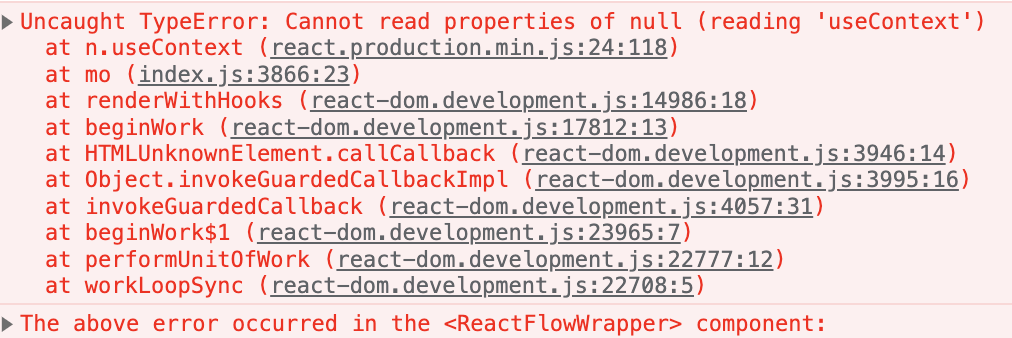
- `{{[[roam/render]]: ((Hcuh0h3ys))}}`
- {{[[roam/render]]: ```clojure
(ns render-examples.confetti
(:require
[reagent.core :as r]
;; require any package from npm
["canvas-confetti" :as confetti]
;; require a specific version of a package
["react-awesome-button@6.5.0" :refer [AwesomeButton]]
;; require css for an npm package
["react-awesome-button@6.5.0/dist/styles.css"]
;; alternatively you could use CDN of your choice by providing a full URL
;; internally we use esm.sh to load npm packages
#_["https://cdn.skypack.dev/react-awesome-button@6.5.0/dist/styles.css"]))
(def awesome-button (r/adapt-react-class AwesomeButton))
(defn main []
[:div
[awesome-button
{:type "primary"
;; be careful, some packages export default, which is not auto processed by cljs as it is in js
;; when in doubt, print out what your var is
:onPress #(confetti/default)}
"Fun!"]])```}}
- ```clojure
(ns render-examples.confetti
(:require
[reagent.core :as r]
;; require any package from npm
["canvas-confetti" :as confetti]
;; require a specific version of a package
["react-awesome-button@6.5.0" :refer [AwesomeButton]]
;; require css for an npm package
["react-awesome-button@6.5.0/dist/styles.css"]
;; alternatively you could use CDN of your choice by providing a full URL
;; internally we use esm.sh to load npm packages
#_["https://cdn.skypack.dev/react-awesome-button@6.5.0/dist/styles.css"]))
(def awesome-button (r/adapt-react-class AwesomeButton))
(defn main []
[:div
[awesome-button
{:type "primary"
;; be careful, some packages export default, which is not auto processed by cljs as it is in js
;; when in doubt, print out what your var is
:onPress #(confetti/default)}
"Fun!"]])```
- [[jsx]]
- Hello World
- Code::
- ```jsx
function main2 () {
return Hello world from JSX
}```
- Output::
- `{{roam/render: ((hlu_MicTh))}}`
- {{roam/render: ```jsx
function main2 () {
return Hello world from JSX
}```}}
- Argument Parsing
- Code::
- ```jsx
function mainArgs3({args}) {
let block, actualArgs;
[block, ...actualArgs] = args;
const listArgs = actualArgs.map(
(arg) => {arg.toString()}
);
return (
{block["block-uid"]}: args:
);
}```
- Output::
- {{roam/render: ```jsx
function mainArgs3({args}) {
let block, actualArgs;
[block, ...actualArgs] = args;
const listArgs = actualArgs.map(
(arg) => {arg.toString()}
);
return (
{block["block-uid"]}: args:
);
}``` "arg-1" 2 [[test args]] test block args}}
- [[JavaScript]]
- It's a better idea to just use [[jsx]] instead of raw javascript unless you run into some bug. Jsx examples will work with javascript if you convert the jsx syntax to create element
- Hello World
- Code::
- ```javascript
function main1() {
return React.createElement('h1', {}, 'Hello world from JS');
}```
- Output::
- `{{roam/render: ((qfcNnWG7J))}}`
- {{roam/render: ```javascript
function main1() {
return React.createElement('h1', {}, 'Hello world from JS');
}```}}
- Argument Parsing
- Code::
- ```javascript
function mainArgs2({args}) {
let block, actualArgs;
[block, ...actualArgs] = args;
console.log(block, actualArgs)
return React.createElement('div', {}, "Hello");
}```
- Output::
- `{{roam/render: ((zJX0nWRLX)) "arg-1" 2 [[test args]] ((7lN0hyokF))}}`
- {{roam/render: ```javascript
function mainArgs2({args}) {
let block, actualArgs;
[block, ...actualArgs] = args;
console.log(block, actualArgs)
return React.createElement('div', {}, "Hello");
}``` "arg-1" 2 [[test args]] test block args}}
- just did a console log here. Check the JSX example for a better example
- **[[FAQ]]**
- **How to pass arguments into components?**
- When you build anything but the simplest roam/render components, you run into the need to be able to take arguments. Similarly, it is a common use case that you need to know where (which block) your component is situated.
- The first argument to your component is always a context map
- Currently this map only contains the `block-uid` of the block the component is rendered inside of (not the uid of the code block!)
- `{:block-uid "KjccJWpBM"}` (clojure) or `{"block-uid": "KjccJWpBM"}` (js)
- To pass in additional arguments, add them after the code block uid, like this
- `{{roam/render: ((KjccJWpBM)) "arg-1" 2}}`
- This render component would run the code in the block with block-uid `KjccJWpBM` and pass the arguments "arg-1" and 2
- Roam automatically parses these into a string and a number (This is done with the `cljs.reader`)
- These all would be automatically passed into the last function in the code block. Specifically, the function would receive the following arguments
- `{:block-uid "KjccJWpBM"}` (clojure) or `{"block-uid": "KjccJWpBM"}` (js)
- `"arg-1"`
- `2`
- Roam will automatically parse and resolve page and block references passed in
- `{{roam/render: ((KjccJWpBM)) [[test args]] ((7lN0hyokF))}}`
- Args
- `{:block-uid "KjccJWpBM"}` (clojure) or `{"block-uid": "KjccJWpBM"}` (js)
- `[:block/uid "MFSo6yX_Q"]` (clojure) or `['uid', 'MFSo6yX_Q']` (js)
- `[:block/uid "7lN0hyokF"]` or `['uid', '7lN0hyokF']` (js)
- [[Examples]]
- clojurescript
- Argument Parsing #[[Important Note]]
- Code::
- ```clojure
(defn main-args-1 [{:keys [block-uid]} & args]
[:div
[:h1 (str block-uid ": args: ")]
[:ul
(for [arg args]
[:li (pr-str arg)])]])```
- Output::
- {{roam/render: ```clojure
(defn main-args-1 [{:keys [block-uid]} & args]
[:div
[:h1 (str block-uid ": args: ")]
[:ul
(for [arg args]
[:li (pr-str arg)])]])``` "arg-1" 2 [[test args]] test block args}}
- JS
- Argument Parsing
- Code::
- ```javascript
function mainArgs2({args}) {
let block, actualArgs;
[block, ...actualArgs] = args;
console.log(block, actualArgs)
return React.createElement('div', {}, "Hello");
}```
- Output::
- `{{roam/render: ((zJX0nWRLX)) "arg-1" 2 [[test args]] ((7lN0hyokF))}}`
- {{roam/render: ```javascript
function mainArgs2({args}) {
let block, actualArgs;
[block, ...actualArgs] = args;
console.log(block, actualArgs)
return React.createElement('div', {}, "Hello");
}``` "arg-1" 2 [[test args]] test block args}}
- just did a console log here. Check the JSX example for a better example
- JSX
- Argument Parsing
- Code::
- ```jsx
function mainArgs3({args}) {
let block, actualArgs;
[block, ...actualArgs] = args;
const listArgs = actualArgs.map(
(arg) => {arg.toString()}
);
return (
{block["block-uid"]}: args:
);
}```
- Output::
- {{roam/render: ```jsx
function mainArgs3({args}) {
let block, actualArgs;
[block, ...actualArgs] = args;
const listArgs = actualArgs.map(
(arg) => {arg.toString()}
);
return (
{block["block-uid"]}: args:
);
}``` "arg-1" 2 [[test args]] test block args}}
- **How are the code blocks evaluated?**
- In [[clojurescript]] we use [[SCI]] to parse and evaluate files
- [[jsx]] is converted to js with babel and then evaluated the same as js
- [[JavaScript]] is evaluated with `eval`
---
# Roam Backend API (Beta)
#### **Description**
- If you want to capture to both unencrypted & encrypted graphs, please checkout our Append API docs instead: [[Roam Append API]]
- [[Postman]] Public workspace to play around with
- https://www.postman.com/roamresearch/workspace/roam-research-backend-api/collection/27948971-ac6bd2a2-c0f0-4259-abc1-78bde0a01958
- A walkthrough [[Loom video]]: https://www.loom.com/share/2f14c2331b65439a81632b9b94400160
- These are the docs for Roam Beta Backend API
- We would love any testers. Please report any issues in the #developers channel in the [[Roam Slack]] or via email to [support@roamrsearch.com](mailto:support@roamresearch.com)
- invitation link: https://join.slack.com/t/roamresearch/shared_invite/zt-1x2y9jkx1-KkSjlsWeTdfXy5H8hMB7tg
- Currently in Public Beta
- Some caveats
- encrypted graphs don’t work (and will not work in the future, except for maybe an append API)
- a request to a brand new graph will fail on the first request but the second request should go through (we’ll fix this soon)
#### Change Log::
- [[April 30th, 2024]]
- Releasing `pull-many` endpoint: `/api/graph/{graph-name}/pull-many` (POST)
- Proper documentation for all error codes: **What does response look like?** (with **HTTP status codes**)
- [[March 7th, 2024]]
- Better error reporting for `batch-actions` write requests
- We're now returning `num-actions-successfully-transacted-before-failure` in the `response.data` so you can figure out which action in your request failed
- > If batch action had 5 txs and the 3rd action failed, this means the first 2 actions were successfully transacted. In this case, `num-actions-successfully-transacted-before-failure` would be `2`
- More more info and background, please read: **What happens on failure of any particular action in the batch action?**
- [[July 29th, 2023]]
- For the `create-block` and `move-block` write actions, you can pass a different parameter `page-title`. If you use this instead of `parent-uid`, it will create the page if it does not exist already
- `location`
- `page-title`
- You can use this if you want the location of the block to be a direct child of a page.
- Can either be
- a string corresponding to page's title
- example:
"location": {"page-title": **"Roam Backend API (Beta)"**}
- or
- a map of the form `{"daily-note-page": "MM-DD-YYYY"}`.
- **(Use this for Daily Notes Pages)**
- example:
"location": {"page-title": **{"daily-note-page": "07-29-2023"}** }
- [[November 23rd, 2022]]
- Breaking change for format of response for pulls (and for queries with pull params)
- Previously, response.body looked like the following
- 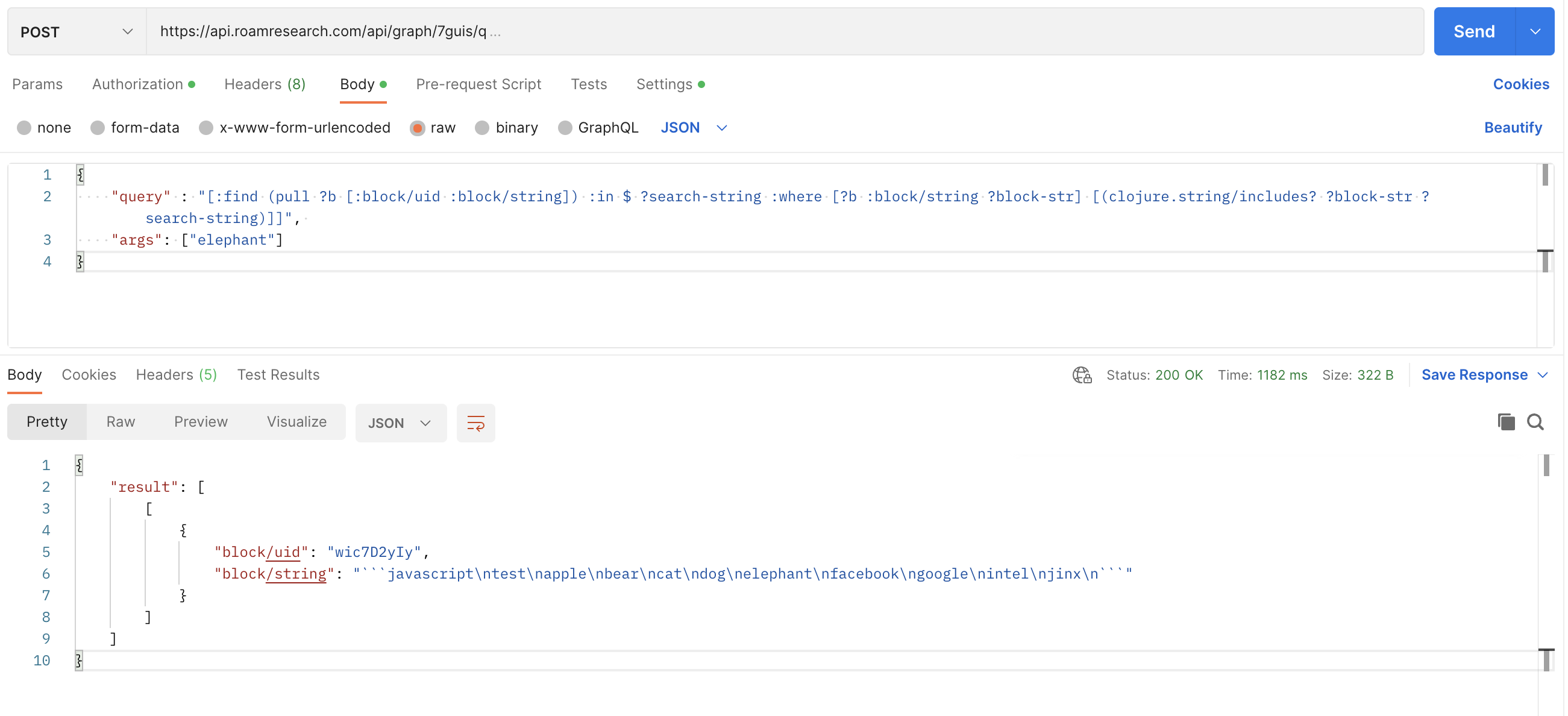
- Now it looks like
- 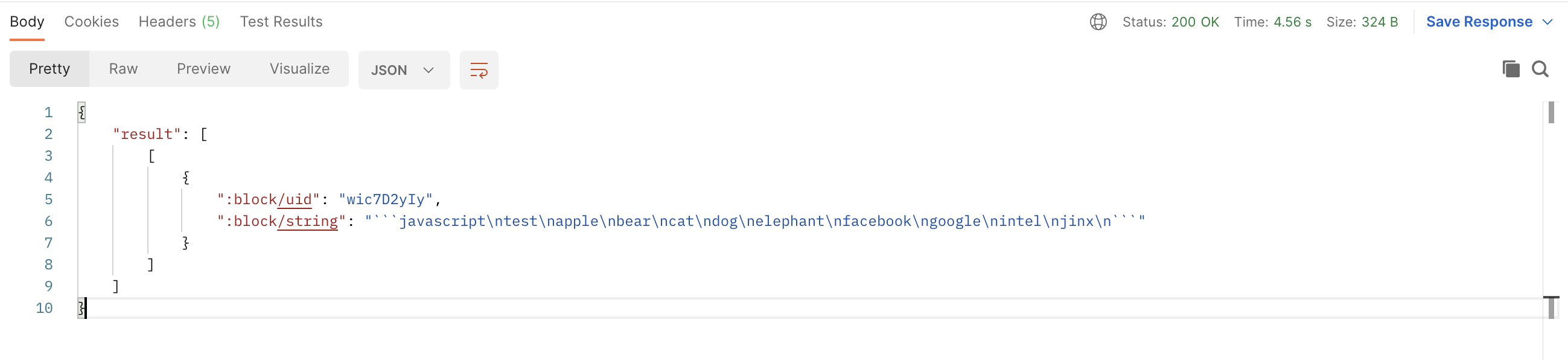
- The change therefore is that keys inside of the "result" have ":" at the beginning
- The rationale for this change is to minimize the number of different formats across frontend and the backend, a concern which was raised by @David Vargas here: https://roamresearch.slack.com/archives/C02TMKXNVS6/p1663773904953259
- 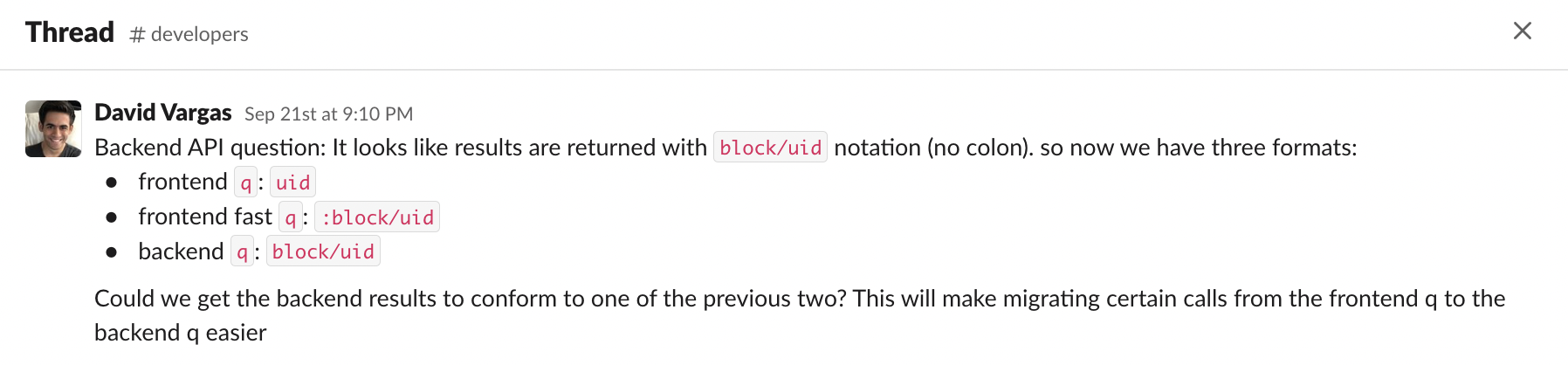
- Fixing this in your code should be pretty simple - in the places where you're handling the "result" of query and/or pull, you want to change the keys of type "namespace/property" to ":namespace/property"
- Sorry for the inconvenience caused!
- Better (More secure) API Tokens
- [[Screenshot]]
- 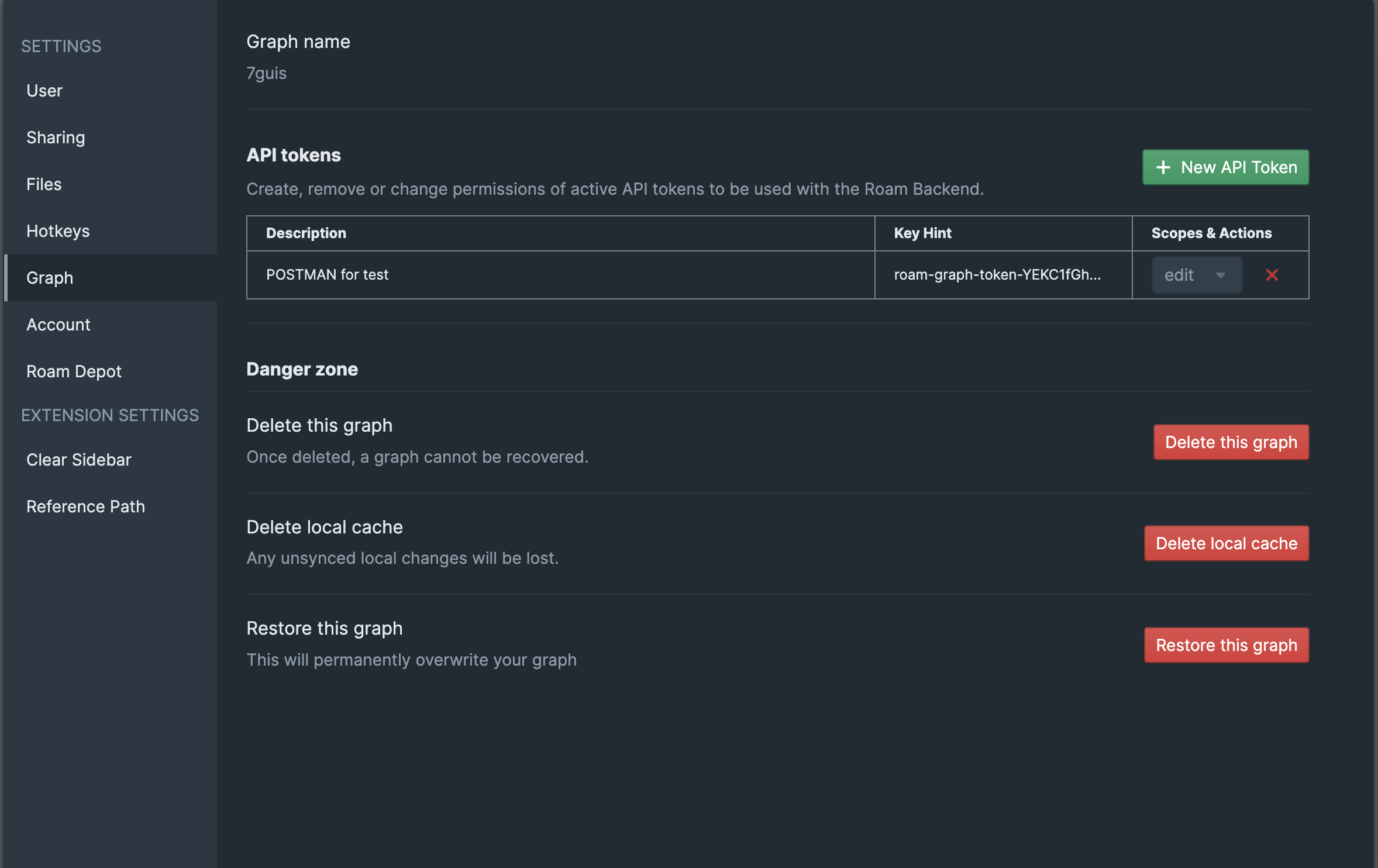
- Now, the only time you can get the secret token is when you're creating the token. you cannot copy it later
- this prevents others (malicious code/malicious person who somehow got access to your machine one time) from being able to copy your long lived tokens
- Internally, instead of storing the secret token, Roam only stores the hashed value of the tokens. So, the secret token can never be recovered.
- However, this does mean that this is a new token format. So, please remove your old tokens and create new ones (the old ones will stop working on [[December 1st, 2022]])
- way to get an API token is same as before: You can create and edit roam-graph-tokens from a new section "API tokens" in the "Graph" tab in the Settings, Please just make you do ... > Check for updates
- **Graph-specific Usage Quotas**
#### **Authentication**
- Requests to the API use graph specific tokens for authentication
- You can only get/create these if you own the graph i.e. if you're the admin of the graph
- These start with `roam-graph-token-`
- You can create and edit roam-graph-tokens from a new section "API tokens" in the "Graph" tab in the Settings
- 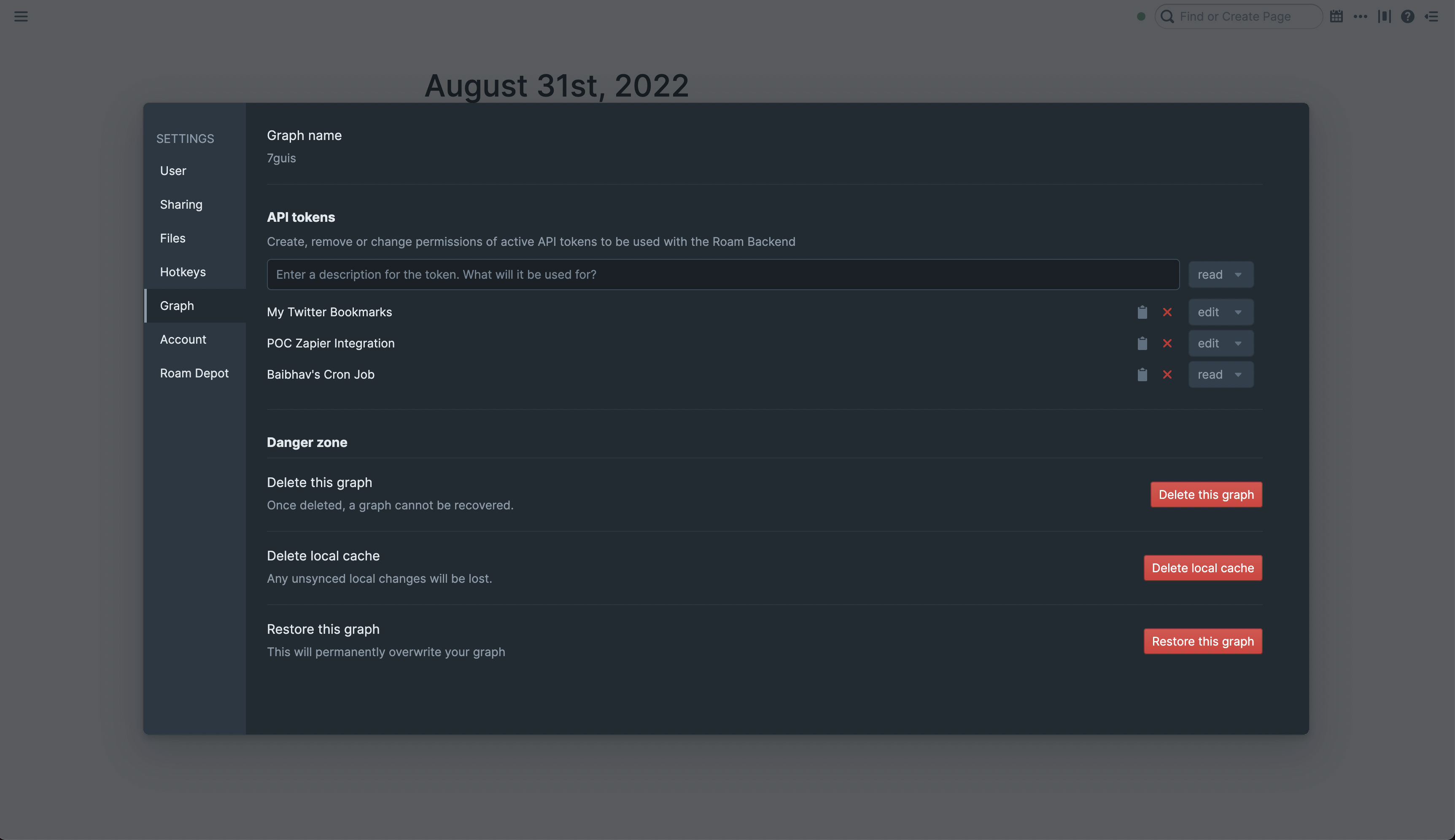
- How to pass the tokens in the request?
- pass them in the `X-Authorization` header
- you can use the `Authorization` header too (would be more secure) but you have to make sure that your code/library handles redirect properly and passes the authorization header when redirect has been followed (and the latter is generally not default behavior for most network libraries)
- Make sure they're prefixed with a `Bearer `
- An example
- `Bearer roam-graph-token-t_OjqgIAH1JZphzP4HxjJNad55lLFKpsqIM7x3bW`
- To use the Backend API, you need a roam-graph-token with either a "read+edit" or a "read-only" role
- roam-graph-tokens with "append-only" roles can only be used with the [[Roam Append API]]
- A [[cURL]] request example
- ```shell
curl -X POST "https://api.roamresearch.com/api/graph/MY-GRAPH/q" --location-trusted \
-H "accept: application/json" \
-H "X-Authorization: Bearer roam-graph-token-for-MY-GRAPH-1JN132hnXUYIfso22" \
-H "Content-Type: application/json" \
-d "{\"query\" : \"[:find ?block-uid ?block-str :in \$ ?search-string :where [?b :block/uid ?block-uid] [?b :block/string ?block-str] [(clojure.string/includes? ?block-str ?search-string)]]\", \"args\": [\"apple\"]}"```
- queries a graph named "MY-GRAPH" given a datalog `query` and `args`
- Some important points
- `--location-trusted` is required because your request is redirected to the actual machine doing the work.
- More info
- There is a sharding mechanism in place (such that different graphs run on different machines)
- `https://api.roamresearch.com/` abstracts away this from the developer point of view, by redirecting messages to the actual machine doing the work
- As mentioned earlier in **Authentication**, you have to make sure that the tokens are prefixed with a `Bearer ` and are passed in the Authorization header
#### SDKs
- Please prefer using [our sdks](https://github.com/Roam-Research/backend-sdks)
- [typescript](https://www.npmjs.com/package/@roam-research/roam-api-sdk)
- [clojure](https://github.com/Roam-Research/backend-sdks/tree/master/clojure)
- [python](https://github.com/Roam-Research/backend-sdks/tree/master/python)
- [java](https://github.com/Roam-Research/backend-sdks/tree/master/java)
- [rust](https://crates.io/crates/roam-sdk)
#### Reference::
- **Endpoint base url:** https://api.roamresearch.com/
- **API routes**
- `/api/graph/{graph-name}/q` (POST)
- Example query
- query-params (body)
- ```javascript
{
"query" : "[:find ?block-uid ?block-str :in $ ?search-string :where [?b :block/uid ?block-uid] [?b :block/string ?block-str] [(clojure.string/includes? ?block-str ?search-string)]]",
"args": ["apple"]
}```
- [[cURL]] request
- ```shell
curl -X POST "https://api.roamresearch.com/api/graph/MY-GRAPH/q" --location-trusted \
-H "accept: application/json" \
-H "X-Authorization: Bearer roam-graph-token-for-MY-GRAPH-1JN132hnXUYIfso22" \
-H "Content-Type: application/json" \
-d "{\"query\" : \"[:find ?block-uid ?block-str :in \$ ?search-string :where [?b :block/uid ?block-uid] [?b :block/string ?block-str] [(clojure.string/includes? ?block-str ?search-string)]]\", \"args\": [\"apple\"]}"```
- queries a graph named "MY-GRAPH" given a datalog `query` and `args`
- sample output structure
- 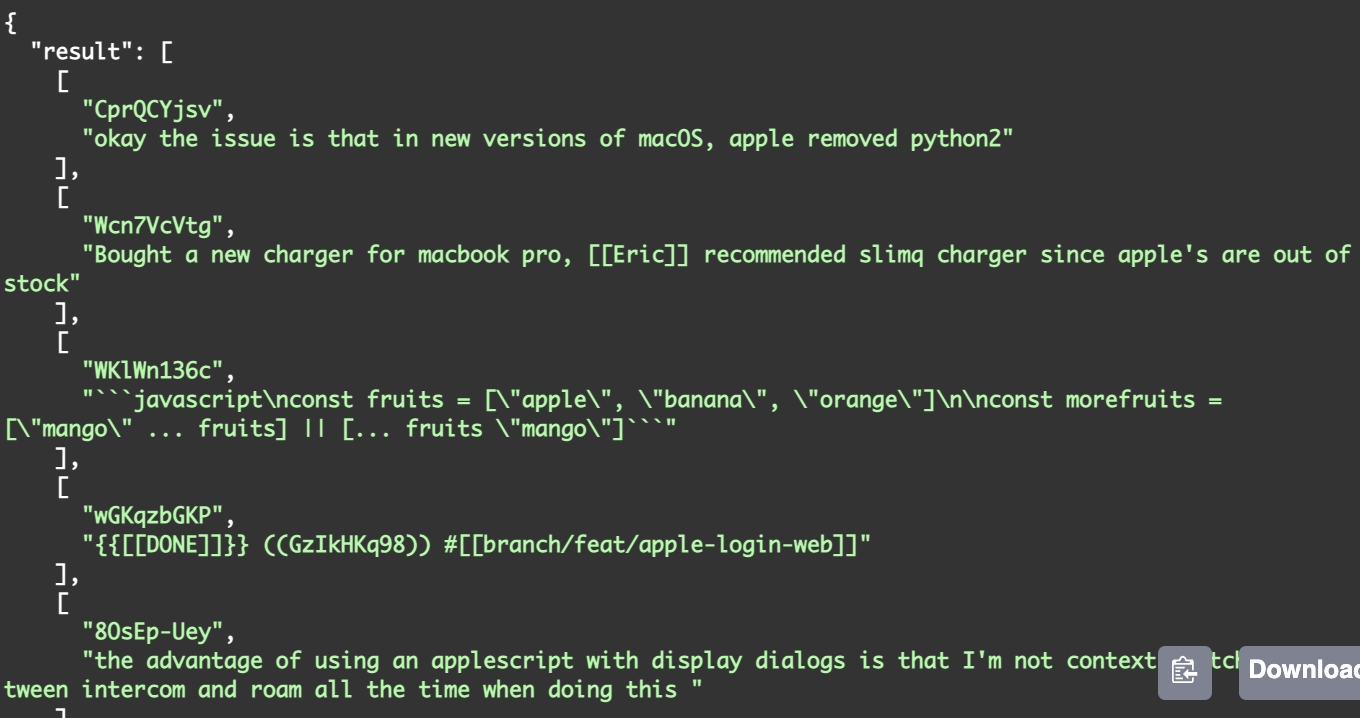
- `/api/graph/{graph-name}/pull` (POST)
- body of the request (pull-params) should have the following keys
- `eid`
- `selector`
- Example query
- pull-params
- ```javascript
{
"eid": "[:block/uid \"08-30-2022\"]",
"selector": "[:block/uid :node/title :block/string {:block/children [:block/uid :block/string]} {:block/refs [:node/title :block/string :block/uid]}]"
}```
- [[cURL]] request
- ```shell
curl -X POST "https://api.roamresearch.com/api/graph/MY-GRAPH/pull" --location-trusted \
-H "accept: application/json" \
-H "Authorization: Bearer roam-graph-token-for-MY-GRAPH-1JN132hnXUYIfso22" \
-H "Content-Type: application/json" \
-d "{\"eid\": \"[:block/uid \\\"08-30-2022\\\"]\", \"selector\": \"[:block/uid :node/title :block/string {:block/children [:block/uid :block/string]}{:block/refs [:node/title :block/string :block/uid]}]\"}"```
- sample output structure
- 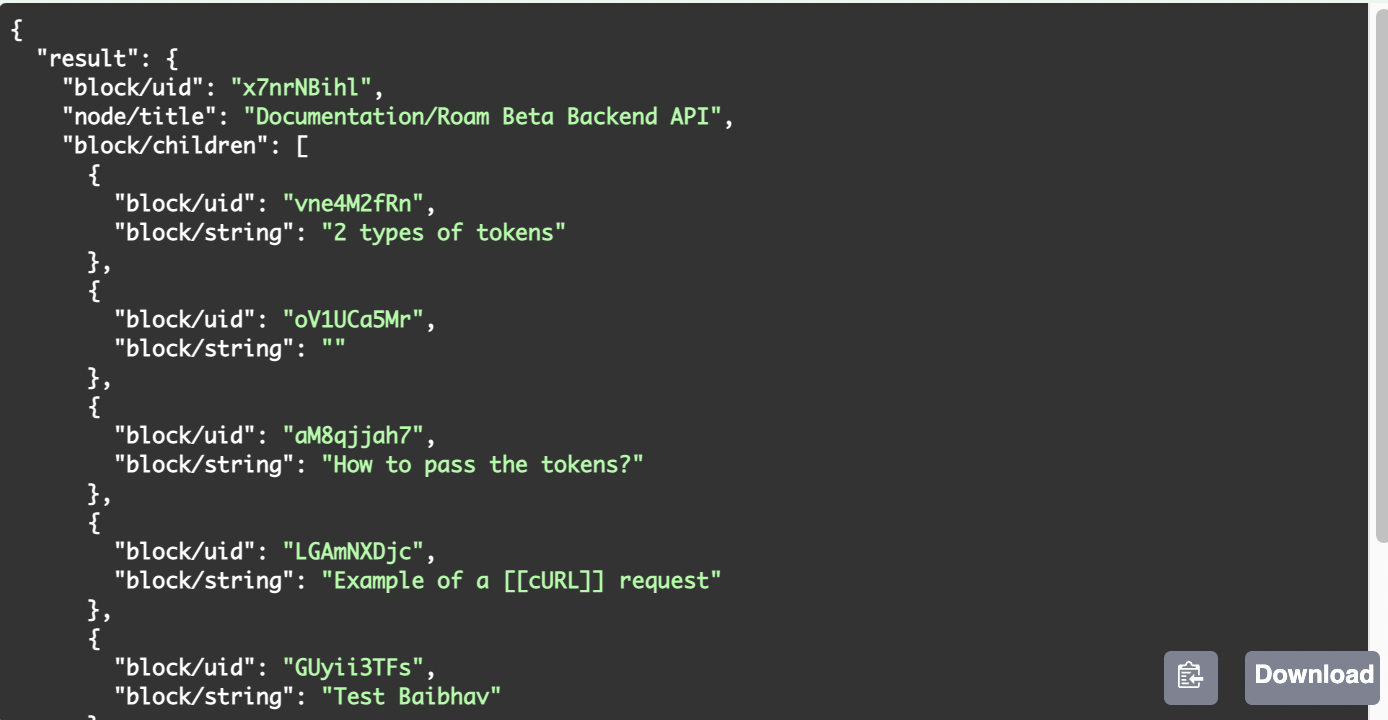
- `/api/graph/{graph-name}/pull-many` (POST)
- body of the request (pull-params) should have the following keys
- `eids`
- `selector`
- Example query
- pull-params
- ```javascript
{
"eids": "[[:block/uid \"08-30-2022\"] [:block/uid \"08-31-2022\"]]",
"selector": "[:block/uid :node/title :block/string {:block/children [:block/uid :block/string]} {:block/refs [:node/title :block/string :block/uid]}]"
}```
- [[cURL]] request
- ```shell
curl -X POST "https://api.roamresearch.com/api/graph/MY-GRAPH/pull-many" --location-trusted \
-H "accept: application/json" \
-H "Authorization: Bearer roam-graph-token-for-MY-GRAPH-1JN132hnXUYIfso22" \
-H "Content-Type: application/json" \
-d "{\"eids\": \"[[:block/uid \\\"08-30-2022\\\"]]\", \"selector\": \"[:block/uid :node/title :block/string {:block/children [:block/uid :block/string]}{:block/refs [:node/title :block/string :block/uid]}]\"}"```
- Output is the same as pull, but an array of pull results
- `/api/graph/{graph-name}/write` (POST)
- We have a **single endpoint** for all the different write actions. The way you differentiate between the actions is by passing the name of the action as value for the `action` key (alongside all the other required parameters)
- Showcase Example:
- Look at the params for `create-block` write action:
- Parameters::
- `location`
- `parent-uid` **required**
- `order` **required**
- `block`
- `string` **required**
- `uid` **optional**
- `open` **optional**
- `heading` **optional**
- `text-align` **optional**
- `children-view-type` **optional**
- `block-view-type` **optional**
- This is what we would pass in the request body
- ```javascript
{
"action" : "create-block",
"location": {
"parent-uid": "09-28-2022",
"order": "last"
},
"block": {
"string": "new block created via the backend",
"open": false,
"heading": 2,
"text-align": "right",
"children-view-type": "document"
}
}```
- you can see that we're passing "action" alongside the parameters "location" and "block" (which are from the action specific params above)
- Full writeup of a write request to the backend
- Example request showing all the possible properties (you can always omit the **optional** params if not needed)
- This request creates a new block with given string in given location and sets its open state, makes it a heading 2, makes it align right and sets the children to be shown as a document
- [[Screenshot]] [[Output]]
- 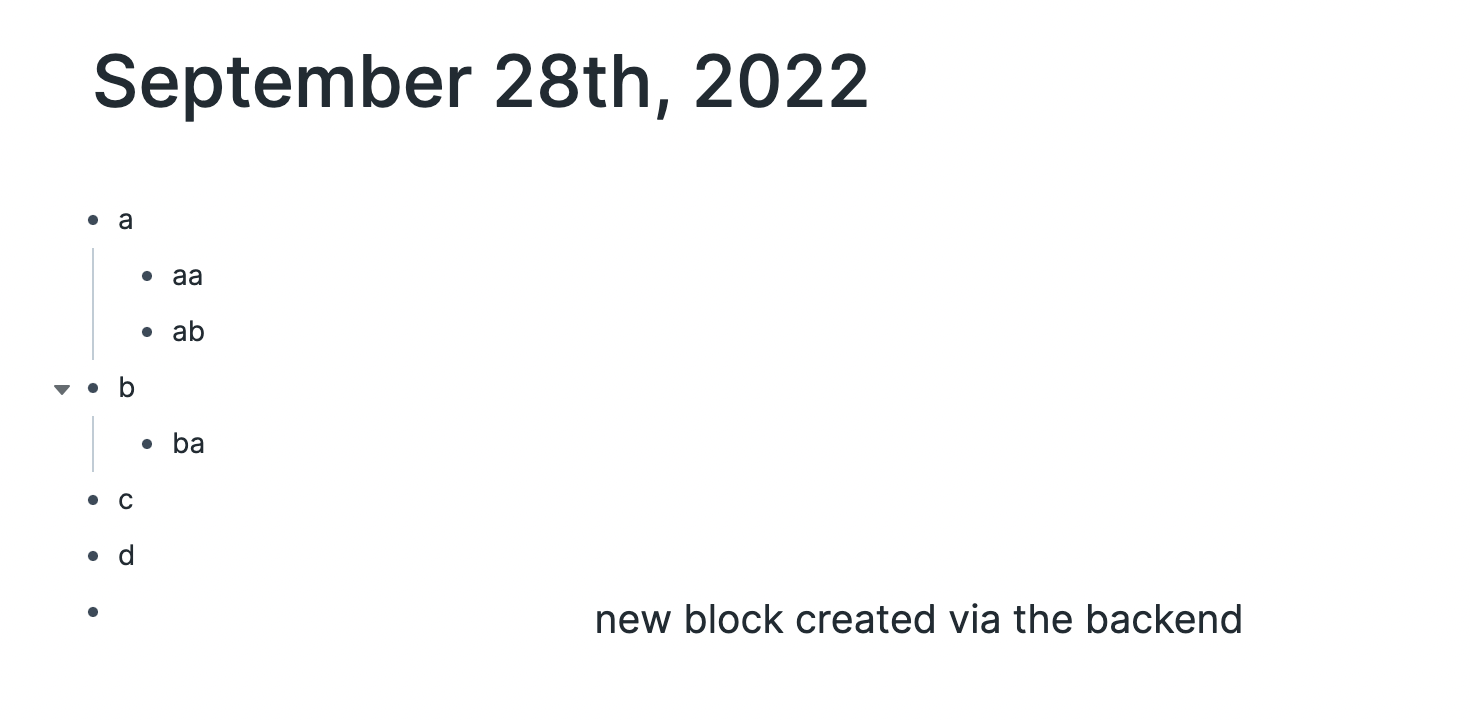
- Example Endpoint: `/api/graph/MY-GRAPH/write` (POST)
- Request body (passed as "application/json")
- ```javascript
{
"action" : "create-block",
"location": {
"parent-uid": "09-28-2022",
"order": "last"
},
"block": {
"string": "new block created via the backend",
"open": false,
"heading": 2,
"text-align": "right",
"children-view-type": "document"
}
}```
- [[cURL]] request
- ```shell
curl -X POST "https://api.roamresearch.com/api/graph/MY-GRAPH/write" --location-trusted \
-H "accept: application/json" \
-H "Authorization: Bearer roam-graph-token-for-MY-GRAPH-1JN132hnXUYIfso22" \
-H "Content-Type: application/json" \
-d "{\"action\":\"create-block\",\"location\":{\"parent-uid\":\"09-28-2022\",\"order\":\"last\"},\"block\":{\"string\":\"new block created via the backend\",\"open\":false,\"heading\":2,\"text-align\":\"right\",\"children-view-type\":\"document\"}}"```
- How does the response look? aka Possible responses
- Please checkout **What does response look like?** (with **HTTP status codes**)
- You can also batch multiple write actions in a single request to the server. This means that they happen in order and return response when all the actions have completed. For info on how to use, see `batch-actions`
(It's might be better to go through this after looking at a few write actions and understanding how that works)
- **available write actions** (contains documentation and example for each)
- `create-block`
- equivalent to roamAlphaAPI.block.create
- Description::
- Creates a new block at a location
- Parameters::
- `location`
- **required**
- `parent-uid`
- or
- `page-title`
- `page-title`
- You can use this if you want the location of the block to be a direct child of a page.
- Can either be
- a string corresponding to page's title
- example:
"location": {"page-title": **"Roam Backend API (Beta)"**}
- or
- a map of the form `{"daily-note-page": "MM-DD-YYYY"}`.
- **(Use this for Daily Notes Pages)**
- example:
"location": {"page-title": **{"daily-note-page": "07-29-2023"}** }
- `order` **required**
- `block`
- `string` **required**
- `uid` **optional**
- `open` **optional**
- `heading` **optional**
- `text-align` **optional**
- `children-view-type` **optional**
- `block-view-type` **optional**
- Returns::
- (If you're building an integration, be sure to implement at least the response codes below)
- 200 OK #important
- if successful
- If q request , see sample output structure
- if pull request, see sample output structure
- if write request, 200 status code in response means all done
- 308 PERMANENT REDIRECT
- the API endpoint for backend API i.e. **Endpoint base url:** https://api.roamresearch.com/ actually returns the actual URL you want to hit for your read/write requests
- In many cases, the network tool/library you're using will follow the redirect without additional config on your side
- 4XX BAD REQUEST (with error message specifying what went wrong)
- 400 BAD REQUEST #important
- this error code is returned in many cases. So, please checkout response body's `message` value
- some cases
- When input format error / invalid parameter values
- Example:: if we pass `"order": 2` in the update-block example request
- 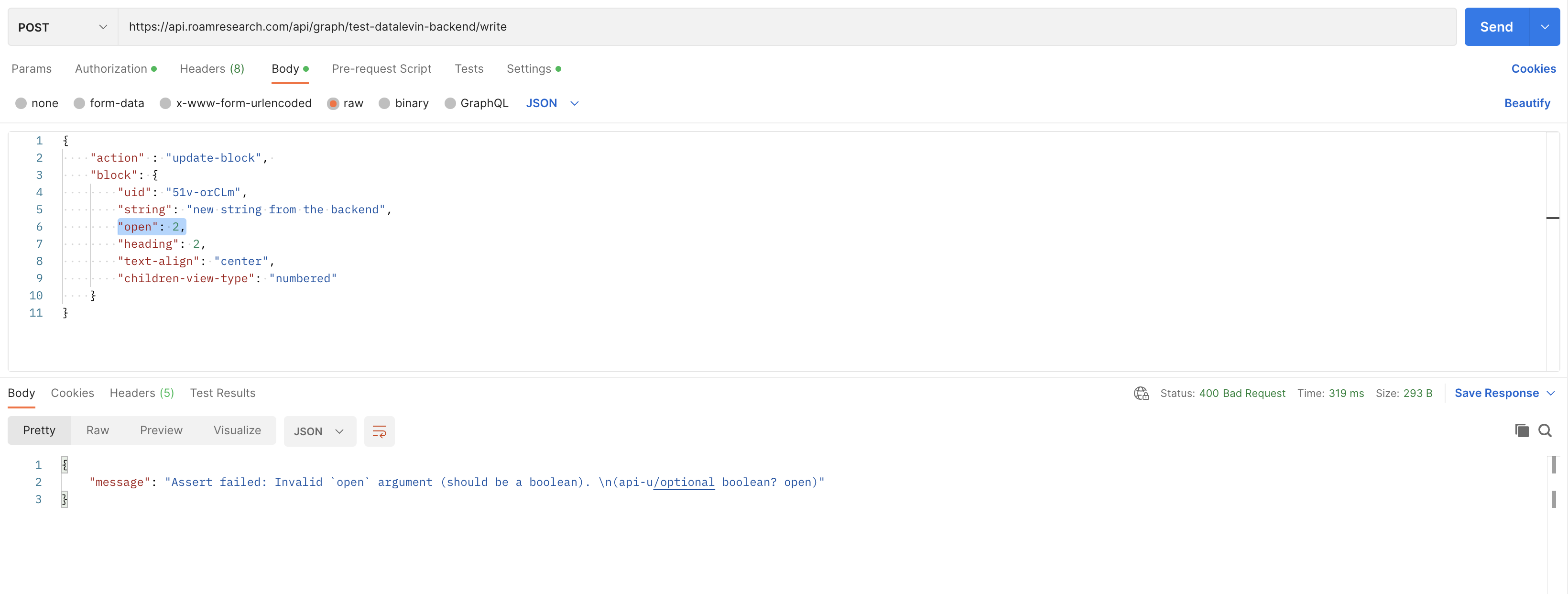
- If write request fails
- For `batch-actions` especially, You have to carefully handle this (to know how many requests suceeded)
- Please checkout **What happens on failure of any particular action in the batch action?**
- We validate arguments for all actions first, then transact/handle the actions one after another in sequence. If there is an error transacting the action, we bail on it and all subsequent actions.
This means that out of the `n` actions in a batch action request, the first `x` could succeed/transact and if then error occurs, the remaining `n-x` ones would not happen
- you can use `num-actions-successfully-transacted-before-failure` to figure out where exactly in the actions list the error happened
- When one is trying to use an Encrypted graph
- Encrypted graphs are NOT supported by the [[Roam Backend API (Beta)]]
- When no graph name in request, or invalid graph name
- If invalid write action
- When token cannot be verified or improperly formatted
- 401 UNAUTHORIZED #important
- If one is unauthorized or if one does not have required access to the graph (read/write)
- Please note that in some cases, When token cannot be verified or improperly formatted returns a 400 BAD REQUEST #important
- this is a bug on our part, but changing it now could break existing integrations, so leaving it like this for this version of the API
- 404 NOT FOUND
- If the API route you're calling is not found
- i.e. if you request an API route NOT in **API routes**
- 429 TOO MANY REQUESTS #important
- When you run into the per graph limit/quota. See **Graph-specific Usage Quotas**
- Currently set to __50 requests/minute/graph__
- 500 INTERNAL SERVER ERROR #important ( default fallback code for errors )
- default fallback code for errors
- So, please checkout response body's `message` value
- If you get this & message does not make clarify, please contact us at support@roamresearch.com or in the developers slack
- Some cases
- If message contains "**took too long to run**", then the query/pull request is running into our time limit (20 seconds for now). In this case, you want to request less data or add limits.
- You might want to add limited recursion limits to pull specs: https://docs.datomic.com/pro/query/pull.html#recursive-specifications
- 503 SERVICE UNAVAILABLE #important
- if graph is not ready for requests yet or is unavailable at the moment. If you get this, please try again in a bit
- Example
- 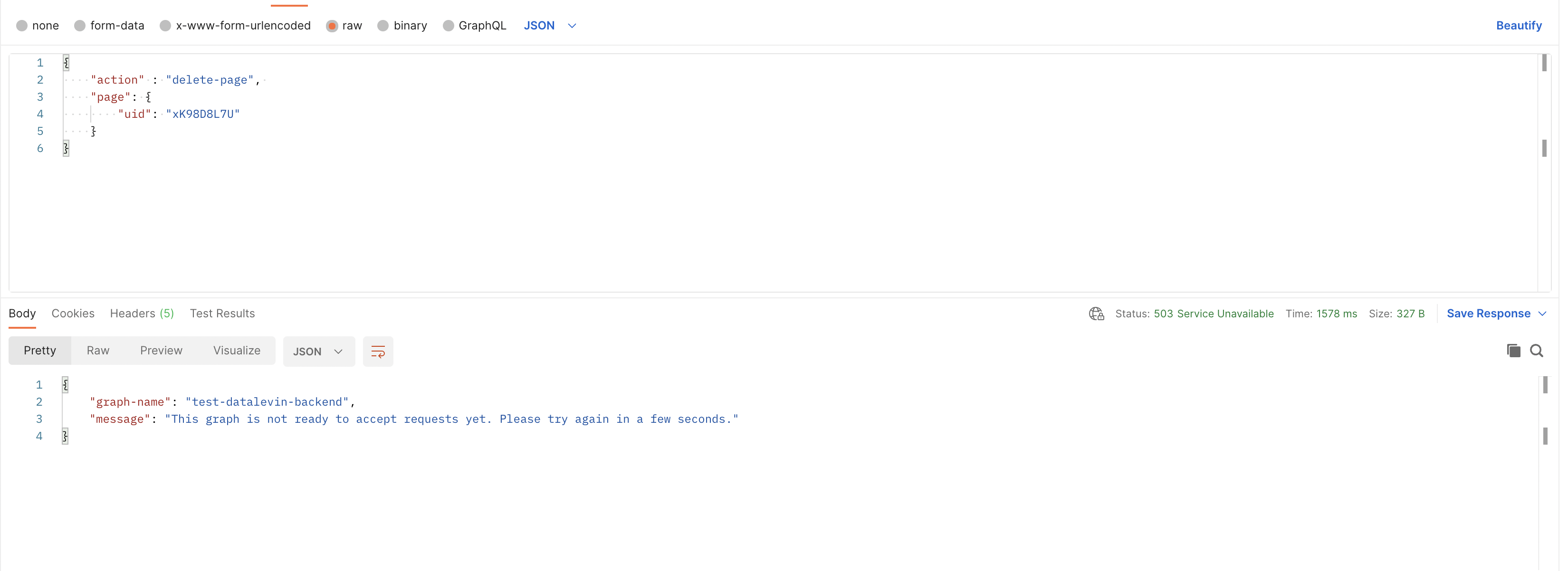
- Usage::
- Example request showing all the possible properties (you can always omit the **optional** params if not needed)
- This request creates a new block with given string in given location and sets its open state, makes it a heading 2, makes it align right and sets the children to be shown as a document
- [[Screenshot]] [[Output]]
- 
- Example Endpoint: `/api/graph/MY-GRAPH/write` (POST)
- Request body (passed as "application/json")
- ```javascript
{
"action" : "create-block",
"location": {
"parent-uid": "09-28-2022",
"order": "last"
},
"block": {
"string": "new block created via the backend",
"open": false,
"heading": 2,
"text-align": "right",
"children-view-type": "document"
}
}```
- [[cURL]] request
- ```shell
curl -X POST "https://api.roamresearch.com/api/graph/MY-GRAPH/write" --location-trusted \
-H "accept: application/json" \
-H "Authorization: Bearer roam-graph-token-for-MY-GRAPH-1JN132hnXUYIfso22" \
-H "Content-Type: application/json" \
-d "{\"action\":\"create-block\",\"location\":{\"parent-uid\":\"09-28-2022\",\"order\":\"last\"},\"block\":{\"string\":\"new block created via the backend\",\"open\":false,\"heading\":2,\"text-align\":\"right\",\"children-view-type\":\"document\"}}"```
- `move-block`
- equivalent to roamAlphaAPI.block.move (other than accepting a new argument `page-title` in `location`)
- Description::
- Move a block to a new location
- Parameters::
- `block`
- `uid` **required**
- `location`
- **required**
- `parent-uid`
- or
- `page-title`
- `page-title`
- You can use this if you want the location of the block to be a direct child of a page.
- Can either be
- a string corresponding to page's title
- example:
"location": {"page-title": **"Roam Backend API (Beta)"**}
- or
- a map of the form `{"daily-note-page": "MM-DD-YYYY"}`.
- **(Use this for Daily Notes Pages)**
- example:
"location": {"page-title": **{"daily-note-page": "07-29-2023"}** }
- `order` **required**
- Returns::
- (If you're building an integration, be sure to implement at least the response codes below)
- 200 OK #important
- if successful
- If q request , see sample output structure
- if pull request, see sample output structure
- if write request, 200 status code in response means all done
- 308 PERMANENT REDIRECT
- the API endpoint for backend API i.e. **Endpoint base url:** https://api.roamresearch.com/ actually returns the actual URL you want to hit for your read/write requests
- In many cases, the network tool/library you're using will follow the redirect without additional config on your side
- 4XX BAD REQUEST (with error message specifying what went wrong)
- 400 BAD REQUEST #important
- this error code is returned in many cases. So, please checkout response body's `message` value
- some cases
- When input format error / invalid parameter values
- Example:: if we pass `"order": 2` in the update-block example request
- 
- If write request fails
- For `batch-actions` especially, You have to carefully handle this (to know how many requests suceeded)
- Please checkout **What happens on failure of any particular action in the batch action?**
- We validate arguments for all actions first, then transact/handle the actions one after another in sequence. If there is an error transacting the action, we bail on it and all subsequent actions.
This means that out of the `n` actions in a batch action request, the first `x` could succeed/transact and if then error occurs, the remaining `n-x` ones would not happen
- you can use `num-actions-successfully-transacted-before-failure` to figure out where exactly in the actions list the error happened
- When one is trying to use an Encrypted graph
- Encrypted graphs are NOT supported by the [[Roam Backend API (Beta)]]
- When no graph name in request, or invalid graph name
- If invalid write action
- When token cannot be verified or improperly formatted
- 401 UNAUTHORIZED #important
- If one is unauthorized or if one does not have required access to the graph (read/write)
- Please note that in some cases, When token cannot be verified or improperly formatted returns a 400 BAD REQUEST #important
- this is a bug on our part, but changing it now could break existing integrations, so leaving it like this for this version of the API
- 404 NOT FOUND
- If the API route you're calling is not found
- i.e. if you request an API route NOT in **API routes**
- 429 TOO MANY REQUESTS #important
- When you run into the per graph limit/quota. See **Graph-specific Usage Quotas**
- Currently set to __50 requests/minute/graph__
- 500 INTERNAL SERVER ERROR #important ( default fallback code for errors )
- default fallback code for errors
- So, please checkout response body's `message` value
- If you get this & message does not make clarify, please contact us at support@roamresearch.com or in the developers slack
- Some cases
- If message contains "**took too long to run**", then the query/pull request is running into our time limit (20 seconds for now). In this case, you want to request less data or add limits.
- You might want to add limited recursion limits to pull specs: https://docs.datomic.com/pro/query/pull.html#recursive-specifications
- 503 SERVICE UNAVAILABLE #important
- if graph is not ready for requests yet or is unavailable at the moment. If you get this, please try again in a bit
- Example
- 
- Usage::
- Example request
- This request moves block with given uid to the page "09-27-2022" and keeps it in order 3 (i.e. the 4th element, since order is zero-indexed)
- [[Screenshot]] [[Output]]
- 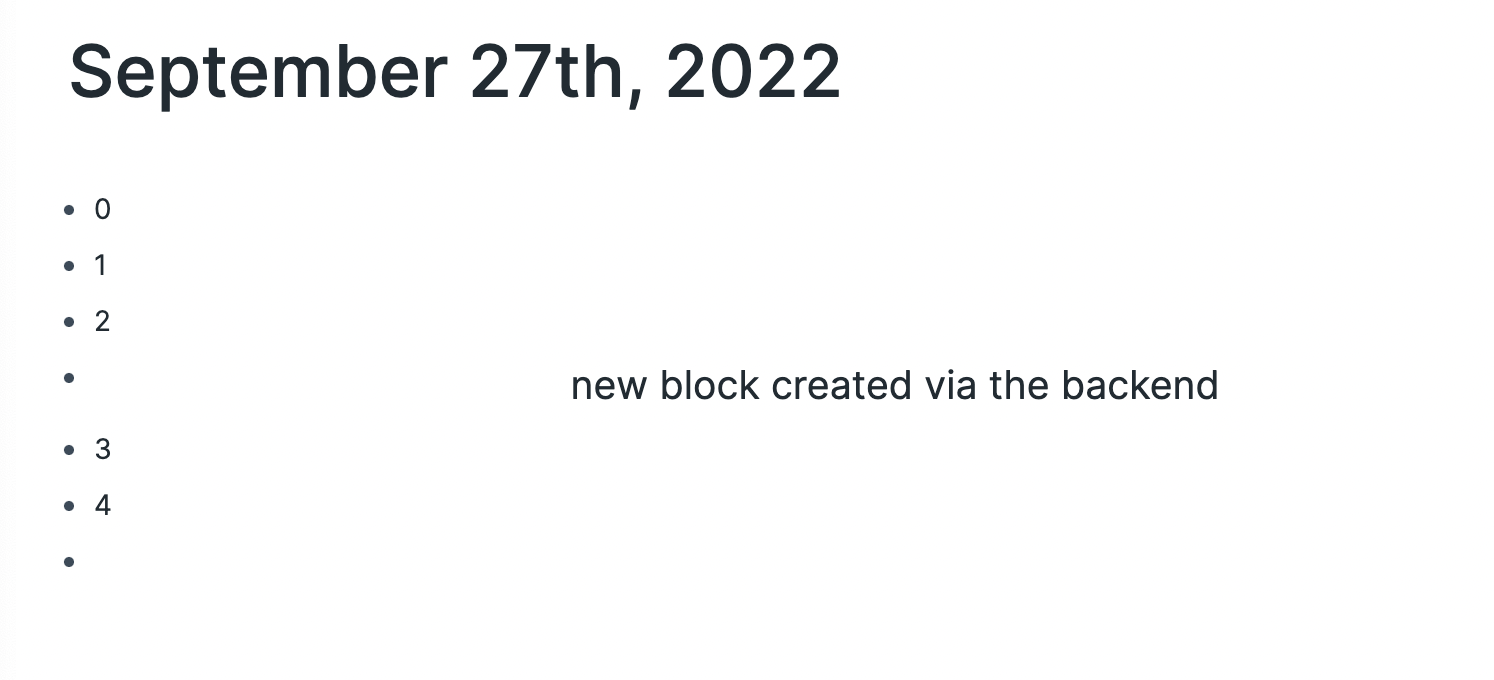
- Example Endpoint: `/api/graph/MY-GRAPH/write` (POST)
- Request body
- ```javascript
{
"action" : "move-block",
"block": {
"uid": "7yYBPW-WO"
},
"location": {
"parent-uid": "09-27-2022",
"order": 3
}
}```
- [[cURL]] request
- ```shell
curl -X POST "https://api.roamresearch.com/api/graph/MY-GRAPH/write" --location-trusted \
-H "accept: application/json" \
-H "Authorization: Bearer roam-graph-token-for-MY-GRAPH-1JN132hnXUYIfso22" \
-H "Content-Type: application/json" \
-d "{\"action\":\"move-block\",\"block\":{\"uid\":\"7yYBPW-WO\"},\"location\":{\"parent-uid\":\"09-27-2022\",\"order\":3}}"```
- `update-block`
- equivalent to roamAlphaAPI.block.update
- Description::
- Updates a block's text and/or other properties like collapsed state, heading, text-align, children-view-type
- Parameters::
- `block`
- `uid` **required**
- `string` **optional**
- `open` **optional**
- `heading` **optional**
- `text-align` **optional**
- `children-view-type` **optional**
- `block-view-type` **optional**
- Returns::
- (If you're building an integration, be sure to implement at least the response codes below)
- 200 OK #important
- if successful
- If q request , see sample output structure
- if pull request, see sample output structure
- if write request, 200 status code in response means all done
- 308 PERMANENT REDIRECT
- the API endpoint for backend API i.e. **Endpoint base url:** https://api.roamresearch.com/ actually returns the actual URL you want to hit for your read/write requests
- In many cases, the network tool/library you're using will follow the redirect without additional config on your side
- 4XX BAD REQUEST (with error message specifying what went wrong)
- 400 BAD REQUEST #important
- this error code is returned in many cases. So, please checkout response body's `message` value
- some cases
- When input format error / invalid parameter values
- Example:: if we pass `"order": 2` in the update-block example request
- 
- If write request fails
- For `batch-actions` especially, You have to carefully handle this (to know how many requests suceeded)
- Please checkout **What happens on failure of any particular action in the batch action?**
- We validate arguments for all actions first, then transact/handle the actions one after another in sequence. If there is an error transacting the action, we bail on it and all subsequent actions.
This means that out of the `n` actions in a batch action request, the first `x` could succeed/transact and if then error occurs, the remaining `n-x` ones would not happen
- you can use `num-actions-successfully-transacted-before-failure` to figure out where exactly in the actions list the error happened
- When one is trying to use an Encrypted graph
- Encrypted graphs are NOT supported by the [[Roam Backend API (Beta)]]
- When no graph name in request, or invalid graph name
- If invalid write action
- When token cannot be verified or improperly formatted
- 401 UNAUTHORIZED #important
- If one is unauthorized or if one does not have required access to the graph (read/write)
- Please note that in some cases, When token cannot be verified or improperly formatted returns a 400 BAD REQUEST #important
- this is a bug on our part, but changing it now could break existing integrations, so leaving it like this for this version of the API
- 404 NOT FOUND
- If the API route you're calling is not found
- i.e. if you request an API route NOT in **API routes**
- 429 TOO MANY REQUESTS #important
- When you run into the per graph limit/quota. See **Graph-specific Usage Quotas**
- Currently set to __50 requests/minute/graph__
- 500 INTERNAL SERVER ERROR #important ( default fallback code for errors )
- default fallback code for errors
- So, please checkout response body's `message` value
- If you get this & message does not make clarify, please contact us at support@roamresearch.com or in the developers slack
- Some cases
- If message contains "**took too long to run**", then the query/pull request is running into our time limit (20 seconds for now). In this case, you want to request less data or add limits.
- You might want to add limited recursion limits to pull specs: https://docs.datomic.com/pro/query/pull.html#recursive-specifications
- 503 SERVICE UNAVAILABLE #important
- if graph is not ready for requests yet or is unavailable at the moment. If you get this, please try again in a bit
- Example
- 
- Usage::
- Example request showing all the possible properties
- This request updates the block string, its open state, makes it a heading 2, makes it align at center and sets the children to be shown numbered
- [[Screenshot]] [[Output]]
- 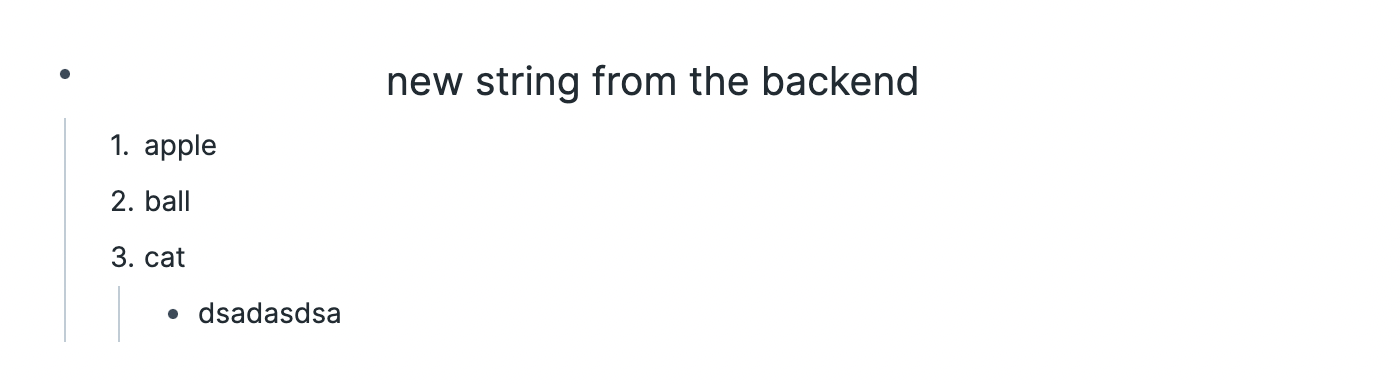
- (open state only shows up after reload because it prefers local state when present)
- Example Endpoint: `/api/graph/MY-GRAPH/write` (POST)
- Request body (passed as "application/json")
- ```javascript
{
"action" : "update-block",
"block": {
"uid": "51v-orCLm",
"string": "new string from the backend",
"open": false,
"heading": 2,
"text-align": "center",
"children-view-type": "numbered"
}
}```
- [[cURL]] request
- ```shell
curl -X POST "https://api.roamresearch.com/api/graph/MY-GRAPH/write" --location-trusted \
-H "accept: application/json" \
-H "Authorization: Bearer roam-graph-token-for-MY-GRAPH-1JN132hnXUYIfso22" \
-H "Content-Type: application/json" \
-d "{\"action\":\"update-block\",\"block\":{\"uid\":\"51v-orCLm\",\"string\":\"new string from the backend\",\"open\":false,\"heading\":2,\"text-align\":\"center\",\"children-view-type\":\"numbered\"}}"```
- `delete-block`
- equivalent to roamAlphaAPI.block.delete
- Description::
- Delete a block and all its children, and recalculates order of sibling blocks
- Parameters::
- `block`
- `uid` **required**
- Returns::
- (If you're building an integration, be sure to implement at least the response codes below)
- 200 OK #important
- if successful
- If q request , see sample output structure
- if pull request, see sample output structure
- if write request, 200 status code in response means all done
- 308 PERMANENT REDIRECT
- the API endpoint for backend API i.e. **Endpoint base url:** https://api.roamresearch.com/ actually returns the actual URL you want to hit for your read/write requests
- In many cases, the network tool/library you're using will follow the redirect without additional config on your side
- 4XX BAD REQUEST (with error message specifying what went wrong)
- 400 BAD REQUEST #important
- this error code is returned in many cases. So, please checkout response body's `message` value
- some cases
- When input format error / invalid parameter values
- Example:: if we pass `"order": 2` in the update-block example request
- 
- If write request fails
- For `batch-actions` especially, You have to carefully handle this (to know how many requests suceeded)
- Please checkout **What happens on failure of any particular action in the batch action?**
- We validate arguments for all actions first, then transact/handle the actions one after another in sequence. If there is an error transacting the action, we bail on it and all subsequent actions.
This means that out of the `n` actions in a batch action request, the first `x` could succeed/transact and if then error occurs, the remaining `n-x` ones would not happen
- you can use `num-actions-successfully-transacted-before-failure` to figure out where exactly in the actions list the error happened
- When one is trying to use an Encrypted graph
- Encrypted graphs are NOT supported by the [[Roam Backend API (Beta)]]
- When no graph name in request, or invalid graph name
- If invalid write action
- When token cannot be verified or improperly formatted
- 401 UNAUTHORIZED #important
- If one is unauthorized or if one does not have required access to the graph (read/write)
- Please note that in some cases, When token cannot be verified or improperly formatted returns a 400 BAD REQUEST #important
- this is a bug on our part, but changing it now could break existing integrations, so leaving it like this for this version of the API
- 404 NOT FOUND
- If the API route you're calling is not found
- i.e. if you request an API route NOT in **API routes**
- 429 TOO MANY REQUESTS #important
- When you run into the per graph limit/quota. See **Graph-specific Usage Quotas**
- Currently set to __50 requests/minute/graph__
- 500 INTERNAL SERVER ERROR #important ( default fallback code for errors )
- default fallback code for errors
- So, please checkout response body's `message` value
- If you get this & message does not make clarify, please contact us at support@roamresearch.com or in the developers slack
- Some cases
- If message contains "**took too long to run**", then the query/pull request is running into our time limit (20 seconds for now). In this case, you want to request less data or add limits.
- You might want to add limited recursion limits to pull specs: https://docs.datomic.com/pro/query/pull.html#recursive-specifications
- 503 SERVICE UNAVAILABLE #important
- if graph is not ready for requests yet or is unavailable at the moment. If you get this, please try again in a bit
- Example
- 
- Usage::
- Example request showing all the possible properties
- This request updates the block string, its open state, makes it a heading 2, makes it align at center and sets the children to be shown numbered
- Example Endpoint: `/api/graph/MY-GRAPH/write` (POST)
- Request body (passed as "application/json")
- ```javascript
{
"action" : "delete-block",
"block": {
"uid": "7yYBPW-WO"
}
}```
- [[cURL]] request
- ```shell
curl -X POST "https://api.roamresearch.com/api/graph/MY-GRAPH/write" --location-trusted \
-H "accept: application/json" \
-H "Authorization: Bearer roam-graph-token-for-MY-GRAPH-1JN132hnXUYIfso22" \
-H "Content-Type: application/json" \
-d "{\"action\":\"update-block\",\"block\":{\"uid\":\"51v-orCLm\",\"string\":\"new string from the backend\",\"open\":false,\"heading\":2,\"text-align\":\"center\",\"children-view-type\":\"numbered\"}}"```
- `create-page`
- equivalent to roamAlphaAPI.page.create
- Description::
- Creates a new page with a given title
- Pages with title in the format of `January 21st, 2021` will create a new daily note if it does not yet exist
- Parameters::
- `page`
- `title` **required**
- `uid` **optional**
- in normal operation, should not be required
- `children-view-type` **optional**
- Returns::
- (If you're building an integration, be sure to implement at least the response codes below)
- 200 OK #important
- if successful
- If q request , see sample output structure
- if pull request, see sample output structure
- if write request, 200 status code in response means all done
- 308 PERMANENT REDIRECT
- the API endpoint for backend API i.e. **Endpoint base url:** https://api.roamresearch.com/ actually returns the actual URL you want to hit for your read/write requests
- In many cases, the network tool/library you're using will follow the redirect without additional config on your side
- 4XX BAD REQUEST (with error message specifying what went wrong)
- 400 BAD REQUEST #important
- this error code is returned in many cases. So, please checkout response body's `message` value
- some cases
- When input format error / invalid parameter values
- Example:: if we pass `"order": 2` in the update-block example request
- 
- If write request fails
- For `batch-actions` especially, You have to carefully handle this (to know how many requests suceeded)
- Please checkout **What happens on failure of any particular action in the batch action?**
- We validate arguments for all actions first, then transact/handle the actions one after another in sequence. If there is an error transacting the action, we bail on it and all subsequent actions.
This means that out of the `n` actions in a batch action request, the first `x` could succeed/transact and if then error occurs, the remaining `n-x` ones would not happen
- you can use `num-actions-successfully-transacted-before-failure` to figure out where exactly in the actions list the error happened
- When one is trying to use an Encrypted graph
- Encrypted graphs are NOT supported by the [[Roam Backend API (Beta)]]
- When no graph name in request, or invalid graph name
- If invalid write action
- When token cannot be verified or improperly formatted
- 401 UNAUTHORIZED #important
- If one is unauthorized or if one does not have required access to the graph (read/write)
- Please note that in some cases, When token cannot be verified or improperly formatted returns a 400 BAD REQUEST #important
- this is a bug on our part, but changing it now could break existing integrations, so leaving it like this for this version of the API
- 404 NOT FOUND
- If the API route you're calling is not found
- i.e. if you request an API route NOT in **API routes**
- 429 TOO MANY REQUESTS #important
- When you run into the per graph limit/quota. See **Graph-specific Usage Quotas**
- Currently set to __50 requests/minute/graph__
- 500 INTERNAL SERVER ERROR #important ( default fallback code for errors )
- default fallback code for errors
- So, please checkout response body's `message` value
- If you get this & message does not make clarify, please contact us at support@roamresearch.com or in the developers slack
- Some cases
- If message contains "**took too long to run**", then the query/pull request is running into our time limit (20 seconds for now). In this case, you want to request less data or add limits.
- You might want to add limited recursion limits to pull specs: https://docs.datomic.com/pro/query/pull.html#recursive-specifications
- 503 SERVICE UNAVAILABLE #important
- if graph is not ready for requests yet or is unavailable at the moment. If you get this, please try again in a bit
- Example
- 
- Usage::
- Example request
- This request creates a page with title "List of participants". Since this page is only meant to contain the names of participants, also set "children-view-type" to "numbered"
- [[Screenshot]] [[Output]]
- 
- Example Endpoint: `/api/graph/MY-GRAPH/write` (POST)
- Request body (passed as "application/json")
- ```javascript
{
"action" : "create-page",
"page": {
"title": "List of participants",
"children-view-type": "numbered"
}
}```
- [[cURL]] request
- ```shell
curl -X POST "https://api.roamresearch.com/api/graph/MY-GRAPH/write" --location-trusted \
-H "accept: application/json" \
-H "Authorization: Bearer roam-graph-token-for-MY-GRAPH-1JN132hnXUYIfso22" \
-H "Content-Type: application/json" \
-d "{\"action\":\"create-page\",\"page\":{\"title\":\"List of participants\",\"children-view-type\":\"numbered\"}}"```
- `update-page`
- equivalent to roamAlphaAPI.page.update
- Description::
- Updates a page's title and/or its children-view-type
- Parameters::
- `page`
- `uid` **required**
- `title` **optional**
- `children-view-type` **optional**
- Returns::
- (If you're building an integration, be sure to implement at least the response codes below)
- 200 OK #important
- if successful
- If q request , see sample output structure
- if pull request, see sample output structure
- if write request, 200 status code in response means all done
- 308 PERMANENT REDIRECT
- the API endpoint for backend API i.e. **Endpoint base url:** https://api.roamresearch.com/ actually returns the actual URL you want to hit for your read/write requests
- In many cases, the network tool/library you're using will follow the redirect without additional config on your side
- 4XX BAD REQUEST (with error message specifying what went wrong)
- 400 BAD REQUEST #important
- this error code is returned in many cases. So, please checkout response body's `message` value
- some cases
- When input format error / invalid parameter values
- Example:: if we pass `"order": 2` in the update-block example request
- 
- If write request fails
- For `batch-actions` especially, You have to carefully handle this (to know how many requests suceeded)
- Please checkout **What happens on failure of any particular action in the batch action?**
- We validate arguments for all actions first, then transact/handle the actions one after another in sequence. If there is an error transacting the action, we bail on it and all subsequent actions.
This means that out of the `n` actions in a batch action request, the first `x` could succeed/transact and if then error occurs, the remaining `n-x` ones would not happen
- you can use `num-actions-successfully-transacted-before-failure` to figure out where exactly in the actions list the error happened
- When one is trying to use an Encrypted graph
- Encrypted graphs are NOT supported by the [[Roam Backend API (Beta)]]
- When no graph name in request, or invalid graph name
- If invalid write action
- When token cannot be verified or improperly formatted
- 401 UNAUTHORIZED #important
- If one is unauthorized or if one does not have required access to the graph (read/write)
- Please note that in some cases, When token cannot be verified or improperly formatted returns a 400 BAD REQUEST #important
- this is a bug on our part, but changing it now could break existing integrations, so leaving it like this for this version of the API
- 404 NOT FOUND
- If the API route you're calling is not found
- i.e. if you request an API route NOT in **API routes**
- 429 TOO MANY REQUESTS #important
- When you run into the per graph limit/quota. See **Graph-specific Usage Quotas**
- Currently set to __50 requests/minute/graph__
- 500 INTERNAL SERVER ERROR #important ( default fallback code for errors )
- default fallback code for errors
- So, please checkout response body's `message` value
- If you get this & message does not make clarify, please contact us at support@roamresearch.com or in the developers slack
- Some cases
- If message contains "**took too long to run**", then the query/pull request is running into our time limit (20 seconds for now). In this case, you want to request less data or add limits.
- You might want to add limited recursion limits to pull specs: https://docs.datomic.com/pro/query/pull.html#recursive-specifications
- 503 SERVICE UNAVAILABLE #important
- if graph is not ready for requests yet or is unavailable at the moment. If you get this, please try again in a bit
- Example
- 
- Usage::
- Example request which updates the title of the page with given uid
- Example Endpoint: `/api/graph/MY-GRAPH/write` (POST)
- Request body (passed as "application/json")
- ```javascript
{
"action" : "update-page",
"page": {
"uid": "xK98D8L7U",
"title": "List of participants (updated)"
}
}```
- [[cURL]] request
- ```shell
curl -X POST "https://api.roamresearch.com/api/graph/MY-GRAPH/write" --location-trusted \
-H "accept: application/json" \
-H "Authorization: Bearer roam-graph-token-for-MY-GRAPH-1JN132hnXUYIfso22" \
-H "Content-Type: application/json" \
-d "{\"action\":\"update-page\",\"page\":{\"uid\":\"xK98D8L7U\",\"title\":\"List of participants (updated)\"}}"```
- [[Screenshot]] [[Output]]
- 
- `delete-page`
- equivalent to roamAlphaAPI.page.delete
- Description::
- Delete a page and all its children blocks
- Parameters::
- `page`
- `uid` **required**
- Returns::
- (If you're building an integration, be sure to implement at least the response codes below)
- 200 OK #important
- if successful
- If q request , see sample output structure
- if pull request, see sample output structure
- if write request, 200 status code in response means all done
- 308 PERMANENT REDIRECT
- the API endpoint for backend API i.e. **Endpoint base url:** https://api.roamresearch.com/ actually returns the actual URL you want to hit for your read/write requests
- In many cases, the network tool/library you're using will follow the redirect without additional config on your side
- 4XX BAD REQUEST (with error message specifying what went wrong)
- 400 BAD REQUEST #important
- this error code is returned in many cases. So, please checkout response body's `message` value
- some cases
- When input format error / invalid parameter values
- Example:: if we pass `"order": 2` in the update-block example request
- 
- If write request fails
- For `batch-actions` especially, You have to carefully handle this (to know how many requests suceeded)
- Please checkout **What happens on failure of any particular action in the batch action?**
- We validate arguments for all actions first, then transact/handle the actions one after another in sequence. If there is an error transacting the action, we bail on it and all subsequent actions.
This means that out of the `n` actions in a batch action request, the first `x` could succeed/transact and if then error occurs, the remaining `n-x` ones would not happen
- you can use `num-actions-successfully-transacted-before-failure` to figure out where exactly in the actions list the error happened
- When one is trying to use an Encrypted graph
- Encrypted graphs are NOT supported by the [[Roam Backend API (Beta)]]
- When no graph name in request, or invalid graph name
- If invalid write action
- When token cannot be verified or improperly formatted
- 401 UNAUTHORIZED #important
- If one is unauthorized or if one does not have required access to the graph (read/write)
- Please note that in some cases, When token cannot be verified or improperly formatted returns a 400 BAD REQUEST #important
- this is a bug on our part, but changing it now could break existing integrations, so leaving it like this for this version of the API
- 404 NOT FOUND
- If the API route you're calling is not found
- i.e. if you request an API route NOT in **API routes**
- 429 TOO MANY REQUESTS #important
- When you run into the per graph limit/quota. See **Graph-specific Usage Quotas**
- Currently set to __50 requests/minute/graph__
- 500 INTERNAL SERVER ERROR #important ( default fallback code for errors )
- default fallback code for errors
- So, please checkout response body's `message` value
- If you get this & message does not make clarify, please contact us at support@roamresearch.com or in the developers slack
- Some cases
- If message contains "**took too long to run**", then the query/pull request is running into our time limit (20 seconds for now). In this case, you want to request less data or add limits.
- You might want to add limited recursion limits to pull specs: https://docs.datomic.com/pro/query/pull.html#recursive-specifications
- 503 SERVICE UNAVAILABLE #important
- if graph is not ready for requests yet or is unavailable at the moment. If you get this, please try again in a bit
- Example
- 
- Usage::
- Example request which deletes a block given the uid
- Example Endpoint: `/api/graph/MY-GRAPH/write` (POST)
- Request body (passed as "application/json")
- ```javascript
{
"action" : "delete-page",
"page": {
"uid": "xK98D8L7U"
}
}```
- [[cURL]] request
- ```shell
curl -X POST "https://api.roamresearch.com/api/graph/MY-GRAPH/write" --location-trusted \
-H "accept: application/json" \
-H "Authorization: Bearer roam-graph-token-for-MY-GRAPH-1JN132hnXUYIfso22" \
-H "Content-Type: application/json" \
-d "{\"action\":\"delete-page\",\"page\":{\"uid\":\"xK98D8L7U\"}}"```
- `batch-actions`
- Use this if you want to do multiple write actions in a single request, in order, without having to wait for round trip between your code and Roam's backend server each time
- Usage::
- use the write-action `batch-actions` and pass the actions as a list under the key `actions`
- i.e. Request body (in "application/json" format) should look like this
- ```javascript
{
"action": "batch-actions",
"actions": [
{
"action": "create-block"
"location": {...},
"block": {...}
},
{
"action": "write-action-2"
//... params required by write-action-2
},
{
"action": "write-action-3"
//... params required by write-action-3
},
]
}```
- tempids
- Instead of passing actual uid strings in "uid" or "parent-uid", you can also pass negative integers and reuse them across a batch
- if you're using the negative integers tempids, in the response, you will receive data with "tempids-to-uids" key. See example below
- Response #Output is a 200 OK with the following data
- ```javascript
{
"tempids-to-uids": {
-1: "EBiw8LzPb",
-2: "X4DelKvsP"
}
}```
- Example request showing creation of a page and three blocks as children, and then moving of one of the blocks around
- [[Screenshot]] [[Output]]
- 
- Example Endpoint: `/api/graph/MY-GRAPH/write` (POST)
- Request body (passed as "application/json")
- ```javascript
{
"action" : "batch-actions",
"actions": [
{
"action": "create-page",
"page": {
"title": "Batch action test page",
"uid": -1
}
},
{
"action": "create-block",
"location": {
"parent-uid": -1,
"order": "last"
},
"block": {
"string": "First"
}
},
{
"action": "create-block",
"location": {
"parent-uid": -1,
"order": "last"
},
"block": {
"string": "Third"
}
},
{
"action": "create-block",
"location": {
"parent-uid": -1,
"order": "last"
},
"block": {
"string": "Second",
"uid": -2
}
},
{
"action": "move-block",
"block": {
"uid": -2
},
"location": {
"parent-uid": -1,
"order": 1
}
}
]
}```
- [[cURL]] request
- ```shell
curl -X POST "https://api.roamresearch.com/api/graph/MY-GRAPH/write" --location-trusted \
-H "accept: application/json" \
-H "Authorization: Bearer roam-graph-token-for-MY-GRAPH-1JN132hnXUYIfso22" \
-H "Content-Type: application/json" \
-d "{\"action\":\"batch-actions\",\"actions\":[{\"action\":\"create-page\",\"page\":{\"title\":\"Batch action test page\",\"uid\":-1}},{\"action\":\"create-block\",\"location\":{\"parent-uid\":-1,\"order\":\"last\"},\"block\":{\"string\":\"First\"}},{\"action\":\"create-block\",\"location\":{\"parent-uid\":-1,\"order\":\"last\"},\"block\":{\"string\":\"Third\"}},{\"action\":\"create-block\",\"location\":{\"parent-uid\":-1,\"order\":\"last\"},\"block\":{\"string\":\"Second\",\"uid\":-2}},{\"action\":\"move-block\",\"block\":{\"uid\":-2},\"location\":{\"parent-uid\":-1,\"order\":1}}]}"```
- Response #Output is a 200 OK with the following data
- ```javascript
{
"tempids-to-uids": {
-1: "EBiw8LzPb",
-2: "X4DelKvsP"
}
}```
- **What happens on failure of any particular action in the batch action?**
- We validate arguments for all actions first, then transact/handle the actions one after another in sequence. If there is an error transacting the action, we bail on it and all subsequent actions.
This means that out of the `n` actions in a batch action request, the first `x` could succeed/transact and if then error occurs, the remaining `n-x` ones would not happen
- you can use `num-actions-successfully-transacted-before-failure` to figure out where exactly in the actions list the error happened
- Error's `response.body` contains
- `message`
- the error message relevant to the failing action
- If you have a batch action with a number of create-blocks and one fails, `message` could have a value like `"Error in create-block: Block already exists"`
- So, this is the specific error that happened
- If you want to understand the error at a higher level, please checkout the `batch-error-message`
- `num-actions-successfully-transacted-before-failure`
- **important**
- If batch action had 5 txs and the 3rd action failed, this means the first 2 actions were successfully transacted. In this case, `num-actions-successfully-transacted-before-failure` would be `2`
- This value is useful in case you want to retry the action and do not want to redo the actions (in the start of the list) which have already been done successfully
- `batch-error-message`
- Error message which gives a more holistic view of what went wrong in the context of the whole batch action.
- Is different from `message` because `message` returns the technical thing that went wrong, while `batch-error-message` is more on a meta level
- Some examples of what this might look like
- "Error during validation of the batch-action. No actions were successful/transacted."
- "Error partway through handling a batch-actions request. The first `num-actions-successfully-transacted-before-failure` actions were successful/transacted. The action immediately after that is the one that failed."
- Examples:: Some errors and response [[Screenshot]]s
- failure during pre-processing
- 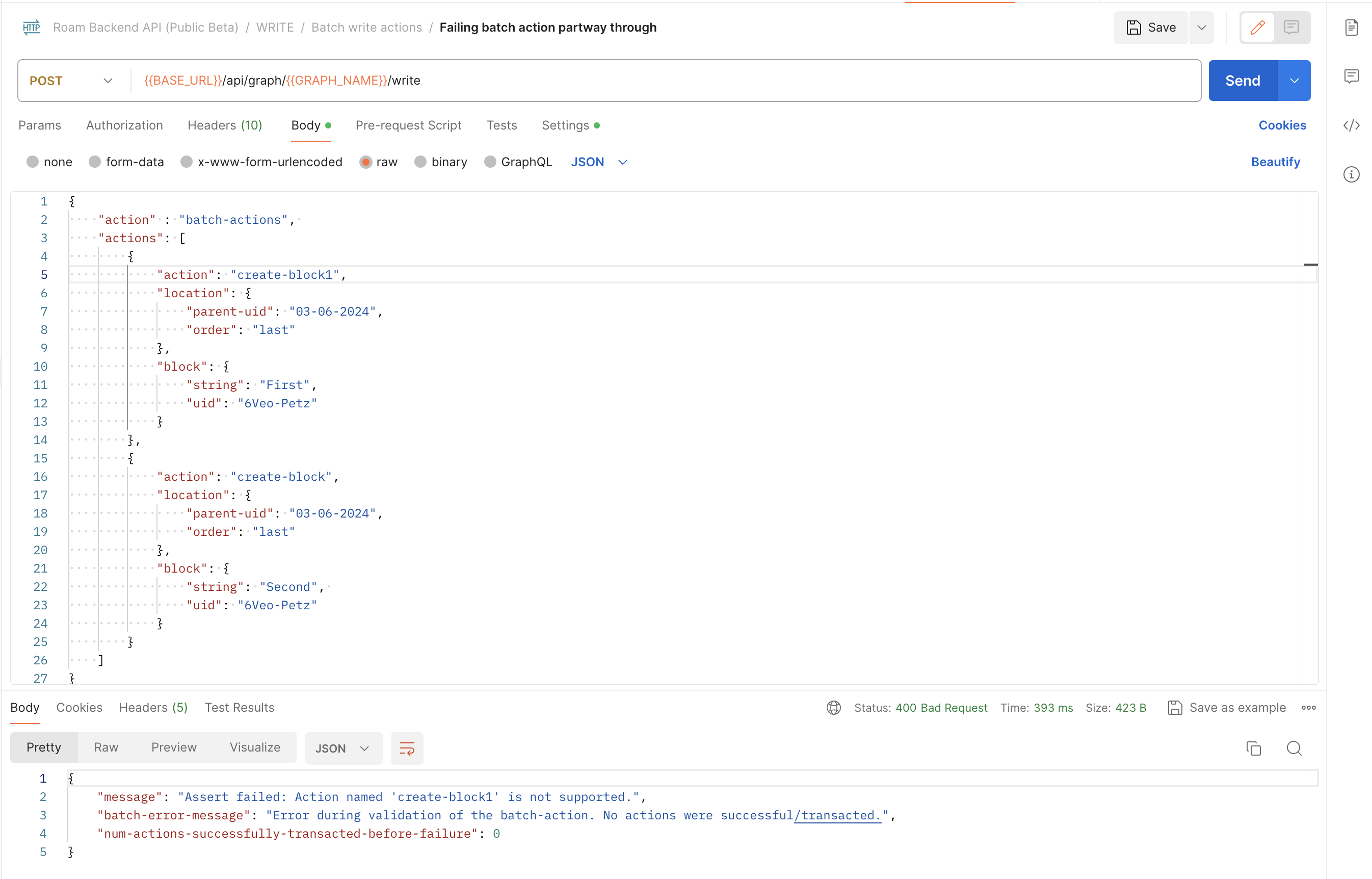
- Failure on 1st action in batch action
- 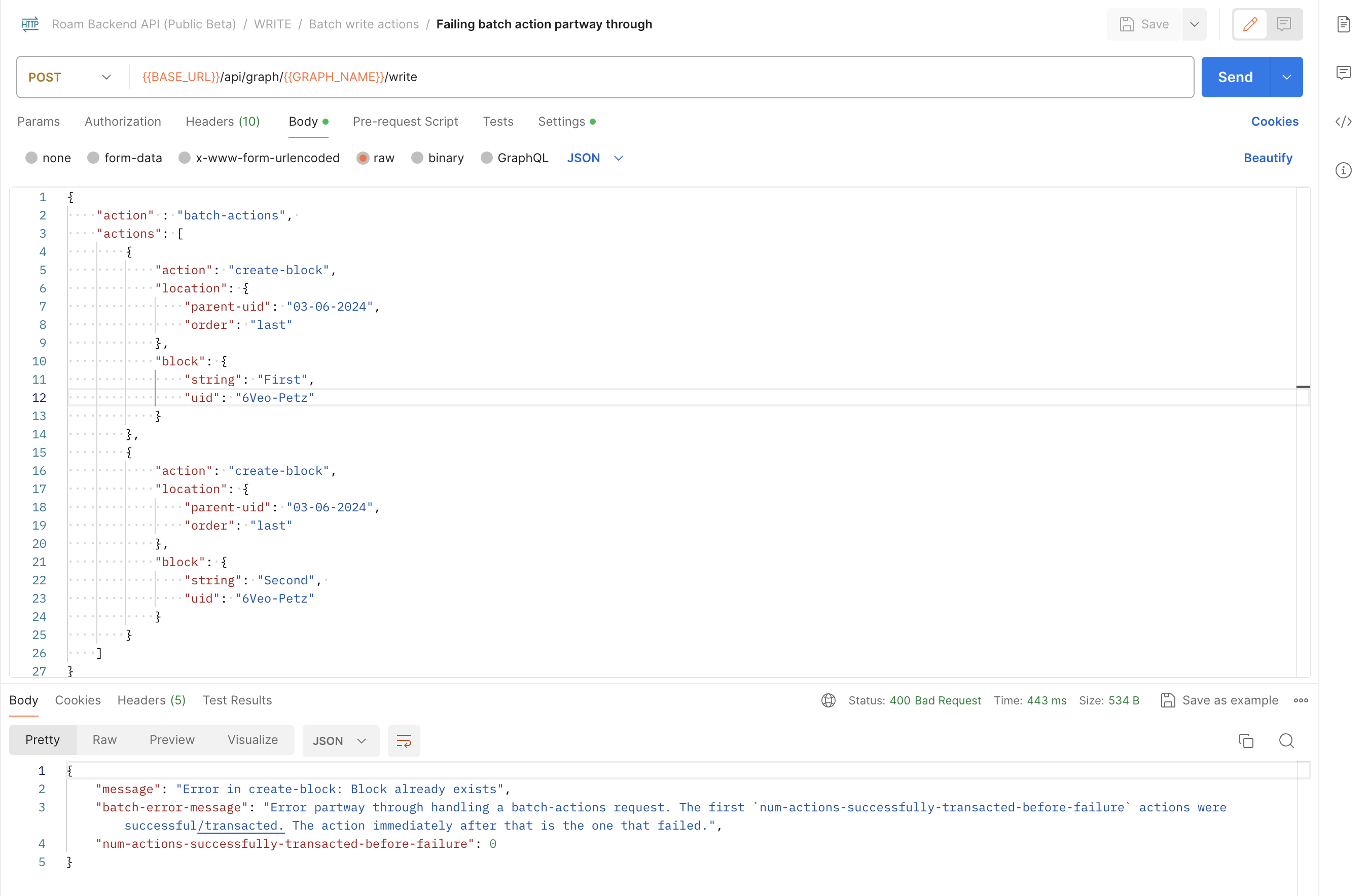
- Failure on 2nd action in batch action
- 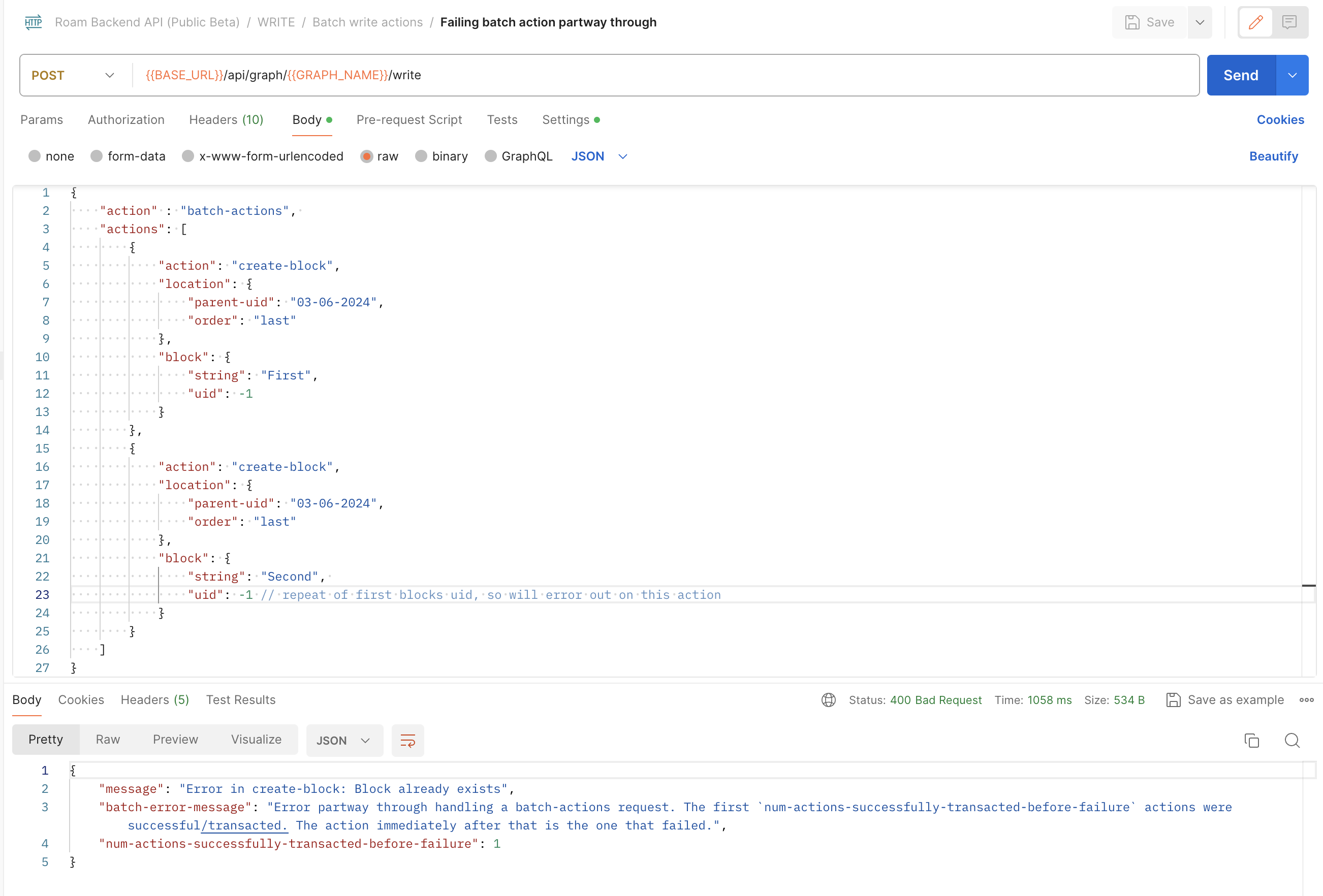
- ---
- Common [[Resources]] For [[Example]]s
- Example Endpoint: `/api/graph/MY-GRAPH/write` (POST)
- **What does response look like?** (with **HTTP status codes**)
- Returns::
- (If you're building an integration, be sure to implement at least the response codes below)
- 200 OK #important
- if successful
- If q request , see sample output structure
- if pull request, see sample output structure
- if write request, 200 status code in response means all done
- 308 PERMANENT REDIRECT
- the API endpoint for backend API i.e. **Endpoint base url:** https://api.roamresearch.com/ actually returns the actual URL you want to hit for your read/write requests
- In many cases, the network tool/library you're using will follow the redirect without additional config on your side
- 4XX BAD REQUEST (with error message specifying what went wrong)
- 400 BAD REQUEST #important
- this error code is returned in many cases. So, please checkout response body's `message` value
- some cases
- When input format error / invalid parameter values
- Example:: if we pass `"order": 2` in the update-block example request
- 
- If write request fails
- For `batch-actions` especially, You have to carefully handle this (to know how many requests suceeded)
- Please checkout **What happens on failure of any particular action in the batch action?**
- We validate arguments for all actions first, then transact/handle the actions one after another in sequence. If there is an error transacting the action, we bail on it and all subsequent actions.
This means that out of the `n` actions in a batch action request, the first `x` could succeed/transact and if then error occurs, the remaining `n-x` ones would not happen
- you can use `num-actions-successfully-transacted-before-failure` to figure out where exactly in the actions list the error happened
- When one is trying to use an Encrypted graph
- Encrypted graphs are NOT supported by the [[Roam Backend API (Beta)]]
- When no graph name in request, or invalid graph name
- If invalid write action
- When token cannot be verified or improperly formatted
- 401 UNAUTHORIZED #important
- If one is unauthorized or if one does not have required access to the graph (read/write)
- Please note that in some cases, When token cannot be verified or improperly formatted returns a 400 BAD REQUEST #important
- this is a bug on our part, but changing it now could break existing integrations, so leaving it like this for this version of the API
- 404 NOT FOUND
- If the API route you're calling is not found
- i.e. if you request an API route NOT in **API routes**
- 429 TOO MANY REQUESTS #important
- When you run into the per graph limit/quota. See **Graph-specific Usage Quotas**
- Currently set to __50 requests/minute/graph__
- 500 INTERNAL SERVER ERROR #important ( default fallback code for errors )
- default fallback code for errors
- So, please checkout response body's `message` value
- If you get this & message does not make clarify, please contact us at support@roamresearch.com or in the developers slack
- Some cases
- If message contains "**took too long to run**", then the query/pull request is running into our time limit (20 seconds for now). In this case, you want to request less data or add limits.
- You might want to add limited recursion limits to pull specs: https://docs.datomic.com/pro/query/pull.html#recursive-specifications
- 503 SERVICE UNAVAILABLE #important
- if graph is not ready for requests yet or is unavailable at the moment. If you get this, please try again in a bit
- Example
- 
- **Graph-specific Usage Quotas**
- Currently set to __50 requests/minute/graph__
- If you run into the limits regularly even when using the strategies mentioned below, please let us know
- When you run into the limit/quota, server will respond with a 429 TOO MANY REQUESTS #important
- so please account for that in your code by using timeouts etc
- One way of reducing the number of requests you're making is to use batch writes
#### FAQ::
- Q:: How do I do the --location-trusted if I'm using something other than [[cURL]]?
- The two main things
- You want the request library to automatically follow redirects
- this is generally the default in most libraries and applications
- You want the authorization header to be passed when redirect has been followed
- This is generally not default behavior, so this will probably need extra configuration
- another approach would be to use the `X-Authorization` header instead of the `Authorization` header
- pass them in the `X-Authorization` header
- you can use the `Authorization` header too (would be more secure) but you have to make sure that your code/library handles redirect properly and passes the authorization header when redirect has been followed (and the latter is generally not default behavior for most network libraries)
- Examples
- [[Python]]
- some examples, courtesy of [[Matt Vogel]]: https://gist.github.com/8bitgentleman/75561ac116b5b925fd58ff595389d591
- [[Postman]] client: https://www.postman.com/
- Postman already fulfills criteria 1: it automatically follows redirects
- If it doesn't for you, you have to go to the settings and enable "Automatically follow redirects"
- 
- For criteria 2 i..e passing authorization header on redirect, that is a per "request" setting and it can be enabled in the request level settings > Follow Authorization Header
- If you don't do this, you will get a `"message": "You are not authenticated"` response from the server, which is super confusing unless you go to the console and really look at the requests
- 
- Q:: I can't get the request to work using `fetch` or equivalent in my roam/js (i.e. in the browser)
- A:: Yes, this is a known issue due to a bunch of CORS and preflight requests issues. So, right now, that is not possible. We plan on exposing functions in the client-side [[Roam Alpha API]] to make this possible
- ---
---
# Roam Append API
#### Recommended order for going through this document:
- (A [[choose your own adventure]], if you will)
- **If you are new to our APIs**
- first, ensure that this is the one you want to use: Q:: When would you use this Append API vs other Roam APIs?
- then go through the description: **Description:**
- then go through **Getting Started:** for hitting the ground running
- next steps would be **Examples** or the actual **API Reference**
- **If you have used the [[Roam Backend API (Beta)]] before**
- first go through Q:: How is this Append API different from the regular [[Roam Backend API (Beta)]]?
- then go through **Getting Started:** for hitting the ground running
- next steps would be **Examples** or the actual **API Reference**
- **If you used this Append API when it was in Alpha stage**
- Please checkout the changelog: **Change Log:** (with special attention to ones below)
- In particular, you want to make sure your code works wrt below:
- works with change to response.body
- changed the format of error messages. Previously the `response.body` used to contain only the error message, now it is a map of the format `{message: error-message-str}`
- handles all possible response error codes properly
- ERRORs
- (for every return code other than 200 OK, `response.body` will have a "message" key clarifying what the error)
- 400 BAD REQUEST #important
- Some examples
- invalid graph name
- location not present in location.page
- If request.data is not valid JSON for example
- in this case, you might not get an error.message, but just a cryptic HTML response
- 401 UNAUTHORIZED #important
- authentication failure
- roam-graph-token passed is not valid
- Please checkout **Authentication**
- 403 FORBIDDEN #important
- authorization failure
- If the token does not have append/edit access to the graph
- Some common cases
- if the token only has read permission
- if the token has been revoked
- typo when getting the token from user
- 405 METHOD NOT ALLOWED
- only POST method allowed in request
- 413 CONTENT TOO LARGE #important
- 200 KB limit
- 429 TOO MANY REQUESTS #important
- if hit the limits
- will also have response header `retry-after` which mentions how many seconds to wait for before next request
- If you regularly hit the limits, do email us
- More info
- LIMITS
- Size Limits
- **200 KB** = Per-request size limit for request.body.append-data =
- Payload for a `req` = `count(JSON.stringify(req.body.append-data))`
- If you exceed the limits, the response will have a status code 413 CONTENT TOO LARGE
- Rate limits
- **30 requests** **per minute** per api token
- **20 MB** sum of append-data size **per hour** per api token
- same calculation: Payload for a `req` = `count(JSON.stringify(req.body.append-data))`
- If you exceed the limits, the response will have a status code 429 TOO MANY REQUESTS
- will also have response header `retry-after` which mentions how many seconds to wait for before next request
- 500 INTERNAL SERVER ERROR #important
- Errors which should not be happening. Please contact us at support@roamresearch.com if you run into this
#### **Table of Contents**
- **Description:**
- **Getting Started:**
- **Authentication**
- **API Reference**
- **Examples**
- **Change Log:**
- **FAQ**
#### **Description:**
- These are the docs for the Roam Append API
- The main use case for this API is adding stuff to your Roam graph. This works for all hosted Roam graphs - i.e. for both unencrypted and encrypted graphs
- Q:: When would you use this Append API vs other Roam APIs?
- Use [[Roam Backend API (Beta)]]
- IF you need to do reads and edits (and not just additions/appends)
- IF you do NOT need to support encrypted graphs (the backend API cannot work with encrypted graphs)
- Use [Append API]([[Roam Append API]])
- IF you need to support BOTH unencrypted & encrypted graphs
- IF you want an easy-to-use API optimized for capture
- IF you do not need read functionality
- Use [[Roam Alpha API]] (our client side API)
- If you're building a [[Roam Depot]] extension or writing [[roam/js]] scripts for yourself
- If you have used our regular Backend API, you might want to read the following FAQ to get a sense of the differences: Q:: How is this Append API different from the regular [[Roam Backend API (Beta)]]?
- **Minimal example using [[cURL]]**
- ```shell
curl -X POST "https://append-api.roamresearch.com/api/graph/MY-GRAPH/append-blocks" \
-H "Authorization: Bearer YOUR_ROAM_GRAPH_TOKEN" \
-H "Content-Type: application/json" \
-d '{"location": {"page": {"title": "Append API Captures"}, "nest-under": {"string": "Captures from [[CURL]]"}}, "append-data": [{"string": "a new capture", "children": [{"string": "child block of capture"}]}]}'```
- would capture the following, creating the `page` and `nest-under` capture group if they did not exist already
- 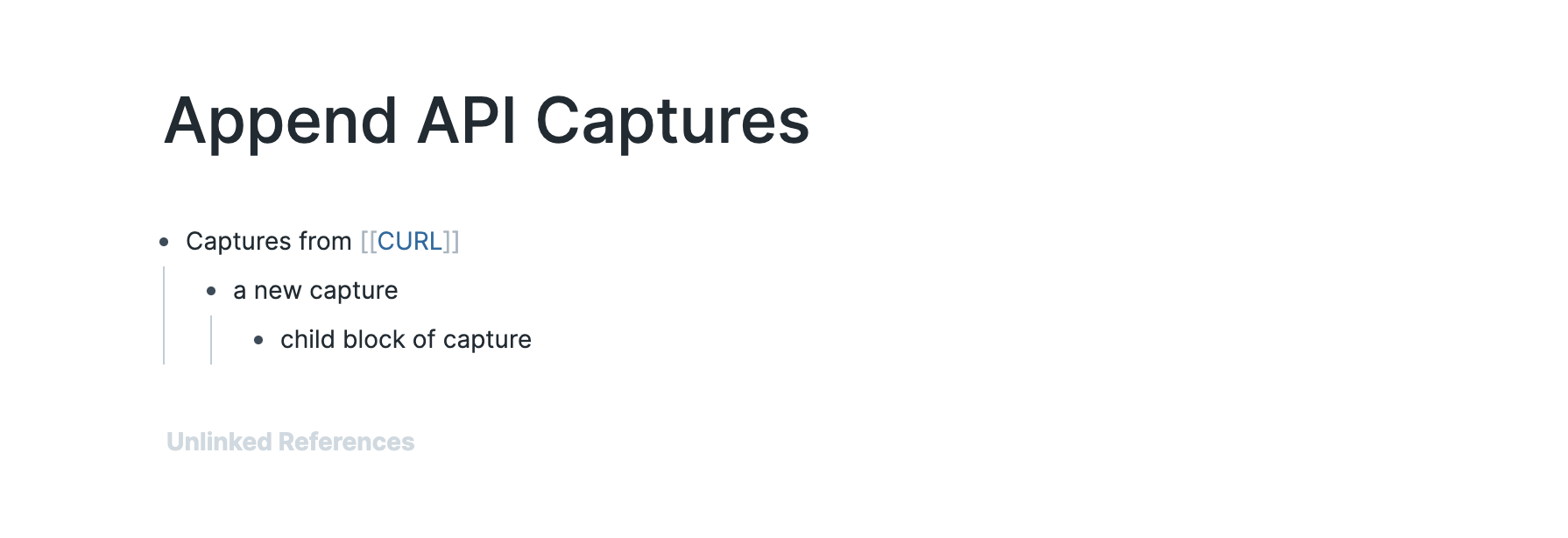
- Explaining `nest-under` below
- After the earlier CURL, if we then do the following curl request,
- ```shell
curl -X POST "https://append-api.roamresearch.com/api/graph/MY-GRAPH/append-blocks" \
-H "Authorization: Bearer YOUR_ROAM_GRAPH_TOKEN" \
-H "Content-Type: application/json" \
-d '{"location": {"page": {"title": "Append API Captures"}, "nest-under": {"string": "Captures from [[CURL]]"}}, "append-data": [{"string": "second capture"}]}'```
- we get the following result
- 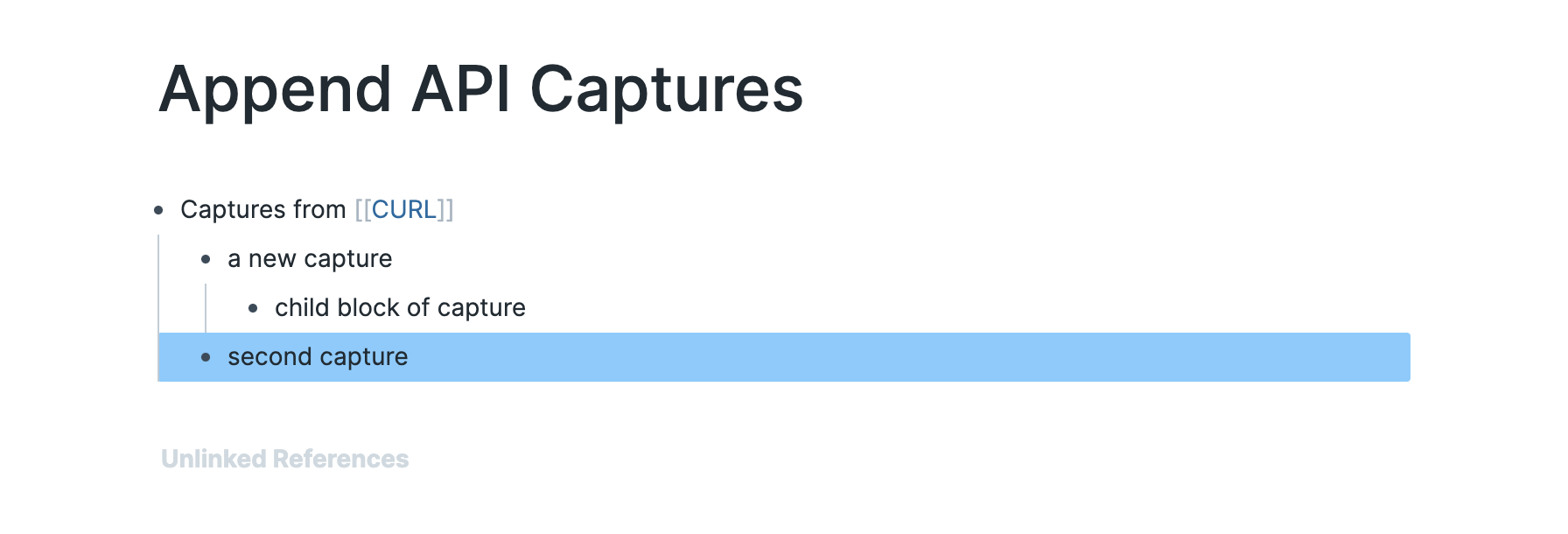
- Note that the "Captures from [[cURL]]" block was reused
- The idea is that you can use this to have "Capture blocks" in your pages to keep things clean/uncluttered
- Very useful for daily notes pages, for example, consider a page like below
- 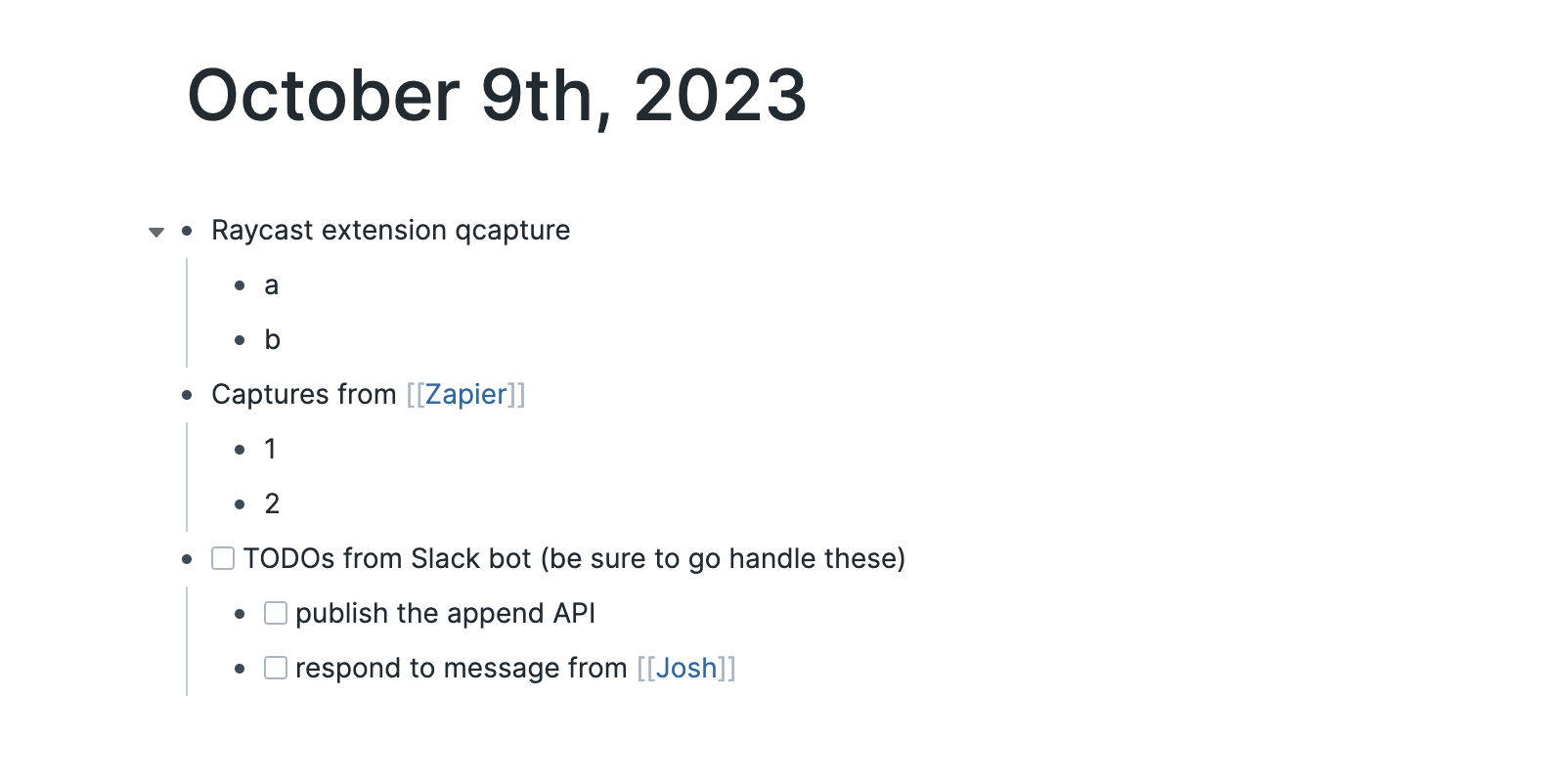
- To create this, different services can use the following nest-under strings
- `"Raycast extension capture"`
- `"Captures from [[Zapier]]"`
- `"{{[[TODO]]}} TODOs from Slack bot (be sure to go handle these)"`
- **Some characteristics of the API**
- Will create the page or the nest-under block if it does not exist yet
- If the page has multiple top level blocks with the nest-under string, then it appends as a child of the bottom most matching block
- Appends will happen in-order
- If you append "A" first (and get a 200 OK back) and then append a "B" in the same place, you can be sure that they are handled in that order
- Appended blocks will get the edit/time and create/time of the time the request to the Append API was made (not the time the client handled the sync)
- Exactly-once write
- You do not have to worry about a single capture being appended multiple times (even if user has multiple clients open).
- Please report any issues in the #developers channel in the [[Roam Slack]] or via email to [support@roamrsearch.com](mailto:support@roamresearch.com)
#### **Getting Started:**
- First, you have to get your credentials from **Settings** > **Graph** tab
- You can get your "Graph name" from this tab
- Then in the "API tokens" section, click on the green `+ New API Token` button
- Do note that you need to be the owner/admin of the graph in order to create API tokens
- 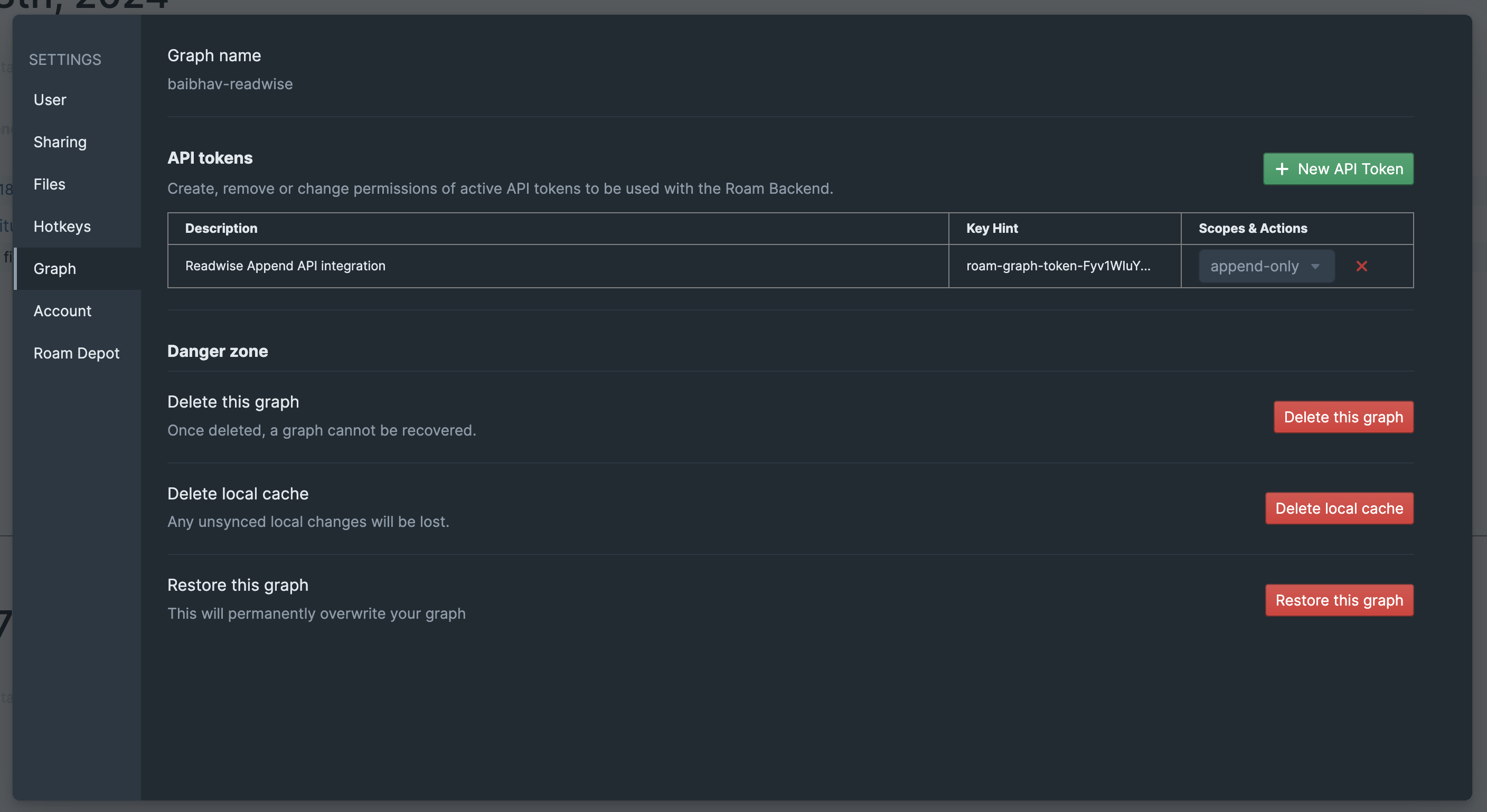
- After clicking the button, please enter a clear description of expected usage. Also, for access scope, you need to select "append-only access"
- 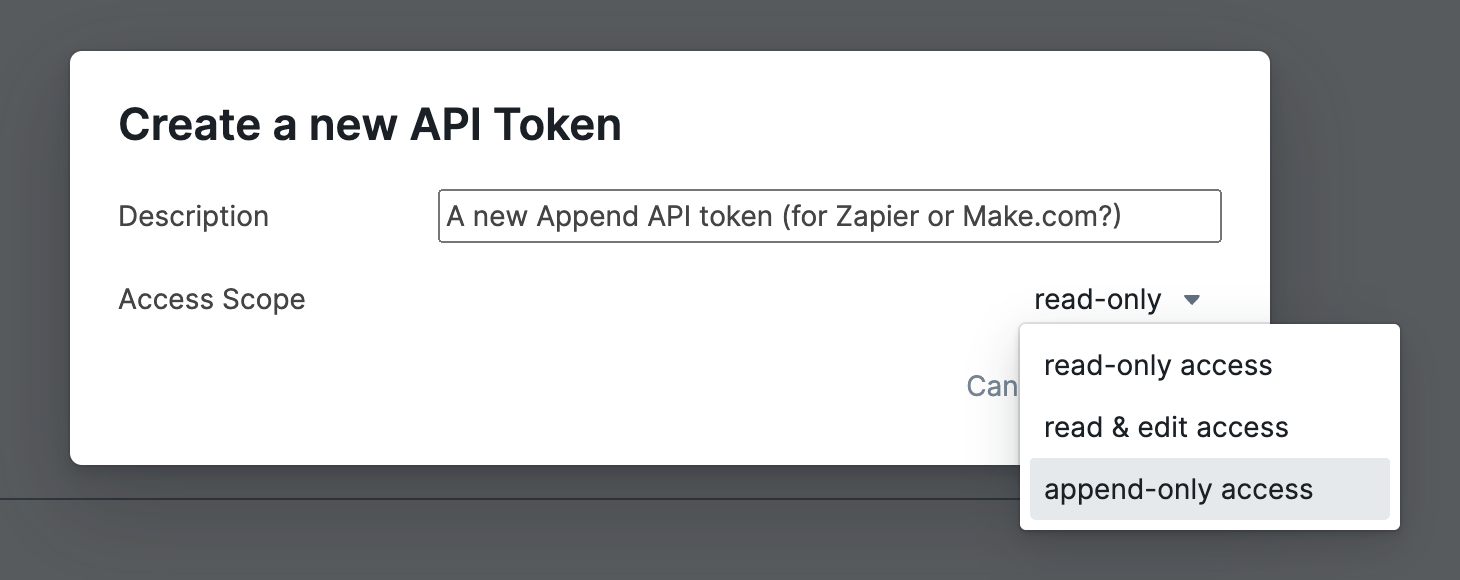
- Alternatively, you can select "read & edit access" too. This works because that role/permission is a superset of the append-only permission
- In the next screen, click on the "Clipboard" icon 📋 to copy the token to your clipboard. It will start with "roam-graph-token-"
- 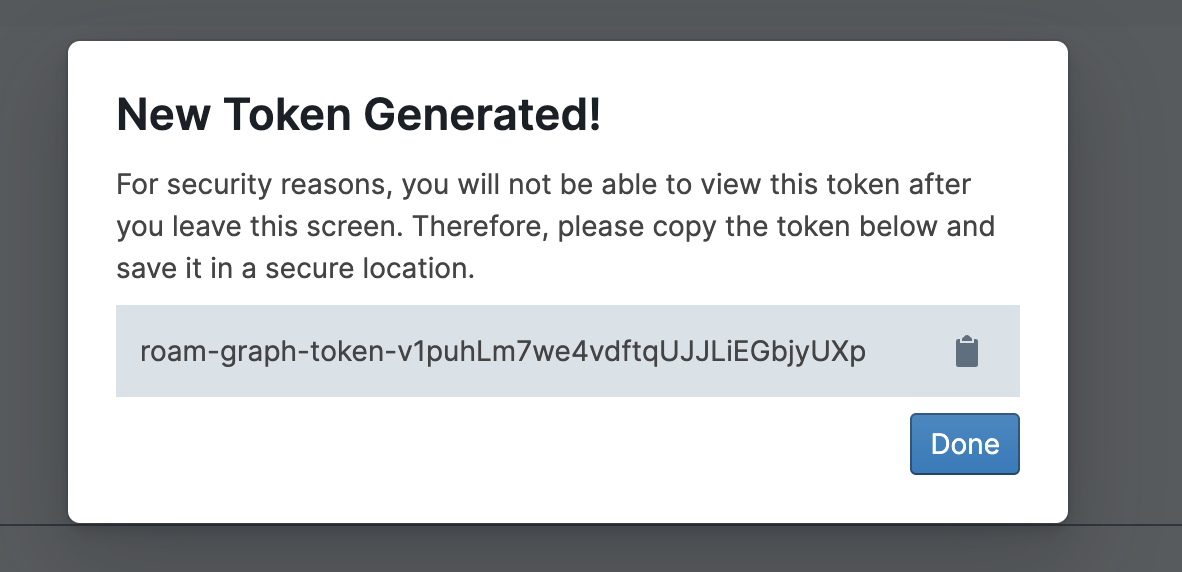
- After getting credentials, you're almost done
- Copy the command below
- ```shell
curl -X POST "https://append-api.roamresearch.com/api/graph/MY-GRAPH/append-blocks" \
-H "Authorization: Bearer YOUR_ROAM_GRAPH_TOKEN" \
-H "Content-Type: application/json" \
-d '{"location": {"page": {"title": "Append API Captures"}, "nest-under": {"string": "Captures from [[CURL]]"}}, "append-data": [{"string": "a new capture", "children": [{"string": "child block of capture"}]}]}'``` *
- Replace `MY-GRAPH` with your graph name and `YOUR_ROAM_GRAPH_TOKEN` with the API token you copied to the clipboard
- Finally, run the command in your shell/terminal. In your graph, if you then search for it, you should find a new page "Append API Captures" which looks like the following
- 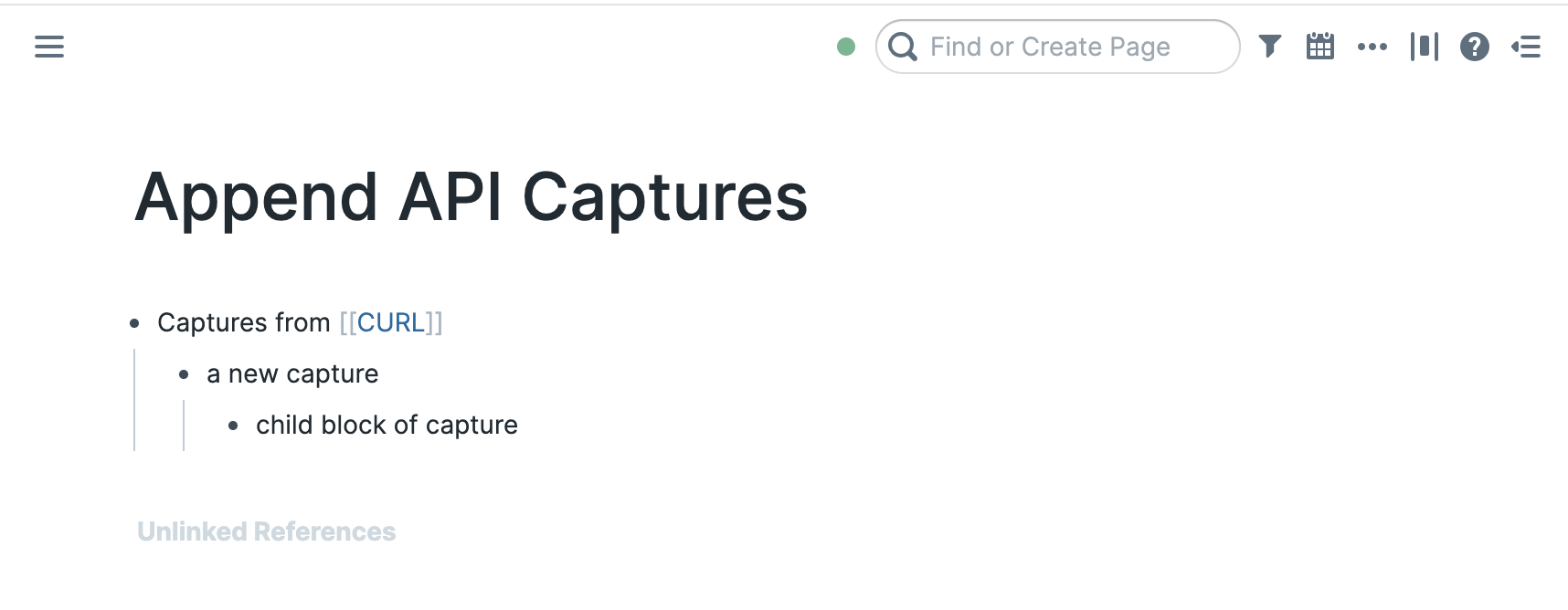
#### **Authentication**
- The getting started section has the basics of auth. Please start with that
- More details below
- Let's first start with the differences from Backend API
- Append API expects a token with an "Append-only" role
- token with an "Append-only" role
- These tokens cannot read your graph nor can they modify existing blocks in your graph
- This is very often a desired characteristic: say you want to connect your Roam graph to a service so that you can send data in, but do not want the service from being able to access your Roam graph data
- so, these tokens cannot be used with the [[Roam Backend API (Beta)]]
- You can create these tokens via **Settings** > **Graph** > **API Tokens** > "**New API Token**" button. Then you can select a role of "append-only access"
- In non-encrypted graphs, you can now create append-only tokens in addition to the "read-only" and "read&edit" tokens that you can use in [[Roam Backend API (Beta)]]
- 
- In encrypted graphs, the only tokens you can create are append-only-tokens
- 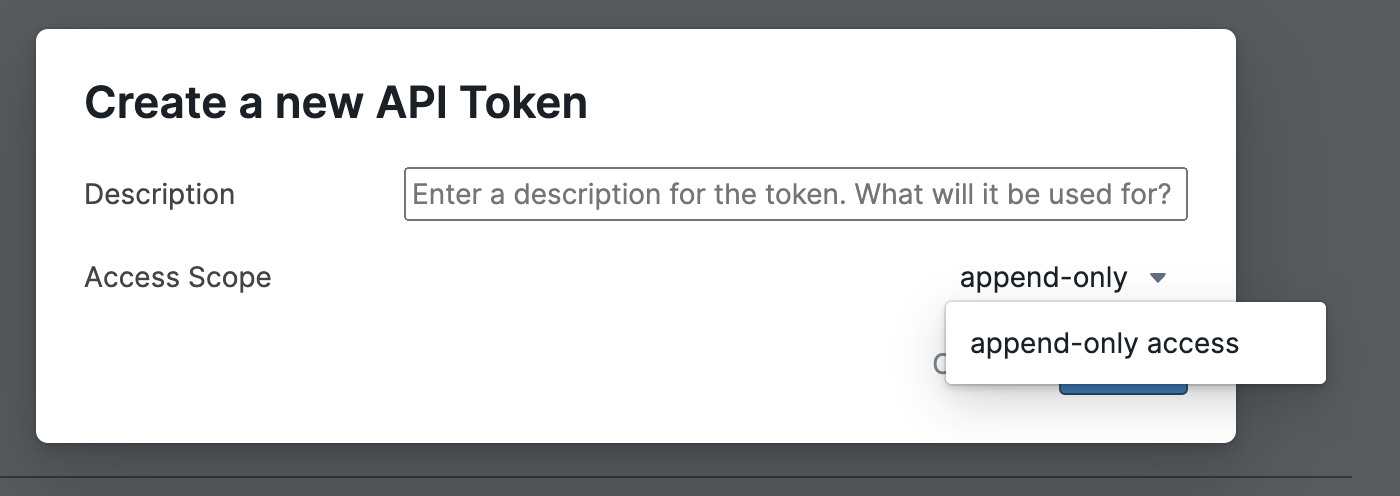
- Caveat: you can also use tokens with "read+edit access" in the Append API
- since read+edit role is a superset of the append role
- Now, the things common with **Authentication** in [[Roam Backend API (Beta)]]:
- Requests to the API use graph specific tokens for authentication
- You can only get/create these if you own the graph i.e. if you're the admin of the graph
- These start with `roam-graph-token-`
- You can create and edit roam-graph-tokens from a new section "API tokens" in the "Graph" tab in the Settings
- 
- How to pass the tokens in the request?
- pass them in the `X-Authorization` header
- you can use the `Authorization` header too (would be more secure) but you have to make sure that your code/library handles redirect properly and passes the authorization header when redirect has been followed (and the latter is generally not default behavior for most network libraries)
- Make sure they're prefixed with a `Bearer `
- An example
- `Bearer roam-graph-token-t_OjqgIAH1JZphzP4HxjJNad55lLFKpsqIM7x3bW`
#### **API Reference**
- **Endpoint base url:** https://append-api.roamresearch.com/
- **API routes**
- `/api/graph/{graph-name}/append-blocks` (POST) ^^IMPORTANT^^
- Description:: A route using which you can append blocks (possibly nested multiple times) to a specified page or nest-under block under a specified page
- Authentication:: For authentication, be sure to follow How to pass the tokens in the request?
- Parameters::
- `location` **required**
- we require one - either page or block.
nest-under is optional and can be used with either
- `page` **required**
- Description:: The page in the roam graph that you want to append to
- The page is created if it does not exist already
- `title` **required**
- Type::
- String
- or
- a map of the form `{"daily-note-page": "MM-DD-YYYY"}`. *
- **(Use this for Daily Notes Pages)**
- example:
"location": {"page": {"title": **{"daily-note-page": "07-29-2023"}**} }
- Q:: Why do you want to use this format for appending to daily note pages (DNP)?
- Otherwise, you have to pass the exact correct title for the daily notes page.
If you send a wrong DNP title (say "June 29, 2023" instead of "June 29**th**, 2023"), then a new non daily note page will be created, and your blocks will not show up in the daily log (will instead show up in the new non-DNP page)
- Q:: You might also be wondering why you cannot just pass in "today", "tomorrow" here.
- Answer is two fold (see below)
- First, the roam graph may already have a page with that title
- Second and more importantly, **timezones**
- It is very likely that the user is on a different timezone than our servers, so, a mapping from today to a DNP title on our side could add the data to the incorrect DNP (maybe tomorrow, maybe yesterday)
- So, how do you deal with it?
- first, if you're not adding to DNPs, you don't need to worry
- Second, if what you're building works on the user's device, then just get the local date locally , get the month, day and year and use the format `{"daily-note-page": "MM-DD-YYYY"}`
- Third, if you're a server application and you want to get this right, you might want to ask the user for what their local timezone is. Then, in your server, get the epoch time, convert it to a date object with user's provided local timezone, then get the month, day and year and use the format `{"daily-note-page": "MM-DD-YYYY"}`
- `block` (alternative to page)
- Description:: the block in the Roam graph you want to append child blocks to
- For most cases, if possible, **we recommend you use page instead of this**. We believe page used along with nest-under would be good enough for 95% of use cases
- some reasons why you might not want to use `location.block.uid` below
- In case page does not exist, we create the page. In case block does not exist, we add the capture to a Daily notes page under a block with text `Append API Captures attempted under non-existent blocks:`
- Knowing which daily note page to add to is not foolproof (due to timezones). For encrypted graphs, we can use the local timezone, but in the case of unencrypted graphs, since these captures are handled on the backend, we are using the US Central timezone i.e. `America/Chicago`. This means that the captures may appear in yesterday/tomorrow's daily note page (from the POV of the user)
- You might be think to create a block via the append API and then capture underneath it later via passing `location.block.uid`. If you do so, please be advised that this is fragile
- first, the block uid you pass for new append-data blocks might not end up being the final uid of the block . This can happen if the uid you pass in collides with the uid of an existing block in the graph
- For more info, please look into the warning here:
- `uid` **optional**
- Caution:: Be very careful when using this. You CANNOT later depend on the uid you pass to this. That is because, in the case a uid is already in the roam graph, we use a newly generated random uid instead
- In most cases, we recommend you NOT to use this. A new random block uid will be created for your new blocks as normal
- Use this only for internal block references i.e. block references to blocks from within the same append-api capture request
- More importantly, since this happens asynchronously, you (as the dev) would not know that there was a collision!
- then later captures would get added underneath a different block
- `uid`
- the block uid for the block to add the append api capture blocks underneath
- If a block with given uid does not exist in the graph, the capture will get added to the Daily Notes Page under a block saying "Append API Captures attempted under non-existent blocks:"
- Type::
- string
- `nest-under` **optional**
- Description:: Optional parameter. Use this to append inside of a top level child block in a page
- A pretty convenient way to have different "capture target"s in a page
- Very useful for daily notes pages, for example, consider a page like below
- 
- To create this, different services can use the following nest-under strings
- `"Raycast extension capture"`
- `"Captures from [[Zapier]]"`
- `"{{[[TODO]]}} TODOs from Slack bot (be sure to go handle these)"`
- `string`
- Type::
- String
- `append-data` **required**
- needs to be an array of blocks to be appended, cannot be empty
- Every block needs to have a 'string' value. Optionally they can have 'uid', 'heading', 'text-align', 'open', 'children-view-type' and an array of possibly nested child blocks - 'children'.
- **value needs to be an array of blocks**
- for each block
- `string` **required**
- `string`
- Text content of the block.
- __string__
- From [[April 11th, 2025]], this also supports nested markdown strings: For this, make sure the string starts with a "- "
- and also make sure the block has no children
- More info in our tweet:
- https://x.com/RoamResearch/status/1910658366575178199
- `children` **optional**
- an array of possibly further nested child blocks. See [examples](Examples::)
- `heading` **optional**
- Heading styling of the block
- __integer__
- `0` (no heading styling)
- `1`
- `2`
- `3`
- `text-align` **optional**
- `text-align`
- The block's alignment
- __string__
- `left`
- `center`
- `right`
- `justify`
- `open` **optional**
- `open`
- Collapse state of the block.
- __boolean__
- `true` by default (if not passed)
- `children-view-type` **optional**
- `children-view-type`
- Block view type of children blocks
- __string__
- `bullet`
- `numbered`
- `document`
- `uid` **optional**
- Caution:: Be very careful when using this. You CANNOT later depend on the uid you pass to this. That is because, in the case a uid is already in the roam graph, we use a newly generated random uid instead
- In most cases, we recommend you NOT to use this. A new random block uid will be created for your new blocks as normal
- Use this only for internal block references i.e. block references to blocks from within the same append-api capture request
- Please checkout the **Examples**
- Size & rate limits are documented here: LIMITS
- If you hit them, you will get error codes 413 CONTENT TOO LARGE #important or 429 TOO MANY REQUESTS #important
- **What does response look like?** (with **HTTP status codes**)
- Returns::
- (If you're building an integration, be sure to implement at least the response codes below)
- 200 OK #important
- An important difference between this API and the regular [[Roam Backend API (Beta)]] is what a 200 OK response means
- In the Backend API, when you get a 200 OK response, say on a create block write request, you know that that create has happened
- However, in the Append API, a 200 OK means that the append data that you sent has been verified and saved in Roam's servers, and it might be applied almost immediately (in the case of unencrypted graphs generally) or the next time a full Roam client is opened by the user (in the case of encrypted graphs)
- the response.data will look like `{captureSuccessful: true}`
- ERRORs
- (for every return code other than 200 OK, `response.body` will have a "message" key clarifying what the error)
- 400 BAD REQUEST #important
- Some examples
- invalid graph name
- location not present in location.page
- If request.data is not valid JSON for example
- in this case, you might not get an error.message, but just a cryptic HTML response
- 401 UNAUTHORIZED #important
- authentication failure
- roam-graph-token passed is not valid
- Please checkout **Authentication**
- 403 FORBIDDEN #important
- authorization failure
- If the token does not have append/edit access to the graph
- Some common cases
- if the token only has read permission
- if the token has been revoked
- typo when getting the token from user
- 405 METHOD NOT ALLOWED
- only POST method allowed in request
- 413 CONTENT TOO LARGE #important
- 200 KB limit
- 429 TOO MANY REQUESTS #important
- if hit the limits
- will also have response header `retry-after` which mentions how many seconds to wait for before next request
- If you regularly hit the limits, do email us
- More info
- LIMITS
- Size Limits
- **200 KB** = Per-request size limit for request.body.append-data =
- Payload for a `req` = `count(JSON.stringify(req.body.append-data))`
- If you exceed the limits, the response will have a status code 413 CONTENT TOO LARGE
- Rate limits
- **30 requests** **per minute** per api token
- **20 MB** sum of append-data size **per hour** per api token
- same calculation: Payload for a `req` = `count(JSON.stringify(req.body.append-data))`
- If you exceed the limits, the response will have a status code 429 TOO MANY REQUESTS
- will also have response header `retry-after` which mentions how many seconds to wait for before next request
- 500 INTERNAL SERVER ERROR #important
- Errors which should not be happening. Please contact us at support@roamresearch.com if you run into this
#### **Examples**
- The "Hello world" example (**start here!**)
- **Minimal example using [[cURL]]**
- ```shell
curl -X POST "https://append-api.roamresearch.com/api/graph/MY-GRAPH/append-blocks" \
-H "Authorization: Bearer YOUR_ROAM_GRAPH_TOKEN" \
-H "Content-Type: application/json" \
-d '{"location": {"page": {"title": "Append API Captures"}, "nest-under": {"string": "Captures from [[CURL]]"}}, "append-data": [{"string": "a new capture", "children": [{"string": "child block of capture"}]}]}'```
- would capture the following, creating the `page` and `nest-under` capture group if they did not exist already
- 
- Explaining `nest-under` below
- After the earlier CURL, if we then do the following curl request,
- ```shell
curl -X POST "https://append-api.roamresearch.com/api/graph/MY-GRAPH/append-blocks" \
-H "Authorization: Bearer YOUR_ROAM_GRAPH_TOKEN" \
-H "Content-Type: application/json" \
-d '{"location": {"page": {"title": "Append API Captures"}, "nest-under": {"string": "Captures from [[CURL]]"}}, "append-data": [{"string": "second capture"}]}'```
- we get the following result
- 
- Note that the "Captures from [[cURL]]" block was reused
- The idea is that you can use this to have "Capture blocks" in your pages to keep things clean/uncluttered
- Very useful for daily notes pages, for example, consider a page like below
- 
- To create this, different services can use the following nest-under strings
- `"Raycast extension capture"`
- `"Captures from [[Zapier]]"`
- `"{{[[TODO]]}} TODOs from Slack bot (be sure to go handle these)"`
- (For the requests below this point, for readability purposes, we will show the pretty-formatted JSON)
- An example with multiple nested blocks being created
- POST request to "https://append-api.roamresearch.com/api/graph/MY-GRAPH/append-blocks"
- Authorization: Bearer YOUR_ROAM_GRAPH_TOKEN
- Content-Type: application/json
- request data
- ```json
{
"location": {
"page": {
"title": "May 18th, 2024"
},
"nest-under": {
"string": "Captures from [[Zapier]]"
}
},
"append-data": [
{
"string": "Hey I am a block with children",
"open": false,
"children-view-type": "document",
"children": [
{
"string": "hey I am a child block",
"open": false,
"children": [
{
"string": "nested two layers deep"
}
]
}
]
},
{
"string": "I am a second block getting added"
}
]
}```
- [[Output]] [[Screenshot]]
- 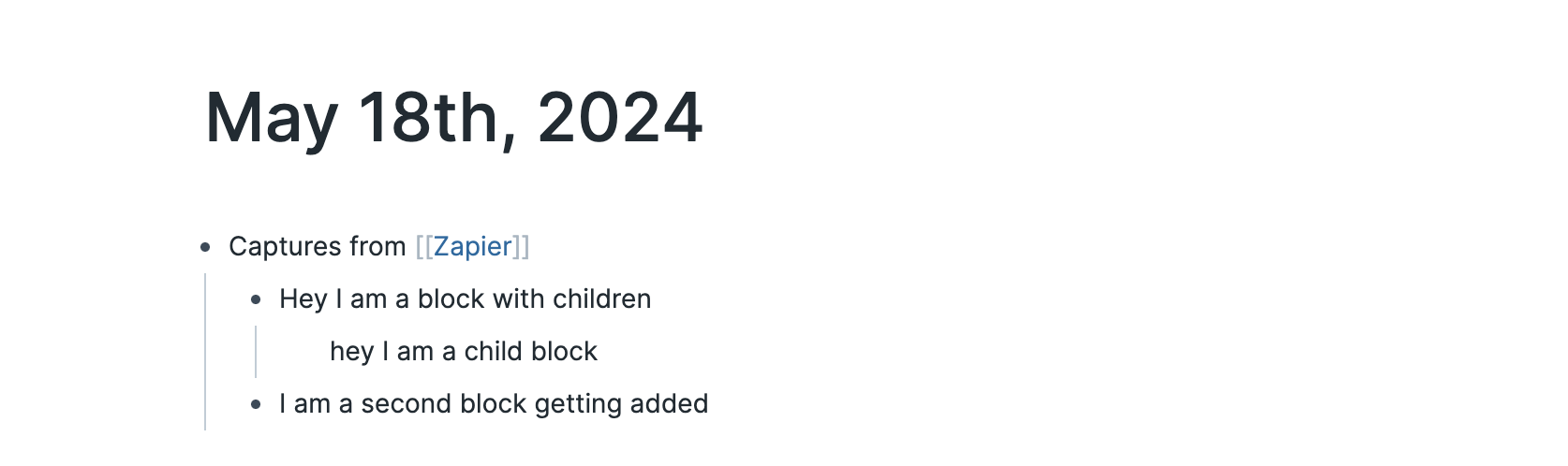
- Example for capture to daily notes #important
- We captured to daily note in An example with multiple nested blocks being created too, but the problem was that we had to explicitly enter the full page title "May 18th, 2024"
- If we had made a typo, then it would've added the blocks to the typo-d page (say "May 18, 2024"), and would not show up in the actual daily note page "May 18th, 2024"
- Please read below to get the complete rationale
- Q:: Why do you want to use this format for appending to daily note pages (DNP)?
- Q:: You might also be wondering why you cannot just pass in "today", "tomorrow" here.
- The solution is to pass a map of the form `{"daily-note-page": "MM-DD-YYYY"}`. * as location.page.title
- POST "https://append-api.roamresearch.com/api/graph/MY-GRAPH/append-blocks"
- Authorization: Bearer YOUR_ROAM_GRAPH_TOKEN
- Content-Type: application/json
- request data
- (the main difference from the earlier example is that we pass `{"daily-note-page": "05-18-2024"}` in `location.page.title` instead of passing in "May 18th, 2024")
- ```json
{
"location": {
"page": {
"title": {"daily-note-page": "05-18-2024"}
},
"nest-under": {
"string": "Captures from [[Zapier]]"
}
},
"append-data": [
{
"string": "Hey I am a block with children",
"open": false,
"children-view-type": "document",
"children": [
{
"string": "hey I am a child block",
"open": false,
"children": [
{
"string": "nested two layers deep"
}
]
}
]
},
{
"string": "I am a second block getting added"
}
]
}```
-
- Example for capturing as child of an existing block
- Before capturing using block as location, please read the disclaimer/recommendation below
- For most cases, if possible, **we recommend you use page instead of this**. We believe page used along with nest-under would be good enough for 95% of use cases
- some reasons why you might not want to use `location.block.uid` below
- In case page does not exist, we create the page. In case block does not exist, we add the capture to a Daily notes page under a block with text `Append API Captures attempted under non-existent blocks:`
- Knowing which daily note page to add to is not foolproof (due to timezones). For encrypted graphs, we can use the local timezone, but in the case of unencrypted graphs, since these captures are handled on the backend, we are using the US Central timezone i.e. `America/Chicago`. This means that the captures may appear in yesterday/tomorrow's daily note page (from the POV of the user)
- You might be think to create a block via the append API and then capture underneath it later via passing `location.block.uid`. If you do so, please be advised that this is fragile
- first, the block uid you pass for new append-data blocks might not end up being the final uid of the block . This can happen if the uid you pass in collides with the uid of an existing block in the graph
- For more info, please look into the warning here:
- `uid` **optional**
- Caution:: Be very careful when using this. You CANNOT later depend on the uid you pass to this. That is because, in the case a uid is already in the roam graph, we use a newly generated random uid instead
- In most cases, we recommend you NOT to use this. A new random block uid will be created for your new blocks as normal
- Use this only for internal block references i.e. block references to blocks from within the same append-api capture request
- More importantly, since this happens asynchronously, you (as the dev) would not know that there was a collision!
- then later captures would get added underneath a different block
- POST "https://append-api.roamresearch.com/api/graph/MY-GRAPH/append-blocks"
- Authorization: Bearer YOUR_ROAM_GRAPH_TOKEN
- Content-Type: application/json
- request data
- ```json
{
"location": {
"block": {
"uid": "f-gVYZHz4"
},
"nest-under": {
"string": "Captures from [[Append API]]"
}
},
"append-data": [
{
"string": "Hey I am a block with children"
}
]
}```
#### **Change Log:**
- (move this to the top of the page later)
- [[April 11th, 2025]]
- `string` argument for any block in append-data now also accepts a nested markdown string!
- From [[April 11th, 2025]], this also supports nested markdown strings: For this, make sure the string starts with a "- "
- and also make sure the block has no children
- More info in our tweet:
- https://x.com/RoamResearch/status/1910658366575178199
- [[October 26th, 2024]]
- Made a small change to the Append API: if `open` value is not passed, it is now `true` by default
- Change made to match the behavior in the [[Roam Backend API (Beta)]] & the frontend [[Roam Alpha API]]
- turns out that we had not mentioned any default value in the docs
- So, hopefully noone was depending on this value being different
- If you were depending on this, and if we slightly broke your stuff, super sorry! 😅
- [[May 21st, 2024]]
- In the case of a successful capture i.e. 200 OK #important, now **the response.data will look like `{captureSuccessful: true}`** (previously was `null`)
- [[May 17th, 2024]]
- Added ability to pass a block as a capture location for append API.
- you can now pass location.block.uid instead of location.page.title
- You probably want to just use location.page.title with maybe a location.nest-under.string though
- Explanation below
- For most cases, if possible, **we recommend you use page instead of this**. We believe page used along with nest-under would be good enough for 95% of use cases
- some reasons why you might not want to use `location.block.uid` below
- In case page does not exist, we create the page. In case block does not exist, we add the capture to a Daily notes page under a block with text `Append API Captures attempted under non-existent blocks:`
- Knowing which daily note page to add to is not foolproof (due to timezones). For encrypted graphs, we can use the local timezone, but in the case of unencrypted graphs, since these captures are handled on the backend, we are using the US Central timezone i.e. `America/Chicago`. This means that the captures may appear in yesterday/tomorrow's daily note page (from the POV of the user)
- You might be think to create a block via the append API and then capture underneath it later via passing `location.block.uid`. If you do so, please be advised that this is fragile
- first, the block uid you pass for new append-data blocks might not end up being the final uid of the block . This can happen if the uid you pass in collides with the uid of an existing block in the graph
- For more info, please look into the warning here:
- `uid` **optional**
- Caution:: Be very careful when using this. You CANNOT later depend on the uid you pass to this. That is because, in the case a uid is already in the roam graph, we use a newly generated random uid instead
- In most cases, we recommend you NOT to use this. A new random block uid will be created for your new blocks as normal
- Use this only for internal block references i.e. block references to blocks from within the same append-api capture request
- More importantly, since this happens asynchronously, you (as the dev) would not know that there was a collision!
- then later captures would get added underneath a different block
- [[May 1st, 2024]]
- changed the format of error messages. Previously the `response.body` used to contain only the error message, now it is a map of the format `{message: error-message-str}`
- documented and supporting following error codes. Please make sure you handle all of these
- ERRORs
- (for every return code other than 200 OK, `response.body` will have a "message" key clarifying what the error)
- 400 BAD REQUEST #important
- Some examples
- invalid graph name
- location not present in location.page
- If request.data is not valid JSON for example
- in this case, you might not get an error.message, but just a cryptic HTML response
- 401 UNAUTHORIZED #important
- authentication failure
- roam-graph-token passed is not valid
- Please checkout **Authentication**
- 403 FORBIDDEN #important
- authorization failure
- If the token does not have append/edit access to the graph
- Some common cases
- if the token only has read permission
- if the token has been revoked
- typo when getting the token from user
- 405 METHOD NOT ALLOWED
- only POST method allowed in request
- 413 CONTENT TOO LARGE #important
- 200 KB limit
- 429 TOO MANY REQUESTS #important
- if hit the limits
- will also have response header `retry-after` which mentions how many seconds to wait for before next request
- If you regularly hit the limits, do email us
- More info
- LIMITS
- Size Limits
- **200 KB** = Per-request size limit for request.body.append-data =
- Payload for a `req` = `count(JSON.stringify(req.body.append-data))`
- If you exceed the limits, the response will have a status code 413 CONTENT TOO LARGE
- Rate limits
- **30 requests** **per minute** per api token
- **20 MB** sum of append-data size **per hour** per api token
- same calculation: Payload for a `req` = `count(JSON.stringify(req.body.append-data))`
- If you exceed the limits, the response will have a status code 429 TOO MANY REQUESTS
- will also have response header `retry-after` which mentions how many seconds to wait for before next request
- 500 INTERNAL SERVER ERROR #important
- Errors which should not be happening. Please contact us at support@roamresearch.com if you run into this
#### **FAQ**
- Q:: How is this Append API different from the regular [[Roam Backend API (Beta)]]?
- This new API **also works with encrypted graphs** while the Backend API does not (i.e. Append API supports all hosted graphs while Backend API only works with unencrypted hosted graphs)
- Append API expects a token with an "Append-only" role ~~~~
- Append API expects a token with an "Append-only" role
- token with an "Append-only" role
- These tokens cannot read your graph nor can they modify existing blocks in your graph
- This is very often a desired characteristic: say you want to connect your Roam graph to a service so that you can send data in, but do not want the service from being able to access your Roam graph data
- so, these tokens cannot be used with the [[Roam Backend API (Beta)]]
- You can create these tokens via **Settings** > **Graph** > **API Tokens** > "**New API Token**" button. Then you can select a role of "append-only access"
- In non-encrypted graphs, you can now create append-only tokens in addition to the "read-only" and "read&edit" tokens that you can use in [[Roam Backend API (Beta)]]
- 
- In encrypted graphs, the only tokens you can create are append-only-tokens
- 
- Caveat: you can also use tokens with "read+edit access" in the Append API
- since read+edit role is a superset of the append role
- The domain is `append-api.roamresearch.com` (as opposed to the `api.roamresearch.com` for the Backend API)
- An important difference between this API and the regular [[Roam Backend API (Beta)]] is what a 200 OK response means
- In the Backend API, when you get a 200 OK response, say on a create block write request, you know that that create has happened
- However, in the Append API, a 200 OK means that the append data that you sent has been verified and saved in Roam's servers, and it might be applied almost immediately (in the case of unencrypted graphs generally) or the next time a full Roam client is opened by the user (in the case of encrypted graphs)
- LIMITS
- Size Limits
- **200 KB** = Per-request size limit for request.body.append-data =
- Payload for a `req` = `count(JSON.stringify(req.body.append-data))`
- If you exceed the limits, the response will have a status code 413 CONTENT TOO LARGE
- Rate limits
- **30 requests** **per minute** per api token
- **20 MB** sum of append-data size **per hour** per api token
- same calculation: Payload for a `req` = `count(JSON.stringify(req.body.append-data))`
- If you exceed the limits, the response will have a status code 429 TOO MANY REQUESTS
- will also have response header `retry-after` which mentions how many seconds to wait for before next request
- Q:: When would you use this Append API vs other Roam APIs?
---
# Yet-to-release updates
- if you run into issues with any of the following, please contact me (Baibhav Bista) on the [[Roam Public Slack]] or post on the #developers channel there
- IN THE WORKS
- [[Roam Alpha API]] function that gives parsed markdown string for a block (with children blocks)
- deployment to test in:: https://relemma-git-roamalphapi-getmarkdownstring.roamresearch.com/
- `window.roamAlphaAPI``.data``.block`
- `.getParsedMarkdownString`
- Description::
- Get parsed markdown string for a block (and optionally, it's children)
- "parsed" meaning that block refs are resolved to their strings (and block embeds to their block trees!)
- am not sure I like the shape of the API right now. Let me know if you have any feedback
- Can't be used for page uids.
- If you want to get md string for a page, You want to get :block/children for the page, sort them by :block/order and then call this fn for each :block/uid in that ordered list.
- Why not for pages?
- pages are slightly but confusingly different because there is no standard to include the page title
- so page md exports will not include the :node/title
- however, we want block md exports to include the :block/string
- Parameters::
- arg 1: `block-uid`
- Type::
- Block / page's uid
- arg 2: `childrenDepth`
- can be one of
- true
- give me all nested children
- false
- do not give me children
- positive integer
- give me children upto this depth
- Example::
- ```javascript
console.log(
window.roamAlphaAPI.data.block.getParsedMarkdownString("rT56JCmqH", true)
);
console.log(
window.roamAlphaAPI.data.block.getParsedMarkdownString("rT56JCmqH", false)
);
console.log(
window.roamAlphaAPI.data.block.getParsedMarkdownString("rT56JCmqH", 3)
);
```
- ARCHIVE
- isolate Depot extensions to platforms #.rm-falsified
- Falsified due to:: we will have a native mobile app and they will not run custom code at all
- deployment to test in:: https://relemma-git-feat-roam-depot-enabled-platforms.roamresearch.com/
- if you run into issues with any of the following, please contact me (Baibhav Bista) on the [[Roam Public Slack]] or post on the #developers channel there
- [[Loom video]] (a bit outdated regarding the options)
- {{[[video]]: https://www.loom.com/share/9adff7cbbf104c17815849a589693aaa}}
- Basic idea is more for users to be able to isolate Roam depot extensions to certain platforms
- some examples
- users might not want to/need to have power-user like extensions like "Workbench" in mobile
- well to be frank, I don't know if one would want to have "Workbench" in mobile or if it has mobile targeted features. I included it because it was the first thing I thought of when thinking about extensions for power users
- users might have extensions meant for mobile which do not make sense to be run in browser, like "Mobile Gesture Actions"
- Options are:
- 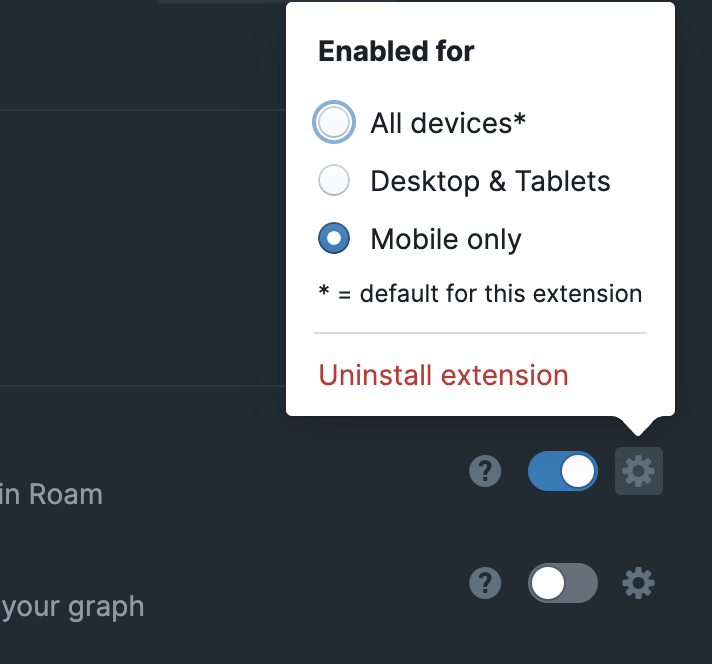
- All devices
- enabled on everything
- Mobile Only
- Allows for mobile devices (but not tablets)
- should work both for the mobile app and for mobile site
- Tablets are removed from this criteria by checking for if the userAgent includes "iPad" or "Tablet" or if it includes "Android' but not "Mobile"
- Desktop & Tablets
- essentially the negation of the "Mobile Only" option
- Extensions are allowed to have defaults
- if no default is set or invalid default is provided, it defaults to "all"
- Assumption is that very few extensions will have to set defaults
- only few like "Mobile Gesture Actions" might want to
- Extension devs can select default for their extension in metadata json i.e. in `roam-depot-repo/extensions/github-username/extension-name.json` as "default-enabled-platforms"
- Options::
- "all"
- "desktop-and-tablets"
- "only-mobile"
- default value is signified in the settings, so the user knows the default recommended value for the extension
---
# Available Libraries
- Roam exports a number of dependencies that we use internally for extensions, roam/js and roam/render to use
- Sync dependencies
- Dependencies bundled with Roam core will be provided on the window object
- {{table}}
- **Package Name**
- **Version**
- **Global Var**
- `react`
- `18.2.0`
- `window.React`
- `react-dom`
- `18.2.0`
- `window.ReactDOM`
- `@blueprintjs/core`
- `^3.50.4`
- `window.Blueprint.Core`
- `@blueprintjs/select`
- `^3.18.6`
- `window.Blueprint.Select`
- `@blueprintjs/datetime`
- `^3.23.14`
- `window.Blueprint.DateTime`
- `chrono-node`
- `^2.3.2`
- `window.ChronoNode`
- `idb`
- ` 7.1.1`
- `window.idb`
- `nanoid`
- `^2.0.4`
- `window.Nanoid`
- `file-saver`
- `^2.0.2`
- `window.FileSaver`
- `crypto-js`
- `^3.1.9-1`
- `window.CryptoJS`
- `tslib`
- `2.2.0`
- `TSLib`
- Async dependencies
- Some of Roam's dependencies are loaded only when a user uses them, your extension should do the same thing
- We understand dynamically loading is pretty difficult for a beginner, if that is you, you can ask us for help or for an exception to this rule
- {{table}}
- **Package Name**
- **Version**
- **Global Var**
- `marked-react`
- `^1.1.2`
- `RoamLazy.MarkedReact`
- `marked`
- `4.3.0`
- `RoamLazy.Marked`
- `jszip`
- `^3.10.0`
- `RoamLazy.JSZip`
- `cytoscape`
- `^3.7.2`
- `RoamLazy.Cytoscape`
- `insect.js`
- `5.6.0`
- `RoamLazy.Insect`
---
# Contact Us
- The best place to contact us about developer issues is to [join our slack](https://roamresearch.slack.com/join/shared_invite/zt-3lnqn70o2-290u9Rdfk11Xs72UFVRtDw) (if this link expires check the help ? in the top right)
- and head over to the #developers channel
- Or direct message [[Joshua Brown]] or [[Baibhav Bista]] directly if the issue is private
- You can also
- Contact support through intercom in the ? in the top right
- Email us at support@roamresearch.com
---
# Local API
- **__Just released, breaking changes might still happen__**
- The desktop app exposes a local HTTP API on port 3333 for external applications to interact with [[Roam Alpha API]].
- **Enable**
- Open the desktop app
- Open settings menu and enable
- 
- **Port & Last Graph Discovery**
- The port is usually 3333, but if that port is taken we increment until we find a usable port.
- Read `~/.roam-local-api.json` to discover the port and last opened graph:
- ```javascript
{
"port": 3333,
"last-graph": "my-graph-name"
}```
- `port` - the current API port (may be stale if app is not running)
- `last-graph` - the most recently opened graph name
- This file persists when the app closes, so check if the port is responsive before using it
- **Endpoints**
- **Execute API action**
- ```plain text
POST http://localhost:3333/api/:graph-name
Content-Type: application/json
{"action": "...", "args": [...]}```
- `action` - the [[Roam Alpha API]] method path (e.g., `data.q`, `data.block.create`)
- `args` - array of arguments to pass to the method
- **Examples**
- Query all page titles:
- ```shell
curl -X POST http://localhost:3333/api/my-graph \
-H "Content-Type: application/json" \
-d '{"action": "data.q", "args": ["[:find ?title :where [?e :node/title ?title]]"]}'```
- Create a block:
- ```shell
curl -X POST http://localhost:3333/api/my-graph \
-H "Content-Type: application/json" \
-d '{"action": "data.block.create", "args": [{"location": {"parent-uid": "abc123", "order": 0}, "block": {"string": "Hello"}}]}'```
- **Response**
- Success: `{"success": true, "result": [...]}`
- Error: `{"success": false, "error": "Local API is disabled. Enable it in Settings menu."}`
- **List open graphs**
- ```plain text
GET http://localhost:3333/api/graphs/open```
- Returns graphs currently open in the desktop app
- **Example**
- ```shell
curl http://localhost:3333/api/graphs/open```
- **Response**
- Success: `{"success": true, "result": [{"name": "my-graph", "type": "hosted"}, ...]}`
- `type` is either `"hosted"` or `"offline"`
- **List available graphs**
- ```plain text
GET http://localhost:3333/api/graphs/available```
- Returns all graphs the user has access to
- Requires at least one graph window to be open
- **Example**
- ```shell
curl http://localhost:3333/api/graphs/available```
- **Response**
- Success: `{"success": true, "result": [...]}`
- Error (no window open): `{"success": false, "error": "No graph window open. Please open a graph first."}`
---
# Roam Clojurescript API
- Clojure Core Namespaces
- `clojure.core`
- everything in clojure.core
- `clojure.pprint`
- everything in cljs.pprint
- `cljs.pprint`
- everything in cljs.pprint
- Roam Namespaces
- In general these namespaces match the [[Roam Alpha API]] exactly, except they accept a clojure map with keywords
- There are some differences, such as `roam.datascript.reactive` for re-rendering reagent components, or `roam.katex` for rendering katex reagent components
- `roam.datascript`
- `q`
- Description::
- Calls [datascript.core/q](https://cljdoc.org/d/datascript/datascript/1.2.5/api/datascript.core#q) passing current graph's db automatically
- > Executes a datalog query
- Resources::
- [datascript.core/q docs](https://cljdoc.org/d/datascript/datascript/1.2.5/api/datascript.core#q)
- For a deeper dive into queries, see [datomic docs on query](https://docs.datomic.com/on-prem/query.html).
- arguments:: `[query & inputs]`
- query
- datalog query
- inputs
- any inputs to the query (except the db, which is passed automatically)
- **Note:** If you have inputs, the `:in` clause is compulsory (for eg `:in $ input1 input2`)
- Usage::
- Roam render component that shows the parent page's title for a block
- block passed as input is the block at the top of this page:
Equivalent to [[roam/js]] but language of choice is [[clojurescript]]
- {{roam/render: ```clojure
(ns developer-doc.rd.q
(:require
[roam.datascript :as rd]))
(defn main []
[:div
(str
(rd/q
'[:find ?parent-page-title .
:in $ ?block-uid
:where
[?block :block/uid ?block-uid]
[?block :block/page ?page]
[?page :node/title ?parent-page-title]]
"TpIGtsnL7"))])```}}
- ```clojure
(ns developer-doc.rd.q
(:require
[roam.datascript :as rd]))
(defn main []
[:div
(str
(rd/q
'[:find ?parent-page-title .
:in $ ?block-uid
:where
[?block :block/uid ?block-uid]
[?block :block/page ?page]
[?page :node/title ?parent-page-title]]
"TpIGtsnL7"))])```
- `pull`
- Description::
- Calls [datascript.core/pull](https://cljdoc.org/d/datascript/datascript/1.2.5/api/datascript.core#pull) passing current graph's db automatically
- > Fetches data from database using recursive declarative description.
- Resources::
- [datascript.core/pull docs](https://cljdoc.org/d/datascript/datascript/1.2.5/api/datascript.core#pull)
- For a deeper dive, see [datomic docs on pull api](https://docs.datomic.com/on-prem/query/pull.html)
- arguments:: `[pattern eid]`
- pattern
- aka selector
- eid
- Usage::
- Roam render component that displays the following information for a page: uid, title, all direct children (with their own uid and :block/string)
- {{roam/render: ```clojure
(ns developer-doc.rd.pull
(:require
[roam.datascript :as rd]))
(defn main []
[:div
(str
(rd/pull
'[:block/uid
:node/title
{:block/children [:block/uid :block/string]}]
'[:block/uid "11-20-2021"]))])```}}
- ```clojure
(ns developer-doc.rd.pull
(:require
[roam.datascript :as rd]))
(defn main []
[:div
(str
(rd/pull
'[:block/uid
:node/title
{:block/children [:block/uid :block/string]}]
'[:block/uid "11-20-2021"]))])```
- `entity`
- Description::
- Calls [datascript.core/entity](https://cljdoc.org/d/datascript/datascript/1.2.5/api/datascript.core#entity) passing current graph's `db` automatically
- > Retrieves an entity by its id from database. Entities are ^^lazy^^ map-like structures to navigate DataScript database content.
- Resources::
- [datascript.core/entity docs](https://cljdoc.org/d/datascript/datascript/1.2.5/api/datascript.core#entity)
- arguments::
- eid
- entity id
- can directly pass entity id or can use lookup attr
- therefore, both of the following are valid
- `7161`
- `'[:block/uid "11-27-2021"]`
- Usage::
- a roam render component that displays the title of a page and the top bullets in order
- {{roam/render: ```clojure
(ns developer-doc.rd.entity
(:require
[roam.datascript :as rd]))
(defn main []
(let [page-ent (rd/entity '[:block/uid "11-27-2021"])
title (:node/title page-ent)
children (->> (:block/children page-ent)
(sort :block/order))]
[:div
[:h1 title]
[:ul
(for [child children]
[:li (:block/string child)])]]))```}}
- ```clojure
(ns developer-doc.rd.entity
(:require
[roam.datascript :as rd]))
(defn main []
(let [page-ent (rd/entity '[:block/uid "11-27-2021"])
title (:node/title page-ent)
children (->> (:block/children page-ent)
(sort :block/order))]
[:div
[:h1 title]
[:ul
(for [child children]
[:li (:block/string child)])]]))```
- `datoms`
- Description::
- Calls [datascript.core/datoms](https://cljdoc.org/d/datascript/datascript/1.2.5/api/datascript.core#datoms) passing current graph's db automatically
- > Index lookup. Returns a sequence of datoms (lazy iterator over actual DB index) which components (e, a, v) match passed arguments.
- Resources::
- [datascript.core/datoms docs](https://cljdoc.org/d/datascript/datascript/1.2.5/api/datascript.core#datoms)
- arguments:: `[index & args]`
- index
- the database index to be looked up
- Possible values
- `:eavt`
- `:aevt`
- `:avet`
- Note::
- `:eavt` and `:aevt` contain all datoms.
- `:avet` only contains datoms for references, :db/unique and :db/index attributes.
- in the case of Roam's graphs, these would be
- `:node/title`
- `:window/id`
- `:user/email`
- However, all of the above are `:db/unique` properties, so you may be better off doing a direct entity lookup
- args
- the passed args match against components (e, a, v) of the datoms
- depending on the index obviously
- Usage::
- a roam render component that displays the name of the pages which are publicly shared
- {{roam/render: ```clojure
(ns developer-doc.rd.datoms
(:require
[roam.datascript :as rd]))
(defn main []
(let [page-ents (map (comp rd/entity :e) (rd/datoms :aevt :page/permissions))]
[:div
[:h2 "Shared pages"]
[:ol
(for [page-ent page-ents]
[:li (str (:node/title page-ent) ": " (:page/permissions page-ent))])]]))```}}
- ```clojure
(ns developer-doc.rd.datoms
(:require
[roam.datascript :as rd]))
(defn main []
(let [page-ents (map (comp rd/entity :e) (rd/datoms :aevt :page/permissions))]
[:div
[:h2 "Shared pages"]
[:ol
(for [page-ent page-ents]
[:li (str (:node/title page-ent) ": " (:page/permissions page-ent))])]]))```
- `roam.datascript.reactive`
- `q`
- same as roam.datascript/q but returns a reagent reaction with the result of the query.
- The value of the reaction will be automatically updated whenever a change is detected
- `pull`
- same as roam.datascript/pull but but returns a reagent reaction which will be updated every time that the value of conn changes
- `f-entity`
- Description::
- Returns a reagent reaction which holds the result of `(apply f (rd/entity eid) args)`
- arguments:: `[f eid & args]`
- f
- eid
- args
- Usage::
- a roam render component that displays the text of a block reactively (reactively - updates automatically when block updates)
- {{roam/render: ```clojure
(ns developer-doc.rdr.f-entity.2
(:require
[roam.datascript.reactive :as rdr]))
(defn main []
(let [block-uid "pXh1FJfIX"
block-str-atom (rdr/f-entity
:block/string ;;f
[:block/uid block-uid] ;;eid
)]
[:div
[:h3
(str "Reactive display of block with :block/uid: " block-uid)]
[:ul
[:li @block-str-atom]]]))```}}
- ```clojure
(ns developer-doc.rdr.f-entity.2
(:require
[roam.datascript.reactive :as rdr]))
(defn main []
(let [block-uid "pXh1FJfIX"
block-str-atom (rdr/f-entity
:block/string ;;f
[:block/uid block-uid] ;;eid
)]
[:div
[:h3
(str "Reactive display of block with :block/uid: " block-uid)]
[:ul
[:li @block-str-atom]]]))```
- a roam render component that displays back refs of a block (reactively - updates automatically when block updates)
- {{roam/render: ```clojure
(ns developer-doc.rdr.f-entity.2
(:require
[roam.datascript.reactive :as rdr]))
(defn get-backref-page-string [ent]
(mapv (juxt (comp :node/title :block/page) :block/string) (:block/_refs ent)))
(defn main []
(let [block-uid "11-26-2021"
backrefs-atom (rdr/f-entity
get-backref-page-string ;;f
[:block/uid block-uid] ;;eid
)]
[:div
[:h3
(str "Reactive display of back refs of block with :block/uid: " block-uid)]
[:ul
(for [[page-title block-string] @backrefs-atom]
[:li (str page-title ": " block-string)])
]]))```}}
- ```clojure
(ns developer-doc.rdr.f-entity.2
(:require
[roam.datascript.reactive :as rdr]))
(defn get-backref-page-string [ent]
(mapv (juxt (comp :node/title :block/page) :block/string) (:block/_refs ent)))
(defn main []
(let [block-uid "11-26-2021"
backrefs-atom (rdr/f-entity
get-backref-page-string ;;f
[:block/uid block-uid] ;;eid
)]
[:div
[:h3
(str "Reactive display of back refs of block with :block/uid: " block-uid)]
[:ul
(for [[page-title block-string] @backrefs-atom]
[:li (str page-title ": " block-string)])
]]))```
- `datoms`
- same as roam.datascript/datoms but returns a reagent reaction with the result.
- The value of the reaction will be automatically updated whenever a change is detected
- `roam.util`
- Aside from `parse` these are equivalent to those in roamAlphaAPI.util
- `generate-uid`
- Example::
- ```clojure
(roam.util/generate-uid)```
- `page-title->date`
- Example::
- ```clojure
(roam.util/page-title->date "August 1st, 2022")```
- `date->page-title`
- Example::
- ```clojure
(roam.util/date->page-title (new js/Date))```
- `date->page-uid`
- Example::
- ```clojure
(roam.util/date->page-uid (new js/Date))```
- `parse`
- Description::
- Takes a Roam markdown style string as input and returns a reagent component of how it would look like when in a block
- arguments:: `[s]`
- s
- markdown string
- Example::
- Displaying strings with Roam's markdown parser
- Code::
- ```clojure
(ns dev-docs.parse-example
(:require [roam.util :refer [parse]]))
(defn main []
[parse "**apple** __banana__ [[test-parse]]"])```
- Output::
- `{{[[roam/render]]: ((uUxqZ4Bwb))}}`
- {{[[roam/render]]: ```clojure
(ns dev-docs.parse-example
(:require [roam.util :refer [parse]]))
(defn main []
[parse "**apple** __banana__ [[test-parse]]"])```}}
- useful in [[roam/render]]
- `roam.ui.main-window`
- Functions in this namespace are equivalent to those in roamAlphaAPI.ui.mainWindow
- `open-page`
- Example::
- ```clojure
(main-window/open-page {:page {:uid "ljs1l3kj4"}})```
- `open-block`
- Example::
- ```clojure
(main-window/open-block {:page {:uid "ljs1l3kj4"}})```
- `open-daily-notes`
- Example::
- ```clojure
(main-window/open-daily-notes)```
- `get-open-page-or-block-uid`
- Example::
- ```clojure
(main-window/get-open-page-or-block-uid)```
- `focus-first-block`
- Example::
- ```clojure
(main-window/focus-first-block)```
- `roam.ui.left-sidebar`
- Functions in this namespace are equivalent to those in roamAlphaAPI.ui.leftSidebar
- `open`
- Example::
- ```clojure
(left-sidebar/open)```
- `close`
- Example::
- ```clojure
(left-sidebar/close)```
- `roam.ui.right-sidebar`
- Functions in this namespace are equivalent to those in roamAlphaAPI.ui.rightSidebar
- `open`
- Example::
- ```clojure
(right-sidebar/open)```
- `close`
- Example::
- ```clojure
(right-sidebar/close)```
- `get-windows`
- Example::
- ```clojure
(right-sidebar/get-windows)```
- `add-window`
- Example::
- ```clojure
(right-sidebar/add-window
{:window {:type "block" :block-uid "1fasdfef"}})```
- `remove-window`
- Example::
- ```clojure
(right-sidebar/remove-window
{:window {:type "block" :block-uid "1fasdfef"}})```
- `expand-window`
- Example::
- ```clojure
(right-sidebar/expand-window
{:window {:type "block" :block-uid "1fasdfef"}})```
- `collapse-window`
- Example::
- ```clojure
(right-sidebar/collapse-window
{:window {:type "block" :block-uid "1fasdfef"}})```
- `pin-window`
- Example::
- ```clojure
(right-sidebar/pin-window
{:window {:type "block" :block-uid "1fasdfef"}})```
- `unpin-window`
- Example::
- ```clojure
(right-sidebar/unpin-window
{:window {:type "block" :block-uid "1fasdfef"}})```
- `roam.ui.filters`
- Functions in this namespace are equivalent to those in roamAlphaAPI.ui.filters
- `add-global-filter`
- Example::
- ```clojure
(filters/add-global-filter
{:title "test"
:type "includes"})```
- `remove-global-filter`
- Example::
- ```clojure
(filters/remove-global-filter
{:title "test"
:type "includes"})```
- `get-global-filters`
- Example::
- ```clojure
(filters/get-global-filters)```
- `get-page-filters`
- Example::
- ```clojure
(filters/get-page-filters
{:page {:title "test"}})```
- `get-page-linked-refs-filter`
- Example::
- ```clojure
(filters/get-pagelinked-refs-filters
{:page {:title "test"}})```
- `get-sidebar-window-filters`
- Example::
- ```clojure
(filters/get-sidebar-window-filters
{:window {:block-uid "sdl3kefj"
:type "outline"}})```
- `set-page-filters`
- Example::
- ```clojure
(filters/set-page-filters
{:page {:title "test"}
:filters {:includes ["March 11th, 2022"]}})
;; clears filters
(filters/set-page-filters
{:page {:title "test"}
:filters {}})```
- `set-page-linked-refs-filters`
- Example::
- ```clojure
(filters/set-page-linked-refs-filters
{:page {:title "test"}
:filters {:includes ["March 11th, 2022"]}})
;; clears filters
(filters/set-page-linked-refs-filters
{:page {:title "test"}
:filters {}})```
- `set-sidebar-window-filters`
- Example::
- ```clojure
(filters/set-sidebar-window-filters
{:window {:block-uid "sdl3kefj"
:type "outline"}
:filters {:includes ["March 11th, 2022"]}})
;; clears filters
(filters/set-sidebar-window-filters
{:window {:block-uid "sdl3kefj"
:type "outline"}
:filters {}})```
- `roam.ui.block-context-menu`
- Functions in this namespace are equivalent to those in roamAlphaAPI.ui.blockContextMenu
- `add-command`
- Example::
- ```clojure
(block-context-menu/add-command
{:label "test"
:callback (fn []
(prn "hey!"))})```
- `remove-command`
- Example::
- ```clojure
(block-context-menu/remove-command
{:label "test"})```
- `roam.ui.individual-multiselect`
- Functions in this namespace are equivalent to those in roamAlpahAPI.ui.individualMultiselect
- `get-selected-uids`
- Example::
- ```clojure
(get-selected-uids)```
- `roam.ui.ms-context-menu`
- Functions in this namespace are equivalent to those in roamAlpahAPI.ui.msContextMenu
- `add-command`
- Example::
- ```clojure
(add-command
{:label "test"
:callback (fn []
(prn "hey!"))})```
- `remove-command`
- Example::
- ```clojure
(remove-command
{:label "test"})```
- `roam.ui.command-palette`
- Functions in this namespace are equivalent to those in roamAlphaAPI.ui.commandPalette
- `add-command`
- Example::
- ```clojure
(add-command
{:label "test"
:callback (fn []
(prn "hello world!"))})```
- `remove-command`
- Example::
- ```clojure
(remove-command
{:label "test"})```
- `roam.graph`
- `name` #def
- The name of the current graph
- `type` #def
- `"hosted"` or `"offline"`
- `is-encrypted?` #def
- Whether the graph is encrypted or not
- `roam.platform`
- `is-desktop?` #def
- true if client is Roam [[Desktop App]]
- `is-mobile-app?` #def
- true if client is Roam [[Mobile App]]
- `is-mobile?` #def
- Note that this is only a check on the screen size
- just uses a media query `max-width: 450px`
- `is-ios?` #def
- true if client is iphone, ipad or ipod
- `is-pc?` #def
- true if client is a PC
- useful if you want to have different shortcuts on PC vs Mac
- `is-touch-device` #def
- true if client is a touch device
- `roam.katex`
- `inline`
- Description::
- Takes a string and renders it with [katex](https://katex.org/) as an inline level element
- Example::
- ```clojure
[katex/inline "1 + 2"]```
- `block`
- Description::
- Takes a string and renders it with [katex](https://katex.org/) as a block level element
- Example::
- ```clojure
[katex/block "1 + 2"]```
- `roam.user`
- Functions in this namespace are equivalent to those in roamAlphaAPI.data.user
- `upsert`
- `roam.block`
- Functions in this namespace are equivalent to those in roamAlphaAPI.data.block
- Example of conversion from ```javascript
window
.roamAlphaAPI
.createBlock(
{"location":
{"parent-uid": "01-21-2021",
"order": 0},
"block":
{"string": "test"}})``` to use in clojure
- {{[[roam/render]]: ```clojure
(ns dev-doc.roam.block.2
(:require [roam.block :as block]))
(defn main []
[:button
{:on-click
(fn [] (-> (block/create {:location {:parent-uid "06-14-2022"
:order 0}
:block {:string "test"}})
(.then #(js/console.log "done"))
(.catch #(js/console.log "failed" %))))}
"Click me to create the block"])```}}
- ```clojure
(ns dev-doc.roam.block.2
(:require [roam.block :as block]))
(defn main []
[:button
{:on-click
(fn [] (-> (block/create {:location {:parent-uid "06-14-2022"
:order 0}
:block {:string "test"}})
(.then #(js/console.log "done"))
(.catch #(js/console.log "failed" %))))}
"Click me to create the block"])```
- [[Test]]
- go to [[December 5th, 2021]]
-
- `create`
- Example::
- ```clojure
(roam.block/create
{:location {:parent-uid "asdlkjfe"
:order "first"}
:block {:string "hello world"}})```
- `move`
- Example::
- ```clojure
(roam.block/move
{:location {:parent-uid "asdlkjfe"
:order "last"}
:block {:uid "f8cXfDIRn"}})```
- `update`
- Example::
- ```clojure
(roam.block/update
{:block {:uid "f8cXfDIRn"
:string "foo"}})```
- `delete`
- Example::
- ```clojure
(roam.block/delete
{:block {:uid "f8cXfDIRn}})```
- `reorder-blocks`
- Example::
- ```clojure
(reorder-blocks
{:location {:parent-uid "hisjslk"}
:blocks ["QCE0cNNNL" "IATKcVmWE" "nC22orMO4"]})```
- `roam.page`
- Functions in this namespace are equivalent to those in roamAlphaAPI.data.page
- `create`
- Example::
- ```clojure
(roam.page/create
{:page {:title "test me!"}})```
- `update`
- Example::
- ```clojure
(roam.page/update
{:page {:uid "asdflele"
:title "test me!"}})```
- `delete`
- Example::
- ```clojure
(roam.page/delete
{:page {:uid "asdflele"}})```
- External Libraries
- Reagent
- version used: `reagent/reagent {:mvn/version "1.1.0"}`
- `reagent.core`
- [reagent.core docs](https://cljdoc.org/d/reagent/reagent/1.1.0/api/reagent.core)
- exposed vars
- {{roam/render: ```clojure
(ns ns-vars-lister
(:require [reagent.core]))
(defn main [{:keys [block-uid]} ns-name]
(let [ns-symbol (symbol ns-name)]
[:div [:div
[:h3 "public vars of ns: " (pr-str ns-symbol)]
[:div (map
(fn [n] [:div (pr-str n)])
(->> (ns-publics ns-symbol)
(seq)
(sort)))]]]))``` "reagent.core"}}
- `reagent.dom`
- [reagent.dom docs](https://cljdoc.org/d/reagent/reagent/1.1.0/api/reagent.dom)
- exposed vars
- {{[[roam/render]]: ```clojure
(ns ns-vars-lister
(:require [reagent.core]))
(defn main [{:keys [block-uid]} ns-name]
(let [ns-symbol (symbol ns-name)]
[:div [:div
[:h3 "public vars of ns: " (pr-str ns-symbol)]
[:div (map
(fn [n] [:div (pr-str n)])
(->> (ns-publics ns-symbol)
(seq)
(sort)))]]]))``` "reagent.dom"}}
- `datascript.core`
- you will most likely want to use `roam.datascript` or `roam.datascript.reactive`
- [datascript.core docs](https://cljdoc.org/d/datascript/datascript/1.3.9/doc/readme)
- exposed vars:
- {{[[roam/render]]: ```clojure
(ns ns-vars-lister
(:require [reagent.core]))
(defn main [{:keys [block-uid]} ns-name]
(let [ns-symbol (symbol ns-name)]
[:div [:div
[:h3 "public vars of ns: " (pr-str ns-symbol)]
[:div (map
(fn [n] [:div (pr-str n)])
(->> (ns-publics ns-symbol)
(seq)
(sort)))]]]))``` "datascript.core"}}
- `instaparse.core`
- [instaparse.core docs](https://cljdoc.org/d/instaparse/instaparse/1.4.10/api/instaparse.core)
- exposed vars
- {{[[roam/render]]: ```clojure
(ns ns-vars-lister
(:require [reagent.core]))
(defn main [{:keys [block-uid]} ns-name]
(let [ns-symbol (symbol ns-name)]
[:div [:div
[:h3 "public vars of ns: " (pr-str ns-symbol)]
[:div (map
(fn [n] [:div (pr-str n)])
(->> (ns-publics ns-symbol)
(seq)
(sort)))]]]))``` "instaparse.core"}}
- Example
- `instaparse.core` readme example
- Code::
- ```clojure
(ns developer-documentation.test-instaparse.1
(:require
[reagent.core :as r]
[roam.block :as block]
[blueprintjs.core :as bp-core]
[cljs.pprint :refer [pprint]]
[instaparse.core :as insta]))
(def as-and-bs
(insta/parser
"S = AB*
AB = A B
A = 'a'+
B = 'b'+"))
(defn main [{:keys [block-uid]}]
[:button
{:on-click
#(pprint (as-and-bs "aaaaabbbaaaabb"))} "Click me!"])```
- Output::
- `{{[[roam/render]]: ((6DXyUOHhH))}}`
- {{[[roam/render]]: ```clojure
(ns developer-documentation.test-instaparse.1
(:require
[reagent.core :as r]
[roam.block :as block]
[blueprintjs.core :as bp-core]
[cljs.pprint :refer [pprint]]
[instaparse.core :as insta]))
(def as-and-bs
(insta/parser
"S = AB*
AB = A B
A = 'a'+
B = 'b'+"))
(defn main [{:keys [block-uid]}]
[:button
{:on-click
#(pprint (as-and-bs "aaaaabbbaaaabb"))} "Click me!"])```}} (check console after clicking)
- `blueprintjs.core`
- everything in [@blueprintjs/core docs](https://blueprintjs.com/docs/#core)
- **Note:** Since this is a ReactJS library, the classes need some treatment before they can be used.
- For most cases, you just have to use [reagent/adapt-react-class](https://github.com/reagent-project/reagent/blob/master/doc/InteropWithReact.md#creating-reagent-components-from-react-components). See the example below
- For more detail: read through [Reagent Docs/InteropWithReact.md](https://github.com/reagent-project/reagent/blob/master/doc/InteropWithReact.md)
- Example
- Click me template using `blueprintjs.core`
- Code::
- ```clojure
(ns dev-docs.test-blueprint.1
(:require
[reagent.core :as r]
[roam.block :as block]
[blueprintjs.core :as bp-core]))
(defonce bp3-button (r/adapt-react-class bp-core/Button))
(defn main [{:keys [block-uid]}]
[bp3-button
{:large true
:disabled true
:icon "history"
:on-click
#(block/update
{:block {:uid block-uid
:string "Hello world!"}})}
"Click me!"])```
- Output::
- `{{[[roam/render]]: ((O1iyYWZsW))}}`
- {{[[roam/render]]: ```clojure
(ns dev-docs.test-blueprint.1
(:require
[reagent.core :as r]
[roam.block :as block]
[blueprintjs.core :as bp-core]))
(defonce bp3-button (r/adapt-react-class bp-core/Button))
(defn main [{:keys [block-uid]}]
[bp3-button
{:large true
:disabled true
:icon "history"
:on-click
#(block/update
{:block {:uid block-uid
:string "Hello world!"}})}
"Click me!"])```}}
- Promesa
- version used: `funcool/promesa {:mvn/version "6.0.0"}`
- [docs](https://cljdoc.org/d/funcool/promesa/6.0.0/doc/user-guide)
- `promesa.core`
- exposed vars
- {{[[roam/render]]: ```clojure
(ns ns-vars-lister
(:require [reagent.core]))
(defn main [{:keys [block-uid]} ns-name]
(let [ns-symbol (symbol ns-name)]
[:div [:div
[:h3 "public vars of ns: " (pr-str ns-symbol)]
[:div (map
(fn [n] [:div (pr-str n)])
(->> (ns-publics ns-symbol)
(seq)
(sort)))]]]))``` "promesa.core"}}
- `promesa.protocols`
- exposed vars
- {{[[roam/render]]: ```clojure
(ns ns-vars-lister
(:require [reagent.core]))
(defn main [{:keys [block-uid]} ns-name]
(let [ns-symbol (symbol ns-name)]
[:div [:div
[:h3 "public vars of ns: " (pr-str ns-symbol)]
[:div (map
(fn [n] [:div (pr-str n)])
(->> (ns-publics ns-symbol)
(seq)
(sort)))]]]))``` "promesa.protocols"}}
- `applied-science.js-interop`
- version used: `applied-science/js-interop {:mvn/version "0.3.3"}`
- [docs](https://github.com/applied-science/js-interop)
- exposed vars
- {{[[roam/render]]: ```clojure
(ns ns-vars-lister
(:require [reagent.core]))
(defn main [{:keys [block-uid]} ns-name]
(let [ns-symbol (symbol ns-name)]
[:div [:div
[:h3 "public vars of ns: " (pr-str ns-symbol)]
[:div (map
(fn [n] [:div (pr-str n)])
(->> (ns-publics ns-symbol)
(seq)
(sort)))]]]))``` "applied-science.js-interop"}}
---
# Datomic Alpha API
#### **Important Note: ** This is the documentation for the [[Depreciated]] (& inactive) Datomic API. We have a new API! see it here, [[Roam Backend API (Beta)]]
#### Reference::
- Description::
- The Datomic Alpha API allows you to programatically interact with **Experimental Roam Graphs**.
- **Experimental Roam Graphs** make use of our new backend infrastructure and are separate from existing graphs.
- Our goal is to migrate existing graphs to the new infrastructure when it is finalized.
- Our goal with an Alpha release is to gather information on use cases and usage to further shape work on the API.
- Any part of the API may change during the Alpha period.
- Any data in **Experimental Roam Graphs** is subject to:
- deletion
- alteration
- unintended access
- **Do not use Experimental Graphs or the Datomic Alpha API for important or sensitive information.**
- terms::
- **Experimental Roam Graphs**
- Hosted Roam graph based on upcoming backend infrastructure.
- **Datomic Alpha API**
- programmatic interface to **Experimental Roam Graphs**s
- **Block**
- base structure in Roam, corresponding to visible blocks of text and other functionality.
- **Page**
- base structure in Roam, corresponding to the top level structure containing child blocks.
- **API key**
- Unique string that grants an app access to the **Datomic Alpha API**.
- Your app always uses this key when communicating with the API.
- Currently obtained by messaging the either Filipe or Josh in the Alpha API slack channel.
- Please provide your roam login email when asking for an API key.
- API keys are subject to the following quota
- 500 requests per second, with burst of 2,500 requests
- 100,000 requests per month starting on the 1st day
- If these are insufficient for your use case, please get in touch.
- **API token**
- Unique string that grants an app access to an **Experimental Roam Graphs**.
- Your app stores this token for an users graph.
- Usage::
- The API can only interact with graphs created via the `Create Experimental Graph` button on the `Hosted Graphs` section of https://roamresearch.com/#/app
- this button is only visible for users that are part of the alpha.
- The API receives a payload containing both the action to be performed and the action parameters.
- REST API
- The REST API exposes a single URL where payloads are sent over HTTPS POST together with a header containing the API key.
- The **API key** must be provided in a `x-api-key` header.
- The **API token** must be provided in a `x-api-token` header.
- Payload format must be provided via the `Content-Type` header.
- Returns will use the same format.
- Supported formats:
- `application/edn`
- See https://github.com/edn-format/edn for specification
- See https://github.com/edn-format/edn/wiki/Implementations for implementations.
- `application/json`
- Widely available across most programming languages.
- `application/transit+json`
- See https://github.com/cognitect/transit-format#specification for specification
- See https://github.com/cognitect/transit-format#implementations for implementations
- JS SDK
- The Roam web client exposes the `window.roamDatomicAlphaAPI` JS SDK as a convenient way to access the API from within `roam/js` or the browser console.
- when using the SDK the `graph-name` action parameter is automatically filled in to the current graph.
- no **API key** or **API token** is needed when using the JS SDK.
- payload format is always JSON for the JS SDK.
- The API is currently based on [Datomic](https://www.datomic.com/) dialect of [Datalog](https://en.wikipedia.org/wiki/Datalog)
- the extent to which Datomic and Datalog is exposed is the final API is under consideration.
- [Learn Datalog Today](http://www.learndatalogtoday.org/) is an excellent resource for those curious about Datalog.
- [Datomic's docs](https://docs.datomic.com/on-prem/query.html) are also a great place to learn more about its flavour of Datalog
- status::
- **Experimental Roam Graphs** are **available** to Alpha participants
- **Datomic Alpha API** is **available** and **under active development**.
- REST API is **available**.
- JS SDK is **available**.
- Actions are **missing return documentation**.
- actions that create entities should return them, allowing you to use the newly created entity.
- Entity schema is **missing documentation**.
- known problems::
- Attributes do not work
- Creating or updating a block with an attribute in it won't update attribute tables correctly, please do not use
- action parameter schema::
- `graph-name`
- Name of the graph.
- string
- `selector`
- Datomic Pull pattern
- see https://docs.datomic.com/on-prem/pull.html for details
- string
- **required**
- `query`
- Datomic query
- see https://docs.datomic.com/on-prem/query.html for details
- where clauses are limited to only data patterns.
- string
- `inputs`
- Datomic query inputs
- see https://docs.datomic.com/on-prem/query.html for details
- vector of any
- `block`
- `uid`
- Unique identifier for the block.
- string
- `string`
- Text content of the block.
- string
- `open`
- Collapse state of the block.
- boolean
- `location`
- `parent-uid`
- Unique Identifier for block parent under which the block should be inserted.
- string
- `order`
- Index where the block should be inserted under the parent.
- Starts at zero.
- string
- `page`
- `uid`
- Unique identifier for the page.
- string
- `title`
- Title of the page.
- string
- actions::
- read
- `pull`
- Description::
- Pull is a declarative way to make hierarchical (and possibly nested) selections of information about entities.
- Exposes [Datomic Pull](https://docs.datomic.com/cloud/query/query-pull.html) over graph entities.
- Parameters::
- `graph-name` **required**
- `selector` **required**
- `uid` **required**
- Usage::
- Retrieve the string of block `yS-It9SFL`.
- JS SDK
- ```javascript
roamDatomicAlphaAPI({
"action": "pull",
"selector": "[:block/string]",
"uid": "yS-It9SFL"
});```
- REST API
- ```shell
curl \
-X POST https://4c67k7zc26.execute-api.us-west-2.amazonaws.com/v1/alphaAPI \
-H "Content-Type: application/edn" \
-H "x-api-key: YOUR_API_KEY_HERE" \
-H "x-api-token: GRAPH_TOKEN_HERE" \
-d '{:action "pull"
:graph-name "an-experimental-graph"
:selector [:block/string]
:uid "yS-It9SFL"}'```
- `q`
- Description::
- Deductive query.
- Exposes [Datomic Query](https://docs.datomic.com/cloud/query/query-data-reference.html) over graph entities.
- Parameters::
- `graph-name` **required**
- `query` **required**
- `inputs` **optional**
- Usage::
- Get all titles.
- JS SDK
- ```javascript
await roamDatomicAlphaAPI({
"action": "q",
"query": "[:find ?t \
:where [?e :node/title ?t]]"});```
- REST API
- ```shell
curl \
-X POST https://4c67k7zc26.execute-api.us-west-2.amazonaws.com/v1/alphaAPI \
-H "Content-Type: application/edn" \
-H "x-api-key: YOUR_API_KEY_HERE" \
-H "x-api-token: GRAPH_TOKEN_HERE" \
-d '{:action "q"
:graph-name "an-experimental-graph"
:query "[:find ?t
:where
[?e :node/title ?t]]"}'```
- Get all pages.
- JS SDK
- ```javascript
await roamDatomicAlphaAPI({
"action": "q",
"query": "[:find (pull ?page [*]) \
:where \
[?page :node/title]]"});```
- REST API
- ```shell
curl \
-X POST https://4c67k7zc26.execute-api.us-west-2.amazonaws.com/v1/alphaAPI \
-H "Content-Type: application/edn" \
-H "x-api-key: YOUR_API_KEY_HERE" \
-H "x-api-token: GRAPH_TOKEN_HERE" \
-d '{:action "q"
:graph-name "an-experimental-graph"
:query "[:find (pull ?page [*])
:where
[?page :node/title]]"}'```
- Get all pages in the left sidebar.
- JS SDK
- ```javascript
await roamDatomicAlphaAPI({
"action": "q",
"query": "[:find (pull ?page [*]) \
:where \
[?page :page/sidebar]]"});```
- REST API
- ```shell
curl \
-X POST https://4c67k7zc26.execute-api.us-west-2.amazonaws.com/v1/alphaAPI \
-H "Content-Type: application/edn" \
-H "x-api-key: YOUR_API_KEY_HERE" \
-H "x-api-token: GRAPH_TOKEN_HERE" \
-d '{:action "q"
:graph-name "an-experimental-graph"
:query "[:find (pull ?page [*])
:where \
[?page :page/sidebar]]"}'```
- Get all blocks' strings and their uids.
- JS SDK
- ```javascript
await roamDatomicAlphaAPI({
"action": "q",
"query": "[:find (pull ?block [:block/string :block/uid]) \
:where \
[?block :block/string]]"});```
- REST API
- ```shell
curl \
-X POST https://4c67k7zc26.execute-api.us-west-2.amazonaws.com/v1/alphaAPI \
-H "Content-Type: application/edn" \
-H "x-api-key: YOUR_API_KEY_HERE" \
-H "x-api-token: GRAPH_TOKEN_HERE" \
-d '{:action "q"
:graph-name "an-experimental-graph"
:query "[:find (pull ?block [:block/string :block/uid])
:where
[?block :block/string]]"}'```
- Get all pages and their blocks in a tree structure.
- JS SDK
- ```javascript
await roamDatomicAlphaAPI({
"action": "q",
"query": "[:find (pull ?page [:node/title :block/uid :block/string :block/order {:block/children ...}]) \
:where \
[?page :node/title] \
[?page :block/children]]"});```
- REST API
- ```shell
curl \
-X POST https://4c67k7zc26.execute-api.us-west-2.amazonaws.com/v1/alphaAPI \
-H "Content-Type: application/edn" \
-H "x-api-key: YOUR_API_KEY_HERE" \
-H "x-api-token: GRAPH_TOKEN_HERE" \
-d '{:action "q"
:graph-name "an-experimental-graph"
:query "[:find (pull ?page [:node/title :block/uid :block/string :block/order {:block/children ...}])
:where
[?page :node/title]
[?page :block/children]]"}'```
- Get the page with the title `"October 4th, 2020"` and its blocks in a tree structure.
- JS SDK
- ```javascript
let title = "October 4th, 2020"
await roamDatomicAlphaAPI({
"action": "q",
"query": "[:find (pull ?page [:node/title :block/uid :block/string :block/order {:block/children ...}]) \
:in $ ?title \
:where \
[?page :node/title ?title] \
[?page :block/children]]",
"inputs": [title]});```
- REST API
- ```shell
curl \
-X POST https://4c67k7zc26.execute-api.us-west-2.amazonaws.com/v1/alphaAPI \
-H "Content-Type: application/edn" \
-H "x-api-key: YOUR_API_KEY_HERE" \
-H "x-api-token: GRAPH_TOKEN_HERE" \
-d '{:action "q"
:graph-name "an-experimental-graph"
:inputs ["October 4th, 2020"]
:query "[:find (pull ?page [:node/title :block/uid :block/string :block/order {:block/children ...}])
:in $ ?title
:where
[?page :node/title ?title]
[?page :block/children]]"}'```
- write
- block
- `create-block`
- Description::
- Create a new block at a location.
- Parameters::
- `graph-name` **required**
- `location`
- `parent-uid` **required**
- `order` **required**
- `block`
- `string` **required**
- `uid` **optional**
- Usage::
- Create a block as the first child under `09-22-2020` with the text `Mondays are cool!`
- JS SDK
- ```javascript
roamDatomicAlphaAPI({
"action": "create-block",
"location": {
"parent-uid": "09-22-2020",
"order": 0
},
"block": {
"string": "Mondays are cool!"
}
});```
- REST API
- ```shell
curl \
-X POST https://4c67k7zc26.execute-api.us-west-2.amazonaws.com/v1/alphaAPI \
-H "Content-Type: application/edn" \
-H "x-api-key: YOUR_API_KEY_HERE" \
-H "x-api-token: GRAPH_TOKEN_HERE" \
-d '{:action "create-block"
:graph-name "an-experimental-graph"
:location {:parent-uid "09-22-2020"
:order 0}
:block {:string "Mondays are cool!"}}'```
- `move-block`
- Description::
- Move a block to a new location.
- Parameters::
- `graph-name` **required**
- `location`
- `parent-uid` **required**
- `order` **required**
- `block`
- `uid` **required**
- Usage::
- Move block `yS-It9SFL` as the 6th child under `09-23-2020`.
- JS SDK
- ```javascript
roamDatomicAlphaAPI({
"action": "move-block",
"location": {
"parent-uid": "09-23-2020",
"order": 5
},
"block": {
"uid": "yS-It9SFL"
}
});```
- REST API
- ```shell
curl \
-X POST https://4c67k7zc26.execute-api.us-west-2.amazonaws.com/v1/alphaAPI \
-H "Content-Type: application/edn" \
-H "x-api-key: YOUR_API_KEY_HERE" \
-H "x-api-token: GRAPH_TOKEN_HERE" \
-d '{:action "move-block"
:graph-name "an-experimental-graph"
:location {:parent-uid "09-23-2020"
:order 5}
:block {:uid "yS-It9SFL"}}'```
- `update-block`
- Description::
- Update a blocks text and/or collapsed state.
- Parameters::
- `graph-name` **required**
- `block`
- `uid` **required**
- `string` **required**
- `open` **optional**
- Usage::
- Set `yS-It9SFL` to be closed with the text `Poof!`.
- JS SDK
- ```javascript
roamDatomicAlphaAPI({
"action": "update-block",
"block": {
"uid": "yS-It9SFL",
"open": false,
"string": "Poof!"
}
});```
- REST API
- ```shell
curl \
-X POST https://4c67k7zc26.execute-api.us-west-2.amazonaws.com/v1/alphaAPI \
-H "Content-Type: application/edn" \
-H "x-api-key: YOUR_API_KEY_HERE" \
-H "x-api-token: GRAPH_TOKEN_HERE" \
-d '{:action "update-block"
:graph-name "an-experimental-graph"
:block {:uid "yS-It9SFL"
:open false
:string "Poof!"}}'```
- `delete-block`
- Description::
- Delete a block and all its children, and recalculates order of sibling blocks.
- Parameters::
- `graph-name` **required**
- `block`
- `uid` **required**
- Usage::
- Delete block `yS-It9SFL`.
- JS SDK
- ```javascript
roamDatomicAlphaAPI({
"action": "delete-block",
"block": {
"uid": "yS-It9SFL"
}
});```
- REST API
- ```shell
curl \
-X POST https://4c67k7zc26.execute-api.us-west-2.amazonaws.com/v1/alphaAPI \
-H "Content-Type: application/edn" \
-H "x-api-key: YOUR_API_KEY_HERE" \
-H "x-api-token: GRAPH_TOKEN_HERE" \
-d '{:action "delete-block"
:graph-name "an-experimental-graph"
:block {:uid "yS-It9SFL"}}'```
- page
- `create-page`
- Description::
- Create a new page with a given title.
- Pages with title in the format of `September 22nd, 2020` will create a new daily note if it does not yet exist.
- Parameters::
- `graph-name` **required**
- `page`
- `title` **required**
- `uid` **optional**
- Usage::
- Create a new page titled `Reminder Inbox`.
- JS SDK
- ```javascript
roamDatomicAlphaAPI({
"action": "create-page",
"page": {
"title": "Reminder Inbox"
}
});```
- REST API
- ```shell
curl \
-X POST https://4c67k7zc26.execute-api.us-west-2.amazonaws.com/v1/alphaAPI \
-H "Content-Type: application/edn" \
-H "x-api-key: YOUR_API_KEY_HERE" \
-H "x-api-token: GRAPH_TOKEN_HERE" \
-d '{:action "create-page"
:graph-name "an-experimental-graph"
:page {:title "Reminder Inbox"}}'```
- `update-page`
- Description::
- Update a pages title.
- Parameters::
- `graph-name` **required**
- `page`
- `uid` **required**
- `title` **required**
- Usage::
- Change title of page `aY-ItUT65` to `Testing Alpha API`.
- JS SDK
- ```javascript
roamDatomicAlphaAPI({
"action": "update-page",
"page": {
"uid": "aY-ItUT65"
"title": "Testing Alpha API"
}
});```
- REST API
- ```shell
curl \
-X POST https://4c67k7zc26.execute-api.us-west-2.amazonaws.com/v1/alphaAPI \
-H "Content-Type: application/edn" \
-H "x-api-key: YOUR_API_KEY_HERE" \
-H "x-api-token: GRAPH_TOKEN_HERE" \
-d '{:action "update-page"
:graph-name "an-experimental-graph"
:page {:uid "aY-ItUT65"
:title "Testing Alpha API"}}'```
- `delete-page`
- Description::
- Delete a page and all its children blocks.
- Parameters::
- `graph-name` **required**
- `page`
- `uid` **required**
- Usage::
- Delete page `09-22-2020`.
- JS SDK
- ```javascript
roamDatomicAlphaAPI({
"action": "delete-page",
"page": {
"uid": "09-22-2020"
}
});```
- REST API
- ```shell
curl \
-X POST https://4c67k7zc26.execute-api.us-west-2.amazonaws.com/v1/alphaAPI \
-H "Content-Type: application/edn" \
-H "x-api-key: YOUR_API_KEY_HERE" \
-H "x-api-token: GRAPH_TOKEN_HERE" \
-d '{:action "delete-page"
:graph-name "an-experimental-graph"
:page {:uid "09-22-2020"}}'```
---
# iFrame Components
#### **Important Note: ** This is [[Depreciated]], it still most likely works but we will not be continuing it's development
### Overview
- With iFrame Components, you can develop custom interfaces, widgets, and data visualizations in any framework and host on your own server. The components get iframed into a Roam block, and through message passing, have access to a limited subset of graph data, and the ability to write/edit the blocks nested below itself.
### Examples
- Spreadsheet-like table with data stored in blocks nested below
- {{iframe-component: https://iframe.stianhaklev.repl.co/spreadsheet | 3x3}}
- A1: 30
- B1: 40
- C1: 50
- B3: 90
- Word cloud of RoamAlphaAPI methods
- test {{iframe-component: https://iframe.stianhaklev.repl.co/wordcloud Reference::}} it
-
- Very simple chat
- {{iframe-component: https://iframe.stianhaklev.repl.co/chat}}
- Buzz Lightyear: Hello
- Other user: Nice to meet you!
- Baibhav Bista: test
- You can find the source of these examples [here](https://github.com/houshuang/iframe) . These are hosted on [[Repl.it]], but could be hosted anywhere. (If you host on repl.it, make sure to make your repo "always on")
### How to use in a Roam graph
- The syntax is `{{iframe-component: URL [block-refs] | [options]}}`
- The minimum is just iframe-component, followed by a URL.
- You can optionally specify one or more block-references separated by a space, like in the word cloud example above
- You can optionally specify one or more queries separated by a space, like this: `{and: {[[Food]] not: [[Vegetarian]]}}`.
- So a full example of using invoking the word cloud with a query would look like
- `{{iframe-component: https://iframe.stianhaklev.repl.co/wordcloud {and: [[parameters]]} }}`
- {{iframe-component: https://iframe.stianhaklev.repl.co/wordcloud {and: [[Roam Alpha API]]}}}
- You can optionally add options after a vertical bar (|), as in the spreadsheet example above
- Permissions::
- Components always have read and write access to the blocks nested below them.
- In addition, they have read access to all blocks-with-children that are specified as block references when invoking a component.
- In the examples above, the spreadsheet only has read and write access to the data nested below, whereas the word cloud has read access to the block reference that is provided, and could additionally store data in the blocks nested below.
- Components are also able to zoom in on a block in the main window, or open a block in the right sidebar, functionality that would typically be tied to clicking/shift-clicking on the representation of a block.
### How to develop an iFrame Component
- iFrame Components are simply "small websites" served inside iFrames. These can be written using any JS framework, or even in a language that compiles to JS, and hosted anywhere. Because of iFrame isolation, they do not have access to manipulate the Roam DOM or call the [[Roam Alpha API]], like [[roam/js]] can. However, through message passing using `postMessage`, they receive data about the relevant subset of blocks, and can call a number of API functions.
- Iframe Resizer::
- In order for Roam to be able to automatically resize the iFrame according to the content, you need to include the [[iframe-resizer]] contentwindow.min.js script ([link](https://raw.githubusercontent.com/davidjbradshaw/iframe-resizer/master/js/iframeResizer.contentWindow.min.js)) on any page you serve.
- For [[Create React App]], you can just copy this file to the public folder, and include this in your index.html:
- ```javascript
```
- Options::
- Any options written after the `|` are passed in the URL parameter `opts`, so the actual URL called for the spreadsheet above, which is invoked using `{{iframe-component: https://iframe.stianhaklev.repl.co/spreadsheet | 3x3}}` is actually `https://iframe.stianhaklev.repl.co/spreadsheet?opts=3x3`
- Communications::
- All communication with Roam happens through `postMessage`.
- All API calls consist of an object with a type, and other keys depending on the type.
- When the component has loaded and is ready, it should begin by sending the "ready" message.
- ```javascript
window.parent.postMessage({ type: "roamIframeAPI.ready" }, "*");```
- Receiving data::
- Once Roam has received the ready signal, it will send the first data. The iFrame component will need to listen using `addEventListener("message)`.
- Example::
- ```javascript
window.addEventListener("message", (e) => {
if (!typeof e.data === "object" || !e.data["roam-data"]) {
return;
}
// do things with e.data
}```
- After the initial data is sent, the full data will be sent again whenever there is a change in one of the blocks subscribed to.
- Structure of the roam-data object::
- keys::
- blocks-below:: iframe component block-and-children
- block-refs:: array of block-and-children for each block ref
- queries:: Object, where keys are the queries, and values is an array of blocks with children
- user::
- display-name:: display name or "anonymous"
- uid:: unique user id
- Example::
- chat above
- ```javascript
{
"blocks-below": {
"order": 0,
"uid": "diqQJPCS1",
"string": "{{iframe-component: https://iframe.stianhaklev.repl.co/chat}}",
"id": 1392,
"children": [
{
"order": 0,
"uid": "W5RHM_o56",
"string": "Buzz Lightyear: Hello",
"id": 1396
},
{
"order": 1,
"uid": "SAbdRqJJ8",
"string": "Other user:Nice to meet you!",
"id": 1397
}
]
},
"block-refs": [],
"user": {
"display-name": "Buzz Lightyear",
"uid": "fsgfsfsgT5FZQdzAI7P40aB3"
}
}```
- word cloud above
- ```javascript
{
"blocks-below": {
"order": 0,
"uid": "diqQJPCS1",
"string": "{{iframe-component: https://iframe.stianhaklev.repl.co/chat ((jg94ngNDd))}}",
"id": 1392
},
"block-refs": [
{
"order": 1,
"uid": "jg94ngNDd",
"string": "The minimum is just iframe-component, followed by a URL. ",
"id": 1338,
"children": [
{
"order": 0,
"uid": "gnglVpCCV",
"string": "You can optionally specify one or more block-references separated by a space, like in the word cloud example above",
"id": 1337
},
{
"order": 1,
"uid": "j13RVmFat",
"string": "You can optionally add options after a vertical bar (|), as in the spreadsheet example above",
"id": 1339
}
]
}
],
"user": {
"display-name": "Buzz Lightyear",
"uid": "sdfsdfsdfVlT5FZQdzAI7P40aB3"
}
}```
- RoamIframeAPI::
- The API methods follow the format of [[Roam Alpha API]] closely.
- `.block`
- `create`
- Description::
- Creates a new block at a location
- Parameters::
- `location`
- `parent-uid` **optional** defaults to the Iframe Component block. __Must be a descendant of the Iframe Component block.__
- `order` **optional** defaults to "last"
- `block`
- `string` **required**
- `uid` **optional**
- Usage::
- [[roam/js]]
- ```javascript
window.parent.postMessage({
type: "roamIframeAPI.data.block.create",
block: {string: changeCell.key+': '+
updatedCell.value }}, "*");```
- `move`
- Description::
- Move a block to a new location
- Parameters::
- `location`
- `parent-uid` **required** __Must be a descendant of the Iframe Component block.__
- `order` **required**
- `block`
- `uid` **required** __Must be a descendant of the Iframe Component block.__
- `update`
- Description::
- Updates a block's text and/or collapsed state
- Parameters::
- `block`
- `uid` **required** __Must be a descendant of the Iframe Component block.__
- `string` **optional**
- `open` **optional**
- `delete`
- Description::
- Delete a block and all its children, and recalculates order of sibling blocks
- Parameters::
- `block`
- `uid` **required** __Must be a descendant of the Iframe Component block.__
- `.right-sidebar`
- `.add-window`
- Description::
- Adds a window to the right sidebar. If the sidebar is closed, opens it.
- Parameters::
- `window`
- `type`
- Required
- Can be one of:
- "mentions"
- "block"
- "outline"
- "graph"
- `block-uid`
- Required
- Usage::
- [[roam/js]]
- ```javascript
window.parent.postMessage({
type: "roamIframeAPI.ui.right-sidebar.add-window",
window: {"block-uid": targetBlock.uid ,
"type": "block"}}, "*");```
- `.main-window`
- `.zoom-block`
- Description::
- Zooms the main window into a specific block UID. (Like clicking on a bullet).
- Parameters::
- `block`
- `uid` **required**
---
# Attributes Data Model
- **Introduction: it's a hypergraph**
- Roam's graph is made of nodes — __pages__ (named nodes) and __blocks__ (outline content nodes with stable ids). `[[links]]` and `((refs))` connect them, but that is an __untyped__ graph. Attributes (written `Name:: value`) add __typed relationships__ on top.
- What makes it a __hypergraph__ rather than a plain labeled graph: **a relationship is itself a node.** Each `Name:: value` assertion is anchored to a real block, the attribute name is a real page, and the value can be another entity that carries its own attributes — so edges are addressable, can be annotated, and can serve as endpoints of further edges.
- Concretely, an attribute is modeled as a triple `[entity attribute value]`, and each of those three positions records both __what it points to__ and __where it came from__ — which is what lets relationships be reified and chained.
- **The triple: `[e a v]`**
- Every attribute assertion is stored as a 3-tuple (internally a "roam datom"): `[e-map a-map v-map]` = entity, attribute, value.
- **e** — the thing being described (normally the parent page/block).
- **a** — the attribute; always a __page__, since `Name::` resolves to a `[[Name]]` page.
- **v** — the value.
- **Each position is a `{:source :value}` map (an "sv-map")**
- The three positions are not bare ids. Each is a map `{:source :value }`.
- `:source` is always a node reference — the provenance, i.e. __which block wrote this part of the relationship__. This is what reifies the edge: the relationship knows the concrete block it lives in, so it can be re-derived when that block changes, and pointed at by other relationships.
- `:value` is the logical target. For **e** it is the entity, for **a** it is the attribute page. For **v** only, it may also be a plain **string**. (Only the value position can be a string; entity and attribute positions are always node refs.)
- **Where the triples live: `:entity/attrs`**
- The full set of triples is stored under `:entity/attrs` on **the entity being described** — i.e. on the node that appears as the **e** `:value`, __not__ on the attribute block. It is a set: `#{ [e a v] [e a v] ... }`.
- So to read "what does `[[Project Apollo]]` assert", you pull `:entity/attrs` off the Apollo page.
- **The reverse index: `:attrs/lookup`**
- `:entity/attrs` is a nested blob, which Datascript cannot index by content. So alongside it, each entity carries a flat, many-cardinality ref `:attrs/lookup` listing every node mentioned anywhere in `:entity/attrs`.
- Its reverse, `:attrs/_lookup`, is the workhorse for queries. To find every entity with a `Status` attribute: walk `:attrs/_lookup` backwards from the `[[Status]]` page to candidate entities, then check their `:entity/attrs` for triples whose **a** `:value` is `[[Status]]`. The same trick answers "everything `[[Jane Doe]]` is a value of".
- **Why not just use Datascript's native attributes?**
- Datascript is itself an EAV store, so why not store each `Name:: value` as a plain datom `[entity :SomeAttr value]`? Native datoms can't carry what Roam attributes need:
- **It's a hypergraph — the edge has to be something you can point to.** A native datom `[e a v]` is just a fact; there's no entity for the relationship itself to reference or hang more attributes on. Roam anchors every assertion to a real block, so the edge __is__ an addressable node — a Datascript attribute gives you no such handle.
- **Attribute names must be entities, not keywords.** A native attribute is a schema keyword (`:Status`) you can't link to, rename, give backlinks, or attach its own attributes to. Roam attributes *are* pages (so the **a** `:value` is always a page).
- **Value type and cardinality can't be per-instance.** Datascript fixes `:db/valueType` and cardinality in the schema up front; a Roam attribute's value is a string, a ref, one or many — decided per instance by what the user typed.
- **Native datoms have no provenance.** `[e a v]` doesn't record *which block authored it* — and the `:source` on every position is what lets us recompute and retract exactly the triples a block contributes when its text changes. Datascript's only per-datom metadata is the transaction entity, the wrong granularity.
- **It avoids schema explosion.** Otherwise every user-coined name becomes a distinct runtime schema keyword — thousands per graph. The set-on-entity approach keeps the schema fixed and stores attribute identity as data (page refs).
- **Worked example**
- Outline (uids in parens):
- ```javascript
Project Apollo (page-apollo)
Status:: Active (blk-status)
Owner:: [[Jane Doe]] (blk-owner)
Tags::(blk-tags)
[[urgent]] (blk-tag1)
[[backend]] (blk-tag2)```
- The `:entity/attrs` stored on `Project Apollo` (page-apollo):
- ```clojure
#{;; Project Apollo --Status--> "Active" (inline text becomes a string)
[{:source [:block/uid "page-apollo"] :value [:block/uid "page-apollo"]}
{:source [:block/uid "blk-status"] :value [:block/uid "page-status"]}
{:source [:block/uid "blk-status"] :value "Active"}]
;; Project Apollo --Owner--> [[Jane Doe]] (inline ref becomes a node)
[{:source [:block/uid "page-apollo"] :value [:block/uid "page-apollo"]}
{:source [:block/uid "blk-owner"] :value [:block/uid "page-owner"]}
{:source [:block/uid "blk-owner"] :value [:block/uid "page-jane"]}]
;; Project Apollo --Tags--> [[urgent]] (child block becomes a node)
[{:source [:block/uid "page-apollo"] :value [:block/uid "page-apollo"]}
{:source [:block/uid "blk-tags"] :value [:block/uid "page-tags"]}
{:source [:block/uid "blk-tag1"] :value [:block/uid "page-urgent"]}]
;; Project Apollo --Tags--> [[backend]]
[{:source [:block/uid "page-apollo"] :value [:block/uid "page-apollo"]}
{:source [:block/uid "blk-tags"] :value [:block/uid "page-tags"]}
{:source [:block/uid "blk-tag2"] :value [:block/uid "page-backend"]}]}
```
- Its `:attrs/lookup` is the flat, de-duplicated index of everything referenced:
- ```clojure
[{:block/uid "page-apollo"}
{:block/uid "blk-status"}
{:block/uid "page-status"}
{:block/uid "blk-owner"}
{:block/uid "page-owner"}
{:block/uid "page-jane"}
{:block/uid "blk-tags"}
{:block/uid "page-tags"}
{:block/uid "blk-tag1"}
{:block/uid "page-urgent"}
{:block/uid "blk-tag2"}
{:block/uid "page-backend"}]
```
- so `[[Status]]`'s `:attrs/_lookup` includes `page-apollo`, and you can find Apollo from Status.
- **Value semantics (a gotcha worth knowing)**
- How a value is represented depends on __where you write it__:
- **Inline text** (`Status:: Active`) → the v `:value` is the literal **string** `"Active"`.
- **Inline ref** (`Owner:: [[Jane Doe]]`) → the v `:value` is the referenced **node**.
- **Child block** → each child yields its own triple; a `[[ref]]` child resolves to the referenced page, while a __plain-text__ child resolves to **that child block's own node** (a block ref), not a string.
- Attribute names also only resolve refs **one level deep** (`[[hello [[world]]]]` picks up `hello`, not the nested `world`).
- **Back to the hypergraph, concretely**
- Because the relationship is anchored to a real block (`blk-owner`), you can hang attributes __on the edge itself__ (e.g. `Role:: Lead` and `Since:: 2024` nested under `Owner:: [[Jane Doe]]`).
- Those produce their own triples whose **e** is `blk-owner` — i.e. the __ownership relationship__ is now an entity with its own `:entity/attrs`. Combined with the `:attrs/_lookup` index, that is everything you need to traverse: from any node, find the relationships it participates in (forward via `:entity/attrs`, backward via `:attrs/_lookup`), and each relationship is itself a node you can keep walking from.
---
# datalog-block-query
- Older [[Loom video]]s
- Demo 1
- {{[[video]]: https://www.loom.com/share/4c8e47aeb7b3481f8dae22f4718abe06}}
- Motivating example
- {{[[video]]: https://www.loom.com/share/54af60339efc47c598f1dd07b2262b92}}
- [[January 12th, 2022]]
- [[Loom video]]: {{[[video]]: https://www.loom.com/share/89387c67013844138d4bd6e39832515b}}
- The new things
- refresh button
- Just to be clear, the thing refreshes automatically during loading of the component. you only need to refresh if you keep it open (in the sidebar or something) and want to rerun the query again
- not made completely reactive since datascript queries are less performant than `{{queries}}` (which we've tuned)
- rules
- how they look like in the query
- :in $ %
- How rules are specified as arguments
- rules::
```clojure
[[(rule-a ?a ?b)
...]
[(rule-b ?a ?b)
...]
...]```
- `{{queries}}` as input
- {{[[query]]: {and: [[Adam Krivka]] [[Roam Alpha API]]}}}
- How the above query would be specified as argument
- query->uids:: {and: [[Adam Krivka]] [[Roam Alpha API]]}
- block refs as query
- same pattern as roam/render
- Base query
- {{[[query]]: {and: [[Adam Krivka]] [[Roam Alpha API]]}}}
- Test data
- ** [[Adam Krivka]] has written a bunch of stuff you can consult for [[Roam Alpha API]]**
- rules + `{{queries}}` as input
- Here we're using datalog to filter the outputs of the Base query
- {{datalog-block-query:
[:find [?uid ...]
:in $ % [?uid ...]
:where
[?block :block/uid ?uid]
(created-by ?block "Baibhav Bista")]
}}
- rules::
```clojure
[
;; rule that checks if a block was created by user with given name
[(created-by ?block ?user-page-title)
[?user-page :node/title ?user-page-title]
[?user :user/display-page ?user-page]
[?block :create/user ?user]]
;; an example of an OR using rules
[(created-by-either ?block ?user-page-title-1 ?user-page-title-2)
(created-by ?block ?user-page-title-1)]
[(created-by-either ?block ?user-page-title-1 ?user-page-title-2)
(created-by ?block ?user-page-title-2)]
]```
- query->uids:: {and: [[Adam Krivka]] [[Roam Alpha API]]}
- block refs as query
- Here we're using a pattern similar to [[roam/render]] i.e. passing a block ref as argument to datalog-block-query
- the arguments will then be the children of the block being reffed
- {{datalog-block-query: ```javascript
[:find [?uid ...]
:in $ % [?uid ...]
:where
[?block :block/uid ?uid]
(created-by ?block "Baibhav Bista")]```}}
- the block being reffed
- ```javascript
[:find [?uid ...]
:in $ % [?uid ...]
:where
[?block :block/uid ?uid]
(created-by ?block "Baibhav Bista")]```
- rules::
```clojure
[[(created-by ?block ?user-page-title)
[?user-page :node/title ?user-page-title]
[?user :user/display-page ?user-page]
[?block :create/user ?user]]
[(created-by-either ?block ?user-page-title-1 ?user-page-title-2)
(created-by ?block ?user-page-title-1)]
[(created-by-either ?block ?user-page-title-1 ?user-page-title-2)
(created-by ?block ?user-page-title-2)]]```
- query->uids:: {and: [[Roam Alpha API]]}
- result-transform::
```clojure
(fn [block-ents]
(->>
block-ents
(group-by #(count (:block/_refs %)))))```
---
# Release notes (daily-note updates from the developer-documentation graph)
## February 26th, 2026
-
## January 7th, 2026
- [[Datalog Tutorial]]
- https://max-datom.com/
## September 16th, 2025
-
## April 8th, 2025
-
- testing [[datalog-block-query]]
- sample data
- test [[Writing]] [[Writing 2]]
- the query
- {{datalog-block-query:
```javascript
[:find [?uid ...]
:where
[?block :block/refs ?writing-page]
[?writing-page :node/title "Writing"]
[?block :block/refs ?other-page]
[?other-page :node/title ?title]
[(not= ?title "Writing")]
[?other-page :block/uid ?uid]]```}}
- ```javascript
[:find [?uid ...]
:where
[?block :block/refs ?writing-page]
[?writing-page :node/title "Writing"]
[?block :block/refs ?other-page]
[?other-page :node/title ?title]
[(not= ?title "Writing")]
[?other-page :block/uid ?uid]]```
- result-transform::
```clojure
(fn [pages]
pages
#_
(->> pages
(map (fn [p]
[:div [:a {:href (str "/page/" (:node/title p))} (str "[[" (:node/title p) "]]")]]))
(into []))
)```
## December 13th, 2024
- {{[[query]]: {and: [[ex-A]] [[ex-B]]}}}
- [[random test page]]
-
-
## November 11th, 2024
- [[datalog-block-query]] example which uses `result-transform` to get from the result set 3 random uids
- {{datalog-block-query: ```javascript
[:find [?uid ...]
:in $ % [?uid ...]
:where
[?block :block/uid ?uid]
(created-by ?block "Baibhav Bista")]```}}
- the block being reffed
- ```javascript
[:find [?uid ...]
:in $ % [?uid ...]
:where
[?block :block/uid ?uid]
(created-by ?block "Baibhav Bista")]```
- rules::
```clojure
[[(created-by ?block ?user-page-title)
[?user-page :node/title ?user-page-title]
[?user :user/display-page ?user-page]
[?block :create/user ?user]]
[(created-by-either ?block ?user-page-title-1 ?user-page-title-2)
(created-by ?block ?user-page-title-1)]
[(created-by-either ?block ?user-page-title-1 ?user-page-title-2)
(created-by ?block ?user-page-title-2)]]```
- query->uids:: {and: [[Roam Alpha API]]}
- result-transform::
```clojure
(fn [block-ents]
(->> block-ents
(shuffle)
(take 3)))```
## November 4th, 2024
- Example of [[datalog-block-query]] with two inputs
- test [[test page A]] `[[test page B]]`
- Datalog block query which takes two pages as inputs and finds a block which refs both of them
- Source
- ```javascript
[:find [?uid ...]
:in $ ?p1-uid ?p2-uid
:where
[?p1 :block/uid ?p1-uid]
[?p2 :block/uid ?p2-uid]
[?block :block/refs ?p1]
[?block :block/refs ?p2]
[?block :block/uid ?uid]]```
- uid:: [[test page A]]
- uid:: [[test page B]]
- The query in action
- {{[[datalog-block-query]]: ```javascript
[:find [?uid ...]
:in $ ?p1-uid ?p2-uid
:where
[?p1 :block/uid ?p1-uid]
[?p2 :block/uid ?p2-uid]
[?block :block/refs ?p1]
[?block :block/refs ?p2]
[?block :block/uid ?uid]]```}}
## October 29th, 2024
- test [[test page A]] [[test page B]]
## October 22nd, 2024
- [[Ivo]]'s question regarding `:q` & some improvements to `:q`
- **ds-q without title**
- :q [:find ?class_title (count ?instance_page)
:where
[?main_class_page :node/title "Class"]
[?is_a :node/title "is a"]
[?defined_by_ref :node/title "defined by"]
[?rio_ref :node/title "RIO"]
[?child :block/refs ?main_class_page]
[?child :block/refs ?is_a]
[?child :block/page ?a_class_page]
[?cchild :block/parents ?child]
[?cchild :block/refs ?defined_by_ref]
[?cchild :block/refs ?rio_ref]
[?a_class_page :node/title ?class_title]
[?i_child :block/refs ?a_class_page]
[?i_child :block/refs ?is_a]
[?i_child :block/page ?instance_page]]
- :q [:find (count ?instance_page) .
:where
[?main_class_page :node/title "Class"]
[?is_a :node/title "is a"]
[?defined_by_ref :node/title "defined by"]
[?rio_ref :node/title "RIO"]
[?child :block/refs ?main_class_page]
[?child :block/refs ?is_a]
[?child :block/page ?a_class_page]
[?cchild :block/parents ?child]
[?cchild :block/refs ?defined_by_ref]
[?cchild :block/refs ?rio_ref]
[?a_class_page :node/title ?class_title]
[?i_child :block/refs ?a_class_page]
[?i_child :block/refs ?is_a]
[?i_child :block/page ?instance_page]]
- **ds-q with title**
- :q "how many subclasses we have that are defined by [[RIO]]?"
[:find ?class_title ?class_page_uid (count ?instance_page)
:where
[?main_class_page :node/title "Class"]
[?is_a :node/title "is a"]
[?defined_by_ref :node/title "defined by"]
[?rio_ref :node/title "RIO"]
[?child :block/refs ?main_class_page]
[?child :block/refs ?is_a]
[?child :block/page ?a_class_page]
[?cchild :block/parents ?child]
[?cchild :block/refs ?defined_by_ref]
[?cchild :block/refs ?rio_ref]
[?a_class_page :node/title ?class_title]
[?a_class_page :block/uid ?class_page_uid]
[?i_child :block/refs ?a_class_page]
[?i_child :block/refs ?is_a]
[?i_child :block/page ?instance_page]]
- :q "how many subclasses do we have?"
[:find (count ?instance_page) .
:where
[?main_class_page :node/title "Class"]
[?is_a :node/title "is a"]
[?defined_by_ref :node/title "defined by"]
[?rio_ref :node/title "RIO"]
[?child :block/refs ?main_class_page]
[?child :block/refs ?is_a]
[?child :block/page ?a_class_page]
[?cchild :block/parents ?child]
[?cchild :block/refs ?defined_by_ref]
[?cchild :block/refs ?rio_ref]
[?a_class_page :node/title ?class_title]
[?i_child :block/refs ?a_class_page]
[?i_child :block/refs ?is_a]
[?i_child :block/page ?instance_page]]
- **ds-q with title used as a ref**
- apple :q "how many subclasses do we have?"
[:find (count ?instance_page) .
:where
[?main_class_page :node/title "Class"]
[?is_a :node/title "is a"]
[?defined_by_ref :node/title "defined by"]
[?rio_ref :node/title "RIO"]
[?child :block/refs ?main_class_page]
[?child :block/refs ?is_a]
[?child :block/page ?a_class_page]
[?cchild :block/parents ?child]
[?cchild :block/refs ?defined_by_ref]
[?cchild :block/refs ?rio_ref]
[?a_class_page :node/title ?class_title]
[?i_child :block/refs ?a_class_page]
[?i_child :block/refs ?is_a]
[?i_child :block/page ?instance_page]]
- ball :q [:find (count ?instance_page) .
:where
[?main_class_page :node/title "Class"]
[?is_a :node/title "is a"]
[?defined_by_ref :node/title "defined by"]
[?rio_ref :node/title "RIO"]
[?child :block/refs ?main_class_page]
[?child :block/refs ?is_a]
[?child :block/page ?a_class_page]
[?cchild :block/parents ?child]
[?cchild :block/refs ?defined_by_ref]
[?cchild :block/refs ?rio_ref]
[?a_class_page :node/title ?class_title]
[?i_child :block/refs ?a_class_page]
[?i_child :block/refs ?is_a]
[?i_child :block/page ?instance_page]]
-
- test more
- all pages
- :q "all pages"
[:find ?class_title ?class_page_uid
:where
[?a_class_page :node/title ?class_title]
[?a_class_page :block/uid ?class_page_uid]]
- subclasses but in vector form
- :q "how many subclasses we have that are defined by [[RIO]]?"
[:find [?class_title ...]
:where
[?main_class_page :node/title "Class"]
[?is_a :node/title "is a"]
[?defined_by_ref :node/title "defined by"]
[?rio_ref :node/title "RIO"]
[?child :block/refs ?main_class_page]
[?child :block/refs ?is_a]
[?child :block/page ?a_class_page]
[?cchild :block/parents ?child]
[?cchild :block/refs ?defined_by_ref]
[?cchild :block/refs ?rio_ref]
[?a_class_page :node/title ?class_title]
[?a_class_page :block/uid ?class_page_uid]
[?i_child :block/refs ?a_class_page]
[?i_child :block/refs ?is_a]
[?i_child :block/page ?instance_page]]
## December 14th, 2023
- testing a complicated example for [[datalog-block-query]]
- TODOs
- {{[[TODO]]}} have to make it support js/Date
- {{[[TODO]]}} have to show both results and groups in the count at the top
- Datalog block query which shows pages where the two last backrefs are more than 1 week apart
- the actual running query
- {{[[datalog-block-query]]: ```javascript
[:find [?uid ...]
:where
[?page :block/uid ?uid]
[?page :node/title ?page-title]]```}}
- the query "code" (datalog query just gets the page uids, the heavy lifting is done by the result-transform)
- ```javascript
[:find [?uid ...]
:where
[?page :block/uid ?uid]
[?page :node/title ?page-title]]```
- result-transform::
```clojure
;; FIXME: could not figure out how to get the current timestamp i.e. (js/Date.now) is not working
;; After figuring that out, we need to first check for pages which have new backrefs in say the last week, then when it comes to comparing with old refs, get the most recent backref not in the last week
;; or something like the above
;; For now, ordering them in reverse chronological order
;; FIXME: unsure if we want to use :edit/date :create/date or others
;; FIXME: CONSTANTS that can be adjusted at the top
(fn [page-ents]
(let [page-ent->title+most-recent-two-back-refs
(fn [page-ent]
(let [most-recent-two (->> page-ent
:block/_refs
(sort-by :edit/time >)
(take 2))
[a b] most-recent-two
referenced-after-days (quot (- (:edit/time a) (:edit/time b))
(* 24 60 60 1000)) ]
(when (and
;; has at least 2 reference
a
b
;; at least 1 week difference between the two references
(<= 7 referenced-after-days)
)
[(str "'" (:node/title page-ent) "' (referenced after " referenced-after-days " days" ")" )
most-recent-two])))]
(->> page-ents
(map page-ent->title+most-recent-two-back-refs)
(remove nil?)
(sort-by (comp :edit/time first second) >)
(into []))))```
## June 16th, 2022
- {{[[roam/cljs]]}}
- ```clojure
(def today (new js/Date))
(def today-rm-str (js/roamAlphaAPI.util.dateToPageTitle today))
(prn today-rm-str)
;; => "June 16th, 2022"```
## June 14th, 2022
- test
- test
- test
- test
- test
- test
## June 9th, 2022
- #progressback
- {{[[roam/css]]}}
- ```css
[data-tag^="progressback"] {
display: none;
}```
-
-
-
- {{[[roam/render]]: ```clojure
(ns example.promise
(:require
[promesa.core :as p]
[roam.util]
[roam.block]))
(defn main [{:keys [block-uid]}]
[:button
{:on-click
#(let [new-uid (roam.util/generate-uid)]
(p/do! (roam.block/create
{:location {:parent-uid block-uid
:order :first}
:block {:uid new-uid
:string "parent"}})
(roam.block/create
{:location {:parent-uid new-uid
:order :first}
:block {:string "child"}})))}
"add children"])```}}
- parent
- child
- parent
- child
- parent
- child
- parent
- child
- parent
- child
- parent
- child
- parent
- child
- ```clojure
(ns example.promise
(:require
[promesa.core :as p]
[roam.util]
[roam.block]))
(defn main [{:keys [block-uid]}]
[:button
{:on-click
#(let [new-uid (roam.util/generate-uid)]
(p/do! (roam.block/create
{:location {:parent-uid block-uid
:order :first}
:block {:uid new-uid
:string "parent"}})
(roam.block/create
{:location {:parent-uid new-uid
:order :first}
:block {:string "child"}})))}
"add children"])```
## June 4th, 2022
- {{[[roam/cljs]]}}
- ```clojure
(ns require-test)
(def foo "foo")
(defn add-block-ctx-menu []
(js/window.roamAlphaAPI.ui.blockContextMenu.addCommand
(clj->js
{:label "hello world"
:callback
(fn [ctx]
(prn (:block-uid (js->clj ctx :keywordize-keys true))))})))
(add-block-ctx-menu)```
-
-
- ```clojure
(ns require-test2
(:require [require-test :as rt]))
(defn main []
[:button rt/foo])```
## March 18th, 2022
- [[datalog-block-query]]
- adding `result-transform`
## March 16th, 2022
- Added some documentation for namespaces exposed to [[roam/cljs]] and [[roam/render]]
- Output:: page [[roam/cljs]]
- added some more info to page [[roam/render]]
- Output:: page [[roam/render]]
## April 1st, 2021
- [[roam/css]]
-
## January 21st, 2021
- test
---
# Appendix: window.roamAlphaAPI function inventory (live-introspected)
Every callable on `window.roamAlphaAPI`, captured from a running Roam Research session.
Full TypeScript signatures: https://roamdocs.fyi/types/roam-alpha-api.d.ts
- window.roamAlphaAPI.createBlock(…) — 1 arg(s)
- window.roamAlphaAPI.createPage(…) — 1 arg(s)
- window.roamAlphaAPI.data.addPullWatch(…) — 1 arg(s)
- window.roamAlphaAPI.data.ai.getBacklinks(…) — 1 arg(s)
- window.roamAlphaAPI.data.ai.getBlock(…) — 1 arg(s)
- window.roamAlphaAPI.data.ai.getComments(…) — 1 arg(s)
- window.roamAlphaAPI.data.ai.getGraphGuidelines(…) — 1 arg(s)
- window.roamAlphaAPI.data.ai.getPage(…) — 1 arg(s)
- window.roamAlphaAPI.data.ai.roamQuery(…) — 1 arg(s)
- window.roamAlphaAPI.data.ai.search(…) — 1 arg(s)
- window.roamAlphaAPI.data.ai.searchTemplates(…) — 1 arg(s)
- window.roamAlphaAPI.data.async.fast.q(…) — 1 arg(s)
- window.roamAlphaAPI.data.async.pull(…) — 1 arg(s)
- window.roamAlphaAPI.data.async.pull_many(…) — 1 arg(s)
- window.roamAlphaAPI.data.async.q(…) — 1 arg(s)
- window.roamAlphaAPI.data.async.search(…) — 1 arg(s)
- window.roamAlphaAPI.data.async.semanticSearch(…) — 1 arg(s)
- window.roamAlphaAPI.data.backend.q(…) — 2 arg(s)
- window.roamAlphaAPI.data.block.addComment(…) — 1 arg(s)
- window.roamAlphaAPI.data.block.create(…) — 1 arg(s)
- window.roamAlphaAPI.data.block.delete(…) — 1 arg(s)
- window.roamAlphaAPI.data.block.fromMarkdown(…) — 1 arg(s)
- window.roamAlphaAPI.data.block.move(…) — 1 arg(s)
- window.roamAlphaAPI.data.block.reorderBlocks(…) — 1 arg(s)
- window.roamAlphaAPI.data.block.update(…) — 1 arg(s)
- window.roamAlphaAPI.data.fast.q(…) — 2 arg(s)
- window.roamAlphaAPI.data.page.addShortcut(…) — 1 arg(s)
- window.roamAlphaAPI.data.page.create(…) — 1 arg(s)
- window.roamAlphaAPI.data.page.delete(…) — 1 arg(s)
- window.roamAlphaAPI.data.page.fromMarkdown(…) — 1 arg(s)
- window.roamAlphaAPI.data.page.removeShortcut(…) — 1 arg(s)
- window.roamAlphaAPI.data.page.update(…) — 1 arg(s)
- window.roamAlphaAPI.data.pull(…) — 3 arg(s)
- window.roamAlphaAPI.data.pull_many(…) — 3 arg(s)
- window.roamAlphaAPI.data.q(…) — 2 arg(s)
- window.roamAlphaAPI.data.redo(…) — 1 arg(s)
- window.roamAlphaAPI.data.removePullWatch(…) — 1 arg(s)
- window.roamAlphaAPI.data.roamQuery(…) — 1 arg(s)
- window.roamAlphaAPI.data.search(…) — 1 arg(s)
- window.roamAlphaAPI.data.semanticSearchEnabled() — 0 arg(s)
- window.roamAlphaAPI.data.undo(…) — 1 arg(s)
- window.roamAlphaAPI.data.user.upsert(…) — 1 arg(s)
- window.roamAlphaAPI.deleteBlock(…) — 1 arg(s)
- window.roamAlphaAPI.deletePage(…) — 1 arg(s)
- window.roamAlphaAPI.depot.getInstalledExtensions() — 0 arg(s)
- window.roamAlphaAPI.file.delete(…) — 1 arg(s)
- window.roamAlphaAPI.file.get(…) — 1 arg(s)
- window.roamAlphaAPI.file.upload(…) — 1 arg(s)
- window.roamAlphaAPI.moveBlock(…) — 1 arg(s)
- window.roamAlphaAPI.pull(…) — 3 arg(s)
- window.roamAlphaAPI.q(…) — 2 arg(s)
- window.roamAlphaAPI.ui.blockContextMenu.addCommand(…) — 1 arg(s)
- window.roamAlphaAPI.ui.blockContextMenu.removeCommand(…) — 1 arg(s)
- window.roamAlphaAPI.ui.blockRefContextMenu.addCommand(…) — 1 arg(s)
- window.roamAlphaAPI.ui.blockRefContextMenu.removeCommand(…) — 1 arg(s)
- window.roamAlphaAPI.ui.callout.addType(…) — 1 arg(s)
- window.roamAlphaAPI.ui.callout.removeType(…) — 1 arg(s)
- window.roamAlphaAPI.ui.commandPalette.addCommand(…) — 1 arg(s)
- window.roamAlphaAPI.ui.commandPalette.removeCommand(…) — 1 arg(s)
- window.roamAlphaAPI.ui.components.renderBlock(…) — 1 arg(s)
- window.roamAlphaAPI.ui.components.renderPage(…) — 1 arg(s)
- window.roamAlphaAPI.ui.components.renderSearch(…) — 1 arg(s)
- window.roamAlphaAPI.ui.components.renderString(…) — 1 arg(s)
- window.roamAlphaAPI.ui.components.unmountNode(…) — 1 arg(s)
- window.roamAlphaAPI.ui.filters.addGlobalFilter(…) — 1 arg(s)
- window.roamAlphaAPI.ui.filters.getGlobalFilters() — 0 arg(s)
- window.roamAlphaAPI.ui.filters.getPageFilters(…) — 1 arg(s)
- window.roamAlphaAPI.ui.filters.getPageLinkedRefsFilters(…) — 1 arg(s)
- window.roamAlphaAPI.ui.filters.getSidebarWindowFilters(…) — 1 arg(s)
- window.roamAlphaAPI.ui.filters.removeGlobalFilter(…) — 1 arg(s)
- window.roamAlphaAPI.ui.filters.setPageFilters(…) — 1 arg(s)
- window.roamAlphaAPI.ui.filters.setPageLinkedRefsFilters(…) — 1 arg(s)
- window.roamAlphaAPI.ui.filters.setSidebarWindowFilters(…) — 1 arg(s)
- window.roamAlphaAPI.ui.getFocusedBlock() — 0 arg(s)
- window.roamAlphaAPI.ui.graphView.addCallback(…) — 1 arg(s)
- window.roamAlphaAPI.ui.graphView.removeCallback(…) — 1 arg(s)
- window.roamAlphaAPI.ui.graphView.wholeGraph.addCallback(…) — 1 arg(s)
- window.roamAlphaAPI.ui.graphView.wholeGraph.getExplorePages() — 0 arg(s)
- window.roamAlphaAPI.ui.graphView.wholeGraph.removeCallback(…) — 1 arg(s)
- window.roamAlphaAPI.ui.graphView.wholeGraph.setExplorePages(…) — 1 arg(s)
- window.roamAlphaAPI.ui.graphView.wholeGraph.setMode(…) — 1 arg(s)
- window.roamAlphaAPI.ui.individualMultiselect.getSelectedUids() — 0 arg(s)
- window.roamAlphaAPI.ui.leftSidebar.close(…) — 1 arg(s)
- window.roamAlphaAPI.ui.leftSidebar.open(…) — 1 arg(s)
- window.roamAlphaAPI.ui.mainWindow.closeComponent() — 0 arg(s)
- window.roamAlphaAPI.ui.mainWindow.focusFirstBlock(…) — 1 arg(s)
- window.roamAlphaAPI.ui.mainWindow.getOpenPageOrBlockUid(…) — 1 arg(s)
- window.roamAlphaAPI.ui.mainWindow.getOpenView(…) — 1 arg(s)
- window.roamAlphaAPI.ui.mainWindow.openBlock(…) — 1 arg(s)
- window.roamAlphaAPI.ui.mainWindow.openComponent(…) — 2 arg(s)
- window.roamAlphaAPI.ui.mainWindow.openDailyNotes(…) — 1 arg(s)
- window.roamAlphaAPI.ui.mainWindow.openPage(…) — 1 arg(s)
- window.roamAlphaAPI.ui.mainWindow.registerComponent(…) — 2 arg(s)
- window.roamAlphaAPI.ui.mainWindow.unregisterComponent(…) — 1 arg(s)
- window.roamAlphaAPI.ui.msContextMenu.addCommand(…) — 1 arg(s)
- window.roamAlphaAPI.ui.msContextMenu.removeCommand(…) — 1 arg(s)
- window.roamAlphaAPI.ui.multiselect.getSelected() — 0 arg(s)
- window.roamAlphaAPI.ui.pageContextMenu.addCommand(…) — 1 arg(s)
- window.roamAlphaAPI.ui.pageContextMenu.removeCommand(…) — 1 arg(s)
- window.roamAlphaAPI.ui.pageLinkContextMenu.addCommand(…) — 1 arg(s)
- window.roamAlphaAPI.ui.pageLinkContextMenu.removeCommand(…) — 1 arg(s)
- window.roamAlphaAPI.ui.pageRefContextMenu.addCommand(…) — 1 arg(s)
- window.roamAlphaAPI.ui.pageRefContextMenu.removeCommand(…) — 1 arg(s)
- window.roamAlphaAPI.ui.react.Block(…) — 3 arg(s)
- window.roamAlphaAPI.ui.react.BlockString(…) — 3 arg(s)
- window.roamAlphaAPI.ui.react.Page(…) — 3 arg(s)
- window.roamAlphaAPI.ui.react.Search(…) — 3 arg(s)
- window.roamAlphaAPI.ui.rightSidebar.addWindow(…) — 1 arg(s)
- window.roamAlphaAPI.ui.rightSidebar.close(…) — 1 arg(s)
- window.roamAlphaAPI.ui.rightSidebar.collapseWindow(…) — 1 arg(s)
- window.roamAlphaAPI.ui.rightSidebar.expandWindow(…) — 1 arg(s)
- window.roamAlphaAPI.ui.rightSidebar.getWindows() — 0 arg(s)
- window.roamAlphaAPI.ui.rightSidebar.open(…) — 1 arg(s)
- window.roamAlphaAPI.ui.rightSidebar.pinWindow(…) — 1 arg(s)
- window.roamAlphaAPI.ui.rightSidebar.removeWindow(…) — 1 arg(s)
- window.roamAlphaAPI.ui.rightSidebar.setWindowOrder(…) — 1 arg(s)
- window.roamAlphaAPI.ui.rightSidebar.unpinWindow(…) — 1 arg(s)
- window.roamAlphaAPI.ui.setBlockFocusAndSelection(…) — 1 arg(s)
- window.roamAlphaAPI.ui.slashCommand.addCommand(…) — 1 arg(s)
- window.roamAlphaAPI.ui.slashCommand.removeCommand(…) — 1 arg(s)
- window.roamAlphaAPI.updateBlock(…) — 1 arg(s)
- window.roamAlphaAPI.updatePage(…) — 1 arg(s)
- window.roamAlphaAPI.user.isAdmin() — 0 arg(s)
- window.roamAlphaAPI.user.uid() — 0 arg(s)
- window.roamAlphaAPI.util.dateToPageTitle(…) — 1 arg(s)
- window.roamAlphaAPI.util.dateToPageUid(…) — 1 arg(s)
- window.roamAlphaAPI.util.generateUID() — 0 arg(s)
- window.roamAlphaAPI.util.pageTitleToDate(…) — 1 arg(s)
- window.roamAlphaAPI.util.uploadFile(…) — 1 arg(s)
## Non-function properties
- window.roamAlphaAPI.apiVersion : string = 1.1.2
- window.roamAlphaAPI.constants.corsAnywhereProxyUrl : string = https://us-central1-firescript-577a2.cloudfunctions.net/proxy-corsAnywhere
- window.roamAlphaAPI.graph.isEncrypted : boolean = false
- window.roamAlphaAPI.graph.name : string = developer-documentation
- window.roamAlphaAPI.graph.type : string = hosted
- window.roamAlphaAPI.platform.isDesktop : boolean = false
- window.roamAlphaAPI.platform.isIOS : boolean = false
- window.roamAlphaAPI.platform.isMobile : boolean = false
- window.roamAlphaAPI.platform.isMobileApp : boolean = false
- window.roamAlphaAPI.platform.isPC : boolean = true
- window.roamAlphaAPI.platform.isTouchDevice : boolean = false