Roam Research Docs · Help & user documentation
Blocks
markdown version · view in Roam Research
- Each bullet you see is a block, and we write them inside pages like this one.
- We create new blocks by pressing
Enter; and nest them using Tab (pressShift+Tab to unindent)-
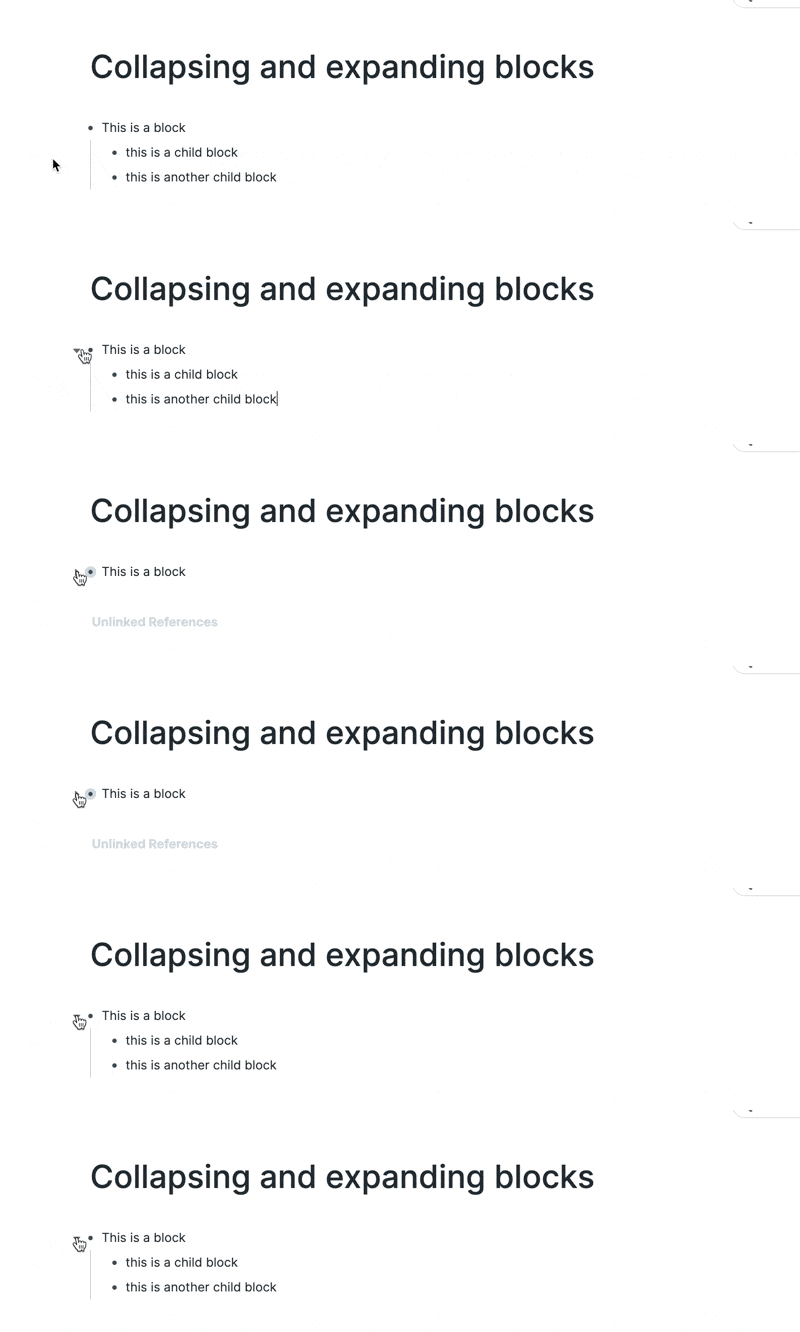
- This creates children blocks, which we can expand, collapse, and focus.
- [Indenting](Indentation) provides structure. We can scan pages with ease and find related blocks.
- You can press
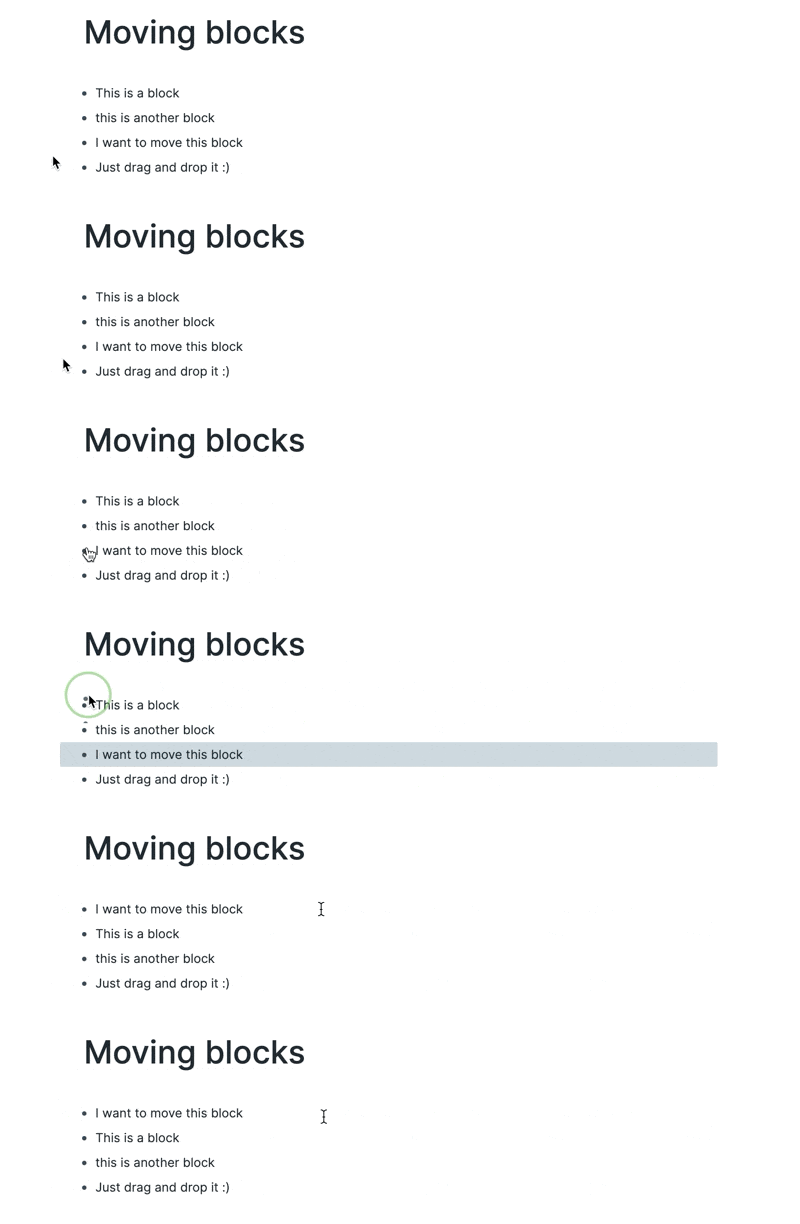
Shift+⬇ in a block to select it, and click and drag the bullet to move blocks around.
- One of Roam's most powerful features is Block References.
Team GIFs::
Creating a block
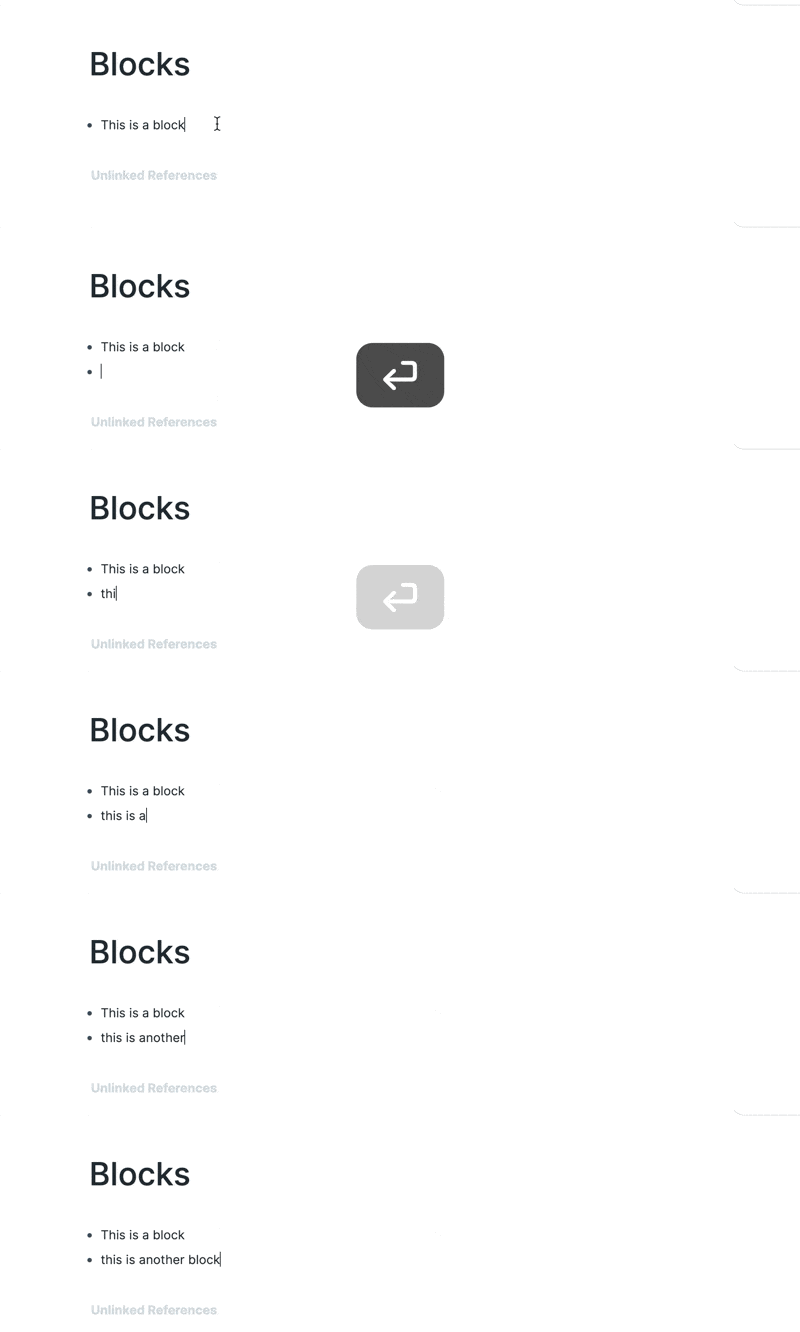
- Key Commands::
- Be on a block and press
enter
Indenting and outdenting

- Key Commands::
Tab to indent
Shift+Tab to outdent
Collapsing and expanding
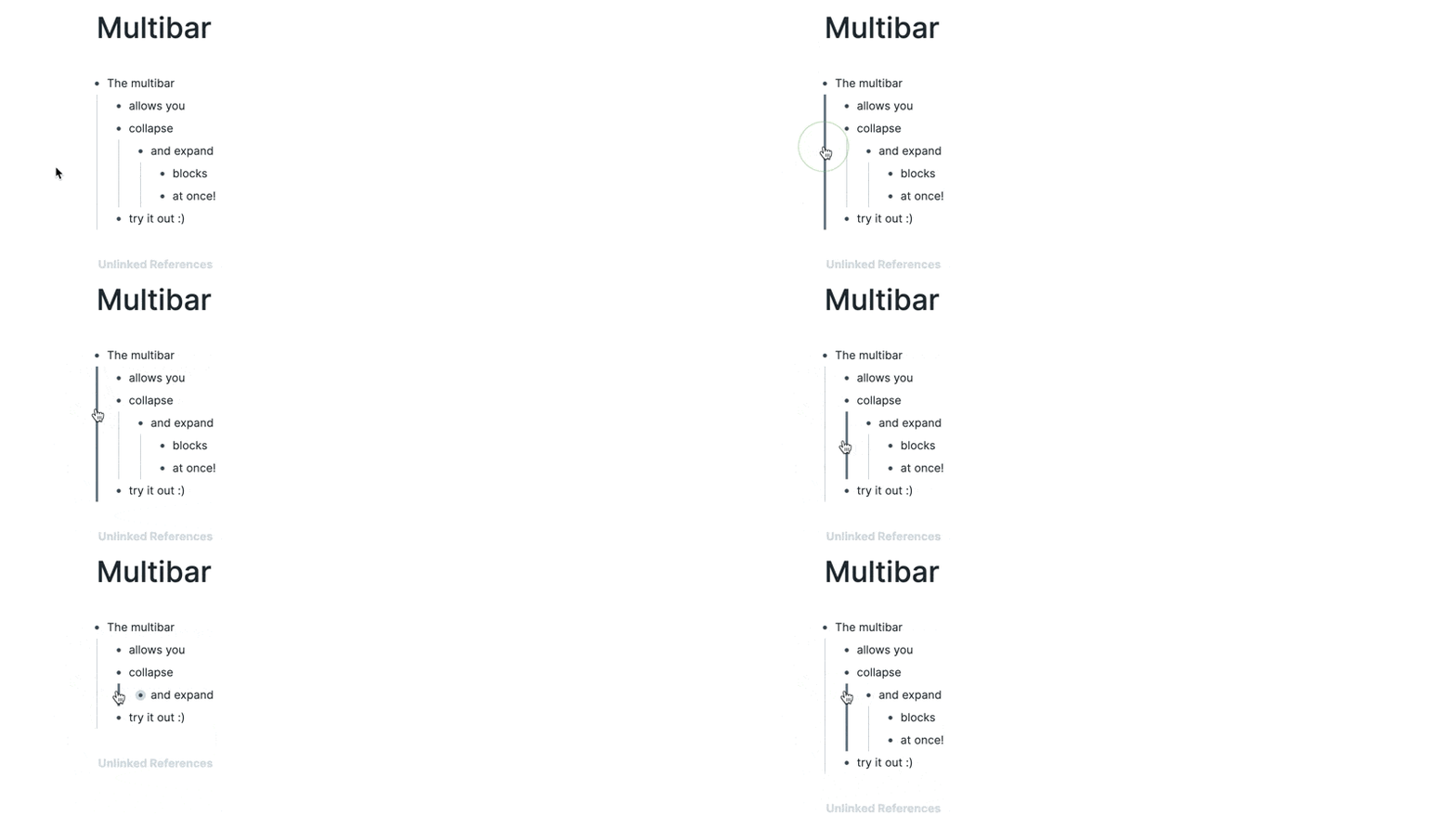
Multibar
Deleting a block

- Key Commands::
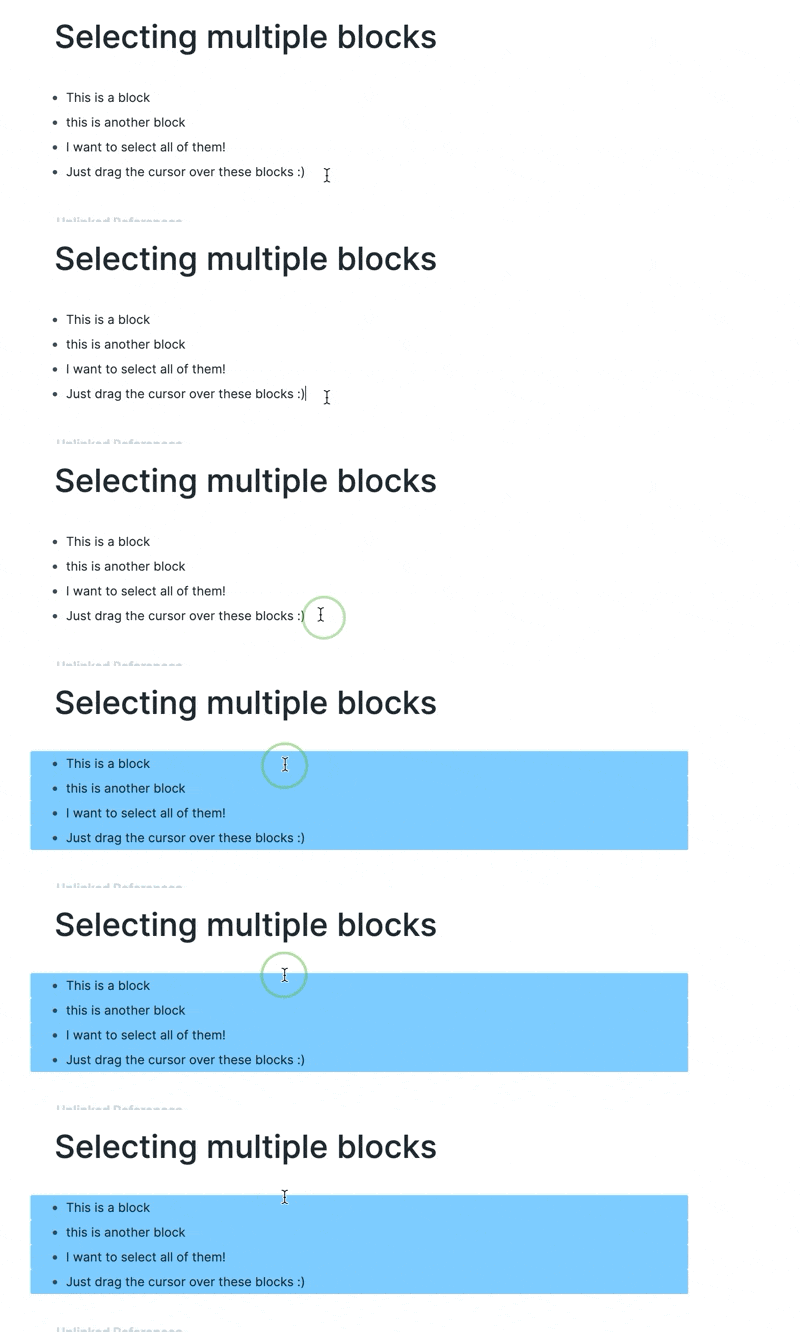
Selecting multiple blocks
Selecting blocks and then copying block refs
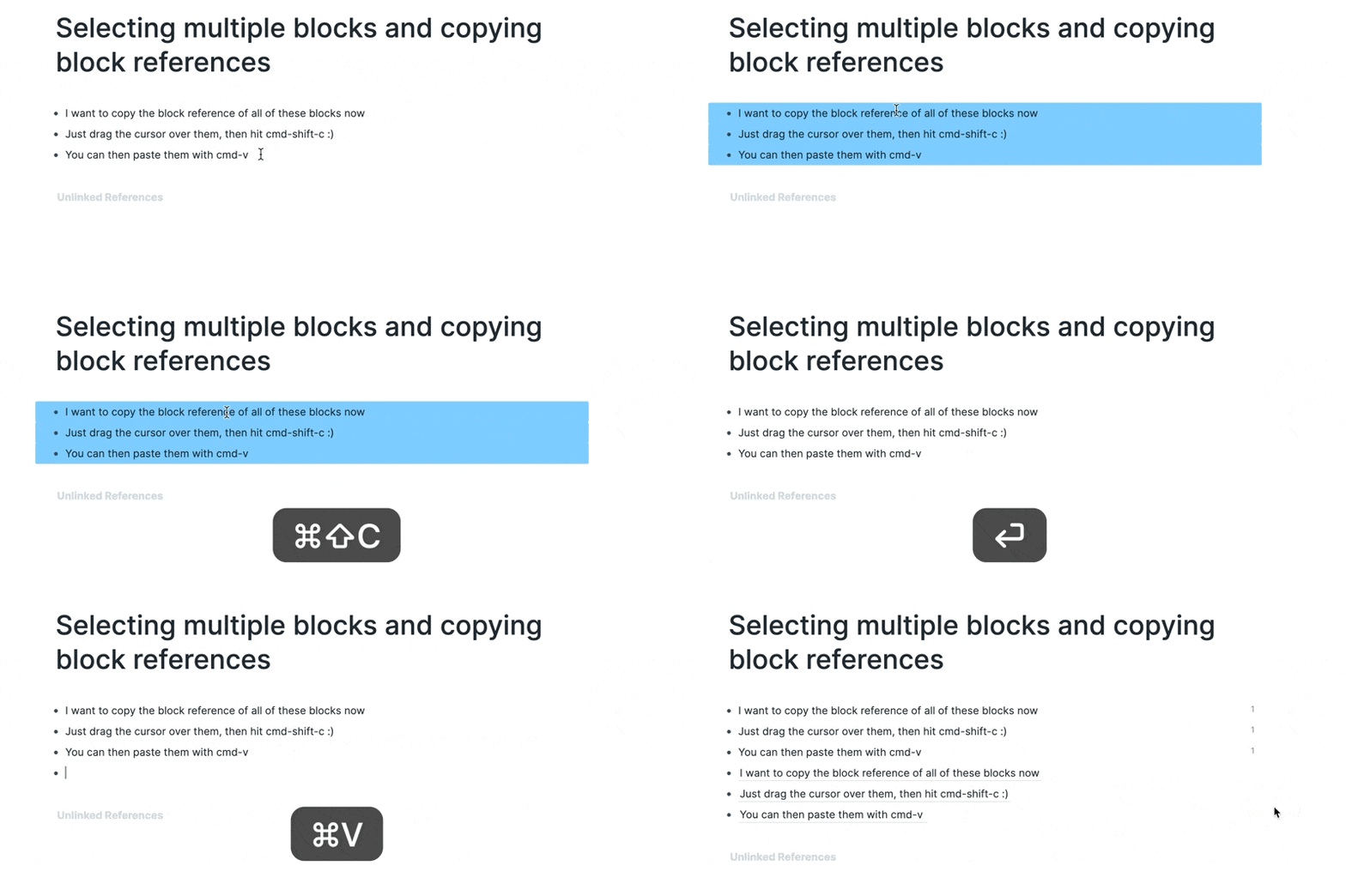
- Key Commands::
Cmd+shift+c on Mac
Ctrl+shift+c on Windows
Moving blocks
- Drag and drop
- Keyboard shortcut
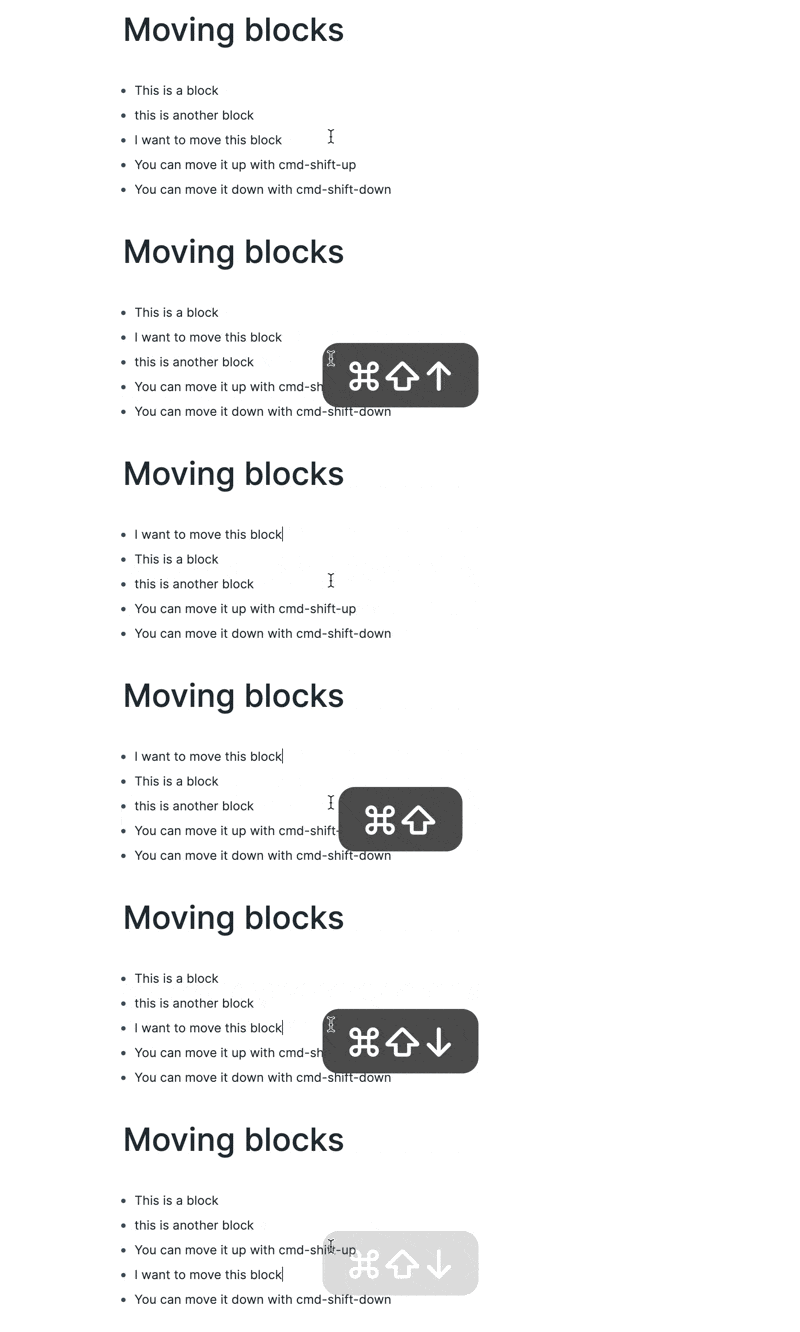
- Key Commands::
cmd+shift+up and cmd+shift+down on Mac
alt+shift+up + alt+shift+down on Windows
Articles::
Community Videos::
What makes Blocks in Roam Research different by Cortex Futura
Blocks in Roam Research: Part One - What Makes Them Unique by Lisa-Marie Cabrelli