Roam Research Docs · Help & user documentation
Customizable Hotkeys
markdown version · view in Roam Research
- Most of Roam's commands can be given hotkeys of your own (or have their defaults changed) in Settings → Hotkeys.
- Commands are grouped by where they apply: Everywhere, Inside a Block, and Multiple Blocks Selected, plus any commands your extensions add.
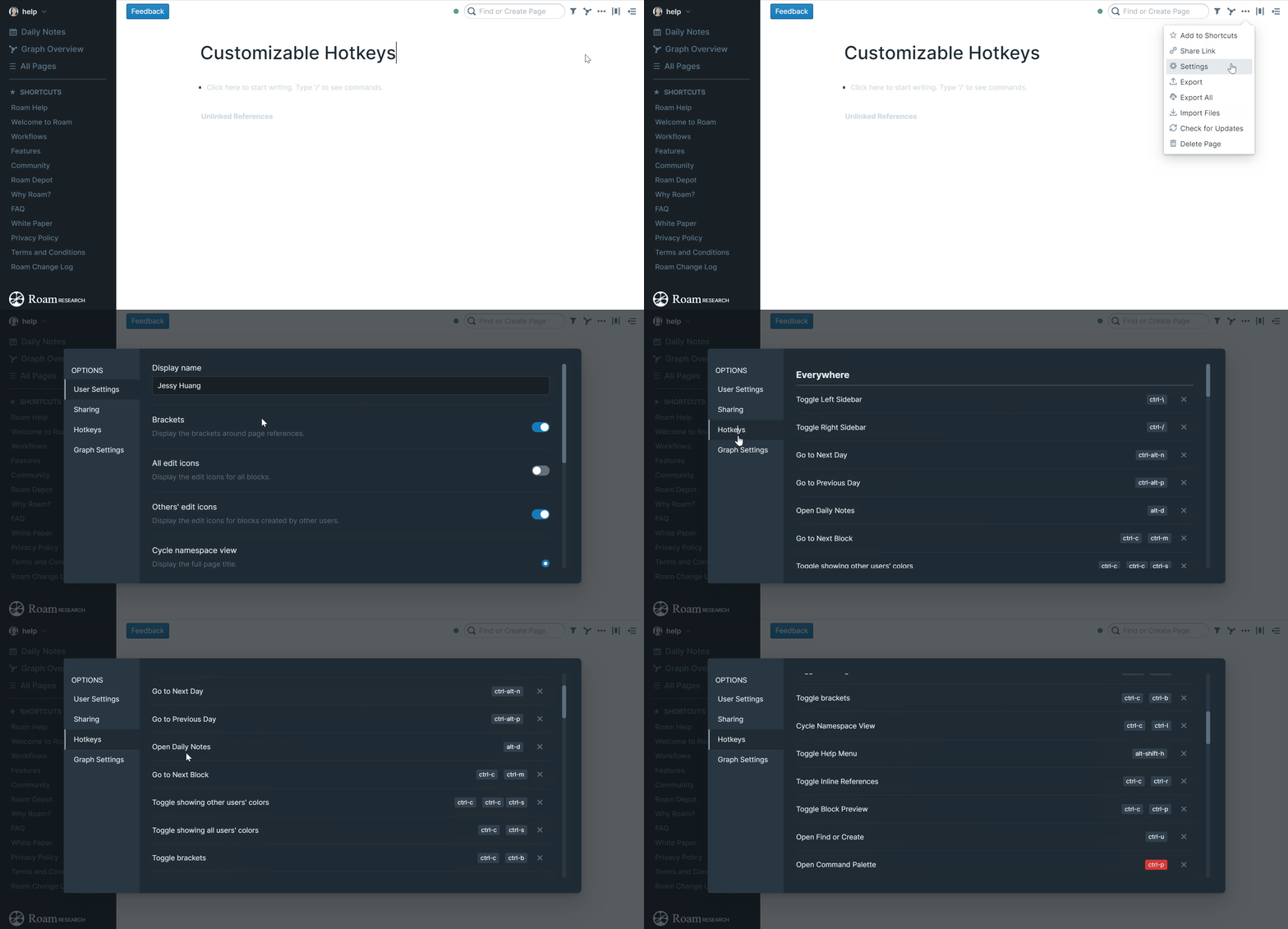
Changing a hotkey
- Open Settings → Hotkeys, or jump straight to one command by running Edit Hotkey: [command name] from the Command Palette.
- Click a command's hotkey, then press the keys you want. Start by holding a modifier (
Cmd, Ctrl, or Option; on PC, Ctrl, Win, or Alt).
- Press a second combination right after to build a multi-step hotkey, like
Ctrl-k Ctrl-b.
- Click away to save.
- Commands marked Blank have no hotkey yet. They still work from the Command Palette until you give them one.
- Each command also has buttons to delete its hotkey or restore the default.
Conflicts
- If two commands end up sharing a hotkey, it's highlighted on both. Hover to see which command it clashes with, then change or delete one of them.
Taking your hotkeys with you
- Export downloads your customizations as a file; Import Hotkeys loads one on another device.
- Importing replaces the custom hotkeys you have, so export a backup first.