Roam Research Docs · Help & user documentation
TODO/DONE
markdown version · view in Roam Research
- TODOs are the core of [task management](Task Management). We have been using them in our bullet journals, task apps, and now... Roam.
- Creating TODOs in Roam is incredibly easy! Below are different ways to do that:
- Right clicking on the bullet
Right-click on the bullet you want to transform into a todo.
- Click on
Make TODO
- Using the keyboard shortcut
- While you're editing the block you want to transform into a TODO, press:
cmd+return (macOS)
ctrl+enter (PC)
- Using the / Commands Menu
Roam Team Videos::
Team GIFs::
Cycling state in one block
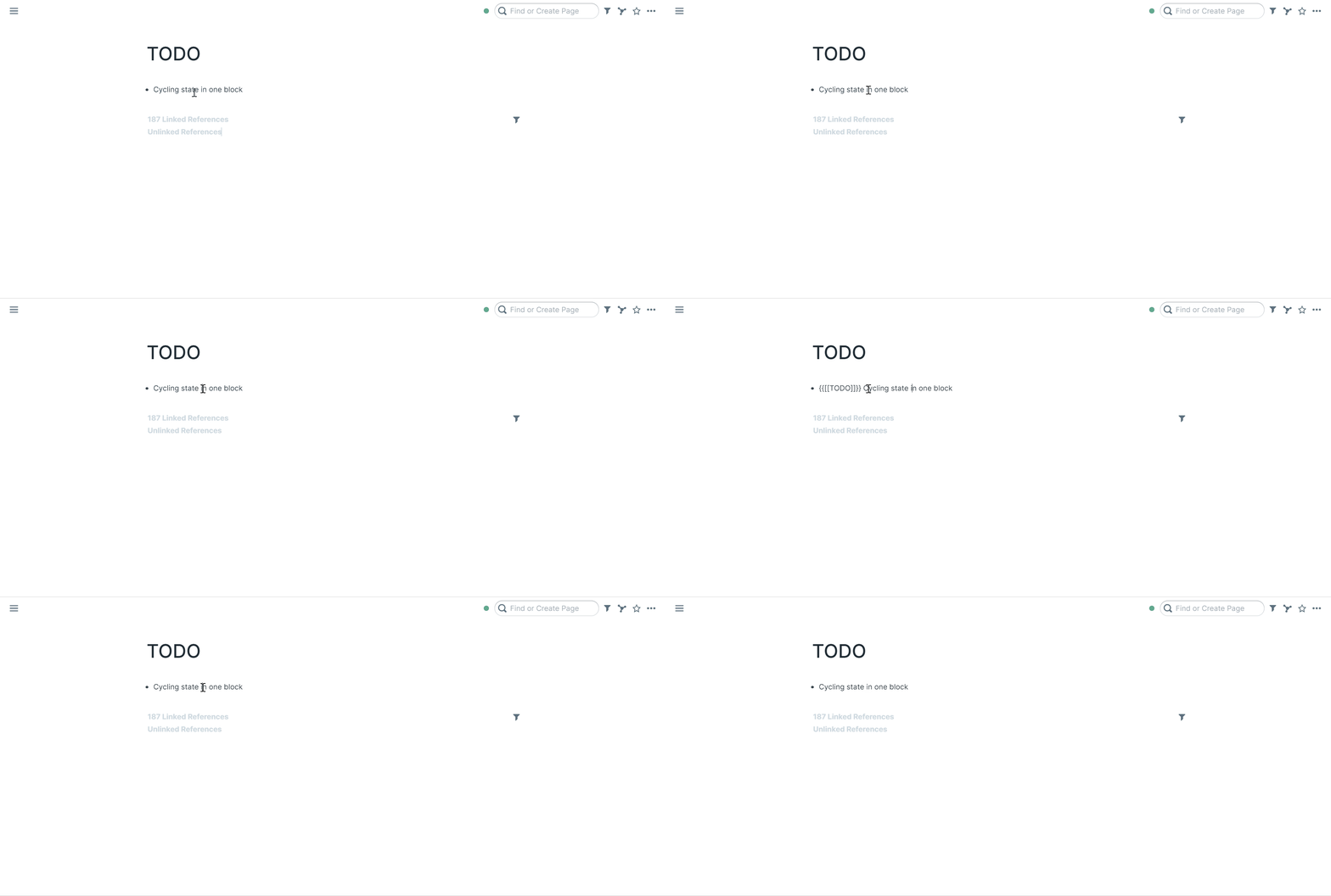
- Select a block
- Press
ctrl+enter (PC) / cmd+return (macOS)
Cycling state in multiple blocks
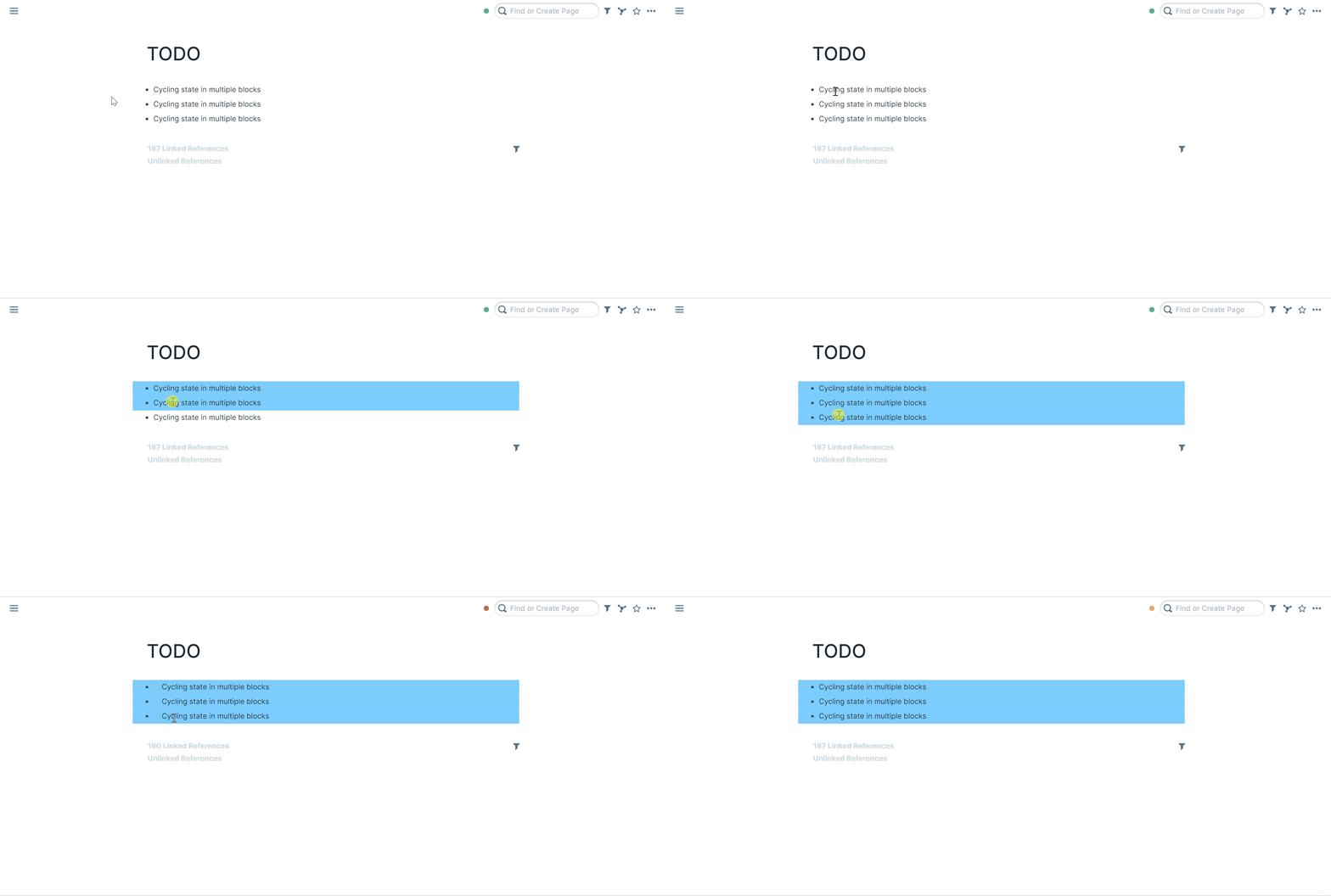
- Select multiple blocks
- Press Ctrl+enter (PC) / Cmd+enter (macOS)
Checking todo box and unchecking it
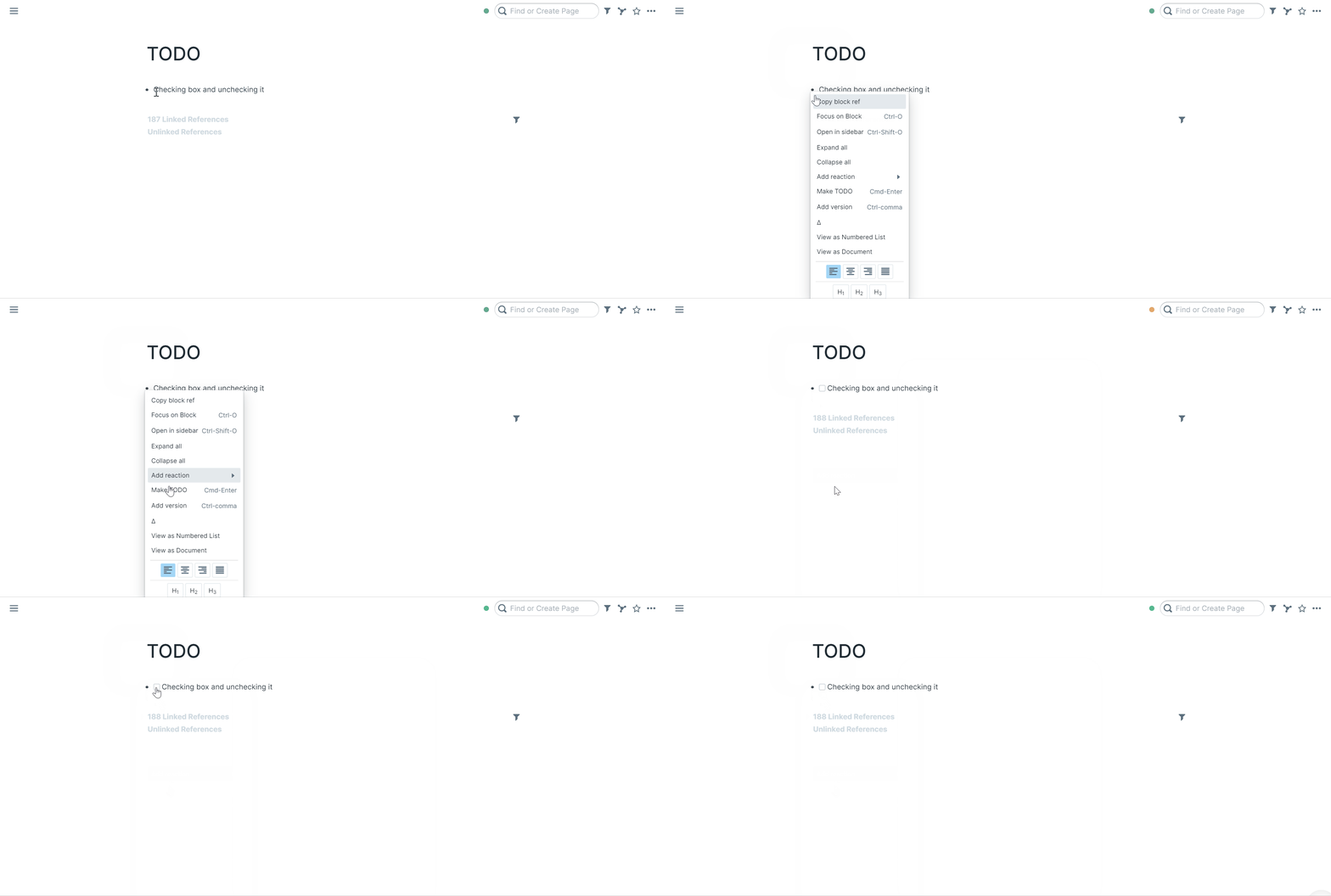
- You can also right click the bullet to "Make TODO"
- Click the todo box to mark it TODO or DONE
Community Videos::
Roam Research: TODOs by Les Kristofs
Roam: How to Make a Master Task List on Roam by Shu Omi
Plan Your Day With The Magic List (Roam Research Task Management) by Daniel Wirtz
Todoist to Roam Research - Advanced Task Management in Roam by Matt Goldenberg
Articles::
Key Commands::
- Cycle through TODO/DONE state:
cmd+return for macOS
ctrl+enter for Windows