- Roam Depot Extensions
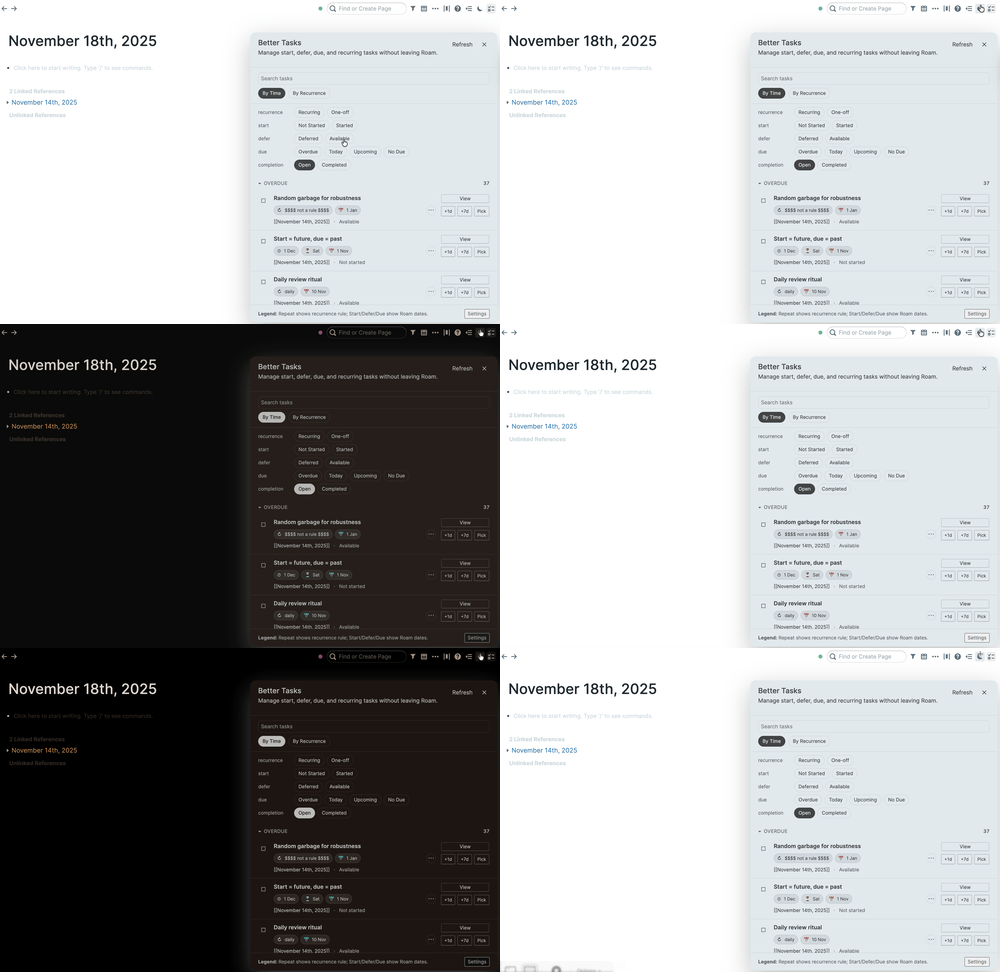
- Live Themes - AI-powered theming
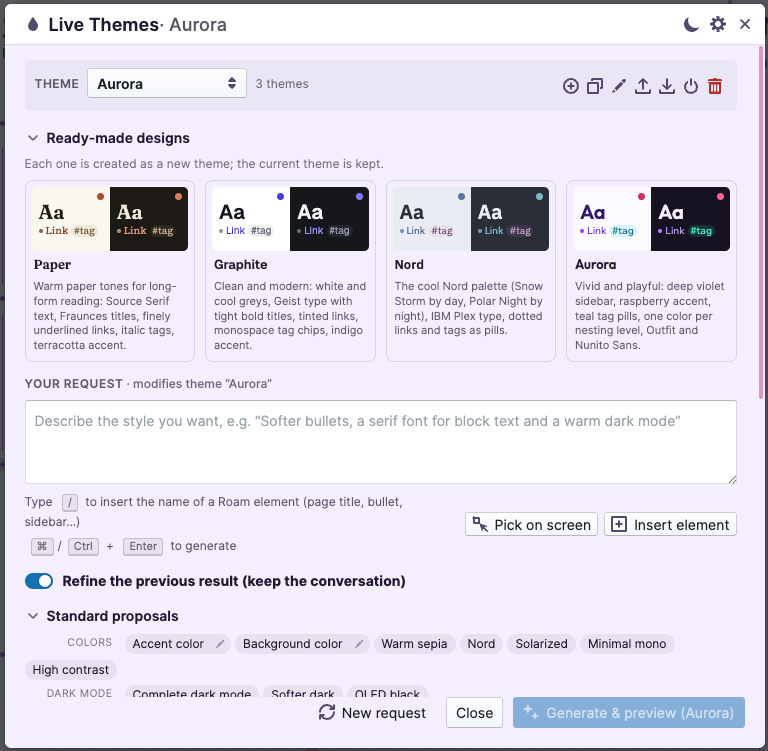
- Change the look of your Roam graph by simply describing what you want: "wider pages", "a calm dark mode", "make tags look like colored pills"… No CSS knowledge needed. Live Themes asks an AI model to do it, shows you the result immediately, and undoes it automatically unless you confirm it, so a bad result can never leave your graph unusable.
- Setup (2 minutes)
- Live Themes uses the AI models of the Live AI extension, so it needs no API key of its own.
- Install Live AI from Roam Depot and set up at least one AI provider (API key) in its settings, if you have not already.
- In Live AI's settings, turn on "Public API (window.LiveAI_API)" (last option).
- Install Live Themes from Roam Depot. A drop icon 💧 appears in the top bar, next to the search box.
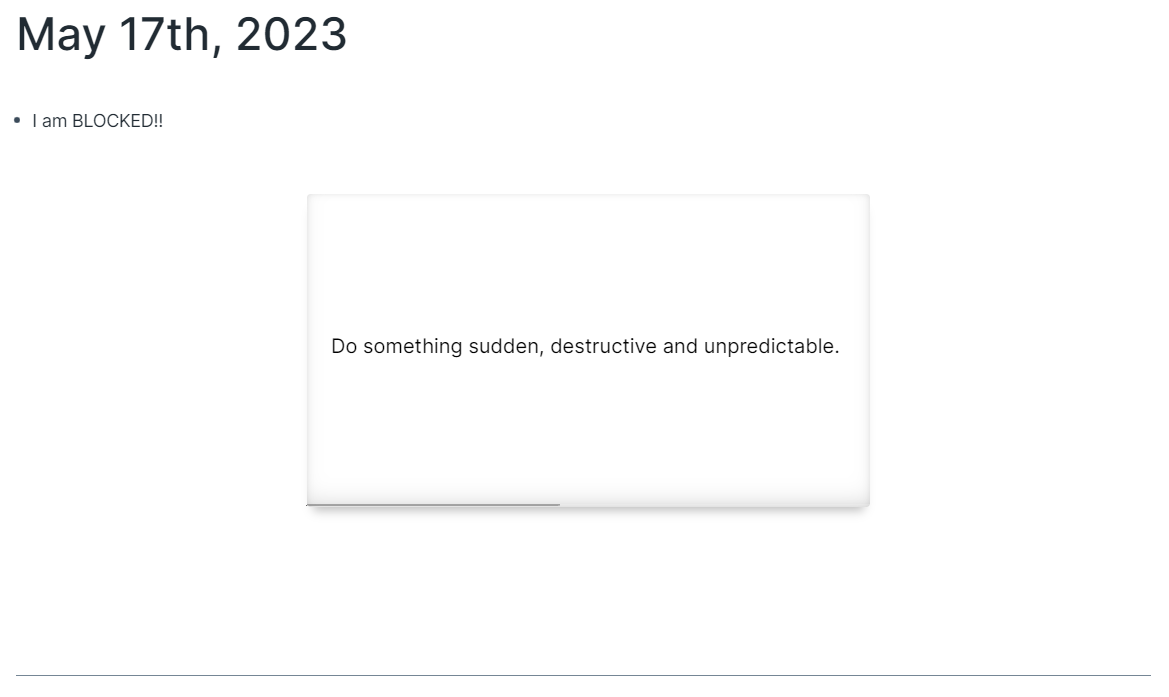
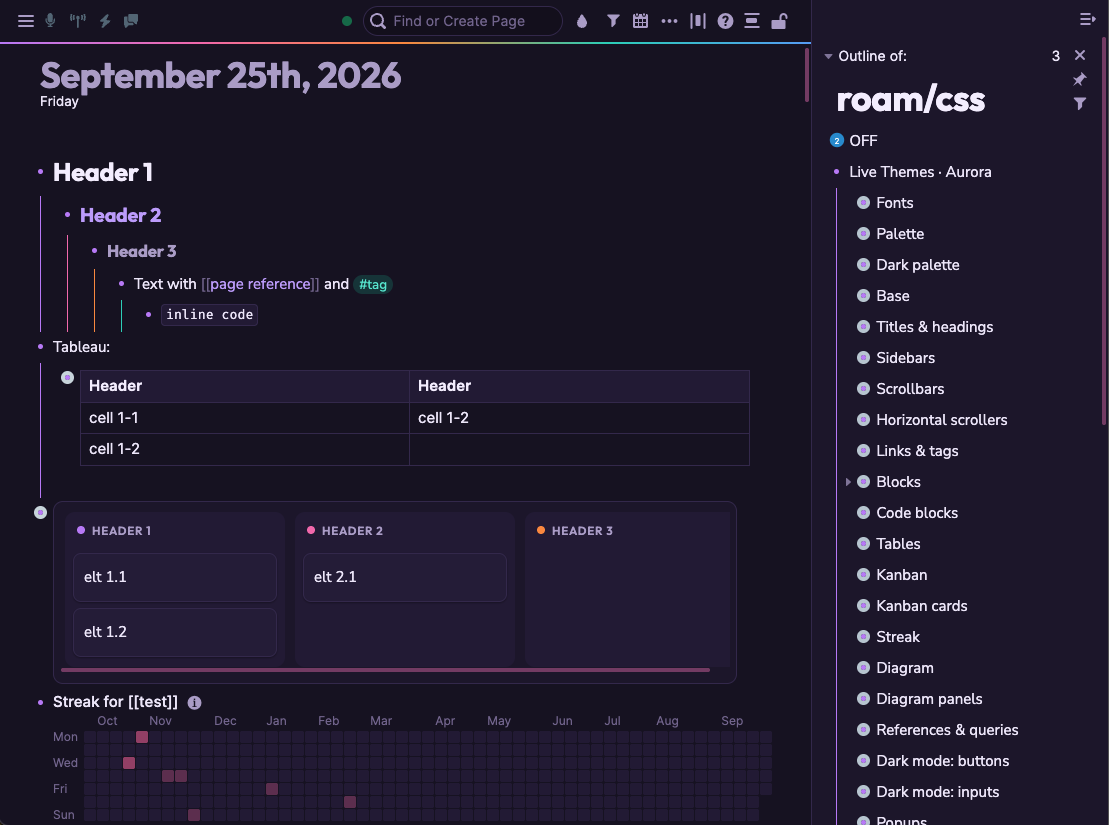
- Example of dark Aurora:
- Live Themes uses the AI models of the Live AI extension, so it needs no API key of its own.
- Your first theme
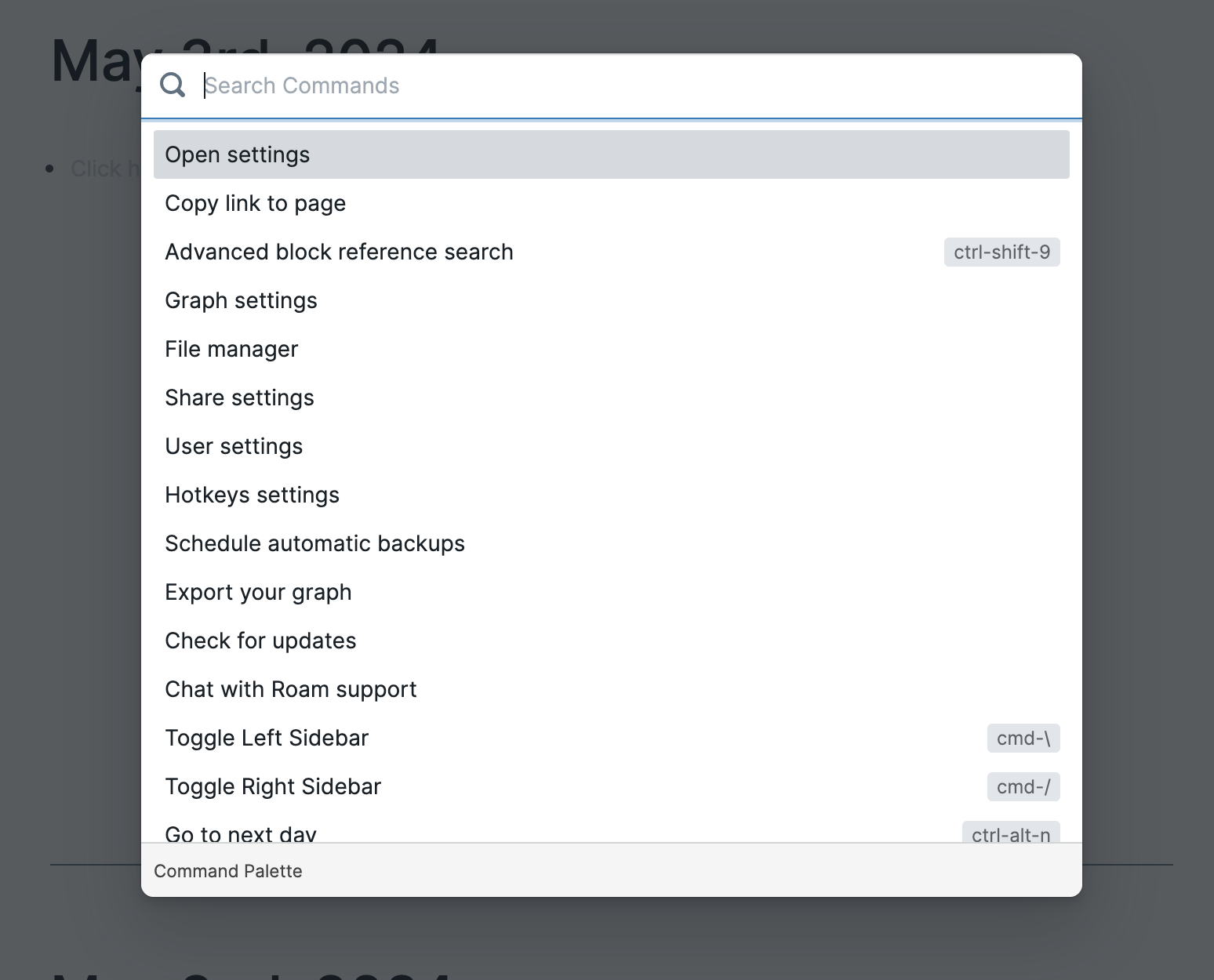
- Click the drop icon in the top bar (or run
Live Themes: Open / closefrom the command palette,Cmd/Ctrl + P). - Either:
- pick a ready-made proposal (wider content, serif font, Nord colors, complete dark mode, colored tags, strike-through DONE tasks…). Some of them ask you to fill in a detail first (a color, a font, a tag name…);
- or write your request in your own words, in any language.
- Click Generate & preview (or
Cmd/Ctrl + Enter). The change appears on screen after a few seconds. - A banner at the top of the screen counts down (30 seconds by default):
- Keep: you like it, the change is saved.
- Revert: go back to how it was.
- Adjust…: refine it ("a bit lighter", "same but with rounded corners"…). The model remembers the conversation.
- Do nothing: when the countdown ends, the change is undone automatically.
- Changes build on each other: you can apply several proposals and requests one after another.
- If something goes wrong: just wait for the countdown to finish, or reload Roam. A change that was not kept is always undone. Later, you can still undo kept changes with
Live Themes: Undo last changeor from the dialog's history (last 10 changes).
- Click the drop icon in the top bar (or run
- Pointing at what you want to change
- You do not need to know the technical names of Roam's parts:
- Pick on screen: click this button under the request field, then click the thing that bothers you in the page (a title, a tag, the sidebar…). Then just write "make this smaller" or "less bright".
- Type
/in the request field to browse all the parts of Roam by category (top bar, sidebars, titles, bullets, tags, references, tables…) and insert one in your sentence. Names are also understood in French, Spanish, German, Italian, Portuguese, Dutch, Russian, Chinese, Japanese and Korean (/puce,/Seitentitel…).
- You do not need to know the technical names of Roam's parts:
- Themes
- You can keep several themes (e.g. "Work", "Reading", "Minimal") and switch between them. One theme is active at a time.
- Use the theme bar at the top of the dialog to create a New theme, Duplicate the current one to try a variant safely, Rename or Delete it.
- Switch themes from the same bar, or from the command palette:
Live Themes: Activate theme “<name>”orLive Themes: Next theme. - Export a theme to a file to share it or keep a backup; Import a theme file (or any
.cssfile) to create a new theme.
- You can keep several themes (e.g. "Work", "Reading", "Minimal") and switch between them. One theme is active at a time.
- Dark mode
- Roam has no built-in dark mode, so your theme needs one first: use the Complete dark mode proposal (or click the 🌙 button in the dialog, which prepares it for you). Then switch between light and dark with:
- the 🌙/☀ button of the dialog,
- the
Live Themes: Toggle dark modecommand (you can give it a keyboard shortcut in Roam's settings), - an optional 🌙/☀ button in the top bar (enable it in the settings),
- or automatically with your computer's setting (Follow the system light/dark setting).
- After each change, Live Themes checks that text stays readable (enough contrast) in both light and dark mode. If some text became hard to read, the banner tells you and offers to ask the model to fix it.
- Roam has no built-in dark mode, so your theme needs one first: use the Complete dark mode proposal (or click the 🌙 button in the dialog, which prepares it for you). Then switch between light and dark with:
- Commands (command palette,
Cmd/Ctrl + P)Live Themes: Open / closeLive Themes: Toggle dark modeLive Themes: Activate theme “<name>”(one per theme),Live Themes: Next themeLive Themes: Undo last changeLive Themes: Disable / re-enable Live Themes CSS (emergency): turns the whole theme off (and back on), without deleting anything.
- Settings
- Button in the top bar / Light/dark button in the top bar.
- Follow the system light/dark setting.
- Review delay: how long you have to confirm a change (15, 30, 60 or 120 seconds).
- Check text contrast after applying a proposal (on by default).
- Thinking (reasoning) mode: better results on complex requests, but slower and more costly.
- Send a snapshot of the live page to the model: lets the model "see" the actual colors and fonts on screen (off by default, a bit more costly).
- Read the whole roam/css page: the model takes your other existing CSS into account.
- Allow editing the whole roam/css page: lets the model also modify your other CSS, only when you explicitly ask for it (off by default).
- Disable Live Themes CSS (emergency): same as the command above.
- Where your theme is stored
- Roam applies the styles written on its
[[roam/css]]page. Live Themes writes the active theme there, under a block namedLive Themes, split into small collapsed blocks by topic (Colors, Typography, Dark mode…). Everything else on this page (CSS you or other tools added before) is left untouched, and stays applied under your theme. Other themes are stored in the extension's settings until you activate them. - You never need to open this page, but you can: hand edits made there are kept in the theme.
- Roam applies the styles written on its
- Safety
- Nothing is permanent until you confirm it: an unconfirmed change is undone after the countdown, and also on the next reload of Roam.
- A proposal that would hide essential parts of Roam (the page, the top bar, blocks, menus…) or that contains broken CSS is not applied: you see a warning first.
- No hidden calls to other sites: a theme could load images or files from any website, which can be used to track you. Live Themes only loads fonts from Google Fonts automatically; any other external address in a proposal is shown to you as a warning before anything is applied, and importing a theme file that contains one asks for your confirmation.
- Only the
Live Themesblock of[[roam/css]]is ever modified, unless you turn on Allow editing the whole roam/css page. - In an emergency, the
Disable / re-enable Live Themes CSScommand turns the theme off instantly.
- For the curious: how the model knows Roam
- The model receives a catalog of about 100 parts of Roam (name, CSS selector, description) checked against Roam's real stylesheet, facts about Roam's CSS (native variables, default colors, how dark mode and Blueprint controls work), and optionally a measurement of what is actually displayed. It answers with changes to specific sections of the theme only, so a targeted request cannot break the rest. Before any change is applied, the CSS is checked section by section for syntax errors, dangerous rules and invented selectors.
- Live Themes - AI-powered theming
- Roam Depot Extensions
- Date Randomizer
- Push a date reference in your graph to a random day in the near future.
- Hover any date reference —
[[August 1st, 2026]]or#[[August 1st, 2026]]— and a 🎲 appears next to it. Click it and pick:- Today
- Tomorrow
- Random day next week — within 7 days
- Random day next month — within 30 days
- Random day next year — within 365 days
- The date in the block is replaced in place. Everything else in the block, including a leading
#or an alias label, stays exactly as it was. - Right-click a block's bullet and open Plugins to choose the same five date options under
Date Randomizer: Append …. This adds a new date at the end of the block, preceded by 📅, for example: Review project 📅 [[September 17th, 2026]]- Existing dates and other text stay intact. Appended dates are measured from today; the random ranges also respect Skip weekends.
- Why random?
- Because "+7 days" piles every rescheduled item onto the same day. Drawing a random day spreads the things you defer across the calendar instead of rebuilding the same backlog one week later.
- Where the new date comes from
- The three ranges are measured from whichever is later: today or the date already in the block. So a date that has slipped into the past always lands in the future, and pushing a date that is already weeks out moves it further out rather than pulling it back.
- Today and Tomorrow are literal. They are always measured from today — pulling a date back in is exactly the point — and they ignore the weekend setting, because asking for "today" on a Saturday and landing on Monday would be surprising.
- Keyboard
- Five command palette commands act on the date in the block you are editing, without touching the mouse:
Date Randomizer: Set date to todayDate Randomizer: Set date to tomorrowDate Randomizer: Push date to next weekDate Randomizer: Push date to next monthDate Randomizer: Push date to next year
- If the block holds more than one date, the one at or before your cursor is used.
- The five
Date Randomizer: Append …commands are in the command palette too, and append a date to the block you are editing. Bind any of these commands to a key under Settings → Hotkeys.
- Five command palette commands act on the date in the block you are editing, without touching the mouse:
- Settings
- Skip weekends — never land on a Saturday or Sunday. Off by default.
- Show the hover handle — the command palette and bullet menu remain available when this is off. On by default.
- Notes
Cmd/Ctrl+Zundoes a push like any other edit.- Choosing a date the block already holds writes nothing, so it costs no undo step.
- If the target daily note does not exist yet, Roam creates it the moment the reference is written, same as typing the date by hand.
- If the block changed somewhere else between the moment it was drawn on screen and the moment you click, the push is abandoned and a message says so. Nothing is overwritten.
- Date Randomizer
- Roam Depot Extensions
- RoamPrompt
- Website: roamprompt.puli-consulting.com
- Turn notes, images, and supported PDFs into structured, connected knowledge inside Roam Research.
- RoamPrompt is an AI-assisted extension from Puli Consulting for people who use Roam Research for scholarly work, professional learning, writing, and knowledge development.
- It helps transform source material into:
- structured smart notes;
- source-grounded QEC literature notes;
- provenance-rich News Source Notes for text-native and scanned journalism;
- candidate atomic Zettelkasten notes;
- explicit evidence and source connections; and
- reusable ideas that can develop across a Roam graph.
- What makes RoamPrompt different?
- RoamPrompt is designed around a simple principle: AI should accelerate knowledge work without silently deciding what becomes knowledge.
- For source-grounded PDFs, RoamPrompt separates:
- what the source reports;
- what the authors interpret;
- what the reader synthesises; and
- what remains speculative.
- For journalism, it also keeps reported events, attributed statements, and contemporary predictions distinct. Image-only clipping PDFs are read visually, and multi-column pages retain an explicit article-region boundary so neighbouring stories and advertisements are not silently merged.
- Permanent-note candidates are reviewed before insertion. Existing Roam connections are distinguished from newly suggested concepts.
- Core workflows
- Smart-note conversion
- Convert a focused Roam block into a structured note with useful metadata and page links.
- Ambient Assistant
- Enter notes or paste an image in a lightweight window without leaving the current Roam page.
- PDF document workflow
- Attach a supported PDF to produce a source-grounded source note and reviewable permanent-note candidates. Supported routes include academic papers, reports, books, book chapters, news articles, scanned news clippings, and other documents. For a PDF already embedded in the current Roam page or Daily Note, run RoamPrompt: Read PDF on Current Page. A sole PDF loads automatically; multiple PDFs open a chooser.
- Weekly Review
- Use RoamPrompt: Weekly Review Agent to group recent quote material, reproduce open tasks for deliberate migration, and draft a short reflection.
- Before using it:
- add
[[Quotes]]to quote blocks that should be considered; - use Roam's open
[[TODO]]task syntax for tasks that should be considered; and - optionally add
[[Wisdom & Quotes]]to already-curated quote blocks so they are excluded.
- add
- Dedicated destination pages do not have to be created in advance. Roam creates linked pages when their links are first used. The generated report replaces the bullet that is focused when the command starts; original Quote and TODO blocks remain unchanged and are not automatically moved.
- Version 0.4.5 sends at most 50
[[Quotes]]block strings and 50 open[[TODO]]block strings created during the previous seven days. Gemini receives those strings because thematic grouping and synthesis require the language model to read them. A workflow-specific confirmation explains the purpose, setup, reason for transmission, limits, and destination before anything is sent.
- Smart-note conversion
- Release status
- RoamPrompt v0.4.5 is the current public reliability and privacy update. Its self-contained distribution file is available in this repository.
- RoamPrompt is not yet listed in Roam Depot. PR #1442 remains open while the v0.4.5 corrective release is reviewed. Current development testing therefore uses a locally loaded extension folder; general users should wait for the Depot release. Internal development history and experimental materials remain separate.
- Documentation
- Requirements
- The release requires:
- a Roam Research graph;
- a supported web browser;
- a user-provided Google Gemini API key; and
- acceptance of the applicable Google API terms and costs.
- Roam Depot installation instructions will be finalised when the listing is approved.
- The release requires:
- Support, feedback, and collaboration
- Use GitHub Issues for reproducible bugs and feature requests. Do not include API keys, private notes, confidential documents, or sensitive graph content in an issue.
- We welcome conversations with Roam practitioners, researchers, educators, extension developers, and institutional partners interested in promoting RoamPrompt or co-developing responsible, source-grounded knowledge workflows.
- Contact Dr. M.K. Mak, Managing Partner, Puli Consulting International Co., Ltd., at [[email protected]](mailto:[email protected]).
- About Puli Consulting
- RoamPrompt is developed by Puli Consulting International Co., Ltd. as part of its work on human-centred AI, knowledge infrastructure, and augmented professional reasoning.
- Favicon Manager for Roam Research
- A small Roam Research extension that displays the favicon (website icon) next to every external link — with a settings panel, so you never have to touch code.
- > Favicon Manager is a fork of roam-show-favicon by Paul Vieira (paulovieira). All credit for the original idea and its implementation belongs to him.
> The original extension worked exactly as well as this one, but it could only be configured by editing its source. Making those options user-configurable was on the original author's own TODO list — this fork does that, and nothing else. - What it does
- Shows a small website icon next to every external link in Roam (main area and right sidebar), exactly like the original extension.
- Adds a settings panel (Roam Settings → Extension Settings → Favicon Manager):
- Custom icons
- In the settings panel, under Custom icons, write a mapping as
domain=image-url: github.com=https://github.com/favicon.ico- To give several websites their own icon, separate the mappings with a semicolon:
github.com=https://github.com/favicon.ico; wikipedia.org=https://www.wikipedia.org/static/favicon/wikipedia.ico- The part before
=is the website's domain (a leadingwww.is ignored). - The domain must match the link exactly — a mapping for
github.comdoes not apply togist.github.com. - The part after
=is any image URL.
- The part before
- In the settings panel, under Custom icons, write a mapping as
- Install (Roam Depot)
- Open Roam Research → Settings → Roam Depot.
- Find Favicon Manager and enable it.
- Open its Settings tab to tune things.
- For developers
extension.jsis the only required file. Itexport defaults{ onload, onunload }.- Configuration lives in
extensionAPI.settings; there is no build step and no runtime dependency. - This is a fork of paulovieira/roam-show-favicon. Please keep the attribution intact if you fork further.
- RoamPrompt
- Fix
{{video:}}to work with youtube short links
- Roam Depot Extensions
- Quick Switcher
- Jump to saved Roam pages and blocks from a fast, searchable switcher with optional command palette shortcuts.
- Features
- Save frequently used pages and blocks as Quick Switcher entries.
- Open saved pages and blocks from a Roam-style searchable dialog.
- Switch between
OpenandManagemodes inside the Quick Switcher dialog. - Search Roam pages and blocks in
Managemode to add new saved entries. - Review, delete, and alias saved entries from
Managemode. - Search saved entries by alias, original title, or URL.
- Open saved entries in the main window, or open them in the right sidebar with
Shift+Enter,Shift-click, or theOpen in sidebarfooter action. - Optionally expose saved entries as command palette commands with a custom
QS:prefix. Aliased entries include both names, likeAlias (Original title).
- Settings
Open Dialog: opens the Quick Switcher inOpenmode.Manage Saved Entries: opens the Quick Switcher inManagemode.Add Saved Entries To Command Palette: creates one command palette command per saved entry.Command Palette Prefix: customizes the prefix used for saved-entry command palette commands.
- Custom Dark Mode
- Give your graph a polished dark mode and fine-tune its colors without editing
roam/css. - Features
- Dark, Auto, and Off modes
- A curated default palette for Roam surfaces, text, links, states, and content
- Quick color swatches, Tailwind color tokens, and custom hex values
- Per-user settings that do not write to
roam/css - Color-only styling that leaves Roam's layout and spacing unchanged
- Command palette actions for opening settings and quickly toggling dark mode
- Usage
- Run Custom Dark Mode: Open Settings from the command palette.
- Choose a mode:
- Dark always applies Custom Dark Mode.
- Auto applies it when your browser or operating system prefers a dark color scheme.
- Off removes the custom colors and restores Roam's normal appearance.
- Expand a color group to customize individual roles with a suggested swatch, a Tailwind color token such as
slate-900, or a hex value such as#0f172a. Use Reset all to return every color to the default palette. - Run Custom Dark Mode: Toggle Dark Mode from the command palette to switch between Off and your previously selected Dark or Auto mode.
- Roadmap
- Preset themes drawn from the theme-design mockups: black, gray, terminal, monochrome (black and white), and Ubuntu
- Save and load your own custom themes
- Give your graph a polished dark mode and fine-tune its colors without editing
- Roam Places
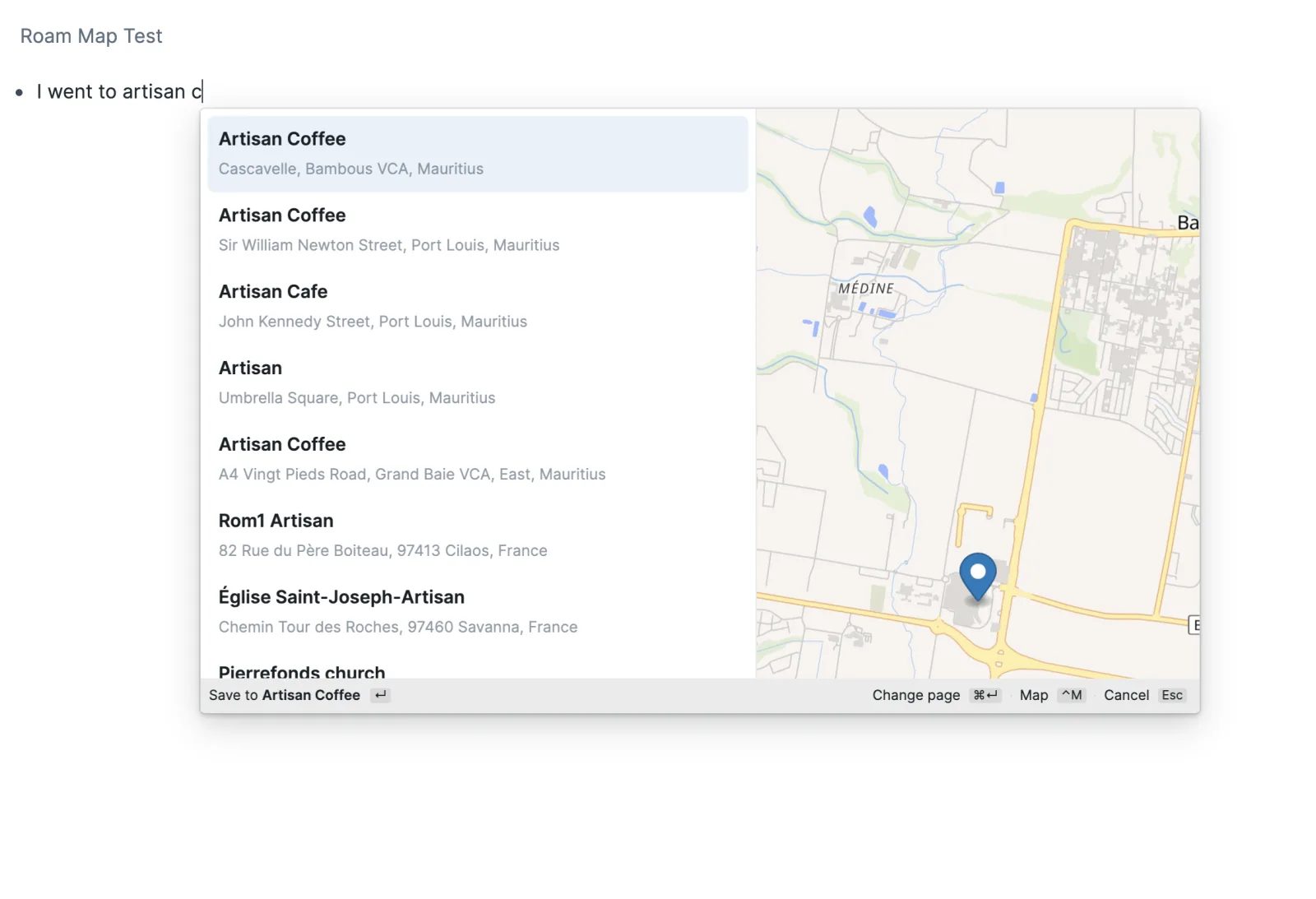
- Places helps you find and save locations while you write in Roam.
 🔗
🔗
- Want to see several saved locations together? Roam Map turns location pages written by Places into persistent maps sourced from an outline, a native Roam query, or Datalog. Places handles location capture; Roam Map handles aggregation and map rendering.
- Add a place
- Type
/and choose Place. - Keep typing in the same block.
- Use the arrow keys and Enter, or click a result.
- Places shows matching location pages from your graph before online results. Graph results lead with their exact Roam page title. Their second line may show an address, coordinates, location status, or an online place name when the Geocoder ID matches. Choosing one inserts its page reference without changing the page.
- The footer previews where Enter will save the highlighted result, for example
Save to Artisan Coffee ↵. That preview changes as you move through results. When the highlighted result has coordinates, press Control–M to show or hide a map preview. The arrow keys continue moving through results and update the preview. It is only for checking the location; use Pick on map when you want to choose or adjust a point. - For an online result or exact pin, press Command–Enter on macOS or Control–Enter elsewhere to choose a different existing page or new page title. Choosing a page there saves immediately. A graph result always inserts its existing page. Press Escape to return to the place results without saving.
- Escape from the main picker cancels it and removes only the text entered for that search.
- Type
- Page names
- New places use ordinary page titles by default:
[[San Francisco City Hall]]- A place does not have to live under
Places. It may fit an existing structure such as[[Cafe]]/Artisan Coffeeor[[People]]/Jane Smith, and the same page can still carry location details. - If you nearly always use one parent page, set Default parent page. Entering
Cafe, for example, suggests[[Cafe]]/Place namefor new results. The setting only changes suggestions; it does not classify places or rename existing pages. The Change page action can choose a different target for any online result or exact pin. - Choosing an existing page through Change page is explicit permission to add the selected place's details when the page has no
Coordinates,Geometry, orGeocoder ID. If any of those attributes already exists, Places does not compare or overwrite it and asks you to choose another page.
- Map
- Pick on map stays at the end of the results. The map has the same place search, and you can click or drag its marker. Use this point automatically looks up nearby names with the selected place-search service. Choose one of those results or use the exact pin. A failed map or nearby-place lookup does not discard a coordinate you already chose.
- Current location is hidden because Roam Desktop does not provide the required browser geolocation surface. Progress is tracked in issue 1. Places does not substitute an estimated IP location.
- Place search service
- Photon works immediately and is the default. Geoapify is an optional alternative: choose it under Search places with, then paste your Geoapify API key. The key setting is shown only while Geoapify is selected.
- Graph search starts with the first character. Online search starts after three characters and waits briefly for typing to pause. Each source returns at most 12 results, and stale online requests are cancelled as the query changes.
- Under Search home, choose Pick on map to rank nearby online results first. Click the map or drag its pin, then choose Use this point. This is a soft preference, not a geographic filter, so a sufficiently specific search can still find places anywhere. A city or regional center is usually enough; avoid choosing your exact home address. Clear the setting to return to worldwide ranking.
- Search home is stored with this Roam graph and syncs with its extension settings. People who share the graph can see inherited extension settings. Its coordinates are sent to Photon or Geoapify with each online place search as a ranking bias.
- The Geoapify API key is also stored with the graph. People who share the graph can see an inherited key, and every Geoapify search or reverse lookup sends it to Geoapify as the
apiKeyrequest parameter. Use a key with appropriate usage limits. - Searching your graph and saving an exact map point remain available if the selected service cannot be used.
- What Places saves
- Places writes ordinary, readable Roam attributes under a direct metadata block when it creates a page or explicitly enriches an existing page.
Coordinatesis always written; the other children appear when applicable: roam/meta:: Coordinates:: geo:<latitude>,<longitude>[;u=<metres>] Address:: <address> Geocoder ID:: <search-result identity> Geocoded at:: [[<date>]] Geocoder attribution:: <attribution>roam/meta::is Roam's metadata container. Keep that block text unchanged so Roam continues to treat the nested attributes as details about the page. Places creates it collapsed when needed and reuses an existing direct child without changing its open or collapsed state. Inserting a graph result writes nothing to that page.Coordinatescontains a plain WGS84geo:URI, with latitude first and longitude second. It is not a Markdown link. The optional standarduparameter records uncertainty in metres. A raw exact pin may contain only theCoordinateschild. A provider result normally adds an address, Geocoder ID, date, and attribution; a reverse-geocoded exact pin has no fabricated Geocoder ID.- Places does not add a
Typeattribute or force a page hierarchy. Existing pages with a top-level or metadata-containedCoordinates,Geometry, orGeocoder IDattribute are treated as places regardless of their title. A validCoordinatesgeo URI is required for a point or map preview.Geometrymarks a page as a place but is not parsed or rendered on the map.
- Places writes ordinary, readable Roam attributes under a direct metadata block when it creates a page or explicitly enriches an existing page.
- Network use
- After three characters, place-search text is sent to Photon, or to Geoapify when you select it. When Search home is set, its coordinates are sent with that text as a ranking bias.
- Opening a map loads its style, sprites, fonts, and tiles from OpenFreeMap and the services referenced by that style.
- Choosing Use this point sends the selected coordinate to Photon or Geoapify for an automatic reverse lookup of nearby names.
- Geoapify requests include the graph-stored API key as an
apiKeyparameter. - Searching pages already in your graph does not use an external service.
- Photon and map data include OpenStreetMap contributors. Places keeps the required attribution on pages it creates or enriches.
- Roam Map
- Roam Map turns location pages and blocks into live maps inside Roam. Choose places directly, collect them with a native query, or return exact page and block UIDs with Datalog. The map stays connected to its Roam sources and opens them in the right sidebar when you need the underlying notes.
- Install Roam Places alongside Roam Map. Roam Map renders location data; Roam Places is the recommended way to create it. Its
/Placecommand searches your graph and online place services, then saves the coordinates Roam Map reads — no attribute editing by hand. Everything below works without it, but every step is easier with it. 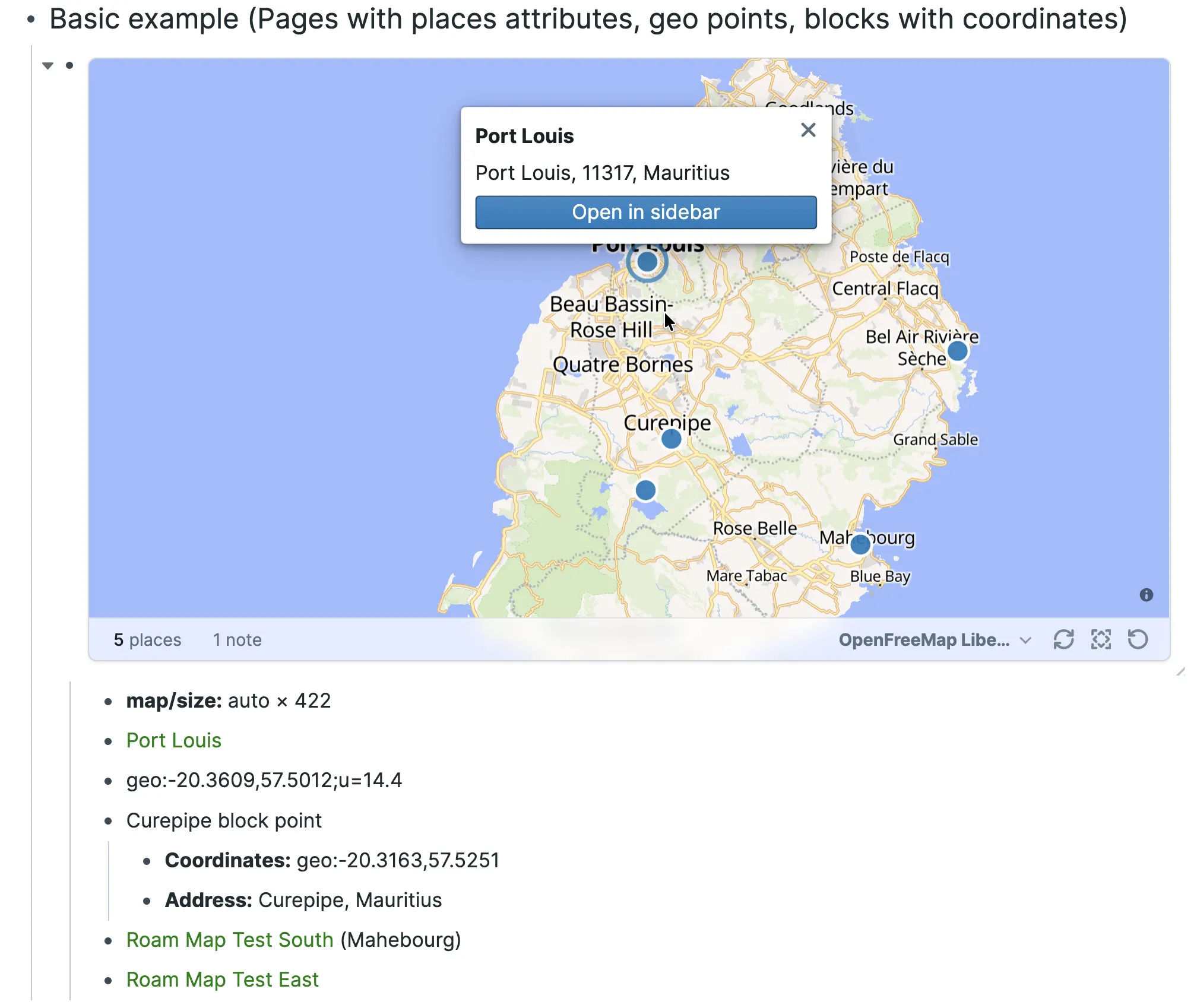 🔗
🔗
- Create your first map
- Give each place page a
Coordinatesattribute. The quickest way is the Roam Places/Placecommand, which saves this while you write. To add one by hand instead: roam/meta:: Coordinates:: geo:-20.1609,57.5012- Type
/mapand choose Map (Roam Map), or type{{map}}in a block. - Add each place reference in its own descendant block:
{{map}} [[Port Louis]] [[Curepipe]]- Parent blocks can group places. Roam Map follows outline order, removes duplicates, and updates when known sources or their location details change.
- Give each place page a
- Choose what appears
- A map can read:
- location page references;
- a bare
geo:latitude,longitudeblock; - a named block with a
Coordinateschild; - a native Roam query placed directly beneath the map; or
- a fenced Datalog query placed directly beneath the map that returns page or block UIDs.
- For example, a native query can keep a map tied to changing graph content:
{{map}} {{[[query]]: {and: [[Efforts]] {search: roam/meta::}}}}- Native-query block results map through their containing page. Use Datalog when you need to select exact location pages or block-backed points. Press Refresh when an unrelated page may have started or stopped matching a dynamic query.
- See the tested query and Datalog examples for copyable patterns, including relationship-aware maps.
- A map can read:
- Use the map
- Click the place count to open a text-first results list. Selecting a row highlights and focuses its point; Open in sidebar returns to its source.
- Use Fit to frame the current places and Refresh to rerun all sources.
- Use the basemap menu to preview another style. Add a child such as
map/basemap:: OpenFreeMap Darkwhen the choice should be saved with the map. - Hover near the bottom-right corner and drag the resize grip. Roam Map saves the result in one readable
map/sizechild; Reset map size restores the responsive default. - Click a marker for its label, address, overlapping places, and source action.
- Map movement is intentionally temporary. Roam Map does not save pan, zoom, bearing, or pitch.
- Location data
Coordinatesuses a plain two-dimensional WGS84geo:URI with latitude first and longitude second. An optionaluparameter records uncertainty in metres. Roam Map can also render a GeoJSON Point fromGeometry; lines, polygons, and other non-point geometry are reported rather than drawn as markers.AddressandGeocoder IDadd useful place details. Other scalar attributes can drive advanced MapLibre styling. Roam Map reads both current Roam attributes and compatibilityAttribute:: valueblocks, including attributes beneath an exactroam/meta::child. Rendering never rewrites a source block or location page.
- Basemaps
- OpenFreeMap Liberty is the default. Keyless alternatives include OpenFreeMap Positron, Bright, Dark, and Fiord, plus the attributed 2016 EOX Satellite Context mosaic.
- Graph administrators can open Settings → Roam Depot → Roam Map → Basemap catalog to add a complete MapLibre style URL, an attributed raster tile template, or the optional MapTiler shortcut. Catalog settings sync with the graph: collaborators may be able to read configured URLs and browser keys, and providers receive those values in browser requests. Use restricted public browser keys, not secrets.
- Opening a map loads styles, sprites, fonts, and tiles from its selected providers. Roam Map keeps required provider and OpenStreetMap attribution in the map. Reading pages, native queries, and Datalog results from the current graph does not contact an external search service.
- Advanced maps
- Roam Map also supports data-driven MapLibre layers, image markers, reusable marker cards, and custom results lists. These are graph-authored code and presentation resources rather than extra location fields.
- Enable Roam's custom-components setting before using graph-authored JavaScript, JSX, or Clojure components, and treat that code as trusted graph content.
- Current limits
- Maps render points; lines, polygons, clustering, and arbitrary authored GeoJSON sources are separate capabilities.
- Dynamic membership comes from native queries or fenced Datalog, not search components, saved
:qcomponents, or{{map: ...}}arguments. - Roam Map does not geocode, classify, or rename sources. Use Roam Places or edit the location page directly.
- Roam Grid
- Turn a native Roam
{{table}}into a spreadsheet — formulas, merges, sorting, resizing, charts, comments — without moving a cell out of your graph. - Rows and columns stay ordinary nested Roam blocks, so links,
((block references)), search, exports, and the plain Roam renderer keep working exactly as before. Turn Roam Grid off and the table is still there. - Install
- Roam Depot → Roam Grid → Install. No account, no key, no configuration.
- Quick start
- Put the cursor in any native
{{[[table]]}}block. - Run Roam Grid: Enhance this table from the command palette.
- The table becomes a grid. Arrow keys navigate, typing edits,
Entercommits,F2opens the larger editor,=starts a formula,Cmd/Ctrl-Zundoes. - To go back, run Roam Grid: Restore native table. Your content does not change; only the layout notes Roam Grid kept for that table are dropped.
- Put the cursor in any native
- What you can do
- Edit with Roam's own block editor or the grid's fast editor.
[[,((,#, and{{complete the way Roam's own menus do. - Formulas:
=SUM(A1:A10)and a broad function library, with autocomplete, signature help, andF4reference cycling. - Sort, resize, reorder, merge, fill, hide the axis headers, fit the grid to its block width.
- Paste or drag images into cells, capped to the cell, with a lightbox and per-column sizing.
- Comment on cells with real Roam comment threads.
- Embed a live, read-only view of part of another grid with
{{roam-grid-range: ((uid)) B2:D5}}. - Deterministic SVG charts: bar, column, line, scatter, histogram, boxplot, density, sparklines.
- Import and export CSV, TSV, Markdown, Org, reStructuredText, and Roam Grid JSON.
- Edit with Roam's own block editor or the grid's fast editor.
- Commands
- All in the command palette:
- Roam Grid: Enhance this table
- Roam Grid: Restore native table
- Roam Grid: Save current grid as template
- Roam Grid: New from saved template
- Roam Grid: New large grid — available when Experimental — Large grids is on
- Roam Grid: Copy/convert table
- Roam Grid: Import
- Roam Grid: Export
- Roam Grid: Restore discarded edits
- Roam Grid: Undo
- Roam Grid: Redo
- Roam Grid: Insert chart
- Roam Grid: Merge
- Roam Grid: Unmerge
- All in the command palette:
- What it writes to your graph
- Everything Roam Grid can put in your graph, in one table. There is nothing else.
- {{table}}
- What
- Where
- When
- Where
- Cell contents
- The original Roam blocks, unchanged in structure
- Whenever you edit a cell
- The original Roam blocks, unchanged in structure
- Table layout (column widths, row heights, merges, alignment, header visibility, chart specs)
- Blocks on the
[[roam/grid/metadata]]page, one per table- The page is created on the first table you enhance, never on install
- Blocks on the
- Saved templates
- A name block per template on the
[[roam/grid/templates]]page, with the template itself as a real{{[[table]]}}table under it- Only when you run Roam Grid: Save current grid as template
- A name block per template on the
- Legacy template backups
roam-grid/template-backup::blocks on the[[roam/grid/metadata]]page- Only if a one-time migration rewrites a pre-0.12 JSON template into an editable table
- Comment threads
- A collapsed
[[roam/comments]]block on the commented cell's own page, exactly the structure Roam's own comments use- Only when you add a comment to a cell
- A collapsed
- Large-grid data (experimental, off by default)
- JSON files in Roam's file storage, pointed at by a manifest block under the
{{[[roam/grid]]}}block- Only for large grids you explicitly create
- JSON files in Roam's file storage, pointed at by a manifest block under the
- Large-grid reference mirror (experimental, off by default)
- Collapsed blocks under that same
{{[[roam/grid]]}}block, listing the distinct[[page]],#tagand((block))references that grid's cells contain- Only while Large grids — Mirror large-grid references into Roam is on
- Collapsed blocks under that same
- Live range views
- The
{{roam-grid-range: ((uid)) A1:D5}}text you type into a block- Only when you paste a range reference
- The
- What
- Cell contents never leave the blocks they already live in. Layout is kept separately so that turning Roam Grid off leaves a normal Roam table.
- Saved templates are ordinary enhanced tables on
[[roam/grid/templates]]: open the page and edit one like any other grid. Templates saved by older versions as JSON blocks are converted in place once, automatically — the original JSON is backed up first — and Maintenance — Migrate legacy grid templates retries anything that was skipped. - Locally, on your device only: two
localStoragekeys per graph —roam-grid:enhanced-uids:<graph>(which tables you enhanced, so they render without a flash) androam-grid:settings:<graph>(device-only settings). Only if you turn the experimental large-grid switch on, an IndexedDB database namedroam-grid-chunksalso caches downloaded chunks. None of it is data: deleting any of it costs speed, not content. Maintenance — Clear local caches and Maintenance — Forget this device's overrides reset the first two.
- Privacy and network
- No network requests. No
fetch, noXMLHttpRequest, no WebSocket, no externalimport. Every read and write goes throughroamAlphaAPI, including large-grid files. - No telemetry, no analytics, no error reporting. Nothing is measured and nothing is sent.
- No
eval, nonew Function. Formulas run on the extension's own expression engine; arbitrary JavaScript is not supported and never will be. - No runtime dependencies.
- No network requests. No
- Settings
- Settings → Roam Depot → Roam Grid. The panel shows these rows:
- Editing — Edit cells with Roam's own block editor
- Editing — Suggest functions and pages while typing
- Editing — Enter moves
- Editing — Tab moves
- Editing — Grow the grid to fit a paste
- Appearance — Tint formula cells
- Appearance — Show row and column headers
- Appearance — Fit grids to the block width
- Appearance — Toolbar
- Appearance — Theme
- Comments — Enable cell comments
- Comments — Show the comment button
- Comments — Composing and opening threads
- Ranges — Render live range references
- Images — Render images in cells
- Images — Maximum image height in cells (px)
- Experimental — Large grids — off by default
- Plus five maintenance actions:
- Maintenance — Apply display defaults to open grids
- Maintenance — Forget this device's overrides
- Maintenance — Clear local caches
- Maintenance — Migrate legacy grid templates
- Maintenance — Reset all Roam Grid settings
- Settings → Roam Depot → Roam Grid. The panel shows these rows:
- Experimental: large grids
- Large grids are for datasets too big to keep as blocks. They are off until you turn Experimental — Large grids on. Turning the switch off unmounts the views and leaves the files in the graph.
- With the switch on, three more rows appear in the panel:
- Large grids — Cache large-grid chunks on this device
- Large grids — Permanently delete superseded large-grid files (irreversible)
- Large grids — Mirror large-grid references into Roam
- Turn a native Roam
- Publora for Roam Research
- Turn a block or a page into a social post without leaving Roam. Pick the accounts you connected in Publora, write or edit the text, then publish now, save a draft, or schedule it.
- Ten networks: LinkedIn, X, Instagram, Threads, TikTok, YouTube, Facebook, Bluesky, Mastodon and Telegram.
- Commands
- Open the Command Palette and run one of:
- Publora: send this block — sends the block you are editing.
- Publora: send this page — sends the page you have open, blocks joined in order.
- A window opens with your connected accounts, the text, and the choice between publishing now, saving a draft and scheduling for a time you pick.
- Open the Command Palette and run one of:
- Setup
- Create a Publora account and connect at least one social account. The free plan is 15 posts a month and three accounts, no card needed.
- Open Settings → Publora in Roam and paste an API key from Settings → API keys.
- Things worth knowing
- Instagram, TikTok and YouTube need media. They reject text-only posts, and this version sends text only. The extension says so rather than failing quietly.
- Your key stays in Roam's extension settings and is sent only to
https://api.publora.comin a request header. The extension talks to no other host, reads nothing else from your graph, and sends only the block or page you chose, only when you run the command.
- Nautilus Log
- > Give every minute a job.
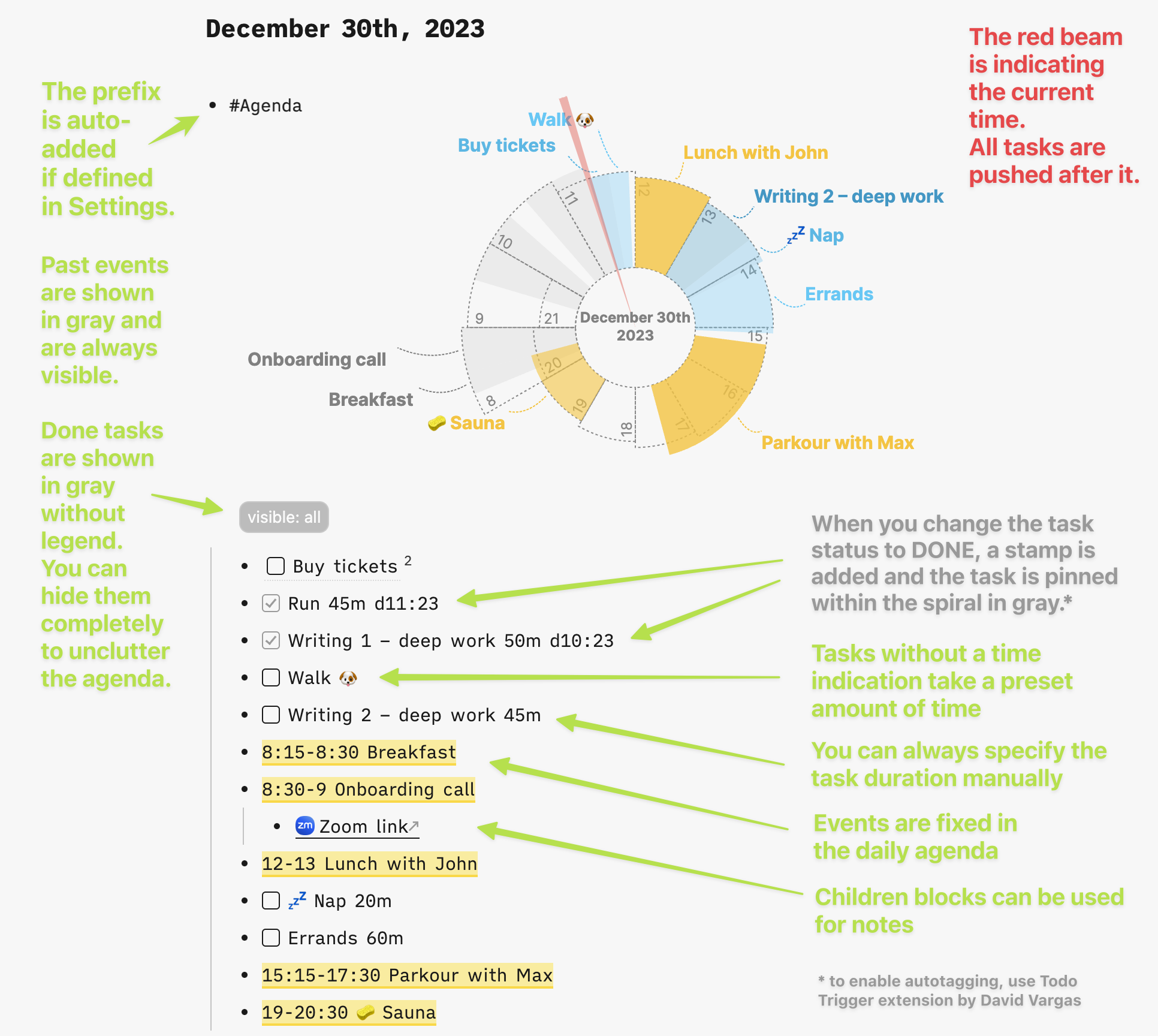
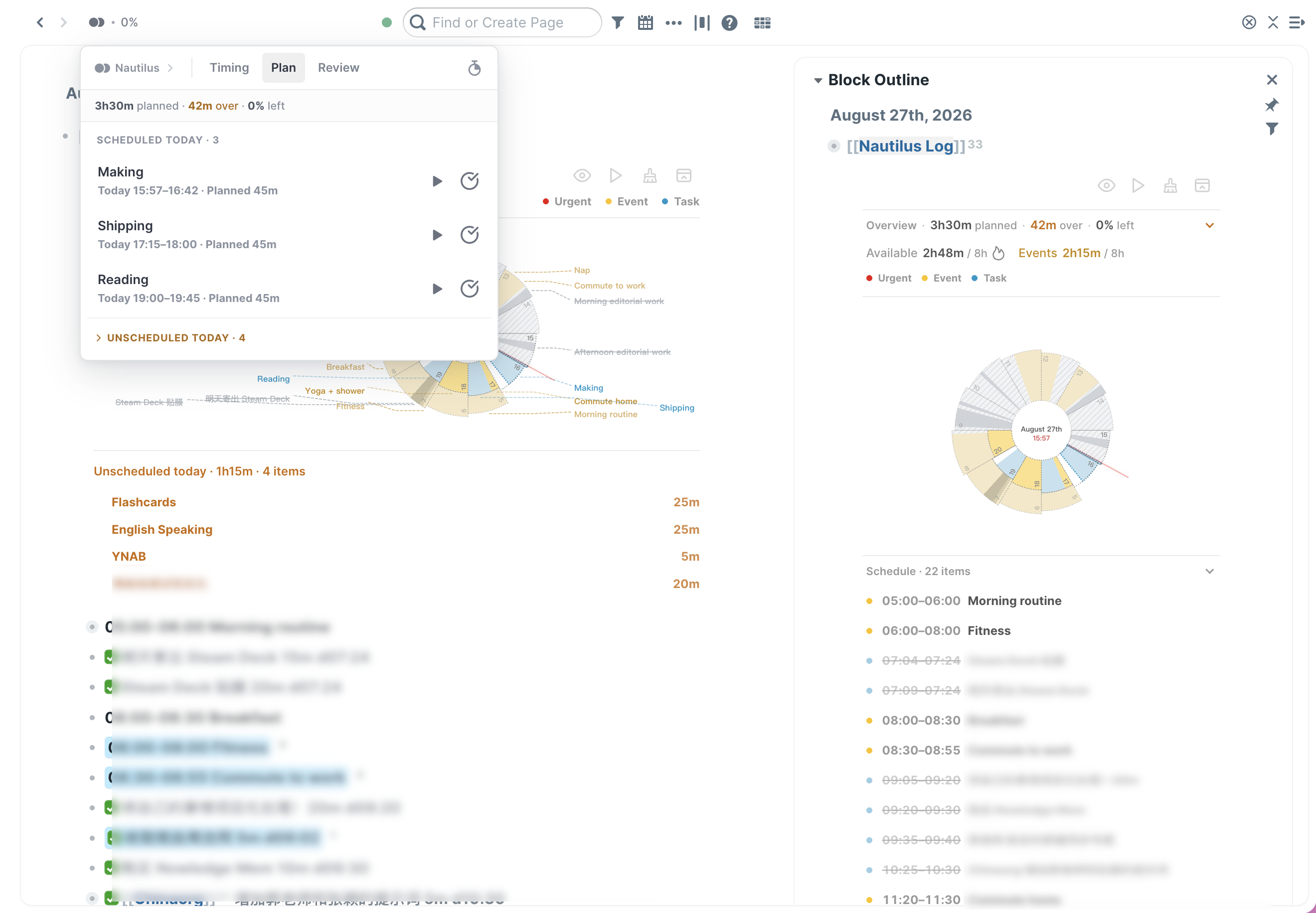
- A transparent visual day planner for Roam Research. Nautilus Log places fixed events and flexible tasks on one spiral timeline, so you can see what fits before the day gets away from you.
- English · 简体中文 · User guide
 🔗
🔗
- See the whole day, not just a list
- A to-do list tells you what matters, but not whether it fits. Nautilus Log turns today's Daily Note into a living time plan:
- See capacity before committing. Planned demand, remaining time, overload, and work that will not fit stay visible.
- Keep structure without becoming rigid. Events stay fixed while unfinished tasks flow forward around them in Roam block order.
- Connect estimates with reality. Plan with low-friction estimates, then optionally compare Planned with
LOGBOOK::/CLOCK:Actual time. - Stay inside Roam. Focus, task switching, timing, completion, and daily Review remain connected to ordinary Roam blocks.
- A to-do list tells you what matters, but not whether it fits. Nautilus Log turns today's Daily Note into a living time plan:
- One workflow, three layers
- Block commitments. Write meetings, meals, and routines as fixed ranges.
- Timebox intentions. Order flexible TODOs and give each one an estimate.
- Review reality. Optionally record Actual time and improve future estimates.
- The scheduler is deterministic: fixed events claim their ranges first, then whole tasks fill suitable gaps from the current moment. Unfinished work moves forward without changing priority. Anything that still cannot fit appears in Today won't fit instead of disappearing. No AI estimates and no black-box scheduling.
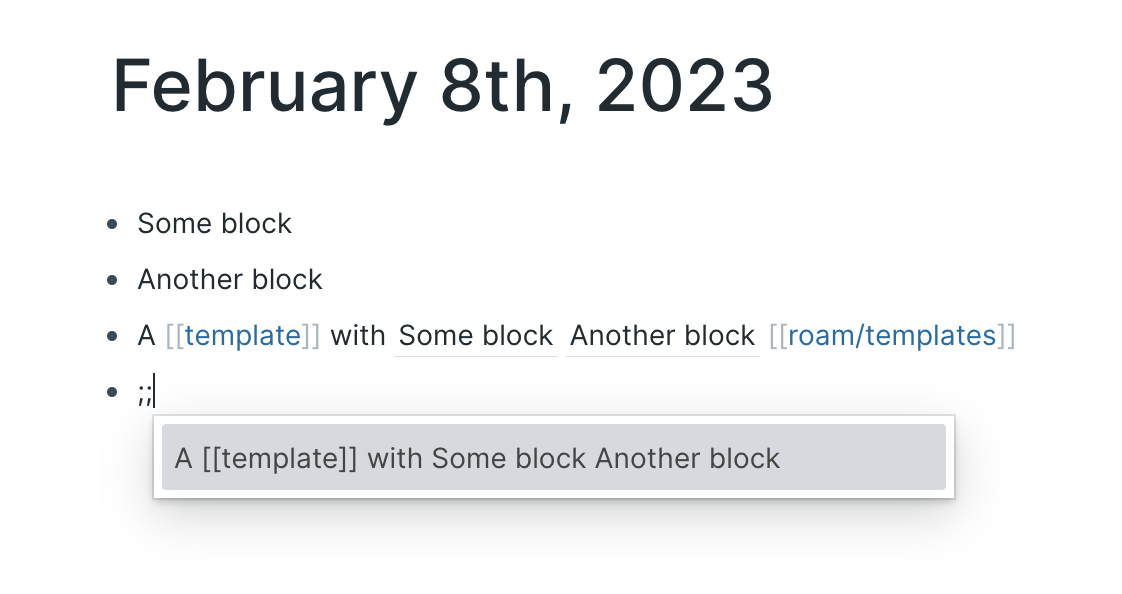
- Quick start
- During Depot review, install the Roam Depot preview PR with ShortHand
404KSG+roam-nautilus-log+1428. - On today's Daily Note, type
;;and choose Nautilus Log. - Add events and TODOs as direct children of the component.
- Order the tasks, add rough durations, and adjust until the day fits.
05:00-06:00 Morning routine {{[[TODO]]}} Write project brief 45m {{[[TODO]]}} Review notes 30m 11:45-12:30 Lunch- Durations support
30m,30min,1h, and1h30m. Untimed tasks use the configured default duration.
- During Depot review, install the Roam Depot preview PR with ShortHand
- Execution Layer—when you want it
- The optional Execution Layer defaults to off, so estimate-only planning stays light. Enable it in Settings to add a compact execution panel:
- Timing shows the current task and recently closed work.
- Plan shows unfinished tasks from today's Primary Plan.
- Review compares valid Planned and Actual results for the day.
- Only one CLOCK runs at a time. Clock In can place the active task at the top of Roam's right sidebar, keeping focus and task switching close to native Shift+Click.
- See the full user guide for syntax, metrics, settings, commands, Actual-history rules, and safety boundaries.
- The optional Execution Layer defaults to off, so estimate-only planning stays light. Enable it in Settings to add a compact execution panel:
- Credits and inspiration
- Nautilus by Tomáš Barys—the original transparent spiral-planning concept.
- Nautilus Enhanced—the enhanced fork from which this project developed.
- Roam Logbook—the inspiration for compatible CLOCK tracking and focused task execution.
- The time-allocation philosophy is inspired by the YNAB Method. Nautilus Log is not affiliated with YNAB. Released under the original MIT license.
- Quick Switcher
- Roam Depot Extensions
- Contribution Graph
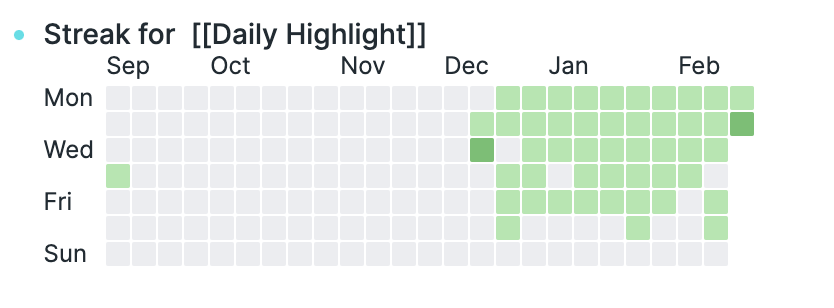
- See your complete Roam block creation history as a contribution heatmap, from your earliest block through today. Every year stays visible in one compact view.
 🔗
🔗
- Highlights
- View the entire graph or only blocks created by the current Roam user.
- Track Days in Roam, longest streak, current streak, and total blocks.
- Tell future dates, pre-history dates, and inactive historical days apart at a glance.
- Export the complete history as a crisp 3× PNG with Share Screenshot.
- Use a Roam- and Blueprint-style interface with responsive controls and keyboard support.
- Use
- Open Contribution Graph: Open complete history from the Command Palette or use the topbar grid button. Choose a scope, refresh when needed, or share the complete graph as an image.
- Privacy and performance
- The extension reads block creation timestamps, never block text. It has no analytics, external service, runtime dependency, or extension-initiated network request.
- History loads only when the graph is opened or refreshed, then stays in a short in-memory cache. Imported and Agent-created blocks may be included in the selected creator's activity.
- Roam Remove Tag
- Remove page tags from one or many Roam Research blocks without leaving the editor.
 🔗
🔗
- Features
- Adds Remove Block's Page Tag and Remove All Tags & Aliases to both the single-block and multi-select context menus.
- Handles
#tag,#[[Page Title]], Unicode tags such as#café, and[*](((uid)))star aliases. - Preserves URL fragments, arbitrary backtick code spans, fenced code, unrelated tags, children, and existing whitespace.
- Supports current and legacy Roam context-menu UID shapes.
- Uses Roam's native Blueprint notifications and reports updated or failed blocks.
- Safely rolls back partial menu registration and prevents duplicate Depot/
roam/jsinstances. - Only explicitly selected blocks are edited. Selecting a parent does not recursively modify unselected descendants.
- Roamoji
- Insert emoji inline while you type.
:sli → 🙂 :slightly_smiling_face: :tada → 🎉 :tada: :hrt → ❤️ :heart:- Using it
- Type your trigger (
:by default) at the start of a word, followed by at least two characters. A list appears at the cursor. - {{table}}
- Key
- Action
↑↓- Move through the list
EnterorTab- Insert the highlighted emoji
Esc- Close the list
Space- Close the list and keep typing
- Key
- If you already know the shortcode, type it in full and close it with a second
:—:tada:inserts 🎉 immediately without opening the list. - Searching matches shortcodes first, then keywords, then descriptions. When nothing matches exactly, a looser search takes over, so
:hrtstill finds ❤️.
- Type your trigger (
- Settings
- Found under Roam Depot → Roamoji.
- {{table}}
- Setting
- Default
- What it does
- Default
- Trigger
:- The characters that open the picker. One or two symbols; letters and digits are rejected.
- Minimum characters
2- How much you type after the trigger before the list appears.
- Results shown
8- How many emoji are listed at once.
- Fuzzy fallback
- on
- Loose matching when nothing matches exactly.
- on
- Setting
- Drag References for Roam Research
- Turn Roam's core block-reference workflow into a fast, writing-friendly drag gesture.
- Demo
 🔗
🔗
- Click the preview for the full-quality video.
- Shortcuts
- {{table}}
- Gesture
- Result
- Drag
- Roam's native block move
- Option + Drag
- Roam's native
((blockUid))reference drag
- Roam's native
- Command + Drag
[*](((blockUid)))
- Control + Drag
Original block text [*](((blockUid)))
- Shift + Drag
{{embed-path: ((blockUid))}}
- Gesture
- {{table}}
- How It Works
- Hold a modifier when you start dragging a bullet, then drop before, after, or to the right of another block to create a child. The source stays untouched, and every successful reference is copied to the clipboard.
- Plain drag and Option-drag remain native to Roam. Query results and linked-reference renderings are excluded because their hierarchy can be ambiguous.
- Why It Helps
- Keeps citations and source context inside the writing flow.
- Makes Roam's core block references and outliner structure faster to use.
- Keeps graph data local with no analytics or external services.
- QuickCuts
- Jump between your left-sidebar Shortcuts with number hotkeys.
ctrl+1…ctrl+9— open the Nth Shortcut in the main windowctrl+shift+1…ctrl+shift+9— open the Nth Shortcut in the right sidebar
- Shortcuts are matched by their order in the left sidebar and resolved on every keypress, so reordering, starring, or unstarring pages takes effect immediately. Pressing a number beyond your current Shortcuts count does nothing.
- All commands are also available in the Command Palette, just search for
QuickCuts. - Settings
- Hotkey Modifier (default:
ctrl) — one switch re-generates the default hotkeys of all 18 commands. Options:ctrl,alt,cmd. - You can also rebind any command individually in Roam's native Settings → Hotkeys panel.
- Important
- Custom hotkeys take precedence. If you rebind an individual command in Settings → Hotkeys, that binding wins over the unified modifier, this is Roam's native behavior and extensions cannot override it. To make the command follow the unified modifier again, click "restore default" on it in the Hotkeys panel.
- Hotkey Modifier (default:
- Compatibility
- Works in both Roam Desktop and the browser.
ctrl+numberis not captured by browsers.cmd+numbermay conflict with browser tab switching, so thecmdmodifier is best used in Roam Desktop.
- Works in both Roam Desktop and the browser.
- Jump between your left-sidebar Shortcuts with number hotkeys.
- Contribution Graph
- Quality of Life Improvements
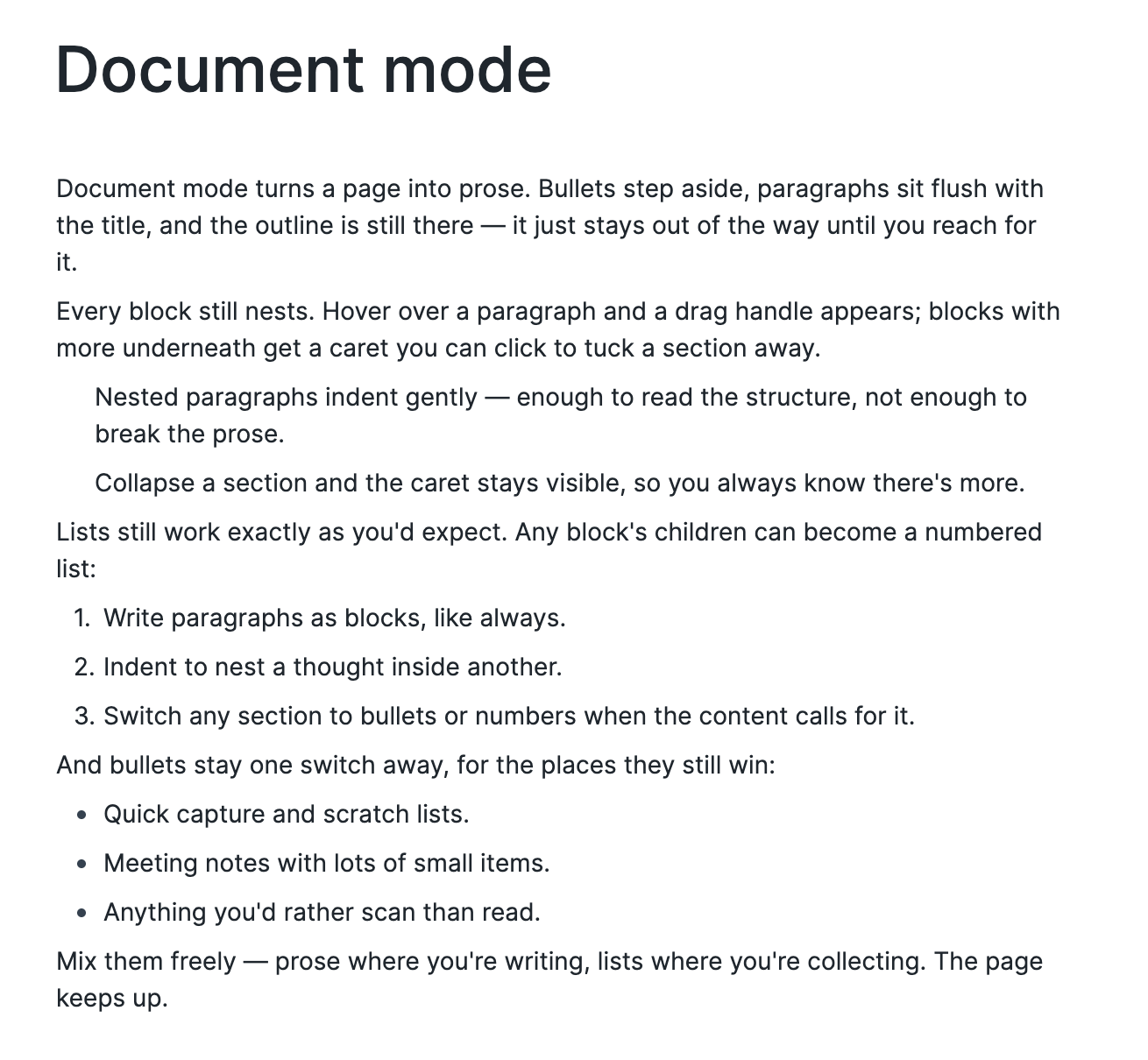
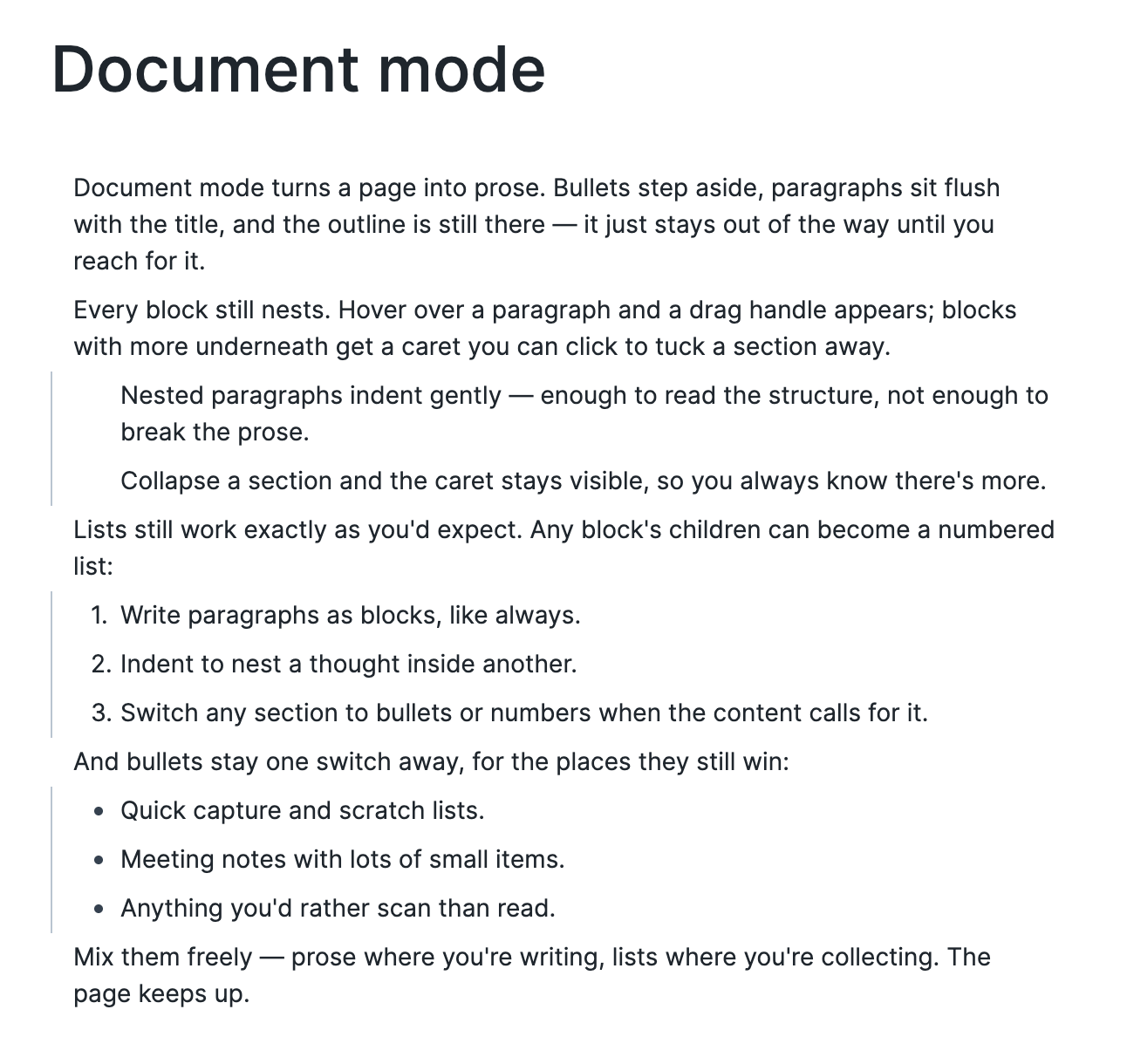
- Document Mode redesign
- After
- Before
- After
- Document Mode redesign
- Quality of Life Improvements
- Images too wide for the space they're in now scale down to fit, keeping their set size for when there's room again, and can be resized up to the full width of their column.
- Pages now remember your scroll position until you restart the app
- If you'd scrolled into Linked References, you'll come back to the top of them.
- Added
/embed pdfto the / Commands
- Bug Fixes
- Fixed "Cycle namespace view" working on nested page names like
[[[[Alpha]]/Beta]]
- Fixed "Cycle namespace view" working on nested page names like
- Bug Fixes
- Fixed a rare bug where two different PDFs could sometimes share the same highlights
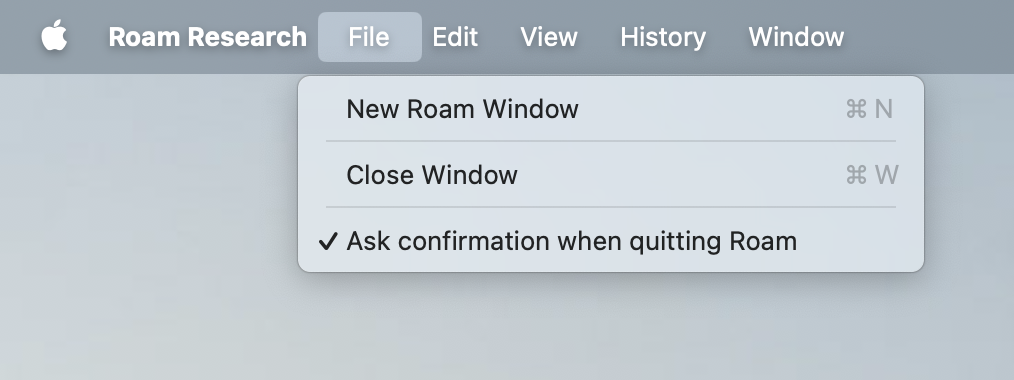
- Fixed the desktop app setting "Ask before quitting" from stopping mac from restarting
- Roam Depot Extensions
- Related Notes
- > Find notes you forgot you wrote.
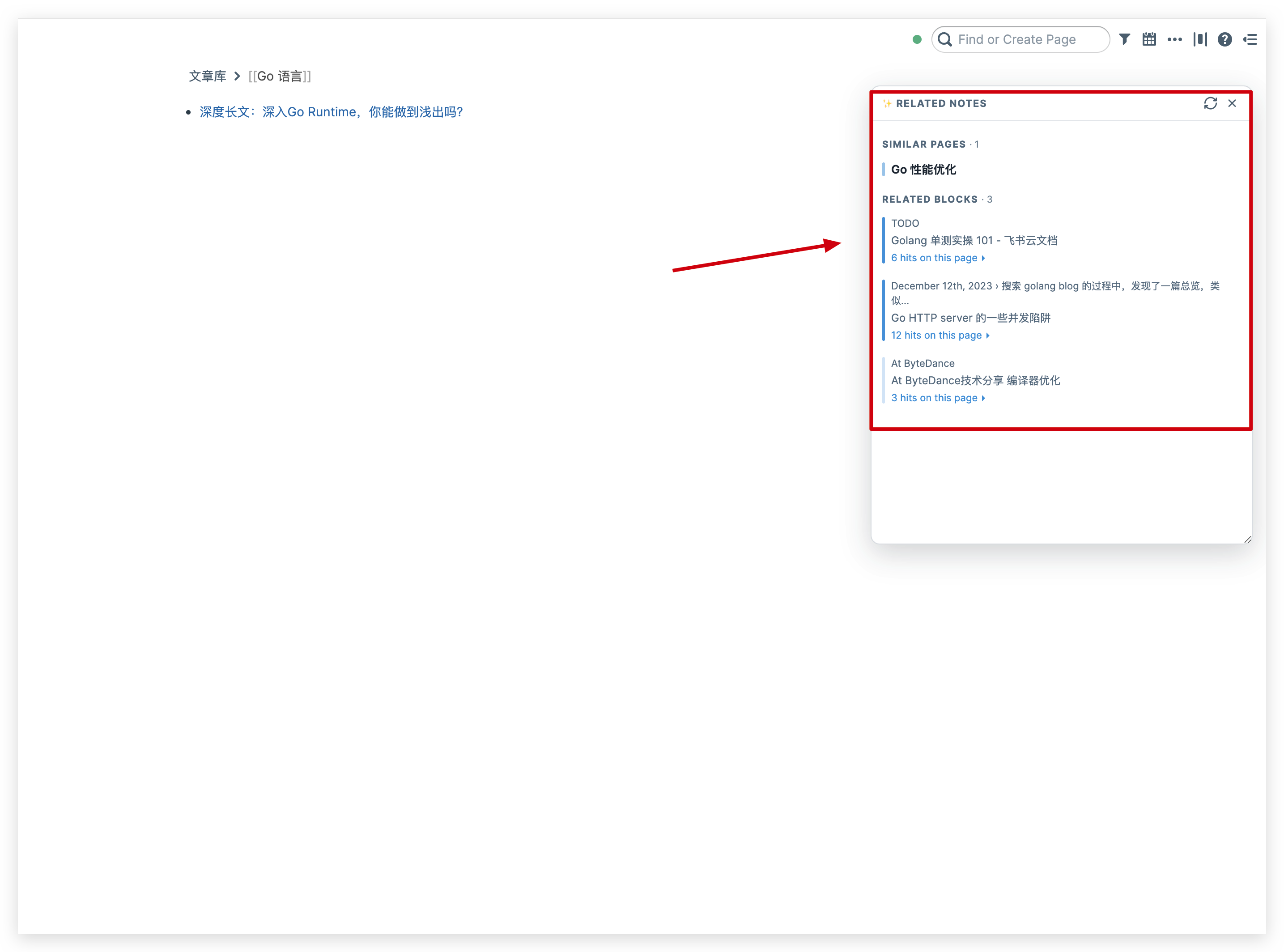
- Automatic related-note discovery for Roam Research: as you browse, a panel surfaces semantically similar pages and blocks. Powered by Roam's native semantic engine — no API key, no extra servers, works with a local Ollama endpoint.
 🔗
🔗
- Features
- Related Notes panel — as you browse, a floating panel automatically surfaces semantically similar pages and blocks (grouped by page, so one long note never floods the list). Toggle with
Ctrl+Shift+R; drag to move, resize from the corner. - Fallback mode — if the semantic engine isn't enabled on your graph, the panel still works using literal matching, with a hint on how to turn the engine on.
- Related Notes panel — as you browse, a floating panel automatically surfaces semantically similar pages and blocks (grouped by page, so one long note never floods the list). Toggle with
- How it works
- To find related notes, the extension builds a query from the page title and the first 10 direct children of the current page (or of the zoomed-in block), truncated to the first 600 characters, and runs it through Roam's semantic search. So relevance is based on how a note starts — content deep inside a very long page doesn't influence the suggestions. Results are re-grouped by page, with at most one entry per page and an expandable "N hits on this page" row.
- Enabling the semantic engine
- Roam Settings → Graph → Experimental: Semantic search embeddings:
- Default (Voyage AI) — easiest; note that Roam sends your graph contents to Voyage AI in plain text.
- Custom (Ollama / OpenAI-compatible) — privacy-friendly: bring your own endpoint, contents stay on the route you configure.
- This extension itself makes zero external requests — it only calls Roam's built-in APIs. Embedding routing is entirely controlled by your Roam settings above.
- Roam Settings → Graph → Experimental: Semantic search embeddings:
- Privacy
- This extension makes zero external requests and collects zero telemetry. It only calls Roam's built-in APIs.
- Strictly read-only — it never modifies your notes.
- What Roam's semantic engine itself does (verified by inspecting network traffic and local storage):
- When you enable embeddings, your graph's text is sent — through Roam's own proxy — to the embedding provider you chose (Voyage AI by default, or your own Ollama/OpenAI-compatible endpoint).
- Each panel refresh sends the query text described in How it works plus the top candidate snippets to the same provider for embedding and reranking.
- The vector index itself stays on your machine (a per-graph SQLite database with 512-dim int8 vectors, stored in the browser's private file system).
- Practical advice: keep embeddings off for graphs containing secrets; this extension automatically falls back to local literal matching there.
- Related Notes
- Roam Depot Extensions
- Roam Atlas
- Map your located Roam pages and blocks. Give any page or block a
Location::attribute with a text address and reference it under a{{[[atlas]]}}block. Atlas geocodes each one, caches the coordinates back into your graph, and pins it on an interactive map. 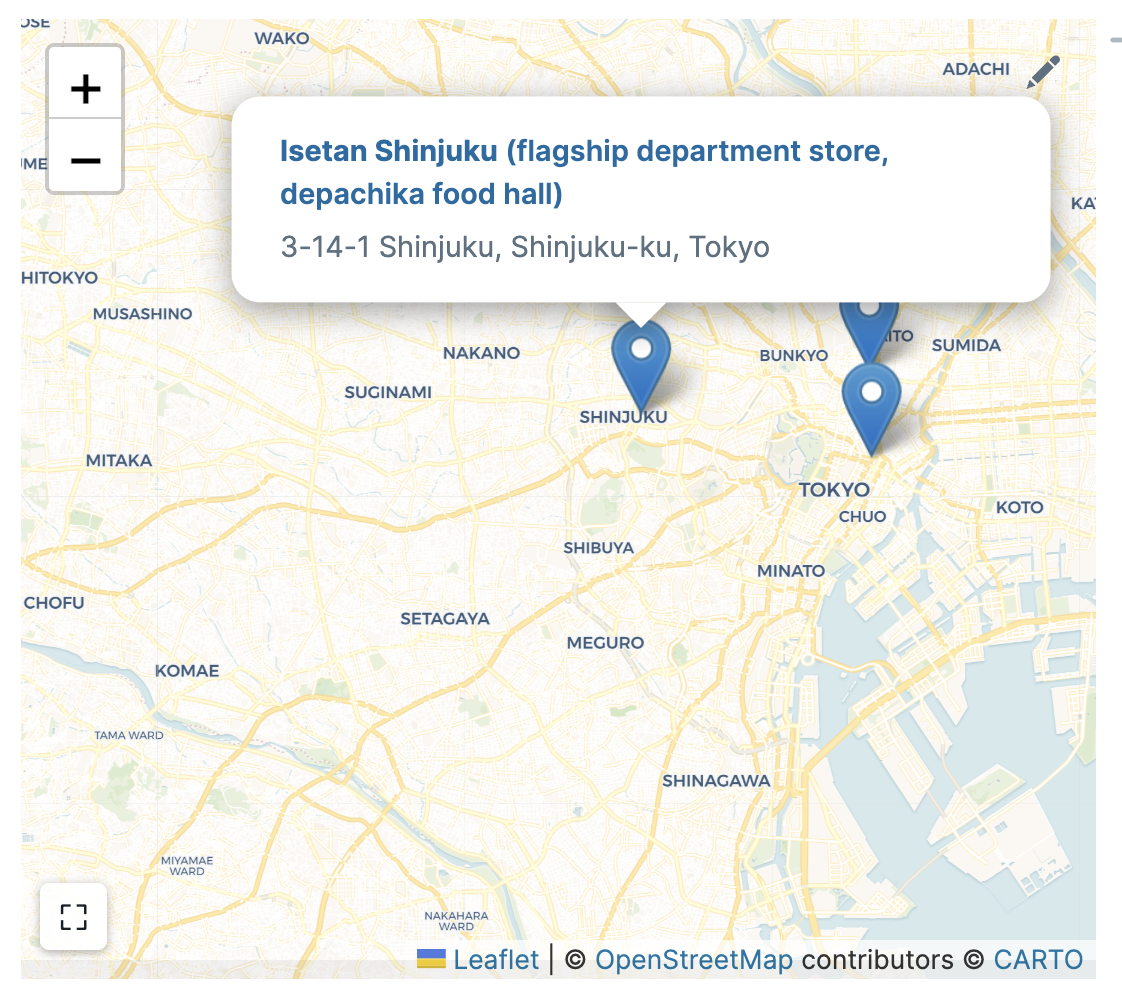 🔗
🔗
- Highlights
- Automatic geocoding. Write a plain-text address in a
Location::attribute and Atlas looks up the coordinates for you, so you never type latitude and longitude by hand. - Geocoded once, then cached. Atlas writes a
Coordinates::attribute back to the page or block, so later renders read the cache instead of the network. - Live updating. Add, remove, or edit a reference and the map re-pins and re-fits itself right away.
- Pages, blocks, and tags. Pin
[[pages]],#tags, or((block references)), and each can carry its own location. - Click to read, click to open. A pin's popup shows the node's text and address; click the heading to open the page or block (shift-click sends it to the right sidebar).
- Resizable. Drag the map's bottom edge to change its height.
- Full-screen mode. One button fills the window with the map; Esc brings it back.
- No account or API key. Free OpenStreetMap tiles and the free Nominatim geocoder, with nothing to sign up for.
- Missing locations don't break it. A place Atlas can't geocode is noted in the corner instead of blanking the map.
- Automatic geocoding. Write a plain-text address in a
- Usage
- 1. Give a page or block a location. Add a
Location::attribute with a text address: [[Ferry Building]] Location:: Ferry Building, San Francisco, CA- A block works the same way — put
Location::as a child of the block. The first time Atlas geocodes a place, it writes aCoordinates::attribute back onto the same page or block, so every later render reads the cached pair instead of hitting the network again. 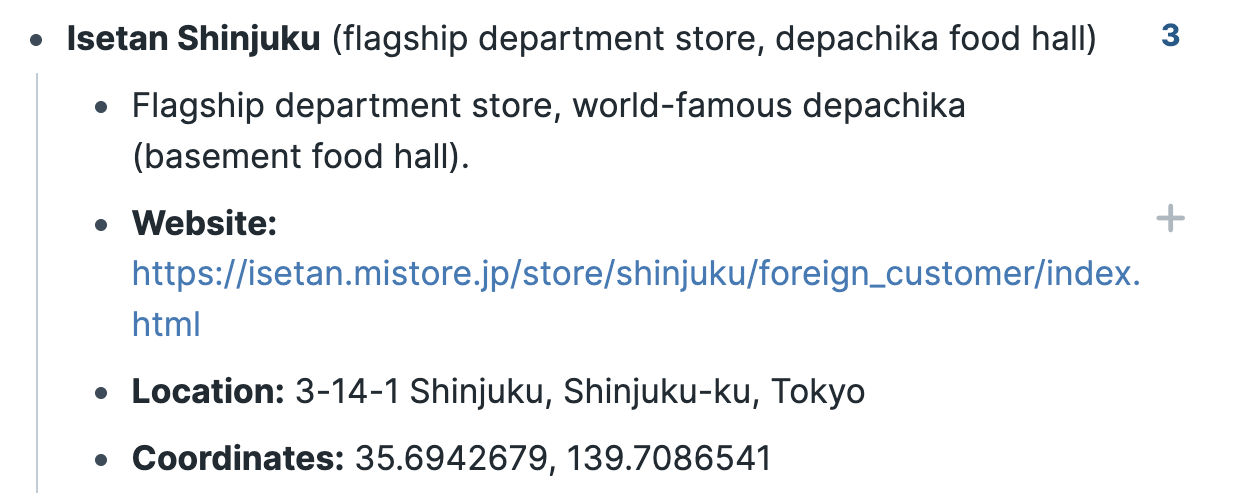 🔗
🔗
- 2. Reference the places under a map. Type
{{[[atlas]]}}(or the bare{{atlas}}) in a block and add page or block references as children: {{[[atlas]]}} - [[Ferry Building]] - [[Golden Gate Park]] - ((abc123))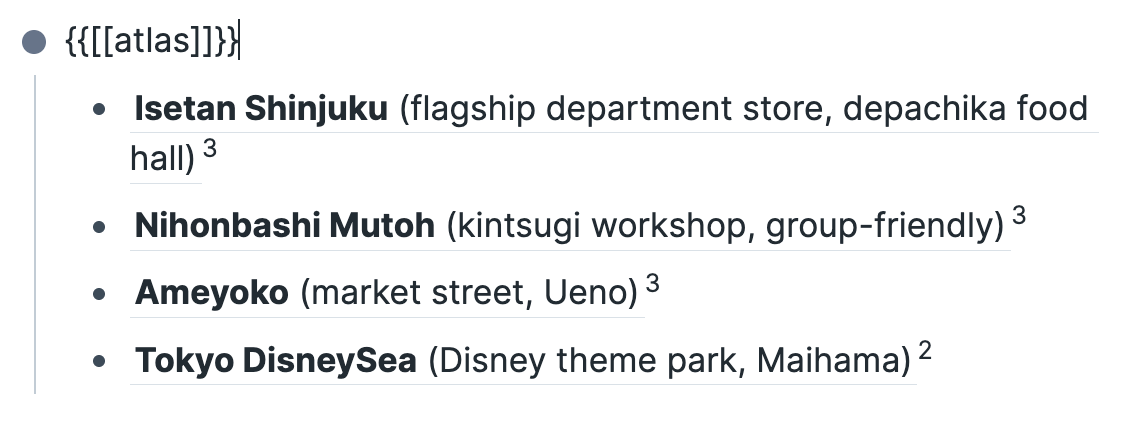 🔗
🔗
- The map auto-fits to show every pin and re-renders as you add or remove references. A reference it can't place — no
Location::, or an address the geocoder doesn't recognize — is listed in a small corner note, so one missing location never blanks the map. - 3. Read and open a pin. Click a pin to open its popup: the page or block's text, plus its address when one is set. Click the popup heading to jump to that page or block (shift-click opens it in the right sidebar). Drag the map's bottom edge to resize it, or use the ⛶ button in the corner for a full-screen view (Esc exits).
- 1. Give a page or block a location. Add a
- How it works
- Atlas needs no account and no API key. Map tiles come from OpenStreetMap (rendered by CARTO), and addresses are geocoded by the free Nominatim service. Because Atlas caches each place's coordinates in your graph (see step 1), it queries Nominatim only once per location, which keeps it comfortably within that service's usage limits.
- Reference implementation
- This is a clean-room reimplementation. The RoamJS Mapbox extension (which uses
{{maps}}) was used only as a behavioral reference for how a{{...}}button component renders inside Roam. - See [
docs/plans/2026-07-05-roam-atlas-design.md](https://github.com/wireframe/roam-atlas/blob/main/docs/plans/2026-07-05-roam-atlas-design.md) for the full design, and [docs/backlog.md](https://github.com/wireframe/roam-atlas/blob/main/docs/backlog.md) for planned enhancements and future development ideas.
- This is a clean-room reimplementation. The RoamJS Mapbox extension (which uses
- Map your located Roam pages and blocks. Give any page or block a
- Roam Atlas
- Quality of Life Improvements
- Added fullscreen view for Mermaid Diagrams
- Bug Fixes
- Fixed move blocks and tab to respect filters applied
- Quality of Life Improvements
- Added copy blocks and delete blocks to the single block multi select menu
- Added saving code block folds
- Bug Fixes
- Fixed export page to respect filters
- Fixed copy to respect filters
- Roam Depot Extensions
- Roam Alias Finder
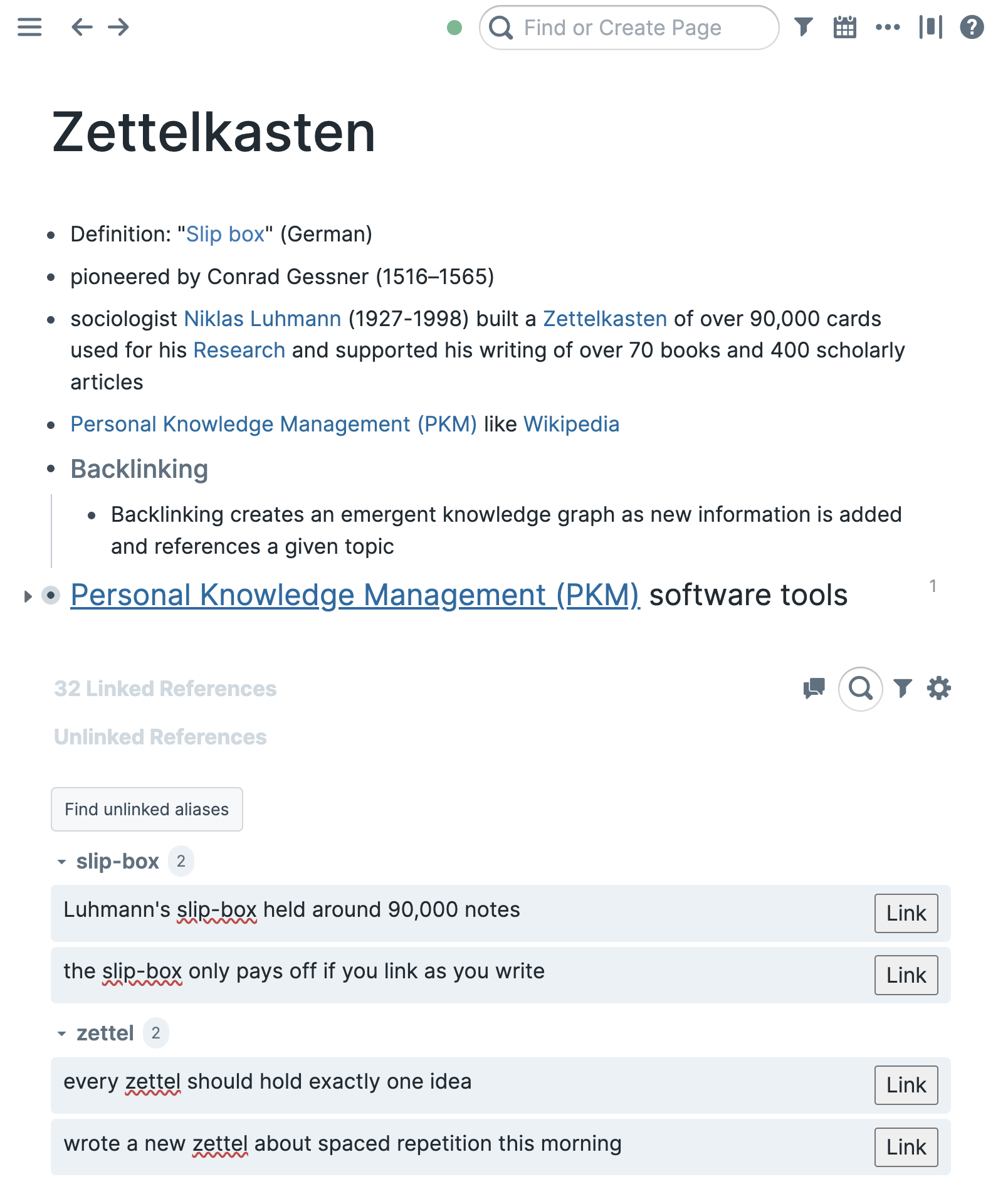
- Find the places you meant to link but never did. Alias Finder scans your graph for plain‑text mentions of a page's existing aliases and lets you turn each one into a proper link with a single click. No alias list to maintain, no setup.
 🔗
🔗
- Why
- Roam aliases let you write
[slip-box]([[Zettelkasten]])so natural prose still links to the right page. But once you've used an alias a few times, older notes are full of the same words sitting as plain text, invisible to backlinks. Finding and fixing them by hand is tedious. - Alias Finder learns the aliases you already use for a page and surfaces every unlinked mention across the graph, so you can wire them up in seconds.
- Roam aliases let you write
- What it does
- A Find unlinked aliases button appears at the bottom of every real page, right below Roam's Unlinked References section. It only shows on real pages — never on daily notes.
- Click it and Alias Finder:
- Reads the page's existing aliases — every
[text]([[ThisPage]])already in your graph — and uses that text as the search terms. Nothing to configure. - Scans the whole graph for unlinked, plain‑text occurrences of those terms.
- Groups the results by alias under collapsible, alphabetically‑sorted headers with a match count, and highlights the matched text in each block.
- Lets you link any match with one click — it wraps the text as
[text]([[ThisPage]]), preserving your original casing, and removes the row.
- Reads the page's existing aliases — every
- Match rules
- Matching is deliberately careful, because it writes to your graph:
- Whole words only —
OKRSnever matches insideweorks. - Case‑insensitive —
Zettelandzettelboth match the aliaszettel; your original casing is kept when linking. - Skips text that's already linked — occurrences inside
[[page links]],((block refs)),#tags, and existing[alias]([[page]])links are ignored. - Skips URLs — matches inside
http(s)://…andwww.…are ignored. - Skips noise — single‑character aliases (
*) and footnote‑style numbers (1,2, …) are never used as search terms.
- Whole words only —
- Matching is deliberately careful, because it writes to your graph:
- Roam Alias Finder
- Roam Depot Extensions
- 🎧 Audio Feedback — Roam Research Extension
- Adds subtle, synthesized audio cues to your Roam workflow. Every block action — checking a TODO, collapsing a branch, navigating to a new page — gets a sound that confirms the action without interrupting your flow.
- > 🚀 Zero Dependencies: Built entirely on the native browser Web Audio API. No external libraries, no bloated bundles. Sounds are generated mathematically on the fly.
- Demo
- Themes
- Select your theme in Settings → Extensions → Audio Feedback → Sound Theme.
- {{table}}
- Theme
- Character
- 🌿 Zen
- Soft sine tones that dissolve as quickly as they appear. Designed to confirm without interrupting.
- 👾 Retro
- Square-wave pulses with Game Boy-era frequencies. Every action lands with a satisfying, deliberate click.
- 💫 Halo
- Layered FM bells with a floating upper harmonic.
- 🎛 Custom
- Your sounds, your rules. Upload any audio file to your Roam graph and paste the Firebase URL to replace any event sound.
- Theme
- Events
- {{table}}
- Event
- Trigger
- TODO Done
- Checking a TODO checkbox → DONE
- Collapse
- Collapsing a block that has children
- Expand
- Expanding a block that has children
- Indent
- Indenting a block (Tab)
- Outdent
- Outdenting a block (Shift+Tab)
- Navigate
- Zooming into a block or changing page
- Sidebar Open
- Opening a new item in the right sidebar
- Event
- {{table}}
- Settings Reference
- {{table}}
- Setting
- Description
- Default
- Description
- Enable Audio Feedback
- Master on/off switch
- On
- Master on/off switch
- Master Volume
- 0.0 to 1.0
- 0.4
- 0.0 to 1.0
- Sound Theme
- Zen · Retro · Halo · Custom
- Zen
- Zen · Retro · Halo · Custom
- TODO Sounds
- Toggle checkbox event sounds
- On
- Toggle checkbox event sounds
- Navigation Sounds
- Toggle zoom and sidebar sounds
- On
- Toggle zoom and sidebar sounds
- Hierarchy Sounds
- Toggle collapse, expand, indent, outdent sounds
- On
- Toggle collapse, expand, indent, outdent sounds
- Setting
- {{table}}
- Command Palette
- Three commands are available via
Cmd+P(orCtrl+P):- Audio Feedback: Toggle On/Off — master switch without opening settings
- Audio Feedback: Volume Up — increases master volume by 0.1
- Audio Feedback: Volume Down — decreases master volume by 0.1
- Audio Feedback: Next Theme — cycles Zen → Retro → Halo → Zen (Custom is excluded from cycling; select it manually in settings)
- Three commands are available via
- Custom Sounds
- Custom theme lets you replace any event sound with your own audio file.
- How to upload a sound to your Roam graph
- Open any page in Roam
- Type
/Upload fileand select your.wavor.mp3 - Once uploaded, right-click the file attachment → Copy link
- The URL will look like:
https://firebasestorage.googleapis.com/... - Paste that full URL into the corresponding field in Settings → Audio Feedback → CUSTOM SOUND URLs
- Switch theme to Custom
- Notes on Custom playback
- First play has a brief load delay — the extension fetches and decodes the audio file on first use. Every subsequent play of the same URL is instantaneous (the buffer is cached for the session).
- Blank URL = silence — if a URL field is empty, that event produces no sound. This is intentional. You can mix custom sounds for some events and silence for others.
- URL must include the
?alt=media&token=...suffix — without it, Firebase returns a redirect rather than the raw audio file and playback will fail silently. - Test URL (courtesy of Adam Krivka):
https://firebasestorage.googleapis.com/v0/b/firescript-577a2.appspot.com/o/imgs%2Fapp%2FMyelin%2F-J1q4HZsEl.wav?alt=media&token=34ab3de0-1b43-4361-8c7e-141c1925011b
- Physics Bridge
- All three synthesized themes (Zen, Retro, Halo) are aware of your block's position in the hierarchy. Sounds shift subtly based on:
- Depth — how many levels deep the block is nested. Deeper blocks produce slightly higher pitched, shorter sounds.
- Mass — how many children the block has. Heavier blocks produce slightly lower pitched, longer sounds.
- This means the same action sounds meaningfully different depending on where it occurs in your outline — without ever being distracting.
- All three synthesized themes (Zen, Retro, Halo) are aware of your block's position in the hierarchy. Sounds shift subtly based on:
- 🎧 Audio Feedback — Roam Research Extension
- Bug Fixes
- Fixed a bug where desktop links for offline and hosted graphs with the same name would not open a new window if the other was open, as in
roam://#/app/graphandroam://#/offline/graph
- Fixed a bug where desktop links for offline and hosted graphs with the same name would not open a new window if the other was open, as in
- Added a new section to our privacy policy to be in compliance for our soon to be released remote MCP
- Bug Fixes
- Fixed search result highlighting to prioritize matching full phrases and to handle accented characters
- Bug Fixes
- Fixed large pastes and deletes causing thousands of unsynced changes
- Pasting tons attributes can still cause this but that will be fixed soon as well
- Fixed large pastes and deletes causing thousands of unsynced changes
- Roam Depot Extensions
- Oura Ring to Roam
- Roam Depot extension that syncs Oura Ring data into a Roam graph as editable, queryable blocks with compact visual summaries.
- What It Does
- Syncs Sleep, Readiness, Activity, Vitals, My Health, Workouts, and Tags from the Oura API.
- Stores canonical history under a configurable
[[Oura Ring]]page, one Roam day root per Oura day. - Adds existing Daily Notes embeds for each day's
Daily summaryblock without creating missing Daily Notes. - Renders disposable visual components over Roam source blocks: daily sleep-first cards, hypnograms, contributor bars, HR/HRV trends, activity load, temperature, oxygen, stress, and weekly review.
- Keeps headline metrics queryable as Roam attributes such as
Sleep Score::,In bed at::,Out of bed at::,Readiness Score::,Activity Score::,HRV::,Resting HR::, andSteps::.
- Setup
- Generate an Oura Personal Access Token at https://cloud.ouraring.com/personal-access-tokens.
- In Roam, open Roam Depot -> Extension Settings -> Oura Ring.
- Paste the token and choose your sync/backfill settings.
- Run Oura: Sync now from the command palette.
- The token is stored in Roam's extension settings for this graph. It is sent only to Oura through Roam's native CORS proxy when syncing.
- Commands
- Oura: Sync now fetches the configured window and reconciles the Oura page.
- Oura: Open Oura page opens the canonical store page.
- Slash commands:
/oura today,/oura yesterday,/oura sleep, and/oura callout.
- Oura Ring to Roam
- Bug Fixes #pdf
- Fixed merging PDF pages into other non PDF pages
- Fixed displaying annotations on rotated PDFs
- Fixed double clicking to select a word, or triple clicking to select an entire line for most PDFs, although some may still have trouble
- Add back the nav bar find or create, with some of the UI improvements from the modal redesign
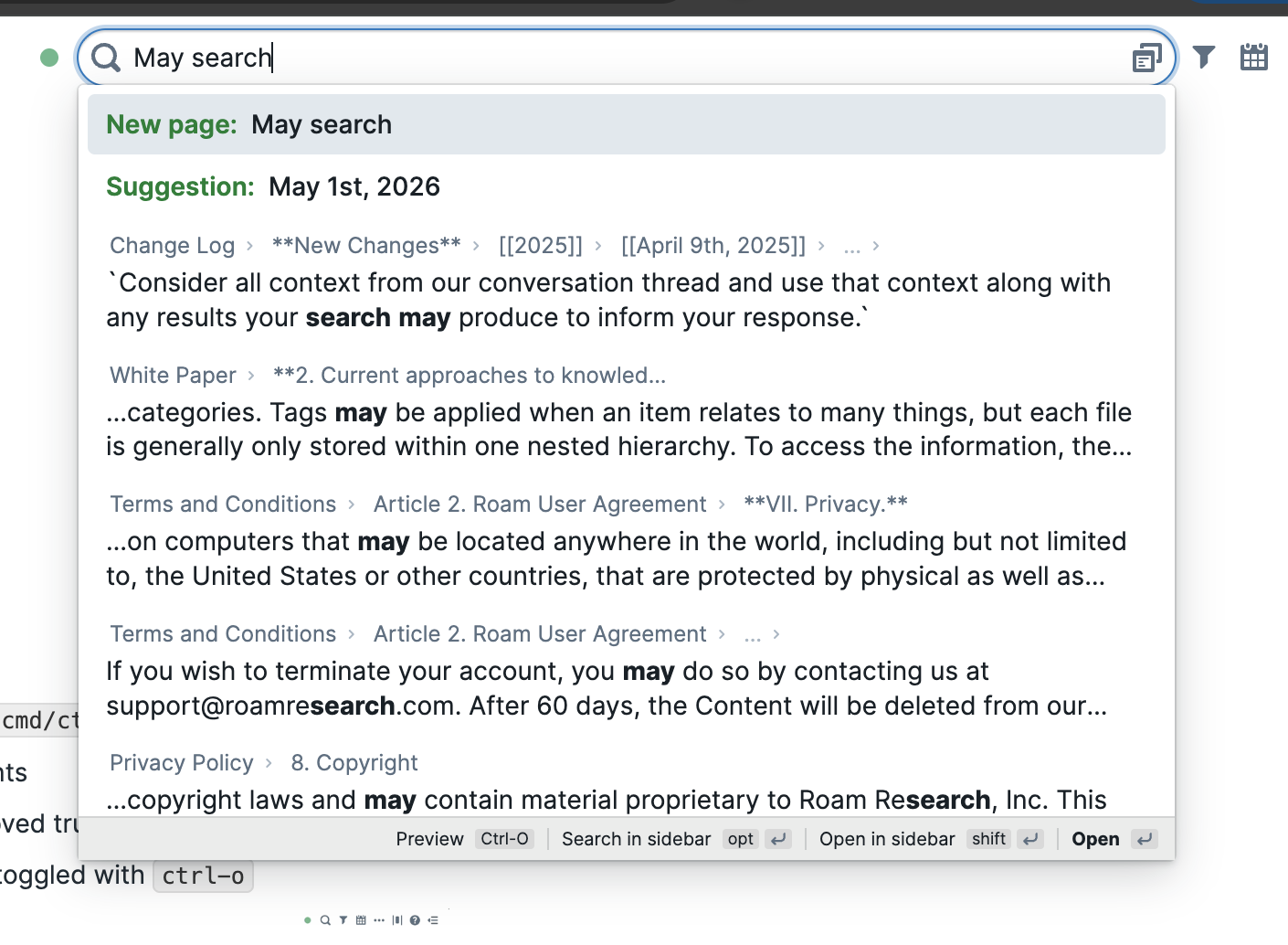
- The modal can still be triggered via the button to open advanced search on the right, or
ctrl-oto open the preview- Or you can set a custom hotkey for "Open advanced search" and override the default cmd-u which focuses the navbar search.
- Quality of Life Improvements
- Redesigned the find or create Search (
cmd/ctrl-u)- Page results now show reference counts
- Block results now include paths, improved truncation, and clearer match highlighting
- Added a preview window that can be toggled with
ctrl-o 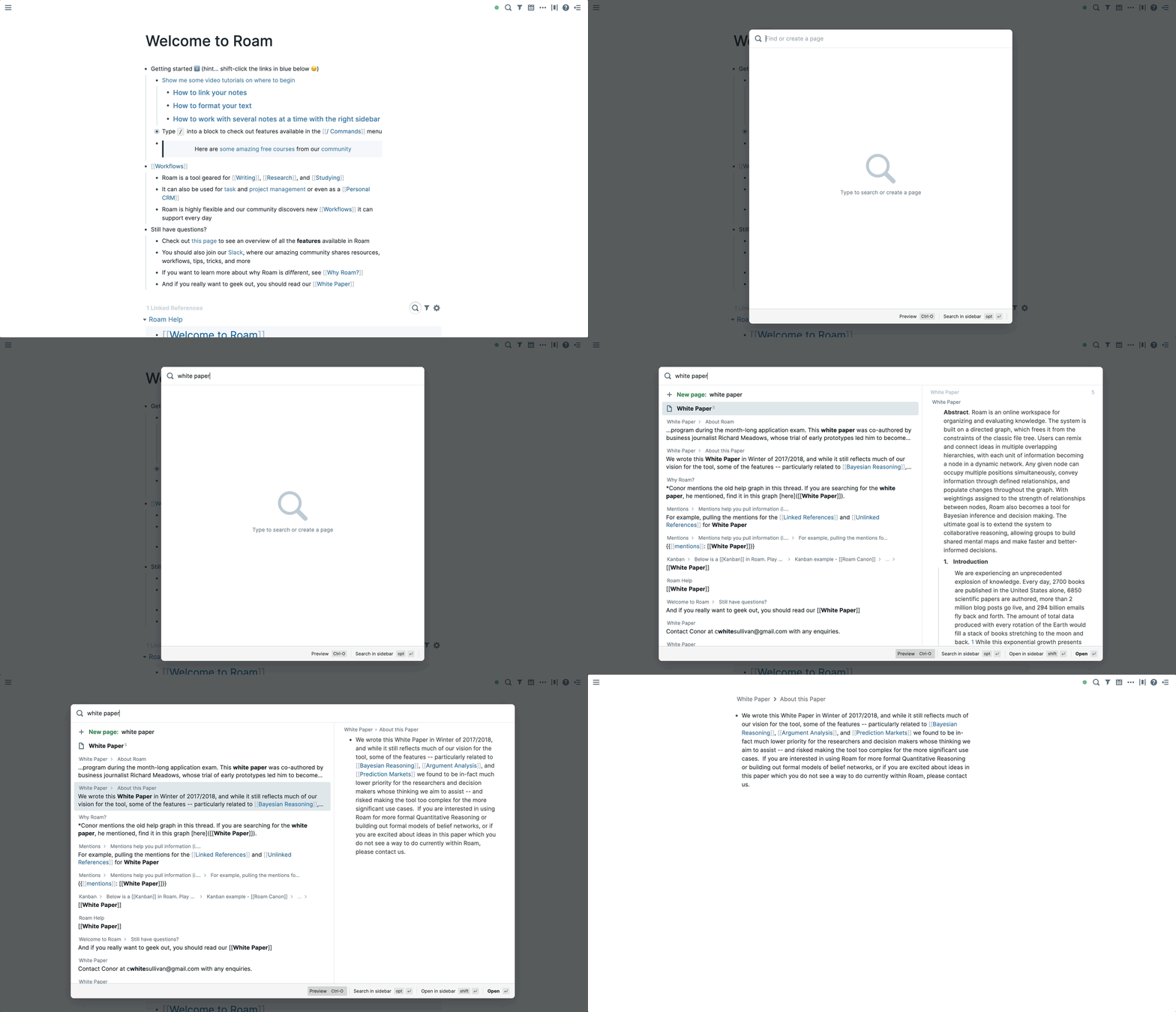
- Redesigned the find or create Search (
- Quality of Life Improvements
- Inline page search
[[]]now sorts the exact match to the top- Makes a difference when you have two pages with the same case
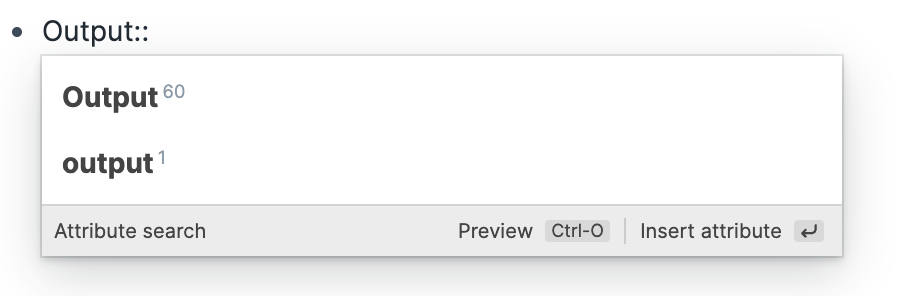
- Inline block search
(())can now search for UIDs if it's an exact match((yPgg9DUbF))
- Inline page search
- Bug Fixes
- Fix paste from chatGPT adding extra newlines in bulleted lists
- Quality of Life Improvements
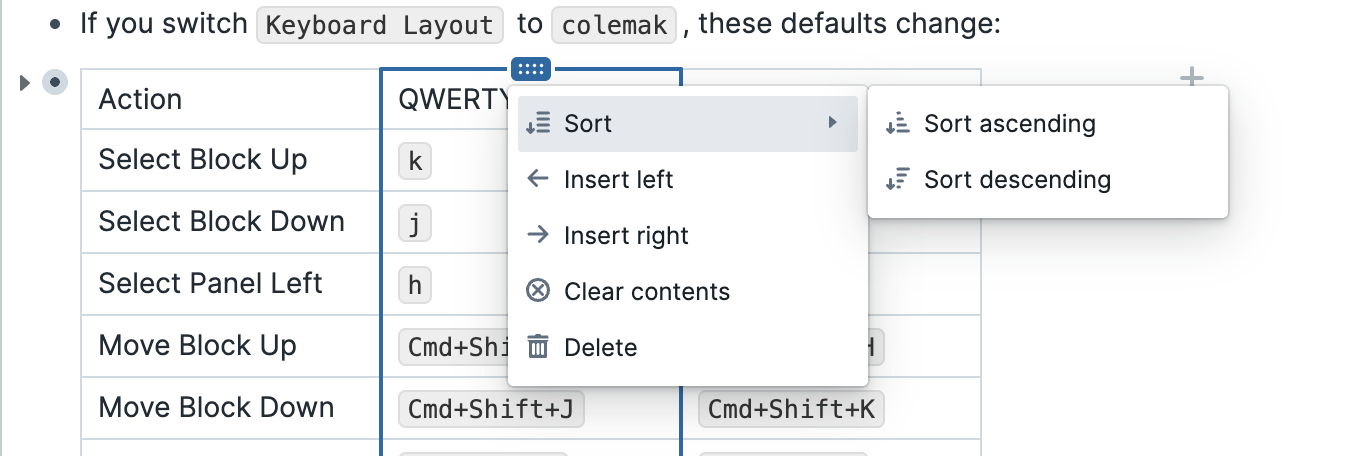
- Added a sort option for
{{table}} - Improved drag-and-drop behavior: when dragging an item near the edge of a scrollable container, Roam now automatically scrolls the container so you can continue moving the item without interruption.
- Added a sort option for
- Roam Depot Extensions
- History of Today
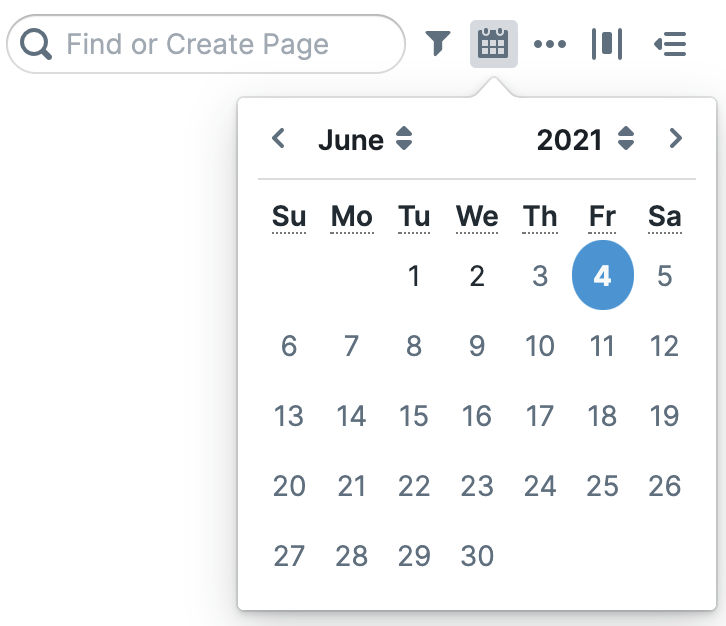
- A lightweight Roam Research extension that adds "On this day" buttons at the bottom of the calendar popover. Click a year button to instantly jump to that year's daily notes page.
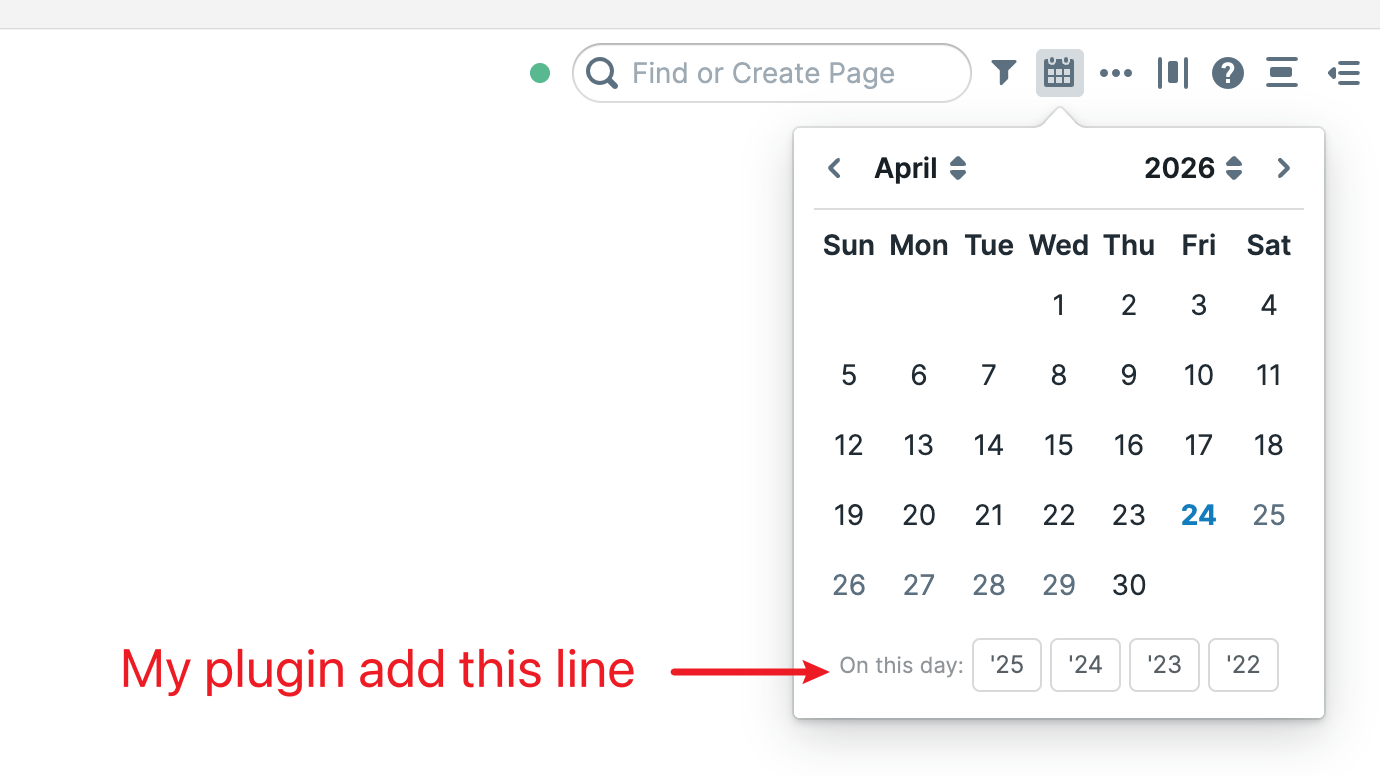 🔗
🔗
- Features
- Shows up to 5 previous years at the bottom of the calendar
- Only displays years that already have a daily notes page — no clutter from empty years
- Buttons show the 2-digit year (e.g.
'25,'24) with a full date tooltip on hover - Automatically re-injects when the calendar popover is opened
- History of Today
- Roam Depot Extensions
- Roam Meta Type
- Typed pages for Roam Research. Add a
Type::attribute to a page and a chip appears next to the title; click it to open a sidebar panel with the fields you care about for that type. - Encouraging Structure for Your Second Brain
- Roam's freedom as an outline is the whole point. But the people, projects, books, and articles I keep coming back to all have some structure: an email, a status, a due date, an author. Today that structure is invisible — you have to read the page to learn what kind of thing it is, and scan the outline to find the fields that matter.
roam-meta-typekeeps the outline. It just makes the structure visible.
- What it does
- Unobtrusive pill-shaped chip page identification based on supported
Type::attribute. Multi-typed pages (Type:: #Project #Blog) get one chip per type. - Click a chip → a panel mounts at the top of Roam's right sidebar with that type's pinned fields, rendered as label/value rows.
 🔗
🔗
- Sidepanel is an integrated inline-editor. Click any row → it flips to inline edit mode using Roam's own block editor (autocomplete, page-refs, formatting — all of it). Click any value to flip the row into Roam's block editor. Empty rows render as
—. Click and the plugin creates the missing block (e.g.Status::) before flipping into edit mode. 🔗
🔗
- Sidepanel reactively refreshes to updates live: edit
Priority::directly in the page body, the panel updates without a re-render. - Configurable types, fields, and accent colors via the Roam settings panel (no source edits required).
- Unobtrusive pill-shaped chip page identification based on supported
- Configuring types
- The extension ships with no default types. Open Settings → Meta Type to add your first one.
- The settings tab shows a vertical stack of cards, one per configured type. Each card has:
- Name — the type name. Must match the page-ref in
Type::blocks (e.g.,Project). - Hue and Saturation — HSL components for the chip's accent color (hue 0–360, saturation 0–100; lightness is computed). A small swatch preview updates as you type.
- Fields — comma-separated list of field names (e.g.,
Status, Priority, Due, Topics). Each becomes a row in the sidebar panel. - A trash button on the right to remove the card.
- Name — the type name. Must match the page-ref in
- Below the cards are Add type (appends a blank card) and Save. Click Save to persist; the extension closes any open panels and re-renders chips with the new config.
- Two settings are not exposed in the UI and remain at their defaults:
typePrefix— the block prefix used to detect typed pages (defaultType::).flashColor— the RGB highlight color for the click-flash animation (default{ r: 16, g: 107, b: 163 }).
- These are stored in the same JSON value as the types and preserved on every save. Power users who need to change them can edit the underlying setting key directly via Roam's developer tools (key:
types-configunder this extension's settings). - If the stored JSON is missing or malformed (e.g., from a manual edit gone wrong), the extension falls back to the empty defaults and logs a warning to the browser console.
- How a page gets typed
- Add a
Type::attribute as a top-level block on the page, with one or more#TypeNamereferences: - Type:: #Project - Status:: Doing - Priority:: P1 - Due:: [[April 30th, 2026]] - Topics:: [[Roam]] [[Productivity]]- The plugin reads
Type::, looks each reference up in the configured types, and renders one chip per known type. Unknown types are silently skipped — no chip, no error.
- Add a
- Typed pages for Roam Research. Add a
- Roam Meta Type
- New version of the Roam Raycast extension is out!
- {{video: https://www.loom.com/share/998c8bce7ebd4827b3c9e8aec1278621}}
- Do watch the video to understand, but main improvements:
- Better Quick Capture
- you can have templates for capture now and also have a very quick way of capture that I’m calling “instant capture”
- Uses the Append API so you can have “capture groups” inside of pages and can also capture to encrypted graphs
- Better UI IMO where you enter the capture text first and only then select where you want to send it
- Windows support (raycast now supports windows)
- Better text and error messages across the extension
- Better Quick Capture
- Since this version is the first one that adds windows support, would particularly appreciate if Windows users put it through the paces and let us know of any bugs or issues
- Roam Depot Extensions
- Roam Toolkit Vim Mode
- Standalone Vim-like navigation and editing for Roam Research, extracted from the original Roam Toolkit browser extension.
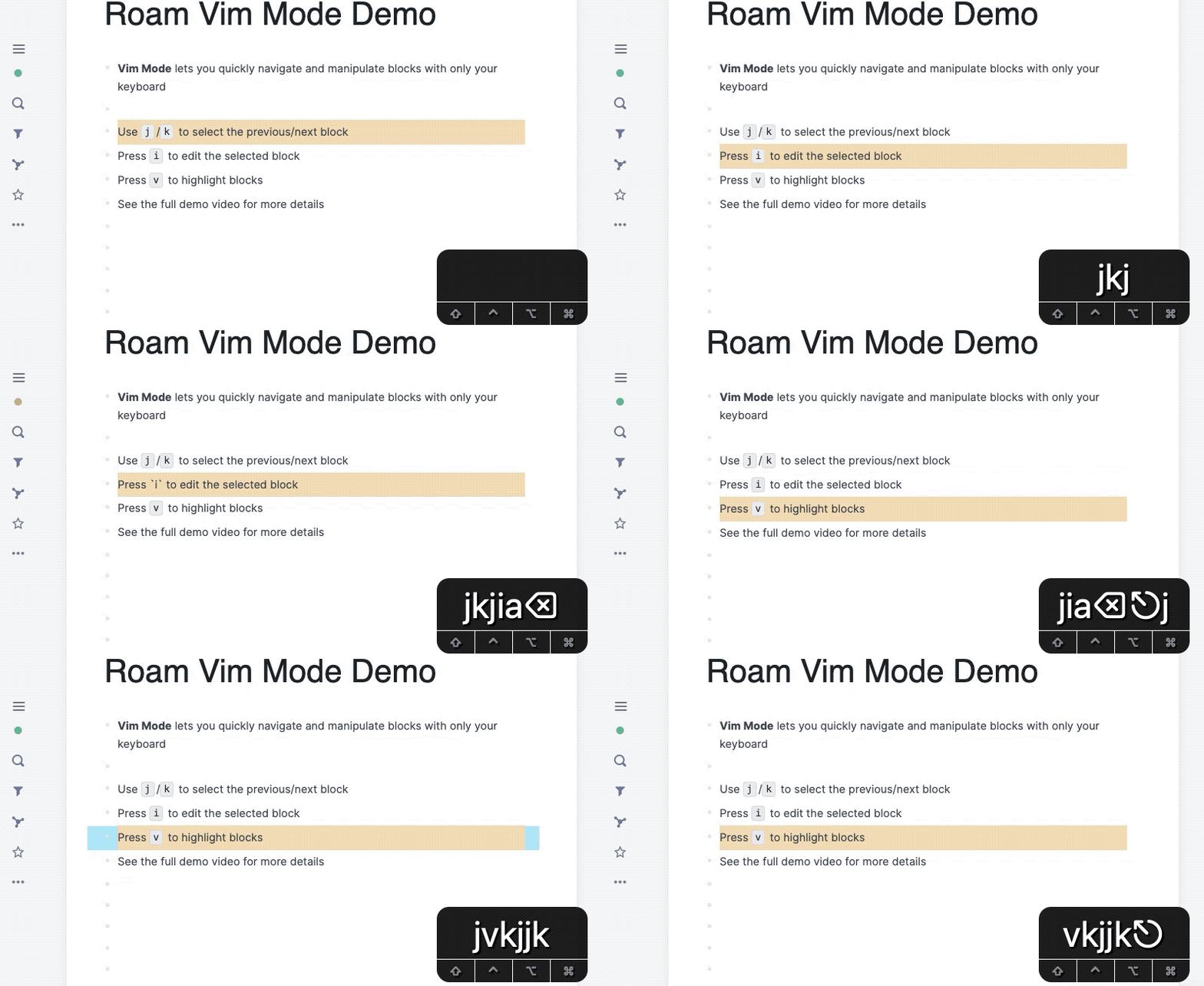 🔗
🔗
- This README summarizes the current functionality, but the authoritative up-to-date shortcut list is in Roam under
Settings -> Extensions -> Roam Toolkit Vim Mode, where every binding is editable. - Current Functionality
- Normal, insert, and visual-mode style workflows for Roam blocks
- Vim-like navigation within the current panel and across sidebars
- Selection, clipboard, block movement, history, hinting, and Roam-specific editing helpers
- Normal-mode
Tab/Shift+Tabshortcuts for Roam-style indenting and outdenting
- Default Keybindings
- Default layout preset is
qwerty. The Roam settings panel remains the authoritative live list, because every shortcut can be remapped there. - If you switch
Keyboard Layouttocolemak, these defaults change: - {{table}}
- Action
- QWERTY
- Colemak
- QWERTY
- Select Block Up
kh
- Select Block Down
jk
- Select Panel Left
hj
- Move Block Up
Cmd+Shift+KCmd+Shift+H
- Move Block Down
Cmd+Shift+JCmd+Shift+K
- Increment Date (layout up key)
Ctrl+Alt+KCtrl+Alt+H
- Decrement Date (layout down key)
Ctrl+Alt+JCtrl+Alt+K
- Increment Date by a week (layout up key)
Ctrl+Shift+KCtrl+Shift+H
- Decrement Date by a week (layout down key)
Ctrl+Shift+JCtrl+Shift+K
- Action
- Page-hint labels also switch to a Colemak-friendly alphabet when that layout preset is selected.
- Navigation and Panels
- {{table}}
- Mode
- Keys
- Action
- Keys
- Normal + Visual
k- Select block up
- Normal + Visual
j- Select block down
- Normal
Shift+H- Select first visible block
- Normal
Shift+L- Select last visible block
- Normal
g g- Select first block
- Normal
Shift+G- Select last block
- Normal
Ctrl+U- Jump up by several blocks
- Normal
Ctrl+D- Jump down by several blocks
- Normal + Visual
Ctrl+Y- Scroll up while keeping selection visible
- Normal + Visual
Ctrl+E- Scroll down while keeping selection visible
- Normal + Insert
Alt+Z- Expand last reference breadcrumb
- Normal
Shift+Z- Collapse the current page view inside references or query results
- Normal
1- Open parent page
- Normal
Shift+1- Open parent page in sidebar
- Normal
2- Open mentions
- Normal
Shift+2- Open mentions in sidebar
- Normal
z- Toggle fold block
- Normal
Ctrl+Shift+Z- Collapse into parent block
- Normal
h- Select panel left
- Normal
l- Select panel right
- All
Ctrl+W- Close current sidebar page
- Mode
- {{table}}
- Editing, Selection, and Clipboard
- {{table}}
- Mode
- Keys
- Action
- Keys
- All
Escape- Return to normal mode
- Normal
i- Edit selected block at start of line
- Normal
a- Edit selected block at end of line
- Normal
Shift+A- Edit selected block at end of line
- Normal
Shift+O- Insert block before current block
- Normal
o- Insert block after current block
- Normal
Tab- Indent current block under the previous sibling
- Normal
Shift+Tab- Outdent current block to the parent level
- Normal
v- Enter visual mode
- Normal + Visual
Shift+K- Grow selection upward
- Normal + Visual
Shift+J- Grow selection downward
- Normal
p- Paste below current block
- Normal
Shift+P- Paste before current block
- Normal + Visual
y- Copy selected block or selection
- Normal + Visual
Alt+Y- Copy block reference
- Normal + Visual
Shift+Y- Copy block embed
- Normal + Visual
d- Enter visual mode, or cut current visual selection
- Normal + Insert
Cmd+Shift+K- Move current block up
- Normal + Insert
Cmd+Shift+J- Move current block down
- Normal
u- Undo
- Normal
Ctrl+R- Redo
- Mode
- {{table}}
- Hints
- {{table}}
- Mode
- Keys
- Action
- Keys
- Normal
q,w,e,r,t,f,b- Click inline hint targets
0through6inside the selected block
- Click inline hint targets
- Normal
Shift+q,Shift+w,Shift+e,Shift+r,Shift+t,Shift+f,Shift+b- Shift-click inline hint targets
0through6
- Shift-click inline hint targets
- Normal
Ctrl+Shift+q,Ctrl+Shift+w,Ctrl+Shift+e,Ctrl+Shift+r,Ctrl+Shift+t,Ctrl+Shift+f,Ctrl+Shift+b- Modifier-click inline hint targets
0through6
- Modifier-click inline hint targets
- Normal
s- Start page-wide hint mode for visible blocks only
- Normal
Shift+S- Start page-wide hint mode for visible blocks and links
- Normal
g l- Start page-wide hint mode for visible links only
- Normal
Shift+I- Start page-wide hint mode for visible blocks and enter insert mode
- Mode
- {{table}}
- Roam-Specific Helpers
- {{table}}
- Mode
- Keys
- Action
- Keys
- Normal
Cmd+Enter- Toggle
TODO/DONE
- Toggle
- Normal
Ctrl+Shift+1- Reschedule current SRS note as
AGAIN
- Reschedule current SRS note as
- Normal
Ctrl+Shift+2- Reschedule current SRS note as
HARD
- Reschedule current SRS note as
- Normal
Ctrl+Shift+3- Reschedule current SRS note as
GOOD
- Reschedule current SRS note as
- Normal
Ctrl+Shift+4- Reschedule current SRS note as
EASY
- Reschedule current SRS note as
- Normal
Ctrl+Alt+Up- Increment the only date reference in the block by one day
- Normal
Ctrl+Alt+Down- Decrement the only date reference in the block by one day
- Normal
Ctrl+Alt+K- Increment the only date reference in the block by one day using the layout up key
- Normal
Ctrl+Alt+J- Decrement the only date reference in the block by one day using the layout down key
- Normal
Ctrl+Shift+Up- Increment the only date reference in the block by one week
- Normal
Ctrl+Shift+Down- Decrement the only date reference in the block by one week
- Normal
Ctrl+Shift+K- Increment the only date reference in the block by one week using the layout up key
- Normal
Ctrl+Shift+J- Decrement the only date reference in the block by one week using the layout down key
- Mode
- {{table}}
- Default layout preset is
- Settings Model
Keyboard Layoutswitches layout-sensitive defaults betweenqwertyandcolemak- layout-sensitive bindings update from that preset, and page-hint labels follow the selected alphabet
- if the browser exposes keyboard layout change events, the plugin re-registers hotkeys automatically when the system layout changes
- shortcuts are grouped by mode in the Roam settings panel, and each binding can be customized there
Reset Shortcutsrestores the default keymap for the selected layout
- Attribution
- Most of the original Vim functionality in Roam Toolkit was developed by Dave Lu (@tntmarket on GitHub).
- Roam Toolkit Vim Mode
- mobile
- Added font size control
- Native view now follows settings from the web app for page brackets and namespaces
- Fix native view search keyboard not enabling swipe with Gboard
- Tables show heading cols/rows and respect column sizing from
/tableImprovements
- Quality of Life Improvements
/tableImprovements- table is now interactive!
- You can click into cells, edit content, copy and paste, and move blocks around inside a table.
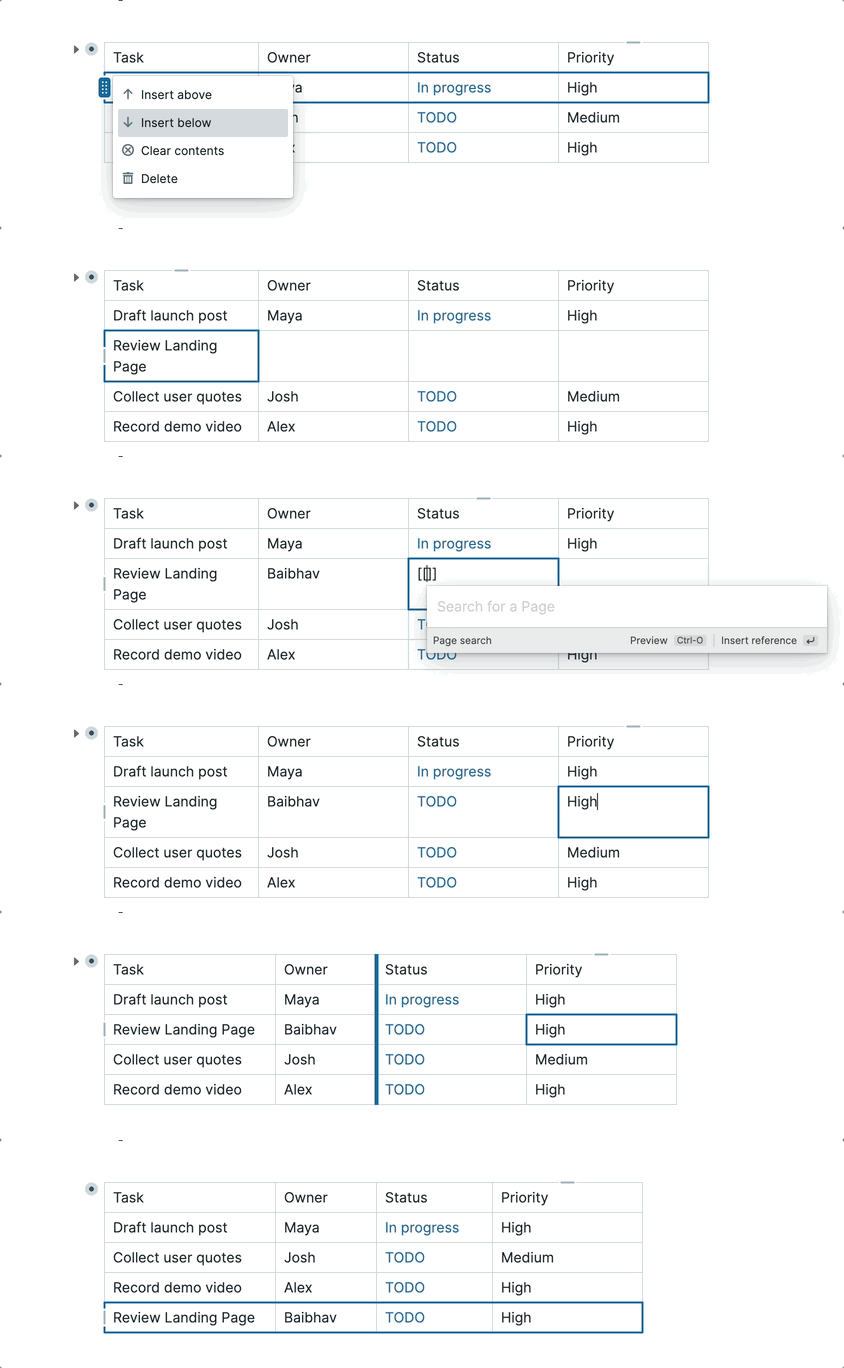
- Roam Depot Extensions
- ꩜ Nautilus Enhanced
- English | 中文
- English
- Nautilus Enhanced is an optimized, high-performance daily planner extension for Roam Research, inspired by the original Nautilus created by Tomas Barys.
- Acknowledgements
- This project is an enhanced fork of the original roam-depot-nautilus repository. A huge thank you to the original author, Tomas Barys, for his brilliant concept of using a spiral timeline to visualize energy and tasks throughout the day! This Enhanced version introduces deep performance optimizations (eliminating memory leaks), fully localized bilingual Settings, Bezier curve typography connectors, and visual UI/UX spacing fixes.
- Quick Start Guide
- One-time Setup:
- Install Nautilus Enhanced.
- (Optional but Recommended) Install Todo Trigger from Roam Depot to automatically append timestamps to completed tasks.
- Configure your preferences (workday start time, colors, lengths) in the Settings panel.
- Daily Routine:
- Type
;;and selectNautilus Enhancedto insert the spiral component into today's Daily Note. - Indent your tasks and meetings strictly underneath the component block.
- Events (Fixed time): Add a time range anywhere in the text (e.g.,
12:30-14:00 Lunch). - Tasks (Flexible): Write your regular to-dos (e.g.,
Read a book 30m). If no time is set, they fall into the default setup. - Watch the red pointer act as your dynamic clock, pushing unfinished, un-timed tasks forward into the future as the day goes on!
- Type
- One-time Setup:
- 中文 (Chinese)
- Nautilus Enhanced(鹦鹉螺行程图增强版) 是为 Roam Research 专门优化的每日行程与精力可视化插件。
- 致谢与鸣谢
- 本项目基于 Tomas Barys 开发的原生开源项目 roam-depot-nautilus 进行了深度重构与增强。非常感谢原作者卓越的设计理念(使用螺旋形状映射人在一天中不断衰减的精力曲线)。本“增强版”解决了原版的由于计时器导致的严重内存泄露问题,重新设计了具备原生中英双语的设置面板,优化了连接线的贝塞尔曲线动画以及汉字的精准排版,让它真正成为了一个高可用、高颜值的生产力工具。
- 极简使用教程
- 首次配置(只需做一次):
- 安装本插件。
- (建议配合使用)在 Roam 商店中安装 Todo Trigger 插件,以实现当你勾选 TODO 为 DONE 时,系统能自动在句尾打上完成时间戳。
- 在插件设置页中,按你的习惯配置“工作开始时间”、“高亮触发词”、“默认时长”等内容。
- 日常使用工作流:
- 每天在你的 Daily Note(每日笔记) 页面通过输入
;;唤出模板菜单,选择Nautilus Enhanced组件。 - 在渲染出的组件下方缩进一级作为子块(Children Block),把你今天想做的事情全部列出来。
- 固定日程:在你记录的事项文字任何一处输入时间段(如:
12:30-14:00 午餐会议),它就会被固定分配在表盘特定时段上。 - 弹性待办:直接记录没有写绝对时间的待办事项(如:
回复邮件 30m,默认占据时长在设置里可调)。 - 动态推移:随着现实时间流逝,图表上的红色实时指针会无情地前进;所有没打勾的弹性待办事项,总是会被红针自动“推”到未来的空白时间段中。
- 每天在你的 Daily Note(每日笔记) 页面通过输入
- 享受免焦虑时间管理的乐趣吧!
- 首次配置(只需做一次):
- ꩜ Nautilus Enhanced
- Add quarter-aware Custom symbols for use with
:q- Examples are
dnp/this-quarter-start,ms/this-quarter-start,ms/+1Q-start,ms/+1Q-end,ms/this-quarter-end,ms/last-quarter-start
- Examples are
- Datalog block query now supports [our custom symbols and rules](Roam-specific :q additions) too
- fix small bugs re blocks selection in linked refs
- Quality of Life Improvements ✨ for
:q- Context
:qfeature has existed since very early Roam, but we revamped it last year- Teaser into the revamped
:q
- Teaser into the revamped
- The new stuff:
current/main-window-*constants — 5 new symbols to reference the page/block focused in the main window- New constants available for use in :q
current/main-window-page-titleNEW ✨current/main-window-page-uidNEW ✨current/main-window-page-idNEW ✨current/main-window-block-uidNEW ✨current/main-window-block-idNEW ✨
- Example
- One random old reference of the currently open page
- I manually clicked on ... then
set sorting to be random
set rows per column to a 1 - To test it out, open the query below on the sidebar (shift click) and then go to a page with a lot of references like video
- :q "One random old reference to open page"
[:find ?uid ?t
:where
(refs-page current/main-window-page-title ?b)
[?b :create/time ?t]
[?b :block/uid ?uid]
[(< ?t ms/-365D-start)]]
- I manually clicked on ... then
- One random old reference of the currently open page
- :q "Page UID" [:find ?uid . :where [?page :node/title current/main-window-page-title] [?page :block/uid ?uid]]
- New constants available for use in :q
- Add
in-dnp-between,refs-dnp-between,in-or-refs-dnp-betweenrules to:q- Rules we supported before:
- Some new useful inbuilt
rulesto ease writing queries
- Some new useful inbuilt
- New rules we added now:
(in-dnp-between ?start-dnp ?end-dnp ?b)NEW ✨(refs-dnp-between ?start-dnp ?end-dnp ?b)NEW ✨(in-or-refs-dnp-between ?start-dnp ?end-dnp ?b)NEW ✨- also adds convenience rules for single DNP variants
(in-dnp ?dnp ?b)NEW ✨(refs-dnp ?dnp ?b)NEW ✨(in-or-refs-dnp ?dnp ?b)NEW ✨- you could already do this, this just makes it simpler/more discoverable
- The
?start-dnp?end-dnpand?dnpparams accept dnp page titles ordnp/*style symbols (since they resolve to DNP page titles)- Reference for these symbols:
dnp- Usage notes: These resolve to page title (i.e.
:node/title) for the relevant daily note page dnp/todaydnp/yesterdaydnp/tomorrowdnp/-1Ddnp/+1Ddnp/this-week-startdnp/this-week-enddnp/this-month-startdnp/this-quarter-startdnp/this-year-enddnp/=2025-01-01- resolves to "January 1st, 2025"
- Usage notes: These resolve to page title (i.e.
- Reference for these symbols:
- Examples of queries our new
in-dnp-between,refs-dnp-between,in-or-refs-dnp-betweenenable Examples of :q query blocks- (this roam graph does not have much content in daily note pages, so below queries will probably be empty, please copy and test in your own graphs)
- DNP blocks this month with create time
(in-dnp-between dnp/this-month-start dnp/this-month-end ?b)- :q "DNP blocks this month with create time"
[:find ?b ?t
:where
(in-dnp-between dnp/this-month-start dnp/this-month-end ?b)
[?b :create/time ?t]]
- :q "DNP blocks this month with create time"
- TODOs from last week's daily notes or reffing those DNPs
(in-or-refs-dnp-between dnp/last-week-start dnp/last-week-end ?b)- :q "TODOs from last week's daily notes or reffing those DNPs"
[:find ?b
:where
(in-or-refs-dnp-between dnp/last-week-start dnp/last-week-end ?b)
(refs-page "TODO" ?b)]
- :q "TODOs from last week's daily notes or reffing those DNPs"
- Blocks referencing this week, written by particular user "Baibhav Bista"
(refs-dnp-between dnp/this-week-start dnp/this-week-end ?b)- :q "Blocks referencing this week, written by Baibhav"
[:find ?b
:where
(refs-dnp-between dnp/this-week-start dnp/this-week-end ?b)
(created-by "Baibhav Bista" ?b)
[?b :create/time ?t]]
- :q "Blocks referencing this week, written by Baibhav"
- Blocks referencing this week, written by particular user "Baibhav Bista" (also filter out blocks already in those DNPs)
- `(refs-dnp-between dnp/this-week-start dnp/this-week-end ?b)
(not (in-dnp-between dnp/this-week-start dnp/this-week-end ?b))`- :q "Blocks referencing this week, written by Baibhav"
[:find ?b
:where
(refs-dnp-between dnp/this-week-start dnp/this-week-end ?b)
(not (in-dnp-between dnp/this-week-start dnp/this-week-end ?b))
(created-by "Baibhav Bista" ?b)
[?b :create/time ?t]]
- :q "Blocks referencing this week, written by Baibhav"
- `(refs-dnp-between dnp/this-week-start dnp/this-week-end ?b)
- Rules we supported before:
- Expose the custom :q symbols and rules to roamAlphaAPI.data.q
- so now extension developers can just use custom symbols like
ms/next-week-startor rules like(in-or-refs-dnp-between ?start-dnp ?end-dnp ?b), as well as everything else in Roam-specific :q additions
- so now extension developers can just use custom symbols like
- Change to how
ms/*anddnp/*symbols are resolved when in daily note pages- Now it works similarly to how
{between: [[today]] [[tomorrow]]}in{{query: ....}}works - that is, when the
:qquery is on a daily note page,ms/today-start(for example) resolves to the start of day for the day corresponding to that daily note page.- wheras, for
:qqueries in any other (non-DNP) page,ms/today-startcorresponds to the actual today
- wheras, for
- this change is for all the relative ms/* and dnp/* special symbols
- When this happens, one can see an info button with details
- Now it works similarly to how
- In video form:
- {{video: https://www.loom.com/share/f62d4893563143ae84cdae3640af6eb8}}
- New and Revamped resources to learn about
:q
- Context
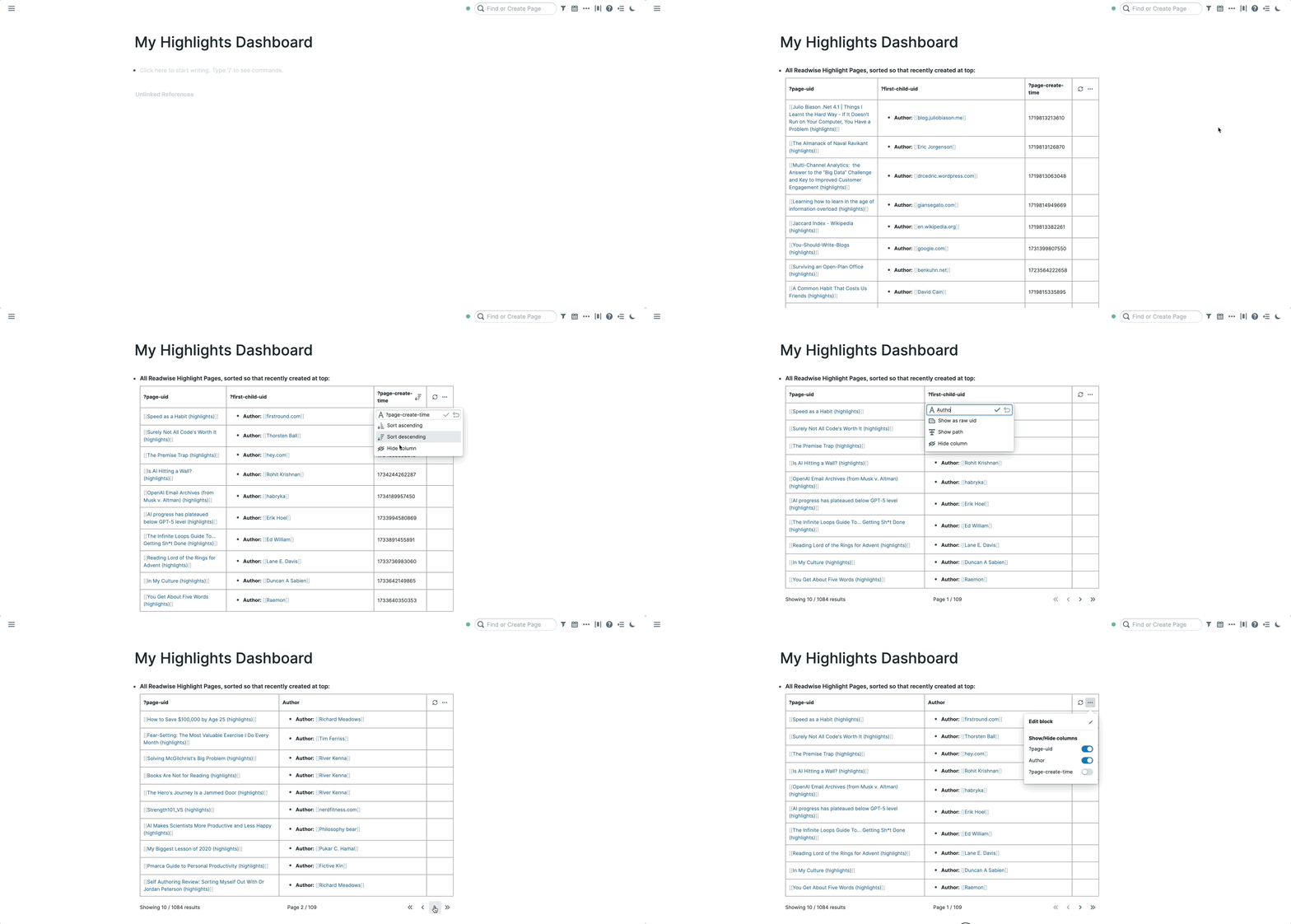
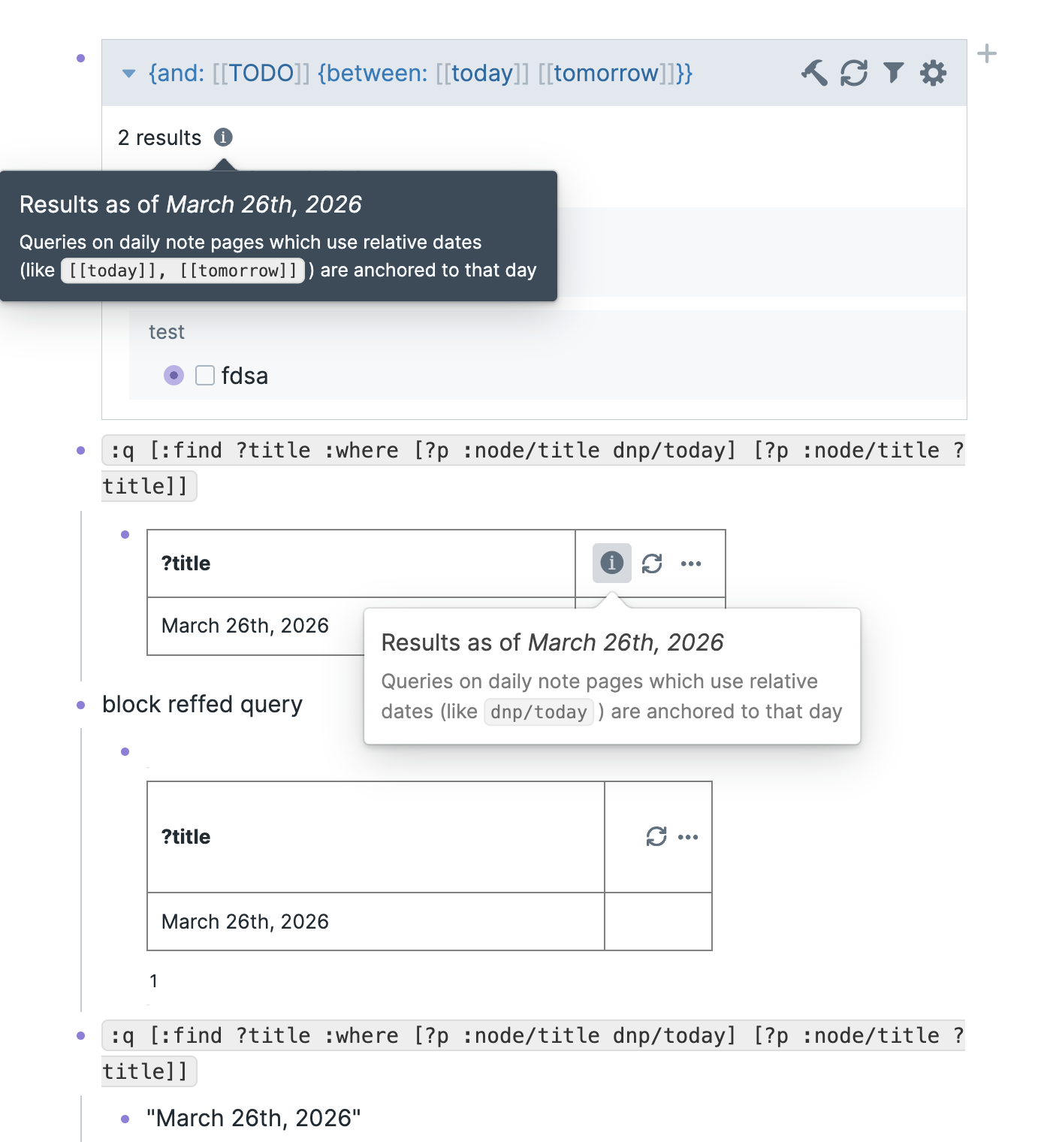
- Bug Fixes
- Fixed export page failing on blocks that only contain a newline
- Fixed All Pages delete page skips user pages instead of failing
- Quality of Life Improvements
- Inline autocomplete Search
- Inline autocomplete now shows a live preview of pages and blocks.
- Toggle it with
Ctrl-O 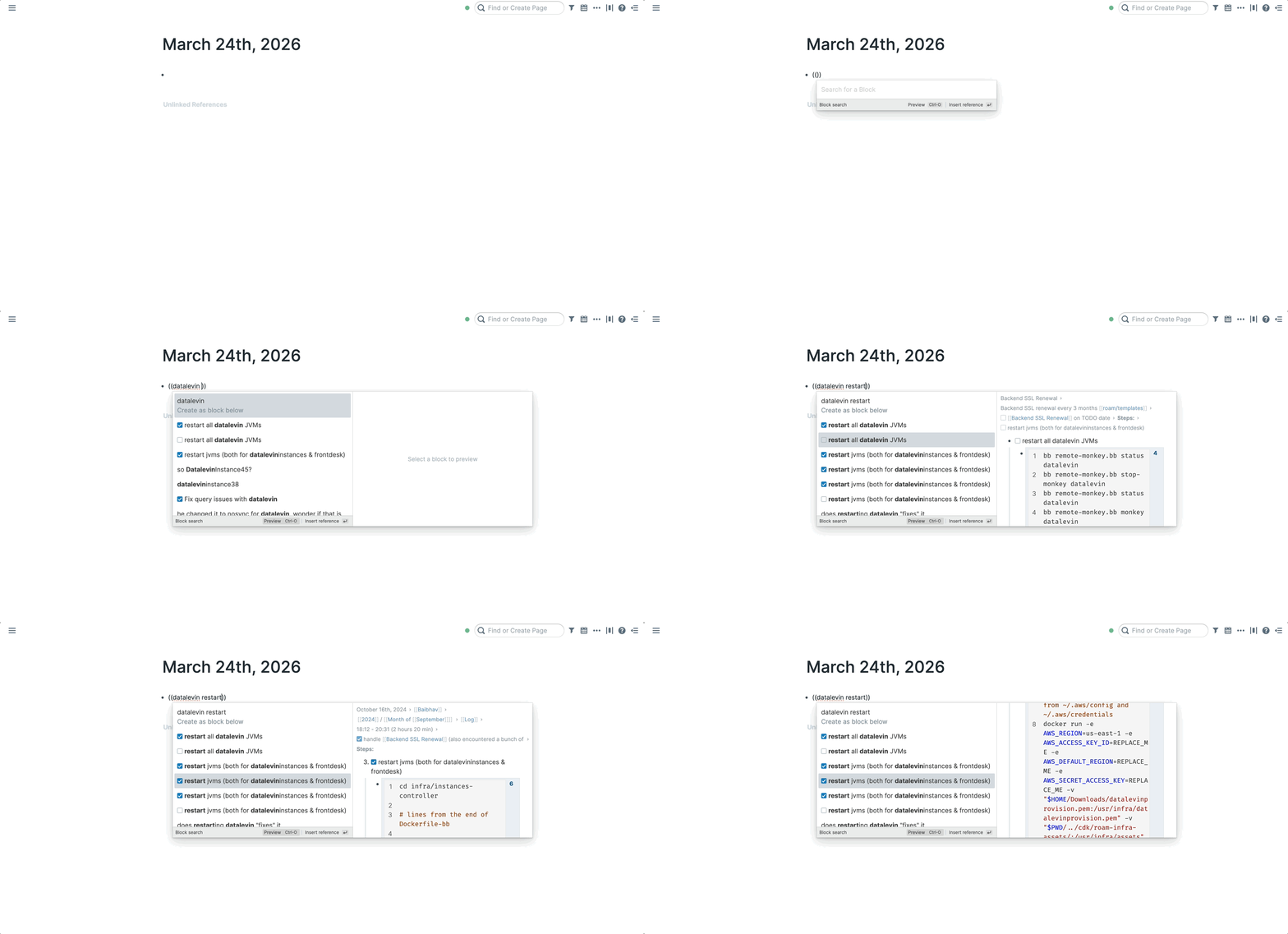
- Toggle it with
- Search results highlight matching terms and truncate long blocks to keep results scannable
- Reference counts are shown next to pages in autocomplete so you can gauge relevance at a glance
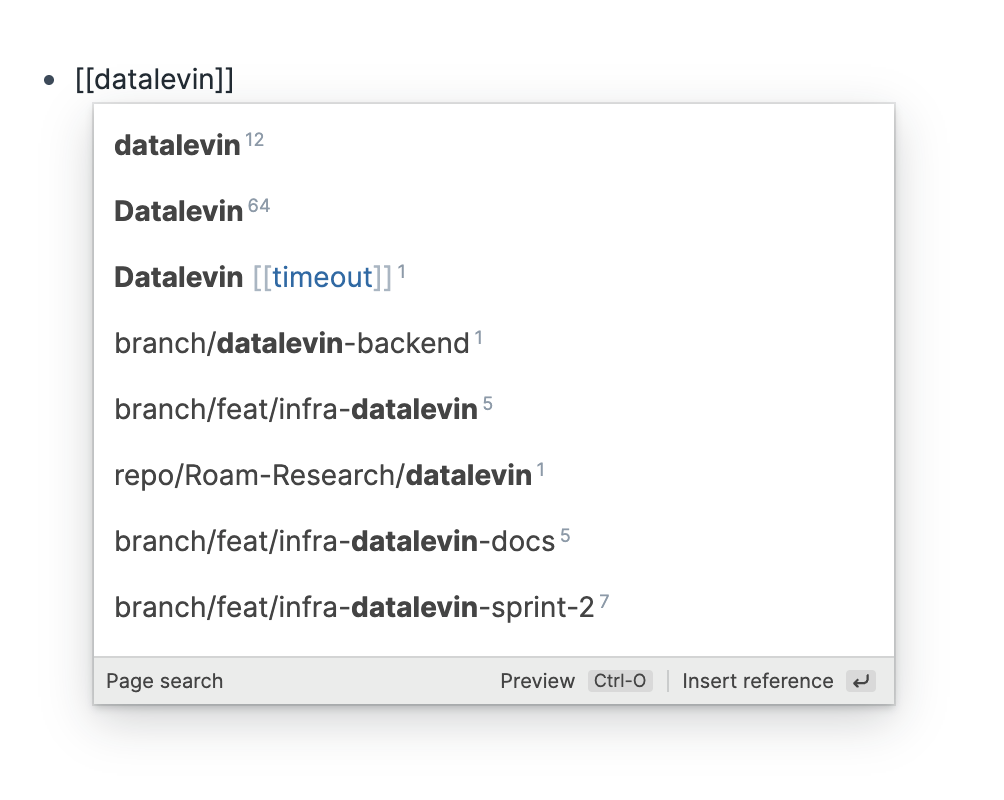
- You can also disable this in user preferences
- Inline autocomplete now shows a live preview of pages and blocks.
- Added attachment transfer for Local Graphs
- Added attachments view in settings for Local Graphs
- Inline autocomplete Search
- Bug Fixes
- Fix displaying titles like
[[> title]]in blocks, before this mistakenly displayed a block quote - Fixed the "Click here to update" button sometimes not updating
- Fix displaying titles like
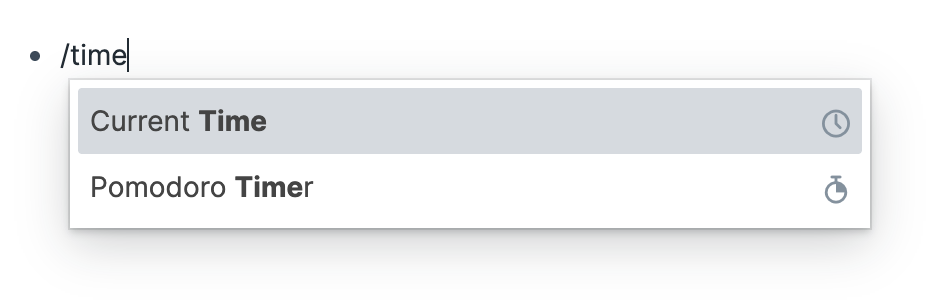
- Quality of Life Improvements
- Improved All Pages load time by 50% and now preserves the selected view/sort for the duration of your session.
- Roam Depot Extensions
- Chief of Staff
- An AI assistant embedded in Roam Research. Chief of Staff connects your Roam graph to large language models (Anthropic, OpenAI, Google Gemini, or Mistral) and to external tools via Composio, letting you ask questions, search and manage tasks, and orchestrate actions across your connected apps — all without leaving Roam.
- {{video: https://www.loom.com/share/9aa3c07de0f147af971d2fc54fe65e4a}}
- Object Metadata Autocomplete
- A Roam Research extension that lets you search for real-world objects (books, places, and more) and create structured pages with their metadata.
- Features
- Book Autocomplete
- Search OpenLibrary for books and create rich pages with metadata:
- Cover image, author(s), publish year, rating, page count, subjects
- Author pages are auto-created with
isa::[[person]] [[author]] - Book link is copied to clipboard and the page opens in the sidebar
- Search OpenLibrary for books and create rich pages with metadata:
- Google Maps Autocomplete
- Search Google Places for locations and create pages with:
- Address, coordinates, Google Maps URL, website, vicinity
- Location type tags (e.g.
[[restaurant]],[[park]])
- Search Google Places for locations and create pages with:
- Book Autocomplete
- Usage
- Open the Roam command palette (
Cmd+P) and run:- Book autocomplete — search and insert books
- Google maps autocomplete — search and insert locations
- Open the Roam command palette (
- Chief of Staff
- Quality of Life Improvements
- Moved all export / import options into a central location in settings
- Renamed "User" settings to "Preferences" and "Files" to "Attachments"
- Changed the styling to limit the width of settings
- Moved all export / import options into a central location in settings
- Roam Depot Extensions
- DNP Default Filters
- A Roam Research extension that applies default linked references filters to daily note pages.
- Configuration
- Go to Settings > Roam Depot > DNP Default Filters and set:
- Includes filter — comma-separated page names to include (e.g.
Queries, Projects) - Removes filter — comma-separated page names to exclude (e.g.
TODO, Evergreens) - Auto-apply on navigation — toggle automatic filter application on/off (on by default)
- Includes filter — comma-separated page names to include (e.g.
- Go to Settings > Roam Depot > DNP Default Filters and set:
- Features
- Auto-apply
- When enabled, the extension automatically applies your configured filters to any daily note page's linked references section — both on Roam load (for today's DNP) and whenever you navigate to a DNP. Filters are merged with any existing ones on the page (no duplicates), and only applied once per DNP per session to avoid overwriting manual changes.
- Command palette
- Use Cmd+P (or Ctrl+P) and search for "DNP Filters: Apply to current page" to manually apply filters to whatever daily note page you're currently viewing. This also merges with existing filters.
- Auto-apply
- DNP Default Filters
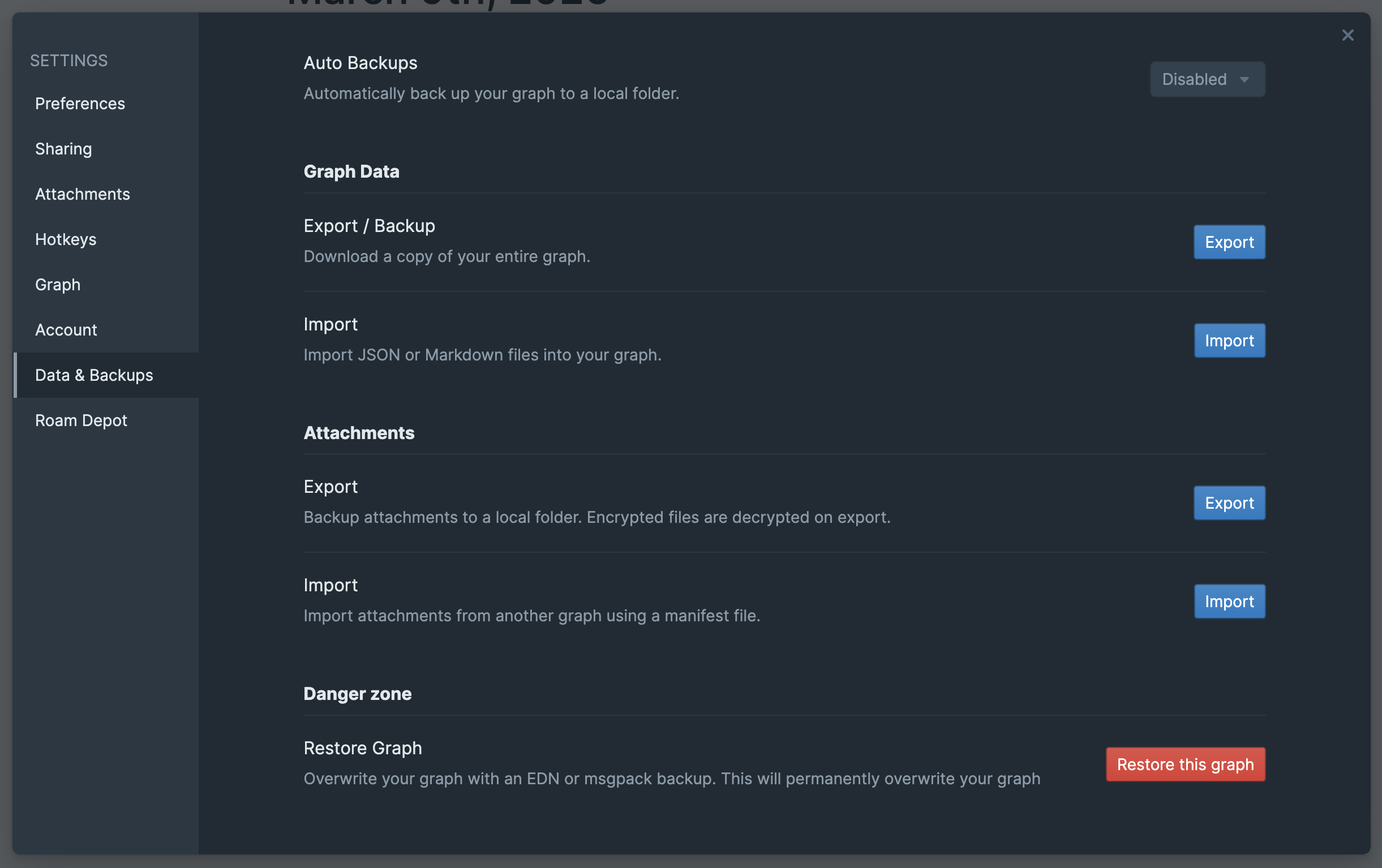
- Quality of Life Improvements
- Added the ability to choose your own bullet color for multi-user graphs
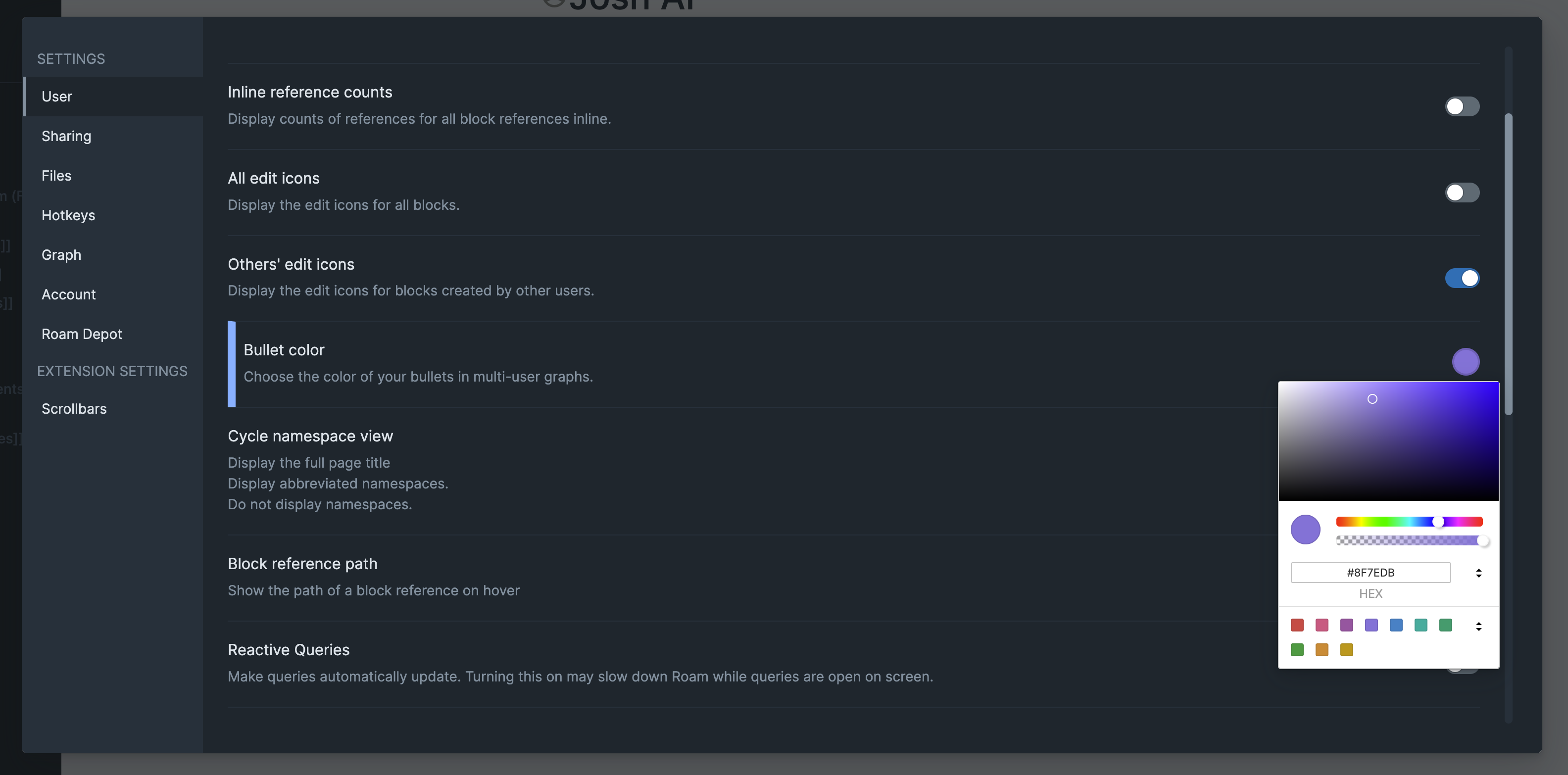
- You can also edit the bullet color of API token's pages you create from their display name page
- Added the ability to choose your own bullet color for multi-user graphs
- Quality of Life Improvements
- Speed up the opening of Unlinked References
- Added TSX Code Blocks
- Bug Fixes
- Blockquote and callout paste/import fixes — Pasting or importing blockquotes and callouts from HTML (e.g. from web pages) and Markdown now correctly produces single Roam quote blocks. Previously, multi-paragraph blockquotes would create separate blocks for each line. Consecutive
>lines in Markdown imports are now grouped into a single blockquote block. - Blockquote viewer improvements — The blockquote and callout viewer now properly handles the
>prefix, including multi-line blockquotes and cases where>is not followed by a space. Previously, the first character after>could be clipped. - Blockquote and callout copy as HTML — Copying blockquote and callout blocks now produces proper
<blockquote>HTML on the clipboard, so pasting into other apps preserves the quote formatting. - Fix some issues pasting from github
- Blockquote and callout paste/import fixes — Pasting or importing blockquotes and callouts from HTML (e.g. from web pages) and Markdown now correctly produces single Roam quote blocks. Previously, multi-paragraph blockquotes would create separate blocks for each line. Consecutive
- Roam Depot Extensions
- Quick Capture shortcut
- Allows a quick-capture experience without having to change context of whatever you're working on. Just press a hotkey and start typing!
🔗
- How It Works
- Press the hotkey (Ctrl+Shift+N on Mac, Alt+N on Windows/Linux) to:
- Create a new block at the bottom of today's Daily Notes page.
- Open that block in the right sidebar.
- Focus the cursor on it, ready for typing.
- You can customize the hotkey from the Command Palette.
- Press the hotkey (Ctrl+Shift+N on Mac, Alt+N on Windows/Linux) to:
- Export with References
- Export a Roam page or block — along with all its backlinks — to your clipboard in markdown format.
- For each backlink, the referencing block and all its children are included, grouped by source page.
- Usage
- Commands
- The extension registers three entry points:
- {{table}}
- Trigger
- Command
- Behavior
- Command
- Command palette
- Export with References
- Exports the focused block (if cursor is in a block) or the current page (if no block is focused)
- Export with References
- Command palette
- Export Page with References
- Always exports the entire current page, regardless of which block is focused
- Export Page with References
- Block context menu
- Export with References
- Right-click a block bullet → exports that specific block
- Export with References
- Trigger
- From the Command Palette
- Navigate to a page, or focus on a block
- Open the command palette (
Cmd/Ctrl + P) - Search for Export with References or Export Page with References
- The markdown is copied to your clipboard
- From the Context Menu
- Right-click on a block's bullet point
- Select Export with References
- The block content and its backlinks are copied to your clipboard
- Commands
- Output Format
- The exported markdown looks like this:
# Page Title- first block on the page
  - nested child block
- second block

## Backlinks### [[Source Page A]]- block that references the exported page
  - child of the referencing block
  - another child

### [[Source Page B]]- another referencing block
[[page references]]are preserved as-is- If there are no backlinks, the "Backlinks" section is omitted
- Children of each backlink block are included with proper indentation
- Installation
- Search for Export with References in the Roam Depot marketplace and click install.
- Roam Deep Research
- Run long-form research jobs from inside Roam, poll/stream results from external providers, and write structured output back into your graph.
- Purpose
- This extension gives you a single command-palette workflow to:
- dispatch a research prompt to a provider (
Gemini,OpenRouter, orManus) - track job state (
dispatched,polling/streaming,writing, terminal states) - write a structured result tree under a
Deep Research task::block - keep job metadata and status in extension settings for recovery and retries
- dispatch a research prompt to a provider (
- This extension gives you a single command-palette workflow to:
- Requirements
- A valid API key for at least one supported provider (Gemini, OpenRouter, or Manus).
- The Manus provider requires Roam's built-in CORS proxy (
corsAnywhereProxyUrl). The extension will display an error if the proxy is unavailable.
- Core Functions
- 1) Job Dispatch
- Command palette:
Run Deep Research task - Slash command:
/Run Deep Research task(runs against the current block) - Prompt UI uses
iziToastinput modal - Context is collected from selected/focused Roam blocks with safety limits:
- block cap
- character cap
- API call budget
- depth cap
- Command palette:
- 2) Provider Execution Modes
Gemini: polling mode via/v1beta/interactionsManus: polling mode via/v1/tasks(through Roam CORS proxy)OpenRouter: streaming mode via SSE (/api/v1/chat/completions)
- 3) Status + Recovery
- Cross-tab lease ownership for polling/writeback
- Persisted job state in
extensionAPI.settings - On load:
- resumes eligible polling jobs
- marks stale streaming jobs failed (streaming cannot resume after reload)
- runs maintenance/pruning
- 4) Writeback
- Writes output as Roam blocks with batching and depth/size limits
- Adds
results_written:: truemarker for idempotency - Includes sections such as:
Summary::Key Findings::Evidence / Citations::Open Questions::Suggested Next Actions::Attachments::References::Provenance::
- 5) Cancellation + Retry
- Command palette:
Cancel Deep Research task - Provider-aware cancellation:
- Gemini: DELETE interaction
- Manus: DELETE task, with local fallback
- OpenRouter: abort stream
- Retry path reuses prompt and current context collection flow
- Command palette:
- 6) Tools API
- Registers a public tools bridge at:
window.RoamExtensionTools['deep-research']
- Tools:
rdr_run_researchrdr_get_jobsrdr_cancel_job
- Broadcast events:
rdr:job-dispatchedrdr:job-completedrdr:job-failedrdr:job-canceled
- Registers a public tools bridge at:
- 1) Job Dispatch
- Settings (UI)
- Settings shown in the extension panel and their behaviour impact:
Research providerValues:gemini,openrouter,manusChanges runtime path (polling vs streaming), API auth, and provider normalisation.Provider key + model/profilegemini:Gemini API keyResearch agent(currently fixed todeep-research-pro-preview-12-2025)openrouter:OpenRouter API keyResearch model(select from curated deep-research models)manus:Manus API keyAgent profile(manus-1.6,manus-1.6-lite,manus-1.6-max)Max job duration (minutes)Upper wall-clock bound before a polling job is abandoned.Max output blocksHard cap for writeback size and truncation behaviour.Store raw output on schema errorsAdds raw provider payload blocks when structured parsing fails.Archive completed jobsMoves old terminal jobs to monthly archive pages before cleanup.Upload attachments to Roam- Downloads provider attachments, uploads to Roam storage, and embeds if possible.
- Manus is one provider that specifically provides files that can be downloaded and stored within Roam Research storage if this setting is switched on.
- Settings shown in the extension panel and their behaviour impact:
- Limitations
- Streaming jobs (OpenRouter) cannot survive a page reload. If the tab is closed or refreshed mid-stream, the job is marked failed. Polling providers (Gemini, Manus) automatically resume after reload.
- Only one research job can run at a time.
- Data + Safety Notes
- API keys are stored in Roam extension settings (browser IndexedDB), not encrypted.
- The extension avoids overwriting non-empty user blocks by creating sibling/fallback roots where possible.
- Large output is truncated to respect block/size/depth safety limits.
- Quick Capture shortcut
- Quality of Life Improvements
- Import dialog redesign with a two-panel layout — scrollable page list on the left, detail panel on the right
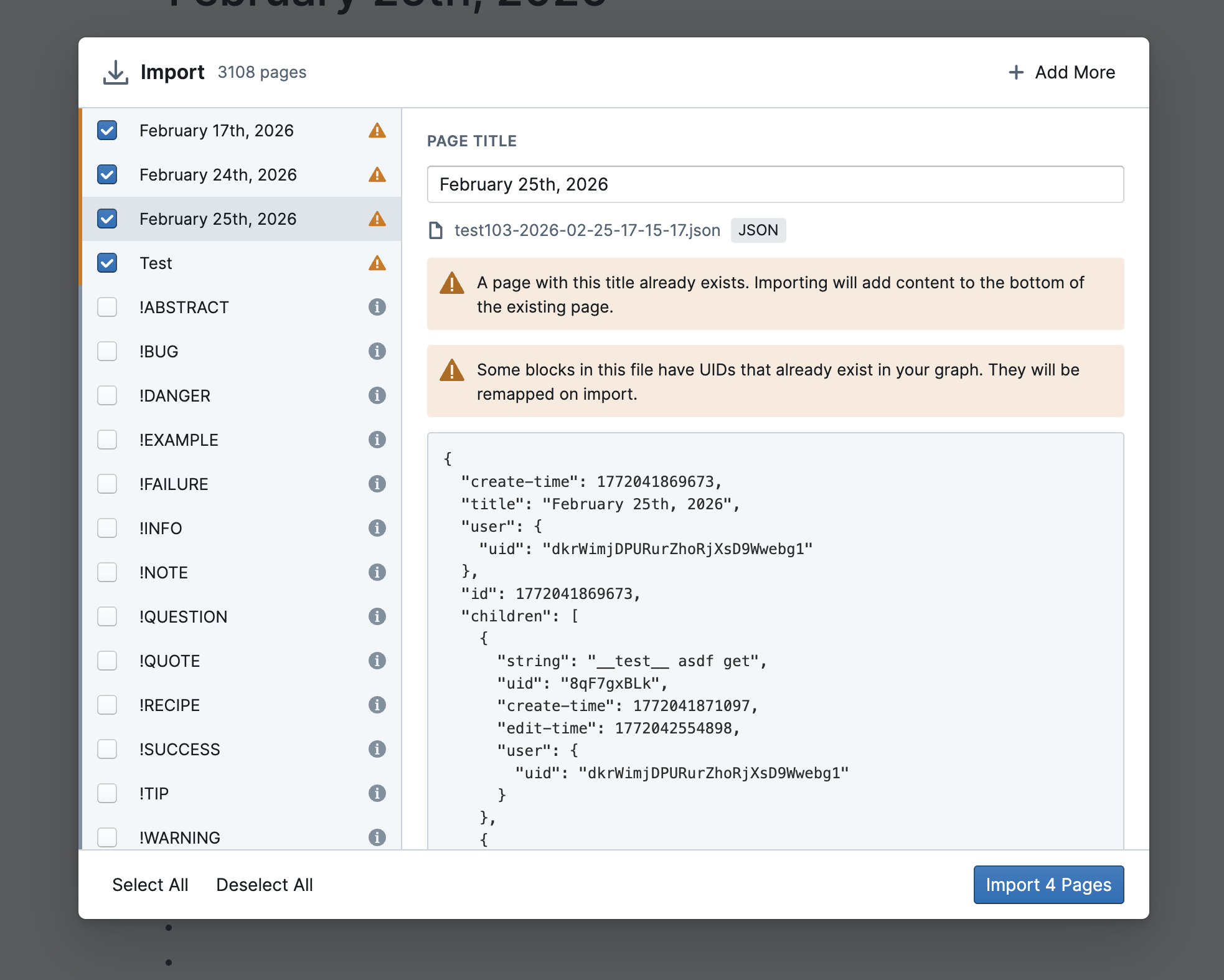
- As well as a lot more improvements
- Added folder selection for importing entire directories of markdown files
- Subfolder paths are now reflected in page titles (e.g. notes/Claim instead of Claim) to avoid false duplicates
- Added per-page title editing with option to update references across all imported pages
- Identical pages are auto-unchecked and dimmed; empty pages that already exist in the graph are flagged
- Block UID conflicts are now automatically remapped instead of failing the import
- Added callout directing users to Image Import for image files from another graph
- Fixed Select All / Deselect All being slow on large imports
- Improved performance for imports with many pages (500+)
- Import dialog redesign with a two-panel layout — scrollable page list on the left, detail panel on the right
- Quality of Life Improvements
- File Manager
- Import / Export files, useful when restoring your graph to a new one, or backing up your files
- When exporting to the same directory twice, it will not duplicate the files
- Currently only supported in the desktop app, chome and edge browsers
- Small redesign from a list into a grid
- Import / Export files, useful when restoring your graph to a new one, or backing up your files
- File Manager
- Mobile Native View
- Added callouts
- > !TIP Callouts are here! Try typing
> [!warning] Watch outin any block.
See the Callouts page for all available types and how to style your own custom ones
- > !TIP Callouts are here! Try typing
- Fixed Markdown links with parentheses
- Fixed applying templates that include headings or text align
- Pasting a URL over selected text now creates a Markdown link (like the web app)
- Fixed iOS pasted text disappear after accepting paste
- Added callouts
- Quality of Life Improvements
- Four / five backtick code blocks, useful for writing markdown in code blocks.
- Create with
/markdown
- Create with
- Four / five backtick code blocks, useful for writing markdown in code blocks.
- Quality of Life Improvements
/code blockslash command now inserts at the cursor position instead of replacing the entire block content{{date}}picker now auto-focuses today's date on open, so arrow keys work immediately for keyboard navigation- Selecting a date in the
{{date}}picker now refocuses the block with the cursor placed after the inserted page reference
- Roam Depot Extensions
- tldraw
- Turn any matching page into a fast, visual whiteboard with draggable page and block nodes, quick linking, and keyboard-friendly canvas controls.
- Notice! This is a beta extension.
- This extension is in active development and may contain bugs.
- If you notice anything off, or have feature requests, please reach out on GitHub or Slack.
- Features
- Auto load a canvas on pages that match your patterns (default:
Canvas/*) - Works in both the main view and right sidebar
- Adds dedicated Page and Block node tools to the tldraw toolbar
- Supports paste and drag/drop of links and block refs directly onto the canvas
- Includes a searchable inspector for picking target pages or blocks
- Opens linked items in the main view (
Ctrl+click) or sidebar (Shift+click) - Provides a configurable maximize hotkey for full-screen focus
- Auto load a canvas on pages that match your patterns (default:
- Quick Start
- The default canvas page pattern is
Canvas/*. - To create a canvas, create a page with a title like:
Canvas/Project PlanningCanvas/Ideas
- When you open that page, the canvas loads automatically.
- The default canvas page pattern is
- tldraw
- New Features
- > !TIP Callouts are here! Try typing
> [!warning] Watch outin any block.
See the Callouts page for all available types and how to style your own custom ones
- > !TIP Callouts are here! Try typing
- Quality of Life Improvements
- Copy inline code block with right click -> "copy code" button
- Quality of Life Improvements
- Markdown links now support urls with parenthesis in them, as well as
[](<url>)for other urls which might not display right[Mathematical theory](https://en.wikipedia.org/wiki/Theory_(mathematics))[title ...](<special url>)- wrapping a url in
<>should always work, no matter then special characters in the URL
- wrapping a url in
- Markdown links now support urls with parenthesis in them, as well as
- Bug Fixes
- Fixed a bug that caused data loss in code blocks
- Code blocks now save progress while you are typing in them, no need to click outside to save anymore
- Fixed a bug with code blocks where pasting + changing the language would open, then close the language picker without letting you select a language
- Fixed a bug that caused data loss in code blocks
- Roam Depot Extensions
- Breadcrumbs
- Never lose your place in Roam again. Breadcrumbs adds a clickable trail of your recent pages and blocks in the top bar, so you can jump back instantly and navigate your graph with confidence.
Ask DeepWiki 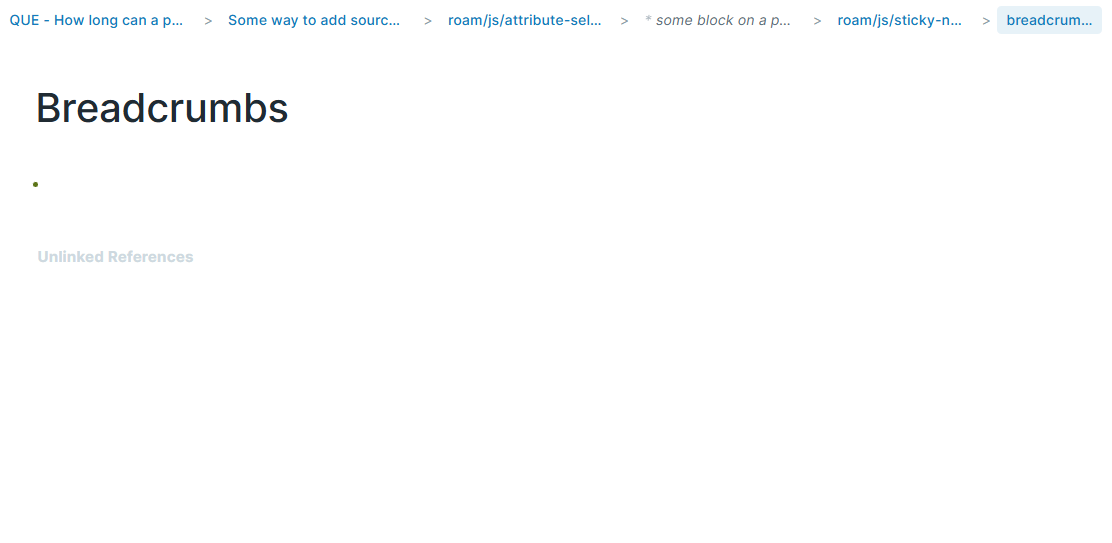
- Features
- Tracks recently visited pages and block locations
- Renders oldest-to-current breadcrumb trail in the top bar
- Click any non-current breadcrumb to navigate back
- Distinguishes pages vs blocks with different styles
- Supports Blueprint dark mode (
.bp3-dark)
- Settings
Max breadcrumbs: max number of prior locations to keepTruncate length: max label length before truncation
- Never lose your place in Roam again. Breadcrumbs adds a clickable trail of your recent pages and blocks in the top bar, so you can jump back instantly and navigate your graph with confidence.
- Sticky Notes
- Quick, ephemeral notes that float on top of your Roam Research graph. Jot something down, drag it wherever you want, and when you're done—remove it. No clutter, no permanent page unless you want one.
Ask DeepWiki 
- What are Sticky Notes?
- Sticky Notes are lightweight notes that sit in a layer above your Roam graph. They're meant for quick, temporary capture: ideas you're playing with, reminders for the current session, or scratch space while you work. When you delete a sticky note, it's gone—the block is removed from your graph. No archive, no cleanup later.
- Features
- Full Roam inside every note — Each sticky is a real Roam block. Use tags
#like-this, images, embeds, links, and everything else you normally do in Roam. - Drag anywhere — Grab the note by the header bar and drag it anywhere on your screen. Position and size are remembered for your session.
- Resize — Drag the corner or edge of a note to make it bigger or smaller.
- Minimize — Collapse a note to just its title bar when you want it out of the way but still visible.
- Ephemeral by design — Delete a note with the ✕ button and the block is removed from Roam. Perfect for throwaway thoughts and temporary scratch space.
- Full Roam inside every note — Each sticky is a real Roam block. Use tags
- How to use
- Create a sticky note — Open the command palette (
Ctrl/Cmd + Shift + P), run "Sticky Notes: Create Sticky Note", and a new note appears. - Move it — Click and drag the colored header bar to place the note wherever you like.
- Edit — Type in the note as you would in any Roam block. Use
#tags,/commands, images, and links. - Remove it — Click the ✕ on the note when you're done. The note and its content are deleted from your graph.
- Sticky notes are stored under a single Roam page (
roam/js/sticky-note) so they stay in your graph while they exist, but the extension is built so you can treat them as disposable: create, use, delete.
- Create a sticky note — Open the command palette (
- Quick, ephemeral notes that float on top of your Roam Research graph. Jot something down, drag it wherever you want, and when you're done—remove it. No clutter, no permanent page unless you want one.
- Stats
- Know your graph in seconds—pages, words, links, and tags in one sleek drawer.
Ask DeepWiki 
- Features
- Overview — Pages, interconnections (block refs), Firebase links, external links
- Content breakdown — Text blocks (count, words, characters), block quotes, code blocks
- Block types — Counts for TODO, DONE, query, embed, table, kanban, video, roam/js (click a tag to open that page)
- Account — Current user display name and email
- Open the drawer via the command palette: Stats: Toggle Stats Drawer.
- Know your graph in seconds—pages, words, links, and tags in one sleek drawer.
- Breadcrumbs
- Roam Depot Extensions
- YouTube Transcript Sync
- A Roam Research extension that fetches YouTube video transcripts and inserts them into your graph.
 🔗
🔗
- Features
- Import transcripts from any YouTube video with captions
- Clickable timestamps that jump to the video position
- Multiple format options: nested blocks, single block, or code block
- Installation
- Go to Settings > Roam Depot > Community Extensions
- Search for "YouTube Transcript Sync"
- Click Install
- Setup
- Get your API key from supadata.ai (free tier includes 100 credits/month - enough for daily use)
- Open Settings > YouTube Transcript Sync
- Enter your API key
 🔗
🔗
- Usage
- Paste a YouTube URL in any block (e.g.,
https://youtube.com/watch?v=...) - Click on the block containing the URL
- Open command palette (
Cmd/Ctrl + P) and run Import Youtube Transcript - Tip: To enable clickable timestamp navigation, click the small button before the YouTube link to embed the video. Without embedding, transcripts will still be imported but timestamps won't jump to the video position.
 🔗
🔗
- Paste a YouTube URL in any block (e.g.,
- Transcript Formats
- YouTube Transcript Sync


- Bug Fixes
- Fixed outline highlight priority so selected blocks (blue) display over search highlights (yellow)
- Removed extra margin on block highlight outline
- Fixed shift-click on Daily Notes in sidebar to properly open today's page
- Fixed page title sync to properly update when title changes in the database
- When renaming a page causes a merge with an existing page:
- Main window now only navigates to the merged page if you had the deleted page open
- Sidebar windows showing the deleted page now navigate to the merged page instead of closing
- Fixed outline highlight priority so selected blocks (blue) display over search highlights (yellow)
- Quality of Life Improvements
- Increased bottom padding on pages from
120pxto35vhfor more scroll room
- Increased bottom padding on pages from
- Roam Depot Extensions
- Better Command Palette (BCP)
- Better Command Palette enhances Roam Research’s command palette by letting you pin your favourite commands so they always appear at the top. You can also sort unpinned commands alphabetically if that’s your preference.
- This extension is intentionally lightweight, safe, and non-invasive:
- ✅ Does not modify your graph (no block/page writes)
- ✅ Does not override Roam commands
- ✅ Works entirely at the UI layer (DOM decoration + reordering)
- ✨ Features
- ⭐ Pin favourite commands
- Click the star next to any command to pin it
- Pinned commands move to the top instantly
- A divider is shown between pinned and unpinned commands (when both exist)
- 💾 Per-graph persistence
- Your pinned commands are stored in Roam Depot settings for this graph
- Pins are restored every time you open the command palette
- 🔤 Sort unpinned commands
- Choose Roam native, A → Z, or Z → A in settings
- Optionally override the sort mode for the current command-palette session using the footer buttons
- Note: pinned commands are always shown in A → Z order for stability.
- ⚡ Fast & safe
- Only activates while the command palette is open
- Uses scoped
MutationObservers to react to Roam UI changes - No polling, no key simulation, no DOM cloning
- ⭐ Pin favourite commands
- 🖱 Usage
- Open the command palette (
Cmd–P/Ctrl–P) - Click the ☆ star next to any command to pin it
- Pinned commands appear at the top immediately
- Click ★ to unpin
- The extension also adds three small buttons in the footer of the Command Palette. These allow you to override your global sort preference on a per-session basis.
- Footer sort overrides apply only to the current palette session and reset when the palette closes.
- Open the command palette (
- ⚙️ Settings
- This extension uses Roam Depot settings:
- Sort mode:
Roam native/A → Z/Z → A - Pinned commands storage: saved automatically as you pin/unpin
- Sort mode:
- Clearing the extension’s settings resets all pins and returns sorting to Roam native.
- This extension uses Roam Depot settings:
- 🧠 How it works
- Watches for the Command Palette modal to appear
- Decorates each command with a star button
- Tracks pinned commands by a stable key derived from:
- label text, and
- shortcut (when present)
- Reorders the menu in place using Roam’s existing DOM nodes
- Resets cleanly when the palette closes
- ♿ Accessibility
- Stars and sort controls are implemented as real
<button>elements - Keyboard focusable
- Uses
aria-labelandaria-pressed
- Stars and sort controls are implemented as real
- 🛡 Safety & compatibility
- Works with built-in commands and extension commands
- Does not interfere with filtering/searching/keyboard navigation
- If Roam changes the palette DOM, the extension fails gracefully (no graph impact)
- 📌 Limitations (by design)
- Commands are identified by their label (and shortcut when present)
- If a command’s label changes, you may need to re-pin it
- The “original order” baseline is learned per palette open
- Roam remains the source of truth for native ordering
- These choices keep the extension robust and future-proof.
- Commands are identified by their label (and shortcut when present)
- Better Command Palette (BCP)
- Roam Reader v1.1.4
- If you don't know about Roam Reader yet, some resources first
- Roam Reader
- Your new tool for taking notes intentionally, reading in context, and growing ideas as you go
- Watch our in-depth video tutorial (7 min long) or just read along!
- After that, if still interested, you can watch this 1-hour+ video of Live reading & writing with Roam Reader: https://www.youtube.com/watch?v=TNbo049RQ3g
- 📌 Take notes in context
- As you're reading, tap the astrolabe in the address bar, confirm the correct metadata and click on Take Notes
- A sidebar will open on the side, you're now reading, highlighting and writing in the same view without losing context
- 🖍️ Highlight + comment as you read
- Select any text from any article → click on on one of the icons: highlight, tag or comment
- Your highlights are instantly added to the sidebar, synced with your Roam graph
- Use any of Roam's features on your outlined annotations!
- 🔖 Save articles to your reading list
- Click the astrolabe → “Save to Inbox”
You can tweak the title, tags, and metadata before it lands in your Roam graph. - The default reading lists are: Inbox, Shortlist, Archive, but you can also make your own!
- Click the astrolabe → “Save to Inbox”
- ⚙️ Setup takes 30 seconds:
- Install the Chrome extension → Pin it → Pick an article → Click the astrolabe to sign in and then select your graph → You’re ready to go!
- Bugs, questions, feature ideas? Send them our way: [[email protected]](mailto:[email protected]) or via chat!
- ---
- FAQs below:
- Q: I do not use Chrome. Is this available for Firefox/Safari?
- Soon! That is one of the first items in our plan
- Q: Are encrypted graphs not supported?
- Yes, sadly. They will be supported later, but in a limited form compared to normal hosted graphs (more details below)
- a thread from Roam Slack:
- a thread from Roam Slack:
- Yes, sadly. They will be supported later, but in a limited form compared to normal hosted graphs (more details below)
- Q: Do you have a rough timeline for future additions/enhancements?
- Yes! Here is a rough short term plan for Roam Reader:
- ironing out all the bugs
- Roam Reader for mobile (at least a minimal version to allow capture)
- extension builds for other browsers (firefox, safari)
- Yes! Here is a rough short term plan for Roam Reader:
- Q: Where can I geek out about this and workflows for it !?!
- In the [roam-reader](Slack/roam-reader) channel in our Slack!
- Q: I do not use Chrome. Is this available for Firefox/Safari?
- Direct Links
- Install link for chrome extension: https://chromewebstore.google.com/detail/roam-reader/kghmbkhikifcnkjoakokkhdkfdhieonb?hl=en
- Roam Reader
- Loom video going through the major changes
- {{video: https://www.loom.com/share/8336c18bfe2b4d79819a15eefc8f1142}}
- ✨ New Features in Reading List
- Filter Your Reading List
- Click any tag, author, or domain to instantly filter your reading list
- Shift-click to add multiple filters (e.g., show articles tagged both "AI" and "Research")
- Toggle between AND/OR matching for your filters
- Search across article titles, descriptions, and metadata
- Save Your Filters
- Save any filter combination as a reusable "Saved View"
- Saved views sync to your Roam graph under Roam Reader Saved Views
- Access all your saved views from the new left sidebar
- Rename or delete saved views anytime
- Advanced Query Builder
- Switch to advanced mode for complex queries with AND/OR/NOT logic
- Filter by annotation count (e.g., "articles with more than 5 annotations")
- Filter by specific reading list membership
- Combine conditions in ways not possible with simple filters
- Visual tree editor makes building queries intuitive
- Performance Improvements
- Virtualized list rendering for smooth scrolling with large reading lists
- Noticeably faster for users with 100+ saved articles
- Filter Your Reading List
- 🔧 Improvements
- "Bump to Top" action to move articles to the top of your list
- 🐛 Bug Fixes
- Fixed nested page tags not displaying correctly in the popup
- Fixed search not returning expected results in some cases
- Fixed display issues for users without a display name set
- Fixed local file annotations not working
- Fixed occasional crashes when loading large reading lists
- Improved URL matching to reduce false duplicates
- If you don't know about Roam Reader yet, some resources first
- Roam Depot Extensions
- Better Bullets (Roam Research extension)
- Replace Roam’s default bullet dot with meaningful, user-configurable glyph bullets — triggered by simple prefix markers you type at the start of a block.
- This extension is designed to be fast, reliable across Roam DB + DOM, and safe for daily use (no destructive edits unless you explicitly enable marker stripping).
- What it does
- When you type a marker at the beginning of a block (e.g.
->), Better Bullets:- Recognises the marker (with optional “require space after marker” safety).
- Persists the detected bullet “type” into the block’s props (
better-bullets/type), so the UI stays correct even after you strip the marker. - Renders a matching bullet glyph via CSS by applying a class like
better-bullet-arrowto the block container.
- Optional:
- If Strip marker prefix from text is enabled, the marker is removed after recognition (never while the block is focused).
- When you type a marker at the beginning of a block (e.g.
- Quick start
- Install the extension (Roam Depot).
- Open Settings → Better Bullets.
- Leave defaults as-is to start:
- ✅ Require a space after marker = ON
- ⛔ Strip marker prefix from text = OFF
- Try a few markers at the start of a block:
=,->,=>,??,...
- Marker → bullet map (default)
- Tip: With “Require a space after marker” ON (default), markers only trigger when followed by a visible space/tab/NBSP or end-of-line.
- {{table}}
- Meaning
- Marker
- Bullet
- Marker
- Equal / definition
==
- Leads to
->→
- Result
=>⇒
- Question
??
- Important / warning
!!
- Idea / addition
++
- Right-angle arrow
v>(configurable)⤷
- Contrast / however
~≠
- Evidence / support
^▸
- Conclusion / synthesis
∴(configurable)∴
- Hypothesis / tentative
??◊
- Depends on / prerequisite
<-↤
- Decision / choice
- `
- `
- `
- Reference / related
@↗
- Process / ongoing
...↻
- Meaning
- Settings
- Require a space after marker (default: ON)
- Prevents accidental triggers inside words. Example: with this ON,
->hellowon’t trigger;-> hellowill.
- Prevents accidental triggers inside words. Example: with this ON,
- Strip marker prefix from text (default: OFF)
- If enabled, leading markers are removed after the block is recognised.
- Bullet type is preserved using block props, so the bullet stays even after the prefix disappears.
- Enable toggles per bullet type (default: ON)
- Disable any bullet type you don’t want.
- For bullet types with configurable prefixes, the prefix input only appears when that bullet type is enabled.
- Require a space after marker (default: ON)
- Command palette actions
- Better Bullets: Clear bullet type from focused block
- Removes the persisted
better-bullets/typeprop from the focused block. - Better Bullets: Enable all bullet types
- Better Bullets: Disable all bullet types
- Better Bullets: Show cheat sheet
- Prints a quick reference of enabled bullets, markers, and meanings.
- CSS variables (optional)
- You can customise sizing/alignment by overriding these variables (e.g. in your theme CSS):
:root {
  --bb-bullet-size: 14px;
  --bb-bullet-font-size: 12px;
  --bb-bullet-translate-y: 0px;
}
- Notes & troubleshooting
- If markers don’t trigger, check:
- The bullet type is enabled
- You’re using the correct marker
- “Require a space after marker” behaviour matches how you’re typing
- If you enable marker stripping: stripping never happens while the block is focused, and is applied shortly after blur (focus-out) to avoid fighting the editor.
- If markers don’t trigger, check:
- Privacy & safety
- Runs entirely in your browser.
- Only writes to Roam via standard block updates when persisting
better-bullets/type, and (optionally) when stripping marker prefixes you explicitly enabled.
- Better Bullets (Roam Research extension)
- Bug Fixes
- Fixed bullet alignment with headers
- Fixed
#.rm-ggroup css to display when a block is selected inside the group - Mobile Web
- Enabled auto-capitalization
- Because
shift+enterusually adds a new line within the current block, we adjusted when that behavior triggers so you won’t get “stuck” withshiftheld down and unable to create a new block. - Tradeoff: creating multi-line blocks is now a bit harder.
- In order to add a new line to the current block, you must have shift on, and not be at the start of the block, or after ". "
- Because
- When working with blocks that are larger than the screen, we fixed it to not keep scrolling to the top of the block, it will now scroll to the cursor position.
- Fixed displaying iframe components
- Fixed tapping on an image to bring up the image modal
- Added a button to submit the share with form for adding editors/readers to a graph on mobile
- Enabled auto-capitalization